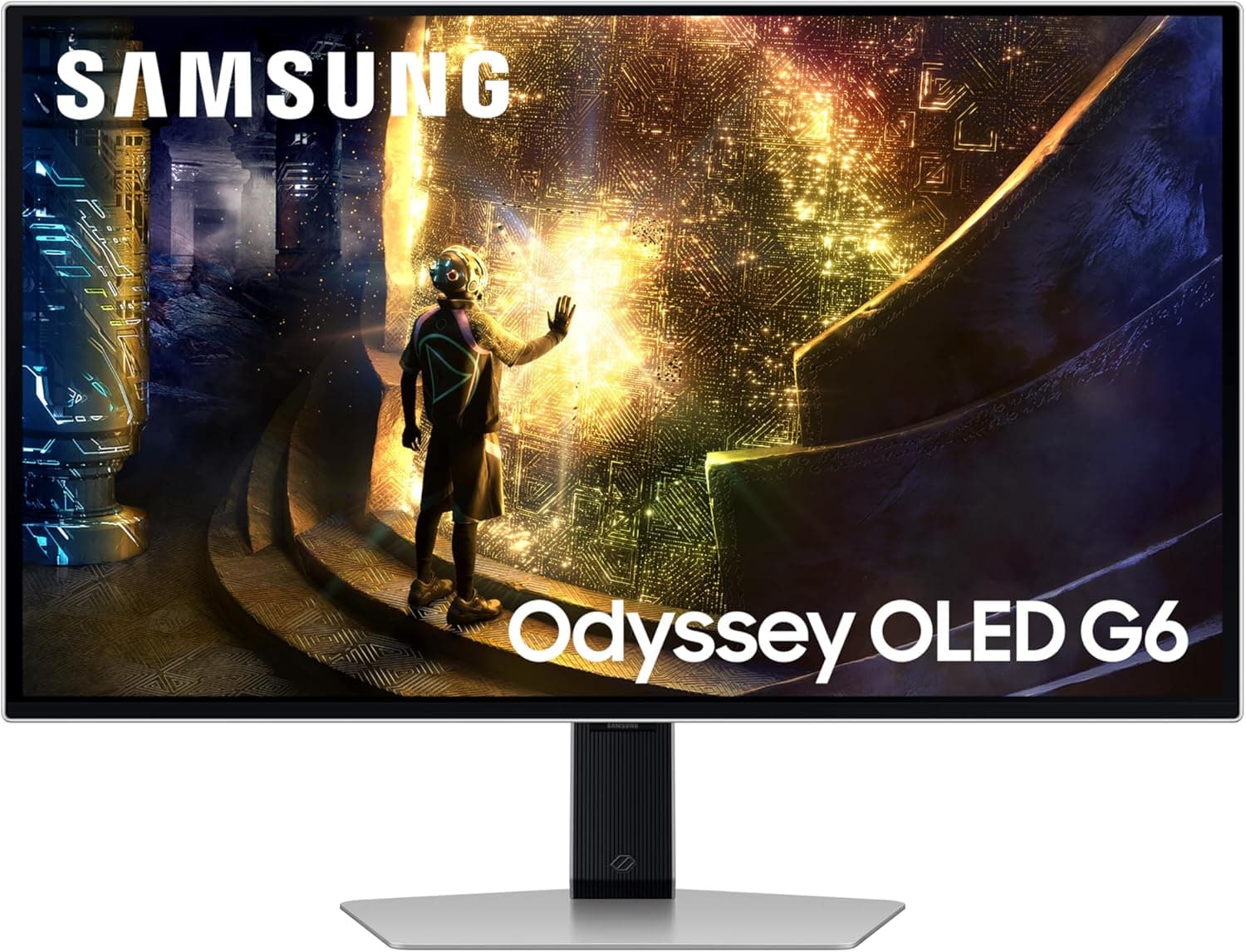
The Samsung Odyssey OLED G6 G61D is a 27-inch QHD (2560x1440) gaming display rated at up to 240Hz with a 0.03ms response time.
This article focuses on the three things buyers actually need to decide: how it differs from a 4K or high-refresh LCD, whether your PC or console can actually drive 240Hz, and how seriously to take OLED burn-in.
Overview
Short version: this monitor is for people who want to stay at 1440p and spend everything on motion clarity. The 0.03ms panel response matters more day to day than the 240Hz headline number, because it removes the smearing that LCDs produce during fast pans and flicks.
If you care more about static detail or desktop space, a 4K or ultrawide panel in the same budget range will make you happier.
27 inches at QHD lands around 110ppi, which is a comfortable, conventional density: Windows scaling can stay at 100% without the fiddling that 27-inch 4K panels often require. 1440p is also a sensible load target for GPUs.
Just budget realistically — actually reaching 240fps takes a mid-to-high tier card.
Reading the Spec Sheet (when 240Hz and 0.03ms matter)
"0.03ms" is an OLED pixel response figure, measured differently from an LCD's "1ms GtG/MPRT." Because OLED pixels switch themselves off, the trailing edges and overshoot artifacts common on LCDs largely disappear.
Tracking a target in an FPS, or whipping the camera around in a third-person title, is where you feel it — more than the number suggests.
The 240Hz side only pays off in games that actually reach those frame rates. Competitive shooters on lowered settings can approach 240fps; heavier AAA titles often settle around 100-150fps at 1440p.
In those games the real benefit is variable refresh smoothing out stutter, not the ceiling itself. Think of the refresh ceiling as insurance and the OLED response as the benefit you get every single frame.
For HDR, OLED's perfect blacks change dark scenes completely. Peak brightness typically varies with how much of the screen is lit, so full-screen bright scenes are dimmer than small highlights.
If you need a screen that stays punchy in a bright room, OLED is not the obvious pick.
Compatibility Guide
Start with your GPU's outputs. Driving QHD at 240Hz generally requires DisplayPort 1.4 or an HDMI 2.1-class output.
If your card tops out at HDMI 2.0, you will likely be capped near 144Hz at QHD, making DisplayPort the practical route.
Whether the bundled cable suffices depends on what ships in the box, so having a VESA-certified DisplayPort cable on hand removes one variable.
Variable refresh support (G-SYNC Compatible / FreeSync) is listed differently per model — confirm the certification and the working range on the product page. Even when supported, enabling it usually takes action in both the monitor's OSD and the GPU driver.
Turning on only one side and concluding "it doesn't work" is an extremely common mistake.
Consoles need care. The PlayStation 5 supports 1440p output over HDMI, but caps at 120Hz there; 240Hz is unavailable.
Xbox Series X|S is likewise 1440p/120Hz. If consoles are your main platform, you will not recover what you pay for 240Hz.
Switch-class hardware runs at 1080p/60Hz, leaving most of this panel unused.
Physically, a 27-inch gaming monitor on a shallow desk can end up too close. A viewing distance of roughly 60-80cm suits 27-inch QHD; sit closer and OLED subpixel text fringing becomes easier to notice.
If you plan to use an arm, check the VESA pattern (whether 100x100mm works directly or an adapter is required) before buying — several recent slim OLED monitors need one.
Product Info
The manufacturer is Samsung and the listed Amazon ASIN is B0DVBR2MX8. As of June 2026, the Amazon Japan rating is 4.4 out of 5 (roughly 88% positive) — but that comes from only 8 reviews.
At that count, a couple of outliers move the average substantially, so the star rating is too thin to decide on. Read the individual reviews and look for someone whose use case resembles yours.
On price, the collected data for this article was internally inconsistent: the figures and sellers across the Japanese, global, and marketplace entries did not line up with each other or with what a 27-inch QHD OLED normally sells for. For that reason this article does not quote a price. OLED monitors also swing heavily during sales, so check the current price and the seller (Amazon direct vs.
a marketplace listing) on the product page immediately before ordering — warranty handling can differ by seller even for the same model number.
How It Compares
Within OLED, size and resolution split the use cases cleanly. 27-inch QHD leans competitive-FPS; 31.5-inch 4K OLED leans do-everything; 34-inch ultrawide leans immersion and desktop width.
If you are considering this panel, those are the alternatives worth pricing — the trade is resolution and screen area versus refresh rate and a tighter field of view.
Against a 240Hz IPS LCD, the LCD wins on price, bright-room usability, and having no burn-in risk at all. OLED wins clearly on black level, shadow detail, and moving-edge clarity.
If those three do not excite you, putting the difference toward your GPU is the better call.
Best Use Cases
- PC players focused on competitive shooters who want to invest in motion clarity
- Owners of a GPU that already pushes high frame rates at 1440p, where the display is now the bottleneck
- Players of dark, atmospheric games and film watchers who want crushed-black-free shadow detail
- Buyers who find 4K too demanding but 1080p not enough
- Anyone who specifically wants 27 inches — a size you can take in without moving your head
Before You Buy
The source data for this article contained information from a completely different product. Specifications for a USB-C wired Ethernet adapter (chipset, cable length, network standards) were registered as this monitor's specs, and the price entries were inconsistent as well.
None of it was used here. The same kind of bad metadata may still be on the listing, so confirm the product using the images, the title, and the manufacturer's own spec sheet before ordering.
Burn-in is the unavoidable question with any OLED. For gaming-only use it should not scare you off, but leaving a taskbar, browser tabs, a game HUD, or streaming-software UI parked in the same spot for hours every day raises the risk.
Practical mitigations: auto-hide the taskbar, use dark themes, set short screensaver and sleep timers, and run the monitor's pixel refresh routine when prompted. If this will double as your everyday work display, I would not recommend it.
Check the warranty terms too. Burn-in coverage varies by manufacturer and model and is sometimes excluded outright.
Confirming the warranty length and whether burn-in is covered makes the decision much easier.
Text rendering is the other overlooked issue. OLED subpixel layouts differ from LCD, so black text on white can show faint color fringing at the character edges.
It is most noticeable up close over long sessions, and no setting fully removes it. If you can see a unit in person, look at a browser or text editor rather than a game demo — that is the honest test.
Finally, 240Hz is wasted if the GPU cannot feed it. Buy this without GPU headroom and your real gain is limited to the OLED response time.
On a tight budget, compare upgrading the monitor versus the graphics card before committing.
FAQ
Q. Can I use 240Hz on PS5 or Xbox Series X? A.
No. Both cap at 120Hz when outputting 1440p.
If you play mostly on console, paying for 240Hz makes little sense.
Q. What cable do I need for QHD 240Hz? A.
DisplayPort 1.4 or newer is the safest route.
Over HDMI you need an HDMI 2.1-class output and cable.
GPUs limited to HDMI 2.0 usually cannot reach 240Hz at QHD, so check your card's output generation first.
Q. How quickly does burn-in happen? A.
It depends entirely on usage, so no time figure is honest. The relationship is simple: the longer the same static element stays on screen daily, the higher the risk.
Gaming and video with no permanently visible HUD or taskbar is low concern.
Q. Can it be my main work display? A.
It can, but its strengths go unused. Long hours of static UI is exactly OLED's weak point, and text fringing is most visible in that scenario.
For work-first setups, an LCD suits better.
Q. Is the 4.4 rating trustworthy? A.
With only 8 reviews as of June 2026, treat the average as weak evidence. Rely on the review text and the manufacturer's spec sheet instead of the star count.
Q. Does 27-inch QHD look coarse next to 4K? A.
At a 60-80cm viewing distance it rarely matters for gaming. For detailed text work, 4K has the clear advantage.
Product Disclosure (Amazon)
- Manufacturer: サムスン(SAMSUNG)
- ASIN: B0DVBR2MX8
- Note: This article covers a manufacturer-made product based on Amazon listing details.