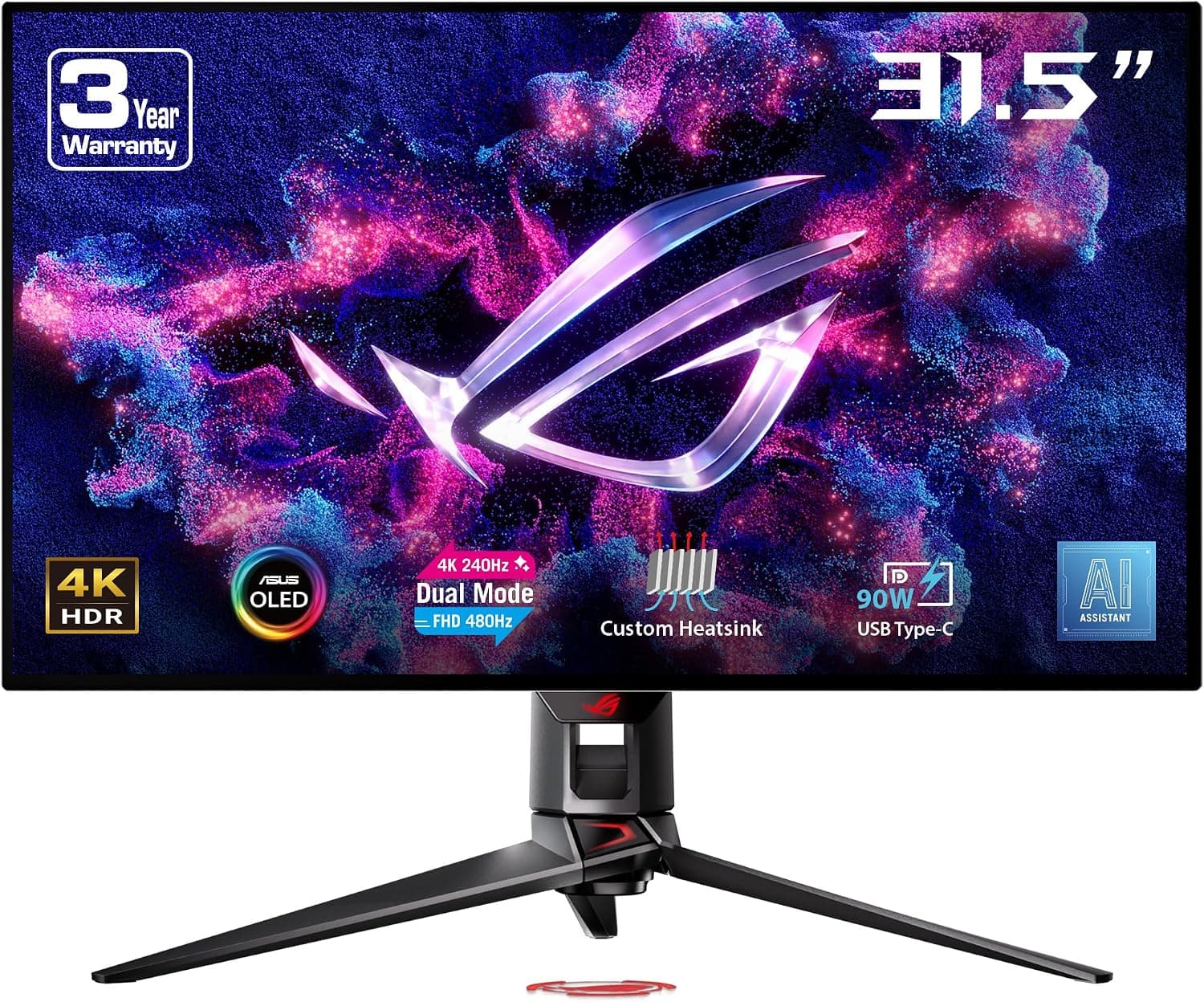
This article covers ASUS ROG Swift OLED PG32UCDP ゲーミングモニター.
Overview
The ASUS ROG Swift OLED PG32UCDP is a flagship 31.5-inch gaming monitor built around a WOLED panel. Its headline feature is the dual-mode capability, letting you switch between 4K at 240Hz and FHD at 480Hz depending on the game or task at hand. Competitive shooters get the ultra-high refresh rate, while visually rich titles can be enjoyed in crisp 4K. Response time is rated at 0.03ms (GTG), which keeps motion blur to a minimum. The monitor also includes an AI assistant, OLED anti-flicker technology, a custom heatsink for thermal management, and ASUS OLED Care features to mitigate burn-in. A USB Type-C port with 90W Power Delivery adds modern convenience for laptop users.
Connectivity & Compatibility
Video inputs include DisplayPort 1.4 and HDMI 2.1, both capable of driving the panel at 4K 240Hz. The USB Type-C port supports 90W Power Delivery, so a single cable can carry both video and power to a compatible laptop. The DisplayWidget Center software lets you adjust OSD settings with a mouse, including screen splitting and various gaming features. This makes fine-tuning the monitor much more intuitive than using the physical buttons alone.
Product Info
Released in 2024, the PG32UCDP sits firmly in the high-end tier of gaming monitors. The combination of a 31.5-inch WOLED panel, dual-mode refresh rates, AI-assisted features, and 90W USB-C power delivery represents a no-compromise flagship package. The standard manufacturer warranty covers three years including the panel. Accessories in the box include power and video cables (DisplayPort and HDMI) as well as a USB cable for the hub and software control.
Best Use Cases
① Competitive FPS players: The FHD 480Hz mode delivers exceptionally smooth motion, giving you an edge in fast-paced aiming. The 0.03ms response time also helps you track targets with minimal ghosting. ② Gamers who prioritize visual fidelity: Switch to 4K 240Hz mode for graphically demanding titles. WOLED's deep blacks and vibrant colors also make this an excellent choice for watching movies and streaming video. ③ Laptop-centric creators: With 90W USB-C power delivery, you can connect a compatible notebook with a single cable while enjoying 4K output. The panel's color accuracy is a solid foundation for photo and video work.
Things to Consider
OLED burn-in remains a real consideration, even with modern mitigation features. Avoid leaving static images on screen for extended periods, and make use of ASUS OLED Care functions like pixel refresh and screen savers to extend panel life. To take full advantage of 4K 240Hz or FHD 480Hz, you'll need a graphics card and cable that support DisplayPort 1.4 or HDMI 2.1. Check your system's output capabilities before purchasing. The price is firmly in flagship territory, well above typical gaming monitors. This is a product for users who will genuinely benefit from dual-mode refresh rates and WOLED image quality, not a casual upgrade. ## FAQ
Q: How do I switch between the dual modes? A: Use the on-screen display menu or the DisplayWidget Center software to select the desired resolution and refresh rate combination. The switch can be done quickly even during gameplay. Q: I'm worried about burn-in. What protections exist? A: ASUS OLED Care includes pixel refresh, screen saver, and brightness adjustment features. Enabling these helps reduce the risk of permanent image retention. Q: Does it work with PS5 or Xbox Series X? A: Yes, the HDMI 2.1 port supports current-gen consoles. However, the 480Hz mode is only available when connected to a PC.
Product Disclosure (Amazon)
- Manufacturer: ASUS
- Seller: trippodoshop
- Fulfilled by: trippodoshop
- ASIN: B0D9VR8RPH
- Note: This article covers a manufacturer-made product based on Amazon listing details.