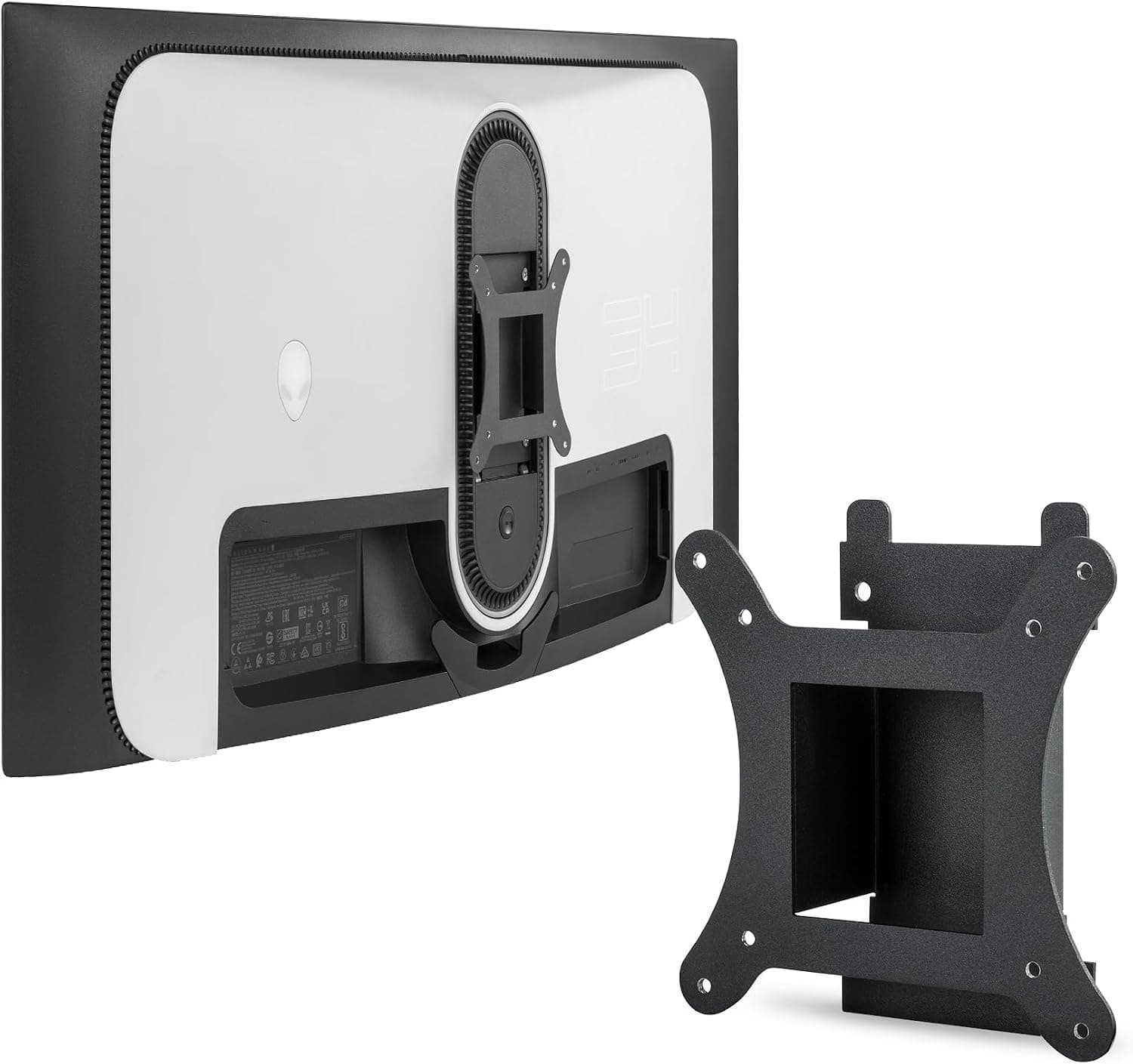
This article covers DELL Alienware 34インチカーブQD-OLED用VESAブラケットアダプター(AW3423DW対応).
Overview
If you own a Dell Alienware AW3423DW, you've likely considered swapping the bulky stock stand for a monitor arm. However, this 34-inch QD-OLED gaming monitor uses a non-standard 75x75mm VESA pattern, which doesn't fit the common 100x100mm arms and mounts. That's where the JUNBOMAOYI VESA Bracket Adapter comes in. This adapter is purpose-built for the AW3423DW, converting the 75x75mm rear mounting holes to a standard 100x100mm pattern. Made from alloy steel with a black finish, the kit includes all necessary screws and washers. Installation takes just a few minutes with a single screwdriver, freeing up valuable desk space and enabling a cleaner setup.
Connectivity & Compatibility
Compatible model: Dell Alienware AW3423DW only. The AW3423DWF is NOT supported — double-check your monitor's model number before purchasing. Converted VESA standard: 100x100mm, compatible with virtually all aftermarket monitor arms, wall mounts, and gas-spring arms. Installation: Simply attach the bracket to the monitor's rear VESA holes using the provided hardware. No special tools required. Kit contents: Bracket, mounting screws, and washers. Monitor arm not included.
Product Info
This third-party accessory from JUNBOMAOYI is available on Japan, priced around ¥5,593 (tax included). It sits in the entry-to-mid-range tier, offering an affordable solution where no official Dell adapter exists. The bracket is made from alloy steel for durability, and the black finish matches the monitor's aesthetic. Warranty terms vary by seller; check the product page for details. The package contains only the bracket and hardware — you'll need to supply your own monitor arm.
Best Use Cases
AW3423DW owners wanting a monitor arm: Without this adapter, you'd need to hunt for a rare 75x75mm arm or modify the monitor. This bracket lets you use any standard 100x100mm arm, opening up a wide range of options. Users reclaiming desk space: The stock stand is large and intrusive. Switching to an arm frees up desk real estate and improves cable management. * Multi-monitor setups: An arm allows you to align the AW3423DW with other monitors for a seamless multi-display configuration. Note that the arm itself is not included. This product is unnecessary if you already have a 75x75mm-compatible arm, or if you're satisfied with the original stand. Also, it does not work with the AW3423DWF model.
Product Disclosure (Amazon)
- Manufacturer: JUNBOMAOYI
- Seller: Amazon US
- Fulfilled by: Amazon US
- ASIN: B0FMRZ64HG
- Note: This article covers a manufacturer-made product based on Amazon listing details.