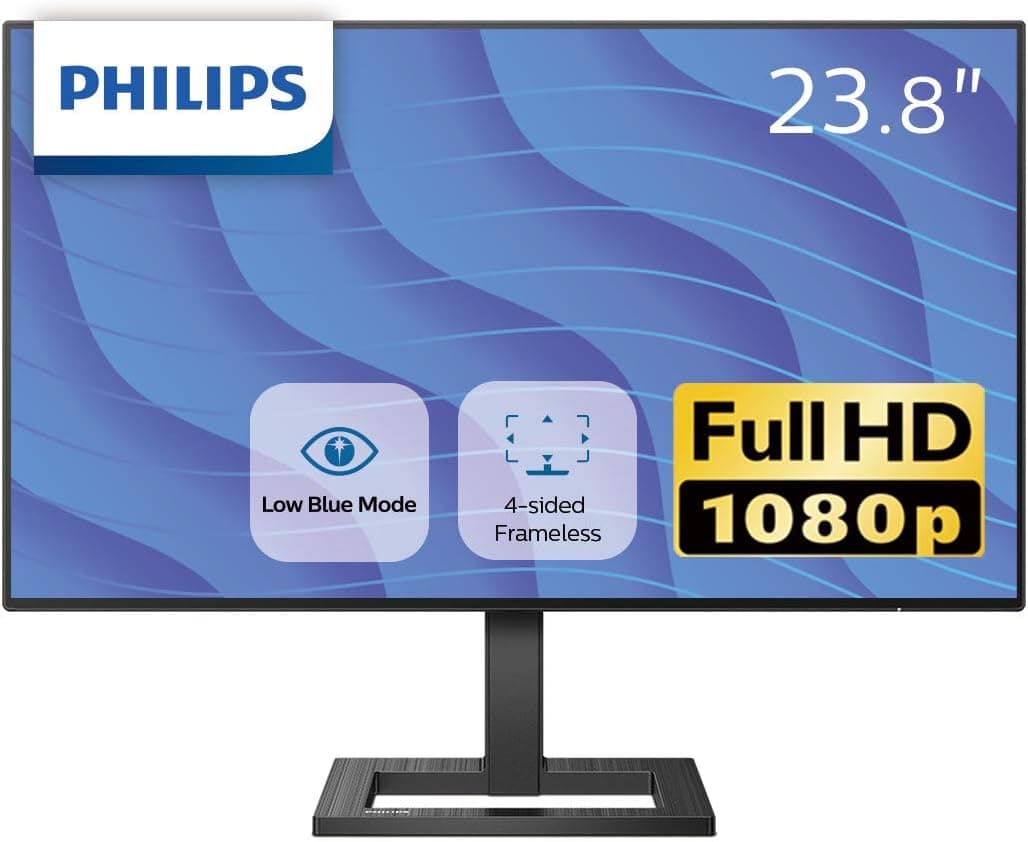
The PHILIPS 242E2F is a standard 24-inch class LCD monitor. This article covers who it fits, where you will have to compromise, and what to verify before you buy.
Overview
The 242E2F belongs to Philips' E-line, the value-oriented tier of the company's monitor range. The "242" prefix indicates a 24-inch class panel (typically around 23.8 inches of usable diagonal), aimed at everyday work: office documents, remote work, study, and video.
It is not marketed on high refresh rates or wide gamut coverage the way gaming and creator displays are.
The short version: this is a good fit if your laptop screen is cramping your workflow, if your desk is too shallow for a 27-inch or larger panel, or if you want an inexpensive second or third screen. If your main goal is competitive FPS frame rates or color-critical photo and video work, this class is the wrong starting point.
Note that panel technology (IPS or VA), refresh rate, and port selection can differ between models in the same 242E family depending on the suffix and the region of sale. This article does not state numbers it cannot confirm.
Check the specification table on the product page for exact figures.
Why 24-inch FHD Still Makes Sense
24-inch monitors are generally paired with a 1920x1080 (FHD) resolution. That combination is often dismissed as dated, but it has concrete advantages.
First, scaling simply is not an issue. A 24-inch FHD panel lands around 90-93 ppi, which means Windows runs cleanly at 100% scaling with no interpolation.
On 4K displays at 125% or 150% scaling, older business applications and some driver control panels still render blurry text or broken layouts. That problem disappears here.
Second, the load on your PC is light. FHD requires roughly a quarter of the pixels of 4K, so integrated-graphics laptops and older desktops handle browser scrolling and video playback without strain.
If you are extending the life of an aging PC while adding screen area, this pairing works well.
Third, viewing distance. On a typical desk around 60 cm deep, a 24-inch panel can be taken in without turning your head.
Larger 27- and 32-inch panels are more immersive but increase eye movement at close range. "Bigger is better" only holds once you actually have the desk depth.
Compatibility Guide
These are the practical stumbling points.
Check the output ports on your PC first. Standard 24-inch monitors typically offer HDMI and D-Sub (VGA), with DisplayPort on some models.
Confirm the exact port layout for the 242E2F on the spec sheet. Be especially careful if you expect a single USB Type-C cable to carry both video and power.
Monitors in this price band usually do not support USB-C video input (DP Alt Mode) or power delivery, so a thin laptop or MacBook with only Type-C ports will need a USB-C to HDMI adapter.
VESA mounting and hole pattern. If you plan to use a monitor arm or wall mount, confirm VESA 100x100mm support before buying.
Entry-tier monitors sometimes have curved backs with integrated stands and either no VESA pattern or a required adapter plate. Buying the arm first and finding it will not attach is a very common mistake.
Stand adjustment range. At this price point, tilt-only stands are the majority; height, pivot, and swivel adjustment are often absent.
If the screen sits too low and strains your neck, plan on a monitor riser or an arm from the start.
Included cables. It is not unusual in this class for an HDMI cable to be omitted, or for only a D-Sub cable to be included.
Keep a spare cable on hand so you are not stuck on delivery day.
Power. Whether the power supply is internal or an external brick changes your cable management and power strip needs.
Check before you plan the desk layout.
Product Info
On pricing: as captured on June 12, 2026, a listing price of 21,480 yen was recorded on Amazon.co.jp.
That figure reflects that capture date and will move with sales and stock. More importantly, as explained below, the collected data attached to this article contains information from a different product, so there is no certainty that this price belongs to the 242E2F.
It sits somewhat high for a standard 24-inch class monitor, so verify the current price and confirm the product identity on the listing page before purchasing. For overseas marketplaces such as eBay, no specific listing price was recorded at capture time; you will need to check search results directly.
For reviews, a rating of 4.3 out of 5 stars (roughly 86% positive) across 247 reviews was recorded as of May 31, 2026.
A 4.3 is slightly above average for monitors in this bracket.
That said, given the confirmed data contamination, it cannot be stated with confidence that these reviews belong to this exact product. Read the actual review text on the listing page rather than relying on the aggregate.
Accessories and warranty terms can also vary by sales channel, such as official distribution versus parallel imports. Philips handles long warranties and advance-replacement services differently between flagship and entry models, so read the warranty text on the specific listing.
Setup Tips That Pay Off
A few adjustments make a noticeable difference right after unboxing.
First, lower the brightness from the factory setting. Displays ship bright to look good on retail shelves, which is uncomfortably harsh for indoor office work.
Dropping to roughly 30-50% changes how tired your eyes feel by the end of the day.
Second, verify the refresh rate. In Windows advanced display settings, confirm the highest supported value is selected.
Depending on the cable and port, a monitor can be detected at a lower refresh rate or resolution than it supports.
If you are pairing with a laptop, set the external monitor as the primary display so notifications and new windows open where you expect them. For closed-lid clamshell use, plan for an external keyboard and mouse plus a laptop position that does not choke off airflow.
How It Compares
Even within the 24-inch class, the decision points are clear.
| Use case | Standard 24-inch | 27-inch QHD or larger | High-refresh gaming panel |
|---|---|---|---|
| Documents and remote work | Sufficient, native scaling | More space, higher cost | Overkill |
| Video viewing | Fine | Larger and better | Overkill |
| Competitive FPS | Insufficient | Insufficient | Ideal |
| Photo and video editing | Short on gamut and pixels | Suitable | Model dependent |
A standard panel like the 242E2F is the type of product that earns its keep in productivity use. Whether the same budget is better spent on a high-refresh gaming display or on more screen size and resolution depends entirely on what you do.
If gaming dominates your usage, compare against 240Hz-class FHD gaming monitors or 31.5-inch models before deciding.
Best Use Cases
This monitor fits particularly well if you are:
- Working on a laptop alone, with screen space as your productivity bottleneck. One 24-inch panel lets you put a document and a browser side by side.
- Working at a desk roughly 50-60 cm deep, where a 27-inch panel would sit uncomfortably close.
- Regularly using business or legacy software and wanting to stay at 100% display scaling, avoiding the rendering issues that scaled 4K setups still produce.
- Adding an inexpensive secondary screen for chat, logs, or reference material alongside an existing main display.
- Buying a simple, low-maintenance screen for family or study use.
If you work with color professionally, chase every frame in competitive titles, or keep four or more windows visible at all times, this class will not satisfy you.
Before You Buy
The source data for this article contained obvious contamination. The collected specification list included entries such as "supported laptop size 12-20 inches," "fan size 200mm," and "fan speed 600-800 RPM" — specifications for a laptop cooling pad, not a monitor.
The price, review count, and warranty figures are likewise of uncertain provenance. None of those items are presented here as product specifications.
When you open the listing yourself and see the same kind of mismatch (description and images showing different products, spec rows unrelated to the category), confirm the product from the images and title first. Amazon listing metadata is entered by sellers and errors do persist.
Estimate up front whether 24-inch FHD will feel cramped. For wide spreadsheets, or development work with an editor, terminal, and browser side by side, 1080 vertical pixels runs out quickly.
If that describes your work, the same budget is better spent on QHD or on two 24-inch panels.
Do not expect much from built-in speakers. Monitor speakers, when present, are low-output and functional at best.
If you use video calls or media daily, plan on external speakers or a headset.
Watch resolution settings with consoles. A PS5 or Xbox will drive an FHD panel without trouble, but a console configured for 4K output may fail to sync.
You may need to force 1080p in the console's video settings.
Dead pixels and uniformity. Manufacturers define a tolerance below which dead pixels are not treated as a defect.
Zero dead pixels is not guaranteed, so if that matters to you, buy from a retailer offering a dead-pixel guarantee.
Always match the model suffix. Philips sells closely named monitors — 242E2F, 242E1, 24E1N5500B — with meaningfully different specifications.
When reading reviews, confirm they describe the same suffix.
FAQ
Q. Does it support VESA mounting? A.
If you plan to use an arm, confirm VESA support (usually 100x100mm) on the spec sheet. Some entry-tier monitors do not support VESA at all, and buying the arm first leads to a mount that will not attach.
Q. Can I use it with a laptop that only has Type-C ports? A.
Yes, but you will most likely need a USB-C to HDMI or DisplayPort adapter, since monitors in this price band typically lack USB-C video input and power delivery.
Q. Is it usable for gaming? A.
It is fine for casual console play and lighter PC titles. For competitive FPS where high frame rates matter, choose a display that explicitly advertises its refresh rate.
Q. Should I get 27-inch instead? A.
If your desk is at least 60 cm deep and you want more working area, 27-inch wins. If depth is limited or you prefer less eye movement, 24-inch is easier to live with.
Measure your desk before choosing a size.
Q. Can I trust the listed price and review count? A.
The price reflects its capture date and changes over time. Because this listing's collected data included another product's information, treat those numbers as reference only and confirm current details on the product page.