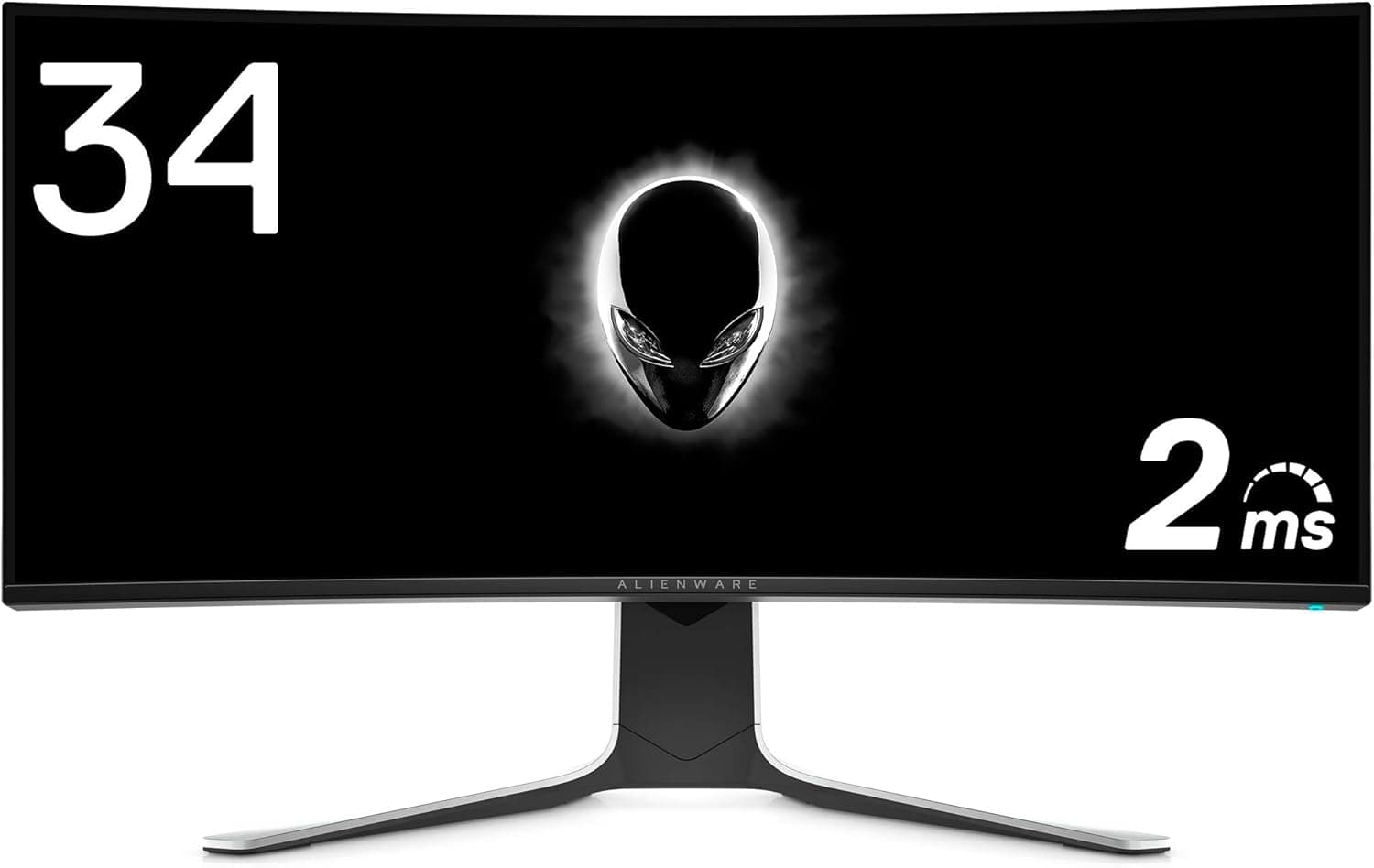
The Dell ALIENWARE AW3420DW is a 34.1-inch, 3440x1440 (UWQHD) curved ultrawide gaming monitor that pairs an IPS Nano Color panel with 120Hz and NVIDIA G-SYNC.
The short version: it suits people who want immersion and color accuracy from a single screen, and it does not suit anyone chasing HDR punch, deep blacks, or refresh rates beyond 120Hz. On Amazon.co.jp it holds 4.6 out of 5 stars (92%) across 48 reviews — steady, but from a small sample worth keeping in mind.
Overview
At the center of the AW3420DW is an IPS Nano Color panel rated at 2ms (GtG), DCI-P3 98% coverage, 350 cd/m² peak brightness, and a 1000:1 contrast ratio. Read together, those numbers describe a specific goal: near-TN response times delivered on an IPS panel with proper color.
An ultrawide is essentially a 27-inch 1440p screen stretched sideways, and those extra horizontal pixels are the point. In racing games, flight sims, and open-world titles the image wraps into your peripheral vision in a way 16:9 cannot match.
The flip side is software: titles that do not properly support 21:9 will either letterbox or fling UI elements to the far edges. That is a software limitation, not a fault of the panel.
The chassis is substantial, as Alienware hardware tends to be. The monitor weighs 11.02kg, which matters both for desk load and for arm mounting — more on that below.
Compatibility Guide
The single most important compatibility note is the input layout. There is one DisplayPort 1.2 and one HDMI 1.4, and over HDMI the panel is limited to 50Hz at native resolution.
In other words, the headline 120Hz is only available over DisplayPort. Most "why does this feel choppy" reports trace straight back to this.
The bundled DisplayPort and mini DisplayPort-to-DisplayPort cables exist precisely because of it.
| Spec | Value | What it means in practice |
|---|---|---|
| Resolution | 3440x1440 (UWQHD) | ~33% more pixels to render than 1440p |
| Refresh rate | 120Hz | DisplayPort only |
| HDMI | 1.4 (one port) | Capped at 50Hz at native resolution |
| Panel | IPS (Nano Color) | Strong viewing angles and color, weak blacks |
| Contrast | 1000:1 | Not a good fit for dark content |
| Peak brightness | 350 cd/m² | Underwhelming in bright rooms and for HDR |
| Weight | 11.02kg | The real constraint when picking an arm |
G-SYNC here is the module-based implementation, so variable refresh requires an NVIDIA GPU connected over DisplayPort. GeForce GTX 10-series and newer will work, but "G-SYNC engages" is not the same as "games run well at 3440x1440 and 120Hz." The rendering load is roughly 3.4x that of 1080p and about 1.33x that of 2560x1440.
If you want modern titles near 100fps at high settings, budget for a GPU that matches. That said, G-SYNC earns its keep exactly when frame rates fluctuate, so a mid-tier card still benefits.
AMD Radeon, Intel Arc, PlayStation, and Xbox will all produce an image, but do not count on variable refresh. Consoles in particular connect over HDMI and run headfirst into the 50Hz limit.
This is not a monitor to buy for console gaming.
There is a built-in USB 3.0 hub (one upstream, four downstream).
If your PC lives under the desk, routing keyboard, mouse, and headset dongles through the monitor tidies things considerably. The stand offers height, tilt, and swivel adjustment, and VESA 100mm mounting is supported.
If you move it to an arm, remember that 11.02kg is the figure to plan around (minus the stand), and that an ultrawide's width puts more leverage on the mount than a 16:9 panel of similar mass.
Product Info
rmation
Amazon JP listed it at ¥201,639 as captured on 28 May 2026. Prices move often and sales can cut into that meaningfully, so check the current listing before buying.
Note also that the entry labeled "Amazon US" in the source data points to the same Amazon.co.jp page at the same yen price — it is not a separate overseas price.
If you need regional pricing, check the local store directly rather than trusting that label.
Warranty coverage is a genuine strength: three years including a bright-pixel guarantee, with advance exchange, meaning a replacement ships before you return the faulty unit. For a large ultrawide that is hard to substitute in a pinch, that matters more than the headline suggests.
Included accessories are the power cable, a DisplayPort cable, a mini DisplayPort-to-DisplayPort cable, and a USB 3.0 cable.
The cable you need for 120Hz is in the box, so no extra purchase is required.
Product Disclosure (Amazon)
- Manufacturer: Dell
- ASIN: B07X5994B4
- Note: This article covers a manufacturer-made product based on Amazon listing details.
How It Compares
Released in 2019, this is clearly a previous-generation product on a 2026 shelf. Same-size 34-inch 3440x1440 panels now ship with OLED and refresh rates past 240Hz, beating it on response, black level, and HDR.
The reasons to still pick the AW3420DW are that it is IPS, and that it can make sense on price if it has come down.
The practical upside of IPS is that burn-in is not a concern. If you keep static UI on screen for hours — productivity work, a fixed overlay while streaming — not having to think about panel wear is a real advantage.
Conversely, if you mostly play horror or space games or watch films in a dark room, 1000:1 contrast will feel flat.
Refresh rate requires a similar trade-off. 120Hz is a dramatic step up from 60Hz, but a clear step down if you are coming from 144Hz or 240Hz.
Serious competitive FPS players should look elsewhere.
What You Notice in Daily Use
Curved ultrawides look distorted at the edges if you sit too close and lose the benefit of the curve if you sit too far. For a 34-inch panel, roughly 60-80cm is a workable guide.
Shallow desks push you too close, so check your setup before the monitor.
For work, 3440x1440 is the minimum resolution at which two side-by-side windows are genuinely usable. An editor and a browser, or a timeline and a preview, both get real room.
There is more horizontal space than splitting a 16:9 4K panel, and 1440 vertical pixels keep line counts reasonable.
On color: DCI-P3 98% means the panel covers a wide gamut, not that it is accurate out of the box. If you grade photos or video, plan on calibrating with a hardware colorimeter.
Who It's For
- PC gamers on NVIDIA hardware with a free DisplayPort output. G-SYNC and 120Hz only exist under those conditions.
- Racing, flight sim, and open-world players. These are the genres where ultrawide immersion pays off most obviously.
- People combining gaming with photo or video editing. Wide gamut plus wide canvas fits that dual role well.
- Anyone avoiding OLED burn-in. If static UI stays on screen for hours, IPS is the safer choice.
- Buyers who value warranty. Three years with bright-pixel coverage and advance exchange is meaningful insurance on a large panel.
Before You Buy
HDMI cripples it. HDMI 1.4 caps at 50Hz at native resolution, so consoles, HDMI-only laptops, and HDMI-based docks strip away most of the reason to buy this display.
Confirm you have a DisplayPort output before ordering — this is not something you can easily fix later.
1000:1 contrast and 350 cd/m² are not HDR territory. IPS panels raise black levels, so dark scenes fall well short of OLED or strong VA.
If "HDR support" led you to expect a certain look, you will be disappointed. Do not ask this panel to be your HDR display.
Refresh tops out at 120Hz. Coming from 144Hz or higher, you will feel the drop immediately.
If competitive FPS is your main use, a high-refresh 16:9 panel is the more sensible buy.
Do not underestimate the GPU requirement. 3440x1440 is about 3.4x the pixel count of 1080p.
If your card was chosen for 1080p, frame rates drop the day you plug this in. Judge the purchase on the total cost including a possible GPU upgrade.
Weight and space. 11.02kg is heavy.
Skip shallow desks, low-capacity shelves, and budget monitor arms, and unbox with a second pair of hands.
Age and stock. As a 2019 model, remaining stock is increasingly mixed with refurbished and used units.
Warranty start dates and coverage can vary by seller, especially through marketplace listings.
Read the listing details carefully. Retail listings are partly auto-populated, and manufacturer names, model numbers, prices, and region labels can drift from reality — in the source data for this article, an entry labeled as an overseas price pointed at the same domestic page.
Confirm from the product images and title that you are buying an AW3420DW, and treat the price shown at checkout as the only price that counts.
FAQ
Q. Can I use it with a PS5 or Xbox? A.
It will display an image, but HDMI 1.4 limits you to 50Hz at native resolution.
If consoles are your main use, choose something else.
Q. Does it work with AMD Radeon? A.
It displays fine, but variable refresh here is built around NVIDIA G-SYNC, so do not expect adaptive sync on a Radeon setup.
Q. Do I need a special cable for 120Hz? A.
No — a DisplayPort cable is included. After connecting, select 120Hz in Windows advanced display settings; it often defaults to 60Hz.
Q. What GPU do I need? A.
It depends on the games. Light esports titles hit 120fps on mid-tier cards; demanding modern titles at high settings need something stronger to approach 100fps.
G-SYNC keeps the experience smooth when you fall short of 120.
Q. What does the 3-year exchange warranty cover? A.
It includes bright-pixel coverage, with advance exchange so a replacement ships before you return the faulty unit. Terms and start dates can differ by seller, so check your purchase channel.
Q. Is it good as a work monitor? A.
3440x1440 comfortably fits two usable windows side by side. But if productivity is the only goal, a cheaper ultrawide or a pair of conventional monitors may be the more rational spend at this price level.