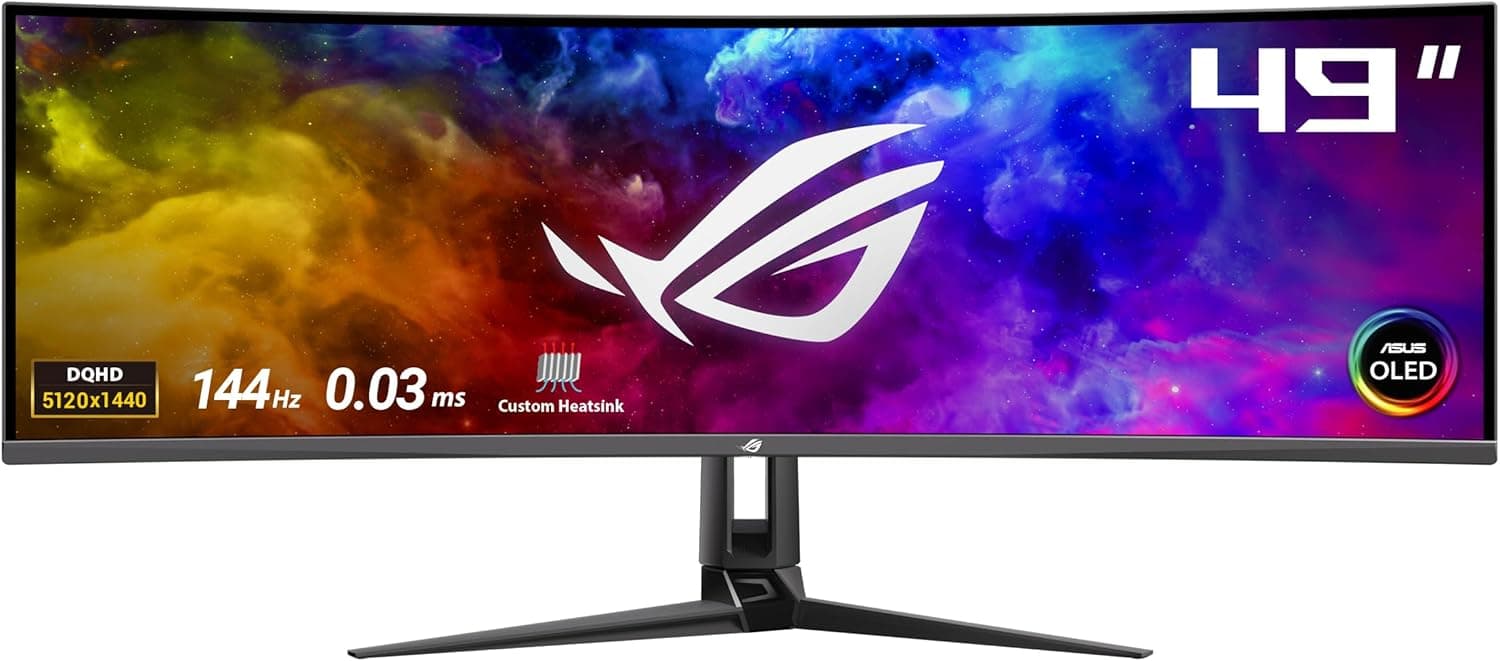
The ASUS ROG Swift OLED PG49WCD is a 49-inch, 32:9 curved QD-OLED ultrawide gaming monitor. This article goes past the spec sheet to answer the questions that actually decide the purchase: will it work with your hardware, will it fit your desk, and where do you have to compromise?
Overview
The PG49WCD pairs a 49-inch QD-OLED panel with a 5120×1440 (DQHD) resolution, an 1800R curve, and a rated 144Hz refresh rate. In terms of usable area it is roughly two 27-inch WQHD monitors side by side — minus the bezel in the middle.
That framing matters: this is less "a big monitor" and more "a seamless dual-monitor setup in one panel."
It shines in racing and flight sims, MMOs, open-world titles, and any workflow where several windows stay open at once. It is a weaker choice for competitive FPS players, for anyone short on desk width or depth, and for people doing long document work in a bright room — all explained below.
Put simply: when the use case fits, nothing else substitutes for it; when it doesn't, it is just an expensive display.
How It Differs From a Dual-Monitor Setup
The headline difference is that no physical seam sits in the center of your view. With two panels, most people end up angling their body to dodge the bezel directly in front of them.
A single 32:9 panel lets you sit square to the screen. In games, the wider horizontal FOV puts more information into your peripheral vision, which makes situational awareness easier.
There are trade-offs in the other direction. Because it is one panel, you cannot rotate half of it to portrait or set two different heights.
Window management also needs help — left to the OS defaults, you end up with absurdly wide maximized windows. Plan on using ASUS's desktop utility, built-in OS snapping, or a third-party window manager.
Most people who feel underwhelmed in the first week simply never set up window splitting.
Compatibility Guide
The most common mistake is picking the wrong video input. Driving 5120×1440 at 144Hz needs serious bandwidth, which in practice means DisplayPort with DSC.
HDMI inputs may not carry enough bandwidth depending on the generation, forcing you to drop either resolution or refresh rate. If a game console is your main source, check the input specifications on the product page before you buy.
On the PC side, confirm your graphics card actually has a DisplayPort output.
GPU load is the other overlooked factor. 5120×1440 is about 7.37 million pixels — exactly twice 2560×1440.
A build that holds 144fps at WQHD will land closer to 70fps here. To make real use of 144Hz you want a GPU that clears 144fps at WQHD with headroom, or you plan on upscaling (DLSS/FSR).
Titles without proper ultrawide support will letterbox or push UI elements to the far edges, and no monitor setting fixes that.
Physical fit is a real constraint. A 49-inch 32:9 panel is roughly 1.2m wide, so a 120cm desk leaves essentially no margin.
The curve brings the edges toward you, so estimating depth as if it were a flat panel puts your face too close. Treat 60cm of desk depth as the minimum.
If you plan to use a monitor arm, be careful: typical gas-spring arms rated for "up to 34 inches / 11.3kg" (the Ergotron LX class) do not cover this monitor's size or weight.
Choose a heavy-duty arm that explicitly lists 49-inch ultrawide support, and verify both the VESA pattern and the size limit.
Product Info
The Amazon.co.jp listing showed ¥271,636 as captured on 12 June 2026.
High-end OLED pricing in this category swings by tens of thousands of yen with stock and sales, so treat that figure strictly as a snapshot and check the product page for the current price. The eBay entry is a search reference ("See listing") rather than a fixed price; note that parallel-import units often carry different warranty terms than domestic retail stock.
As captured on 2 June 2026, the listing showed 9 reviews averaging 5.0 out of 5.
A perfect score looks great, but with a sample of nine it carries little statistical weight. Don't read it the way you would a rating built on thousands of reviews — cross-check against measured reviews from technical outlets and the general behavior of this QD-OLED panel generation.
Living With Burn-In Risk
Choosing OLED means burn-in risk never reaches zero. ROG OLED models include pixel refresh routines, subtle screen shifting, and logo-detection brightness control; step one is simply leaving those enabled.
Beyond that, auto-hide the taskbar, keep screensaver timeouts short, and avoid leaving static-UI applications fullscreen for hours.
Warranty terms are worth checking too. Some manufacturers offer separate burn-in coverage for OLED panels, but the duration and conditions vary by product, region, and where you bought it.
At this price, read the retailer and manufacturer warranty terms before ordering.
Best Use Cases
First, sim racers and flight-sim players. When your cockpit view includes mirrors and instruments in your peripheral vision, the experience changes qualitatively — and that is exactly what 32:9 width delivers.
Second, video editors, music producers, traders, and developers who need long timelines or several panes visible at once. An uninterrupted 5120px of width lets you take in a whole timeline or chart set.
The more the center bezel of a dual setup has annoyed you, the more you will notice the difference.
Third, anyone consolidating gaming and work onto one machine and one screen. If your configuration includes USB Type-C input and a KVM, switching between a laptop and a desktop can come down to a single cable.
Confirm the port specifications on the product page.
Before You Buy
If competitive FPS is your priority, this is not the optimal pick. 144Hz is fast, but the same money buys 27-inch WQHD OLEDs at 240Hz or higher.
On top of that, many competitive titles support 32:9 poorly — ultrawide rendering may be restricted, and the wider view also renders enemies smaller. If you want frame rate and response over sheer width, take the 27-inch route.
Long text work in a bright room is another weak spot. OLED panels reduce peak brightness when showing a full white screen (ABL), so a white document under office lighting can look dimmer than on an LCD.
QD-OLED also uses a subpixel layout that differs from typical LCDs, which can produce color fringing on thin text. Scaling and font anti-aliasing settings mitigate this, but do not eliminate it.
If document work dominates your day, look at text rendering on a demo unit first.
The size itself becomes a factor after purchase. On a 49-inch 32:9 panel you turn your head to read the far edges.
Sit too close and you will be moving your neck constantly, which is more tiring, not less. Measure your desk width, desk depth, and chair position before ordering.
Cabling also concentrates at the rear center, which is awkward on a desk pushed against a wall.
Listing metadata sometimes contradicts the product. For this item, the collected data included specifications that clearly belong to a monitor arm — "max monitor size 34 inches," "11.3kg weight capacity," "VESA 75×75mm / 100×100mm," "clamp / grommet mounting." Those are not this monitor's specifications, and they are not treated as such in this article.
Retail pages can carry the same kind of mix-up, so match the product images, title, and model number (PG49WCD) before you check out.
FAQ
Q. What GPU do I need for 5120×1440 at 144Hz? A.
Pixel count is double WQHD, so you want a card that clears 144fps at WQHD with headroom. For heavy titles, upscaling is the realistic approach.
Q. Can I connect a game console? A.
It will display, but few console titles output 32:9, so black bars are the norm. Whether you can feed full resolution at a high refresh rate depends on the input generation — check the port specifications first.
Q. How worried should I be about burn-in? A.
You cannot eliminate the risk, but leaving the built-in protections on, auto-hiding the taskbar, and not parking static images fullscreen for hours goes a long way. Check the warranty terms too.
Q. Can I mount it on a monitor arm? A.
Not on a standard 34-inch / 11kg-class arm. Use a heavy-duty model that explicitly supports 49-inch ultrawides, and verify the VESA pattern, size limit, and your desktop thickness.
Q. Is the 5.0 review score trustworthy?
A. With only 9 reviews as of June 2026, treat it as a weak signal rather than a verdict.
Product Disclosure (Amazon)
- ASIN: B0CQJJHVKH
- Note: This article covers a manufacturer-made product based on Amazon listing details.