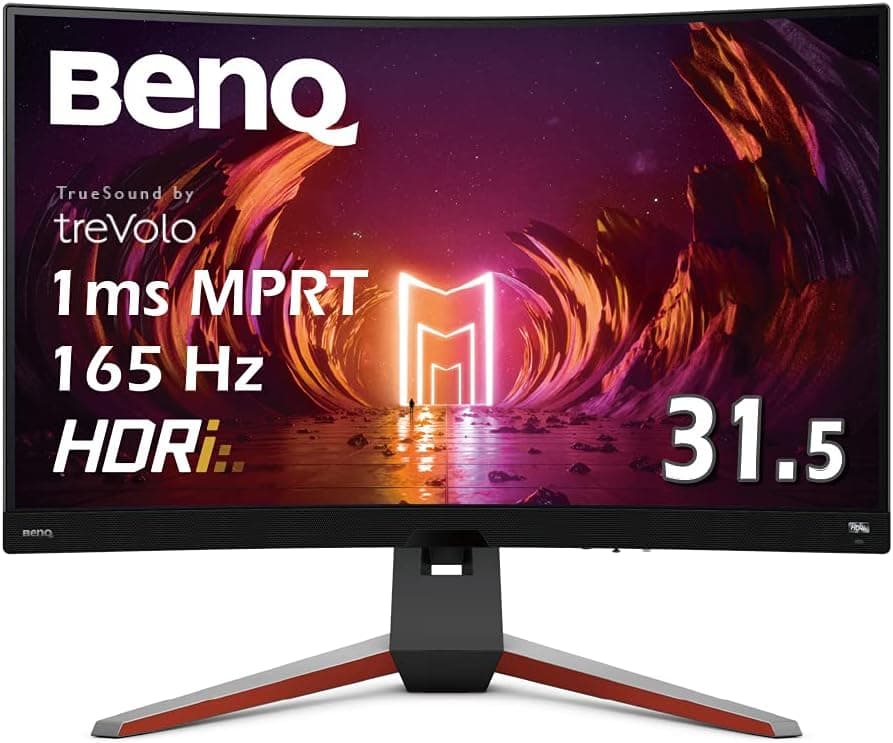
The BenQ MOBIUZ EX3210R is a 31.5-inch gaming monitor built around two ideas: deep-curve immersion and an all-in-one package that includes audio.
Below we go past the spec sheet into the practical trade-offs.
Overview
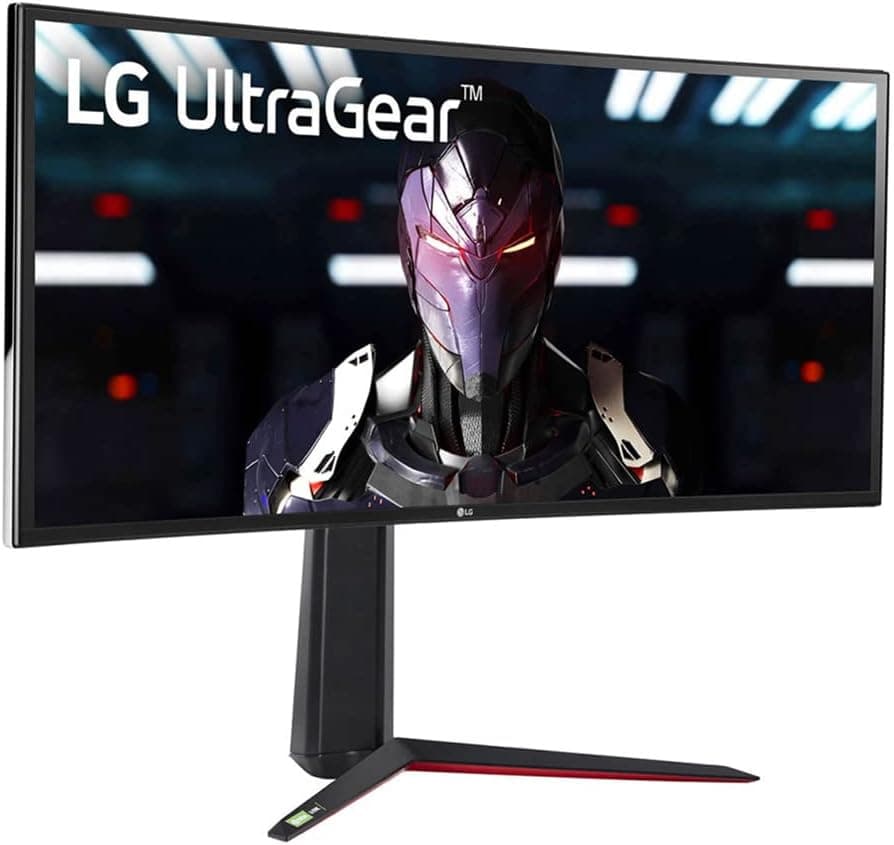
The EX3210R pairs a 31.5-inch VA panel with WQHD (2560×1440) resolution, a 165Hz refresh rate, 1ms MPRT response, and an aggressive 1000R curvature.
It carries HDR400 certification plus BenQ's HDRi processing, and integrates treVolo 2.1ch speakers along with a bundled remote.
The short version: this is not a monitor for people who prioritize color accuracy or pixel density. It is a monitor for people who want to be wrapped by the screen and be done with audio in one purchase.
On Amazon.co.jp it holds 4.5 out of 5 stars across 49 reviews, roughly a 90% positive rate (captured 2026-05-28).
That sample is small, so treat it as directional rather than statistically strong — but it is clearly not skewed toward complaints.
Quick Fit Table
| Use case | Fit | Why |
|---|---|---|
| Racing / flight sims | Excellent | 1000R wraps your field of view and keeps peripherals readable |
| Single-player AAA titles | Excellent | Large panel plus VA contrast punches above its price bracket |
| Competitive FPS | Fair | 165Hz is smooth, but 240Hz+ panels are the current standard |
| PS5 / Xbox Series X | Good | Remote and speakers help, but 4K/120Hz output cannot be used |
| Photo / video color work | Poor | VA viewing angles and curvature undermine color and line judgment |
| All-day office work | Fair | Straight lines bend visibly; expect an adjustment period |
The pattern is clear: this display is optimized for playing games and watching content on a big screen. Bought as a primary work display, the curvature and VA behavior will nag at you daily.
Compatibility Guide
Inputs cover DisplayPort and HDMI, with FreeSync Premium Pro for adaptive sync. The manufacturer's own compatibility note states it works with DisplayPort and HDMI and performs best with FreeSync Premium Pro capable GPUs, so pairing it with a supported card is the baseline assumption if you want variable refresh rate to actually do something.
NVIDIA cards often run fine in G-SYNC Compatible fashion, but check the product page for the exact certification status rather than assuming.
The most common setup failure is a cable-generation mismatch. DisplayPort is the most reliable route to WQHD at 165Hz; HDMI can be capped depending on the device and cable specification.
If 165Hz is not selectable after connecting, check your OS display settings and GPU control panel first — an enormous share of cases are simply monitors left running at 60Hz because nobody changed the setting.
GPU headroom matters too. WQHD carries roughly 1.8× the pixels of 1080p, so genuinely saturating 165Hz takes real rendering performance.
Lightweight esports titles are fine; for modern AAA games at high settings, plan around upscaling (DLSS/FSR) rather than hoping raw performance carries you.
Finally, check physical fit. A 31.5-inch 1000R panel is deeper than a flat equivalent and the stand feet project forward.
On desks shallower than about 60cm, you sit close enough that the curve stops helping and the screen edges start feeling oppressive. If you plan to use a monitor arm, verify VESA support, plate size, and that the weight falls inside your arm's rated load — all from the product page specs before ordering.
Product Info
Key specifications: VA panel, 31.5-inch screen, WQHD (2560×1440), 165Hz refresh, 1ms MPRT response, 1000R curvature, HDR400 / HDRi, treVolo 2.1ch speakers, and FreeSync Premium Pro adaptive sync.
As captured on 2026-05-28, the price on Amazon.co.jp was ¥39,800. The entry labeled "Amazon US" in the same dataset records the identical figure in the same currency (JPY), so treat it as a duplicate of the Japanese listing rather than an international price.
The eBay entry has no concrete figure — only a search listing. Monitor street prices swing hard with sales and stock, so treat that number strictly as a snapshot from the capture date and confirm the current price before buying.
One spec deserves narrative clarification: the "1ms" figure is MPRT, not GtG. MPRT is measured with backlight strobing techniques and does not describe raw pixel transition time.
VA panels are structurally slower on dark-to-dark transitions, which shows up as black smearing in dim scenes. Do not read "1ms" here as equivalent to the response time of an OLED or fast IPS panel — that is the single most important thing to understand about this display.
What Actually Matters in Daily Use
VA's headline advantage is contrast. Blacks sit deeper than on IPS, so dark dungeons, night scenes, and films look better than the price suggests.
HDRi automatically adapts brightness and contrast to ambient light and content, but HDR400 is an entry-tier peak-brightness grade. Treat HDR here as a tasteful enhancement, not as the reason to buy.
The treVolo 2.1ch system, subwoofer included, is genuinely above average for built-in monitor audio.
It does not replace dedicated speakers or a headset for positional accuracy, but not needing a separate speaker purchase has real value. The remote is an unglamorous feature that pays off in console use — swapping inputs and adjusting volume from the couch is meaningfully less annoying.
How It Compares
The same 31.5-inch class includes OLED options (e.g.
ASUS ROG Swift OLED PG32UCDP) and 4K curved models (e.g.
Alienware AW3225QF). OLED clearly beats VA on black levels and response, but costs substantially more and adds burn-in management as an ongoing concern. 4K models win on sharpness while raising GPU requirements sharply.
If horizontal field of view is the priority, a 34-inch ultrawide (e.g.
ASUS ROG PG34WCDN) is another direction.
The EX3210R's position: stay at 16:9, keep the price down, and get immersion plus audio in one box. If you can nearly double the budget, OLED or 4K deserve a look; if you cannot, this is a sensible landing spot.
Best Use Cases
- Gamers who value curvature-driven immersion above all. Racing, flight sims, and open-world RPGs benefit most, since field of view maps directly to the experience.
- Anyone who does not want separate speakers. treVolo 2.1ch plus the remote makes a single box handle picture and sound.
- Owners sharing a display between PC and PS5/Xbox Series X. Multiple inputs plus remote switching keeps device swapping tolerable.
- Players who spend time in dark games and films. VA contrast is at its most valuable here.
- Anyone wanting a realistic GPU-load-to-smoothness balance. 1440p/165Hz asks far less of a GPU than 4K high-refresh.
Before You Buy
1. 1000R is not a universally comfortable curve. It is among the most aggressive curvatures sold, and the immersion comes with visibly bent straight lines.
For spreadsheets, coding, CAD, or layout work — anything where you judge straightness and spacing by eye — that distortion is a constant irritant. Game-first users usually adapt within days; think carefully before making this your main work display.
2. Accept VA's viewing-angle and dark-response limits. It is designed to be viewed head-on; color and brightness shift off-axis.
At 31.5 inches the edges sit at an angle even when you are centered, so a full-screen flat color can look darker toward the sides.
Black smearing, described above, is the other VA-wide weakness. If color accuracy affects your deliverables, do not buy this panel.
3. It falls short for top-tier competitive FPS. 165Hz is smooth, but competitive-focused monitors now start at 240Hz.
If you are fighting for single frames in high ranks, choose a faster panel. This is immersion-first 165Hz, not win-first 165Hz.
4. Keep HDR and speaker expectations calibrated. HDR400 is an entry grade.
The speakers are excellent for built-ins — that qualifier matters.
5. Verify the listing details yourself. In this dataset the manufacturer is BenQ Japan, consistent with the product.
But Amazon listings do sometimes carry another product's metadata in their spec or manufacturer fields, and here the pricing block labeled "Amazon US" oddly repeats the yen figure. Confirm the product images, title, and model number match what you intend to buy before ordering.
6. Measure your desk and viewing distance first. A 31.5-inch deep-curve panel needs depth to work.
Realizing after delivery that you sit too close to take in the whole screen is one of the most common monitor regrets.
FAQ
Q. Does it work with a PS5? Can I use 4K/120Hz? A.
It connects fine over HDMI, but the panel is WQHD, so 4K output cannot be used. Confirm which console output modes and refresh rates are selectable on the product page.
Q. What do I need to reach 165Hz? A.
DisplayPort is the most reliable path. After connecting, select 165Hz manually in your OS display settings and GPU driver — many units run at 60Hz simply because nobody changed it.
Q. Is it usable for office work? A.
Yes, but the 1000R curve visibly bends straight lines. Text-heavy work is usually fine after an adjustment period; spreadsheets and drawings are not a good match.
Q. Does variable refresh rate work on NVIDIA GPUs? A.
The monitor specifies FreeSync Premium Pro. NVIDIA behavior varies by generation and certification status, so check the product page compatibility notes before buying.
Q. Can I mount it on a monitor arm? A.
VESA support, plate size, and panel weight all determine this. Weight is not included in our data, so check the product page specs and confirm it fits your arm's rated load.
Q. Is ¥39,800 still the price? A.
That figure was captured on 2026-05-28. Monitor prices move significantly with sales and stock, so always check the current listing.
Product Disclosure (Amazon)
- Manufacturer: ベンキュージャパン
- ASIN: B09DP6G5KP
- Note: This article covers a manufacturer-made product based on Amazon listing details.