Overview
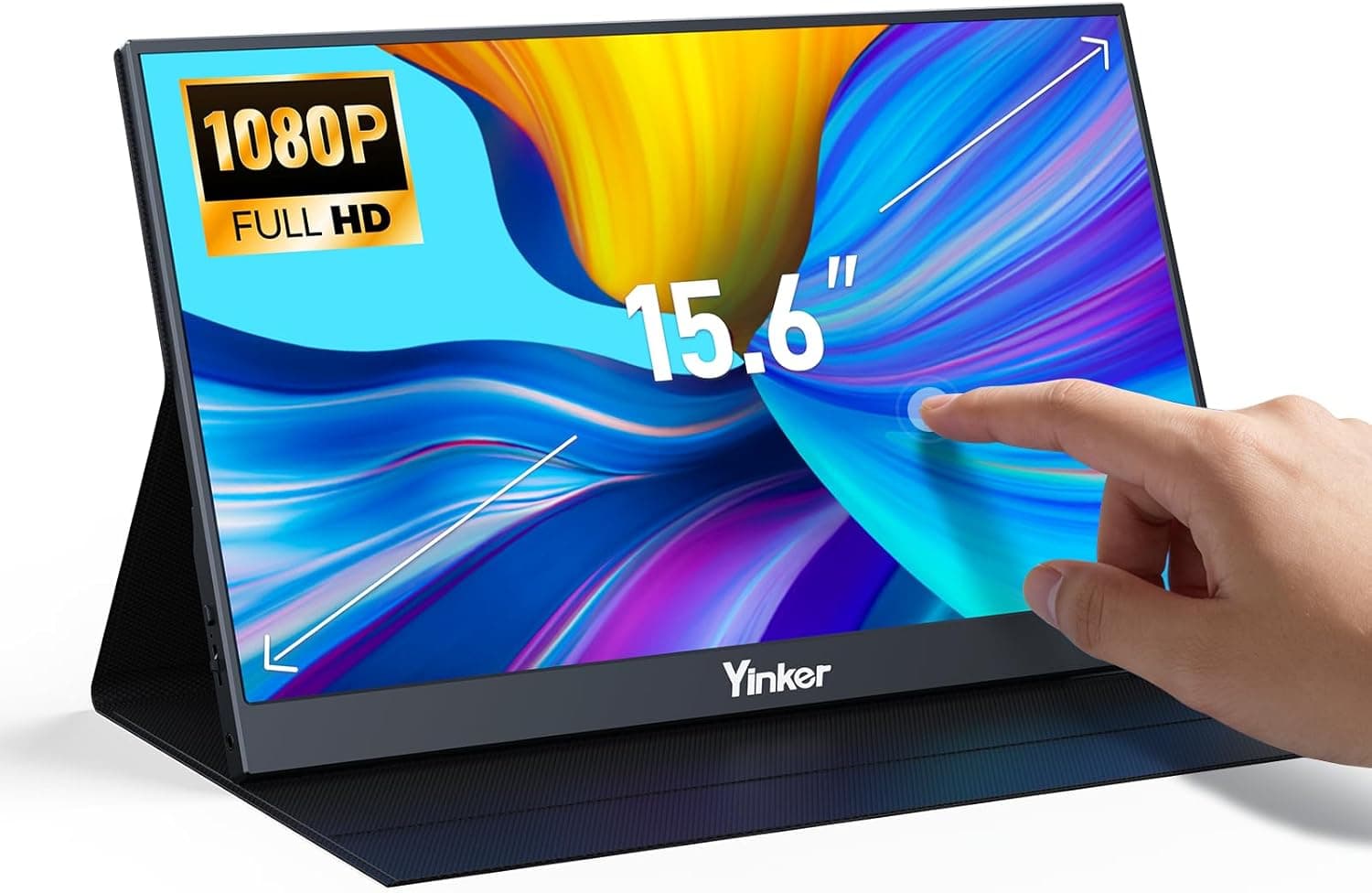
The Yinker 15.6-inch Portable Monitor Touchscreen pairs a Full HD (1920×1080) 16:9 panel with a capacitive touch layer in a carry-anywhere form factor.
The short version: it fits people who want a genuinely touch-capable second screen for a Windows laptop or an Android phone while away from a desk. If you live on macOS, or you only want a screen for a game console, the touch layer you are paying for will sit unused.
The confirmed specification list is short: 15.6 inches, FHD 1920×1080, 16:9, 1ms claimed response time, capacitive touch, USB-C and HDMI inputs, and USB-C power delivery.
That is a conventional portable-monitor recipe, and touch is the only real differentiator. Brightness, color gamut, refresh rate, weight, and panel type (IPS/TN/VA) are not disclosed, and this article will not invent them — check the product listing if those matter to you.
Amazon.co.jp reviews stood at 19 ratings averaging 4.0 out of 5 stars (80%) when captured on 25 May 2026.
That is a respectable average but a very small sample; 19 reviews cannot reveal defect rates or long-term reliability trends. Read it as "no widely reported dealbreakers," not as an endorsement.
Compatibility Guide
Start with the video source. Running a single USB-C cable requires the host port to support DisplayPort Alt Mode.
This is the number one pitfall: plenty of USB-C ports handle charging and data only. Budget laptops, older machines, and entry-level Android phones frequently lack Alt Mode.
Search your exact model for "USB-C video output" before buying.
Power is the second variable. Even over a single USB-C cable, an underpowered host can cause dimming or dropped signal when you raise brightness, and it will drain the laptop battery.
For long sessions, plan on a two-cable setup: external power into the monitor's USB-C port, video into the other. If you go the HDMI route, video and power are always separate, so you need an HDMI cable plus a USB power cable, every time.
In a cafe or on a train with one outlet, that difference matters.
Touch compatibility is the most misunderstood part of this product. Per the supplied compatibility data, touch works on Windows 10/11 and Android only, and does not work on macOS or game consoles.
macOS simply does not support touch input from an external display — no driver or cable fixes that. Nintendo Switch, PS4, and PS5 will output video fine, but you navigate with a controller.
If a bigger Switch screen is your goal, a cheaper non-touch panel does the same job.
Touch data travels over USB, so even with HDMI carrying the video you must also run a USB cable to the PC for touch to function. That accounts for most "HDMI connected but touch does nothing" complaints.
On multi-monitor Windows setups, touch input can also land on the wrong display; fix it in Control Panel → Tablet PC Settings → Setup, where you assign pen and touch input to the correct screen.
Physically, 15.6 inches is roughly the footprint of a 15-inch laptop, so it will not slide into a 13-inch sleeve.
Measure your bag first. The included cover-stand typically offers a few fixed angles, which may leave you looking up or down depending on desk height; a folding stand or monitor arm is worth considering for long sessions.
Product Details
The listed price was ¥39,727 (tax included) on Amazon.co.jp as captured on 26 May 2026.
Portable monitors swing widely with coupons and sales, so treat that as a snapshot and confirm the current price on the listing page.
Being direct: that is on the expensive side for a 15.6-inch FHD touch portable monitor. Comparable products exist at lower prices.
If you can find something at or below this figure that publishes brightness, gamut, panel type, and warranty terms, it deserves a look. The reasons to pick this one are practical — availability, domestic shipping, touch support — rather than value.
Note that the eBay entry is a search link with no concrete figure, so it is not usable for price comparison.
Confirmed specs are the seven items listed above. The 1ms response time is a manufacturer claim with no stated measurement method (MPRT vs GtG).
Portable-monitor response figures are rarely measured the way competitive gaming monitors are, so do not treat that number as evidence of esports suitability. With no refresh rate published, plan around a standard 60Hz-class panel.
Bundled accessories vary by batch. Before ordering, confirm on the listing that the cables you need are included — specifically both a USB-C Alt Mode cable and an HDMI cable.
Warranty terms on the listing page take precedence over anything stated here.
How It Compares
Portable monitor decisions come down to four axes: touch or no touch, panel brightness and color, connection and power simplicity, and stand quality. This unit clearly delivers on touch and connection flexibility.
Brightness, color, and stand quality are unknowns you will have to verify from listing photos and buyer reviews.
| Use case | Fit | Note |
|---|---|---|
| Windows laptop second screen | Excellent | Touch works as intended here |
| Android desktop mode | Excellent | Requires an Alt Mode phone |
| Mac secondary display | Fair | Video only; touch is dead |
| Switch / PS5 external screen | Fair | Video only; touch wasted |
| Photo / video color work | Poor | No published gamut or brightness |
| Competitive FPS | Poor | Refresh rate not published |
If you would use it at a desk most of the time, a regular 24–27 inch monitor buys far more screen per yen. Carry it only a few times a month?
Consider a fixed monitor first.
Best Use Cases
First, Windows laptop users who travel and want documents on one screen and a meeting window on the other. Touch pays off for scrolling PDFs and tapping through approvals without reaching for a mouse.
Second, Android users who actually use desktop mode. With an Alt Mode phone, this monitor plus a handset is a workable mobile workstation — and here touch is not a nicety, it is the whole interaction model.
Third, kiosk-style or shared-screen situations: a reception display, a simple control panel, a recipe screen in the kitchen. Anywhere you would rather not put a keyboard, touch earns its place.
It is a poor fit for Mac users, console-only buyers, color-critical creative work, and high-refresh gamers.
Before You Buy
Decide whether you are paying for touch you can use. It does nothing on macOS, and nothing on Switch, PS4, or PS5.
If either describes you, the same budget buys a brighter non-touch panel. "Touch just in case" is the most common way to regret this purchase.
Verify Alt Mode support on your USB-C port before ordering. Without it you are on HDMI plus USB power, which erases the single-cable advantage and occupies an extra USB port.
Go in knowing the price is high for the class. ¥39,727 as captured on 26 May 2026 is not a bargain for 15.6-inch FHD.
This category moves a lot on coupons and sales; if you are not in a hurry, watch it for a few weeks.
Accept the undisclosed panel numbers. No brightness figure means outdoor or bright-window use is a gamble, and no gamut figure means color-critical work is off the table.
Set expectations accordingly.
Do not take the listing metadata at face value. Amazon listings sometimes carry manufacturer, seller, or model numbers that do not match the actual product.
At the time of writing the listing shows Yinker as manufacturer with 日興 福岡店 as seller and shipper. Cross-check the product images and title so you are certain you are ordering the 15.6-inch touch variant — especially when non-touch or different-size options share the same listing page.
Weigh the thin review base. 19 ratings at 4.0 stars, captured 25 May 2026, is not enough to judge defect rates or durability.
Confirming the return and exchange terms before ordering is the practical hedge at this sample size.
FAQ
Q. Does it work with a MacBook? A.
Video works; touch does not. macOS does not support touch input from external displays, and no driver or setting changes that.
For Mac-only use, a non-touch monitor is the smarter buy.
Q. Can I connect a Nintendo Switch or PS5? A.
Yes, over HDMI, for video. Touch will not work, so you navigate with the controller.
Consoles cannot power the monitor, so bring a separate USB power source.
Q. Is one cable really enough? A.
Only if your USB-C port supports DisplayPort Alt Mode and can supply enough power. Otherwise you are on HDMI plus USB power — two cables.
Check your device's specifications first.
Q. I connected HDMI and touch does not respond. A.
Touch data travels over USB, so you still need a USB cable to the PC. If it still misbehaves on a multi-display setup, reassign the touch target in Windows Tablet PC Settings → Setup.
Q. Can I trust the 1ms response time for gaming? A.
It is a manufacturer claim with no stated measurement method, and no refresh rate is published. Do not shop for competitive gaming on this number.
Q. Is the price still the same? A.
The ¥39,727 figure was captured on 26 May 2026. Prices in this category move often with coupons and sales, so always check the listing for the current figure.
Product Disclosure (Amazon)
- Manufacturer: Yinker
- Seller: 日興 福岡店
- Fulfilled by: 日興 福岡店
- ASIN: B0F3D9SFPM
- Note: This article covers a manufacturer-made product based on Amazon listing details.