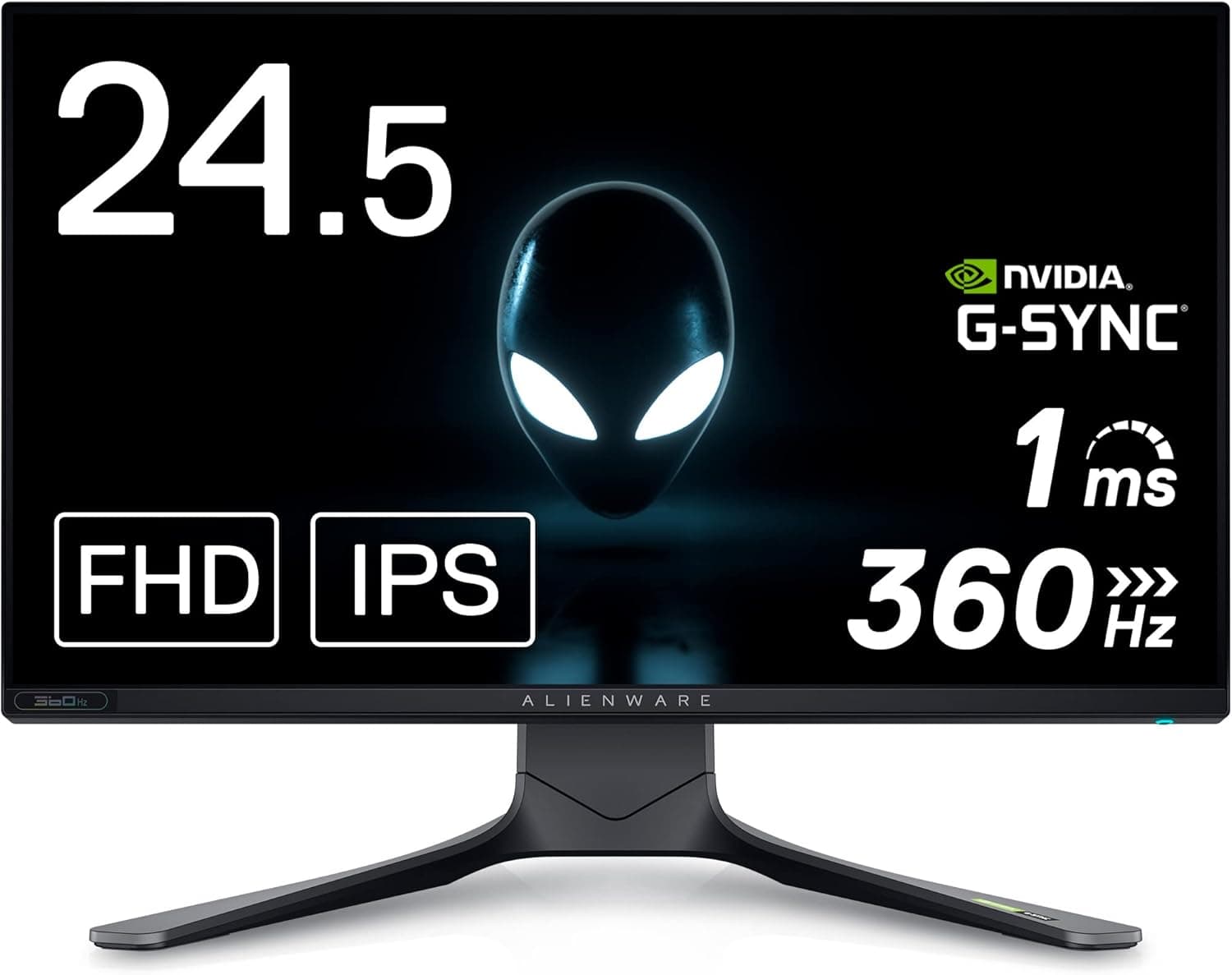
This article looks at the Dell ALIENWARE AW2521H 24.5-inch gaming monitor (with 3-year zero-bright-dot warranty), including who it fits and where you have to compromise.
Overview
The AW2521H is a 24.5-inch, Full HD class monitor built for competitive play.
It is not a display that wins on resolution or image quality; it is one that puts everything into refresh rate and responsiveness. The target user plays shooters like CS-series titles, VALORANT or Apex Legends on a GPU capable of pushing high frame rates.
Conversely, if your priority is cinematic single-player games, photo editing or video work, the 24.5-inch Full HD format simply does not match your needs.
Getting this wrong is how a good monitor ends up reviewed as "expensive but unremarkable," so decide what you actually want before buying.
Amazon.co.jp reviews stood at 50 reviews averaging 4.4 out of 5 (roughly 88% positive) as of the May 27, 2026 capture.
Fifty reviews is not a large sample, so treat it as directional rather than statistically strong, but a 4.4 average is toward the upper end for gaming monitors in this bracket.
Compatibility Guide
Whether a high-refresh monitor "works" comes down almost entirely to cables and the output standard on your GPU. The most common failure is buying a fast panel and never reaching its rated refresh rate because of the connection.
Keep these general points in mind.
- DisplayPort is the default path for high refresh rates. Depending on the HDMI version involved, an HDMI connection can cap the maximum refresh rate. Use the bundled cable or a certified DisplayPort cable.
- Do not reuse old cables. Older HDMI/DP cables often lack the bandwidth, causing flicker or dropped signal.
- Check that your GPU has headroom. A high refresh rate only matters if you actually reach those frame rates. Even at 1080p, heavy titles can fall into the low hundreds of fps, leaving the panel's ceiling unused.
- Variable refresh rate (VRR / G-SYNC family) needs to be enabled in software. It is not always active just because the cable is plugged in; confirm it in your GPU driver control panel.
- Desk space and VESA mounting. A 24.5-inch stand takes more depth than people expect. If you plan to use an arm, verify the mounting pattern and weight rating on the product page.
One important note: part of the spec data registered on this listing (USB 3.0, 5 Gbps, support for 2.5-inch SATA drives, ABS plastic, 50 g weight) clearly belongs to an external storage enclosure, not to a 24.5-inch monitor.
This looks like a data mix-up, so this article does not treat those figures as the product's specifications. Confirm the exact resolution, refresh rate, response time and inputs on the manufacturer's product page.
Product Info
The price was ¥35,136 on Amazon.co.jp as of the May 27, 2026 capture.
On the marketplace side, an eBay US listing at $261.90 was recorded as of July 9, 2026.
Both figures are point-in-time snapshots and will move with sales, exchange rates and stock. Always check the current price on the product page before buying.
At around ¥35,136, this sits clearly in the upper tier for a 24.5-inch Full HD display.
You can find the same size and resolution for well under ¥20,000. What the premium buys is the high-refresh panel and the ALIENWARE warranty package.
In particular, the advertised 3-year zero-bright-dot coverage is a concrete part of that gap: cheaper monitors commonly treat a few stuck pixels as within spec and refuse replacement, so this matters if dead pixels bother you.
As noted, the review score was 4.4 across 50 reviews as of May 27, 2026.
Products with fewer than a few hundred reviews are easily skewed by outliers. Rather than reading the average alone, check whether the negative reviews describe defective units or simply a mismatch of use case.
How It Compares
The Alienware 24.5-inch line includes successor and sibling models at different refresh rates and prices.
Even at identical size and resolution, the design goals differ more than you would expect.
| Axis | 24.5-inch Full HD high refresh (this class) | 32-inch 4K / ultrawide OLED |
|---|---|---|
| Main goal | Competitive FPS, frame rate first | Visual experience, workspace, immersion |
| GPU demand | Push frame rate | Push resolution |
| Eye movement | Minimal, whole screen in view | Larger, easy to miss edge information |
| Best genres | Shooters, fighting, rhythm | Open world, cinematic, content creation |
As the table shows, the small 24.5-inch size is a design decision, not a shortcoming.
Roughly 24-inch panels remain the competitive standard because the whole screen stays inside your field of view. If you mainly want to enjoy big single-player titles on a large canvas, this class will disappoint you, and a 32-inch 4K or ultrawide OLED will make you happier.
Best Use Cases
This is a strong candidate if any of the following apply.
- You play competitive shooters seriously. You have a GPU that reaches high frame rates and you play genres where a single frame changes outcomes.
- Dead pixels bother you a lot. The 3-year zero-bright-dot warranty can justify the price premium on its own if you are sensitive to this.
- Your desk is small, or you want two panels. 24.5 inches keeps a dual setup usable without excessive eye movement.
- You are upgrading from a 60Hz or 75Hz display. Raising refresh rate before raising resolution produces a far larger perceived improvement.
- You value support. Dell/Alienware has established support channels, which makes failure handling predictable.
Things to Check Before Buying
This is the section worth reading twice.
1. The listing metadata does not match the product. Specs that appear to belong to an external storage enclosure (USB 3.0, 5 Gbps, 2.5-inch SATA support, 50 g) are registered on this page.
You will see the same inconsistency when you open the listing. Check the product images, the title and the seller to confirm you are ordering a 24.5-inch gaming monitor.
Listing errors are not rare on Amazon and do not by themselves indicate a defective product, but ordering the wrong item is a real risk.
2. If your GPU cannot keep up, the money is wasted. A high-refresh panel is only worth it if you actually hit those frame rates.
If you top out in the low hundreds of fps even at reduced settings, upgrading the GPU will improve your experience more than upgrading the monitor. Get the order right.
3. 24.5 inches at Full HD looks coarse for productivity. Text-heavy work, photo editing and video timelines all suffer from the limited pixel density and workspace.
The question is whether you can accept this as a gaming-only display.
4. Do not expect color-critical accuracy. Competition-oriented monitors generally prioritize response over color precision.
If you need color-managed work, plan on a separate creator-focused display.
5. Prices move. The ¥35,136 figure here is from the May 27, 2026 capture.
Older models often fall in price as successors arrive, but can also spike as stock dries up. Check the live price right before you buy.
6. Read the warranty terms. The 3-year zero-bright-dot coverage is attractive, but eligibility, claim procedure and proof-of-purchase requirements follow the manufacturer's policy.
Keep your receipt and order history.
FAQ
Q. Can I use it with a game console? A.
It will display over HDMI, but most consoles are not designed to push very high frame rates at Full HD, so you may not benefit from the panel's main strength. Console-first buyers usually get better value elsewhere.
Q. Should I get this or a 4K monitor? A.
If competitive shooters dominate your playtime, this class. If you also value single-player games and productivity, go 4K.
Trying to do both tends to satisfy neither.
Q. Is the high refresh rate really noticeable? A.
Coming from 60Hz, the difference is obvious the moment you move the cursor. Stepping up from 144Hz or 165Hz produces much smaller gains.
Q. The spec table on the listing looks wrong. Is this a counterfeit? A.
Most likely it is a metadata mix-up, which does not imply a fake product. Still, verify the seller and the images, and buy from the Dell store or an authorized retailer if you have doubts.
Q. Can I mount it on a monitor arm? A.
If it supports the VESA standard, yes, but confirm the mounting pattern and weight limit on the product page, and check how the included stand detaches before you start.
Product Disclosure (Amazon)
- Manufacturer: Dell
- ASIN: B08P48XPMZ
- Note: This article covers a manufacturer-made product based on Amazon listing details.