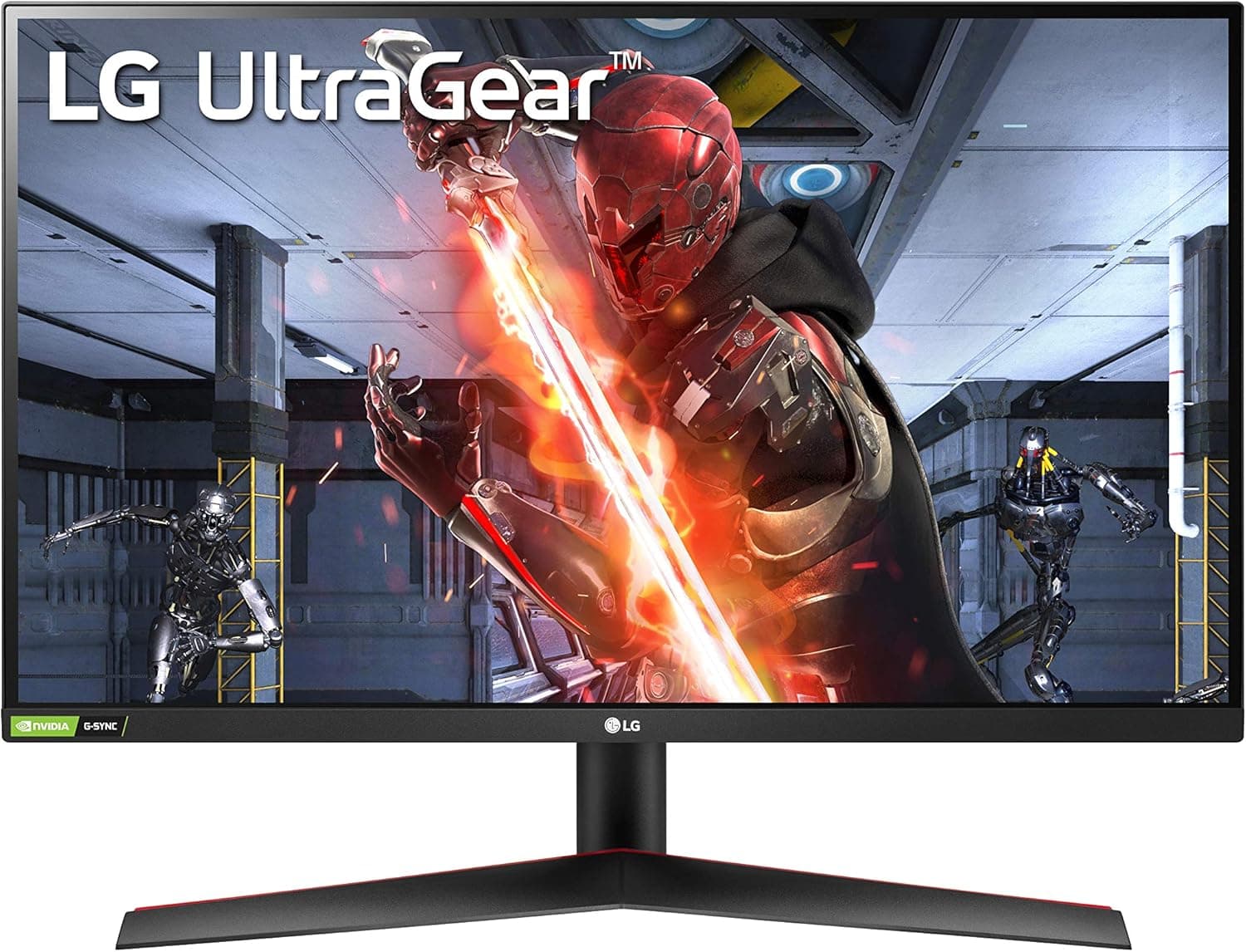
The LG 27GN600-B Ultragear is a 27-inch Full HD (1920×1080) gaming monitor that pairs an IPS panel with a 144Hz refresh rate and a 1ms response time. This article goes beyond the spec sheet, using the published specifications and 233 Amazon.co.jp ratings (4.7 out of 5 stars, a 94% positive score) to explain who this display actually suits and where you need to compromise.
Overview
The short answer: this is a monitor for competitive players who want high frame rates and are happy to stay at 1080p. It combines a usable 27-inch size with 144Hz, 1ms and IPS in a single package, so you are not forced to trade refresh rate against color quality.
The panel is IPS with a 16:9 aspect ratio and HDR10 support. IPS avoids the washed-out off-angle look of TN and the dark-scene smearing common on VA, which makes the display easy to reuse for general desktop work and video.
The one fixed constraint is the Full HD resolution. That single fact defines the monitor's character: it rules the display out for detail-critical work, while making it easier for a mid-range GPU to sustain 144fps.
Compatibility Guide
Video inputs are one DisplayPort 1.4 and two HDMI 2.0 ports.
The full 144Hz is only available over DisplayPort; HDMI 2.0 tops out at 120Hz.
This is the single most common source of confusion — if you can only select 120Hz, you are almost certainly connected over HDMI. Use the bundled DisplayPort cable and set the refresh rate manually in Windows display settings; it is common for a new monitor to run at 60Hz out of the box.
Variable refresh rate covers both NVIDIA G-Sync Compatible and AMD FreeSync Premium. On GeForce systems you must enable G-SYNC explicitly in the NVIDIA Control Panel; on Radeon systems you turn FreeSync on in the Adrenalin software.
Because both standards are supported, swapping GPU brands later does not force a monitor upgrade.
Consoles work too. The PlayStation 5 and Xbox Series X connect over HDMI, so 120Hz is the ceiling.
Titles offering a 1080p/120Hz mode benefit directly, while 4K-oriented titles are simply downscaled to Full HD.
For mounting, the monitor uses a standard VESA 100×100mm pattern, so ordinary monitor arms and wall brackets fit. If the included stand's adjustment range feels limited, an arm solves it after the fact — worth planning for if you intend to run a dual-monitor setup.
| Item | Value | What it means in practice |
|---|---|---|
| Screen size | 27 inches | Pixels look large at 1080p |
| Resolution | 1920×1080 | Light GPU load, easy high fps |
| Panel | IPS | Strong viewing angles and color |
| Refresh rate | 144Hz | Full speed over DisplayPort only |
| Response time | 1ms | Rated with overdrive enabled |
| HDR | HDR10 | Signal support, not true HDR output |
| Inputs | DP 1.4 ×1 / HDMI 2.0 ×2 | HDMI limited to 120Hz |
| VESA | 100×100mm | Arm and wall mount ready |
Product Info
Within LG's Ultragear line, this model sits toward the entry-to-mid tier. It skips quantum dot layers and local dimming, and instead delivers the combination most first-time buyers actually want: 27 inches, IPS, and 144Hz.
On reception, Amazon.co.jp shows 233 ratings averaging 4.7 out of 5, a 94% positive score as captured on June 1, 2026.
That is not a huge sample, but a stable 4.7 suggests the product is not plagued by unit variance or early failures — a meaningful advantage over unbranded displays in the same bracket.
Regarding price, the collected figures sit well outside the street price range typical for a Full HD 144Hz display of this class, so they cannot be quoted with confidence. This article deliberately omits the amount; check the current price on the product page before buying. Monitor pricing swings heavily during sales, and a figure written into an article rarely matches reality later.
The box normally contains a power cable, a DisplayPort cable and a quick start guide. An HDMI cable is not always included, so buy one separately if you plan to connect a console.
Warranty is the manufacturer's standard one year.
How It Compares
The 27-inch 1080p 144Hz class is crowded. Sort the options by two axes — panel technology and refresh ceiling — and the choice becomes clearer.
Curved VA models offer higher contrast and deeper blacks, which suits horror and cinematic single-player games. The trade-off is black smear in fast dark scenes, where this monitor's IPS panel behaves more predictably.
On refresh rate, 165Hz, 180Hz and even 200Hz panels now appear at similar prices. Few people reliably perceive the gap between 144Hz and 165Hz, whereas panel quality, color coverage and warranty support matter for years.
Check the panel type and support terms before chasing the bigger number.
A 24-inch model is also a fair comparison. The same 1080p grid on a 24-inch screen yields higher pixel density and crisper text, while 27 inches trades sharpness for presence.
Plenty of competitive players deliberately choose 24 inches for reduced eye movement — bigger is not automatically better.
What Using It Is Actually Like
The 1ms figure assumes overdrive is enabled. LG's OSD lets you pick the overdrive strength, and the most aggressive setting can produce visible overshoot — a pale trail around moving edges.
Start from a middle setting and find the balance between smearing and overshoot.
Temper your expectations of HDR10 as well. Accepting an HDR10 signal and reproducing convincing high-brightness, high-contrast imagery are different things, and displays in this class generally do only the former.
Many scenes look more natural left in SDR.
Before You Buy
First, 27 inches at Full HD is not for everyone. Pixel density lands around 81ppi, noticeably coarser than a 24-inch 1080p panel at roughly 92ppi.
If you read text up close, edit photos or video, or stare at spreadsheets all day, a 27-inch WQHD (2560×1440) display is the safer buy. For gaming at a viewing distance of 60–70cm or more, the difference fades.
Second, confirm you can actually reach 144Hz. That means a DisplayPort connection, a GPU capable of 144Hz output, and manually switching the refresh rate in the OS.
Whether a game hits 144fps is a separate question of GPU power — even at 1080p, demanding titles at maximum settings may fall short.
Third, watch for price discrepancies. The pricing data referenced for this article was inconsistent with the going rate for this product class.
Shopping listings sometimes bundle parallel imports or different configurations onto one page, pushing the displayed price away from the market. Verify the product images and the model number (27GN600-B) yourself before ordering. Listing metadata such as manufacturer name and model number can also be incorrect.
Finally, treat this as a monitor without meaningful built-in audio — plan on a headset or external speakers. Stand height adjustment in this tier is typically limited, so budget for a VESA monitor arm if eye-level positioning matters to you.
Best Use Cases
The strongest fit is a player focused on competitive titles such as Apex Legends, VALORANT or CS-style shooters. Full HD keeps 144fps within reach of a mid-range GPU, and the IPS panel keeps enemies in dark corners from being crushed into black.
The second-best fit is anyone buying a first gaming monitor. 144Hz, IPS, and support for both G-Sync and FreeSync is a hard combination to regret, and a 4.7 average across 233 ratings adds confidence.
It also suits people who may switch between NVIDIA and AMD GPUs, since adaptive sync works either way and a GPU upgrade will not strand the display.
It is a poor fit if you want crisp text at 27 inches, need color accuracy for photo or video editing, or are targeting 240Hz and above. Those users should look at WQHD models or higher-tier Ultragear displays instead.
FAQ
Q. I connected over HDMI but cannot select 144Hz. A.
That is expected. HDMI 2.0 is limited to 120Hz here; use DisplayPort 1.4 for 144Hz.
Q. Does it work with a PS5 or Xbox Series X?
A. Yes, over HDMI, with a 120Hz ceiling. Titles with a 1080p/120Hz mode benefit most.
Q. Does G-Sync really work? A.
It is G-Sync Compatible. On GeForce systems you must enable it manually in the NVIDIA Control Panel — it does not turn on by itself.
Q. Does 1080p look coarse at 27 inches? A.
Coarser than a 24-inch 1080p panel, yes. It is rarely an issue for gaming at 60cm or more, but text-heavy users should consider WQHD.
Q. Can I use a monitor arm?
A. Yes. The VESA 100×100mm pattern fits standard arms and wall brackets.
Q. Is HDR worth enabling? A.
The panel accepts HDR10 signals, but do not expect a dramatic change at this tier. SDR often looks more natural.