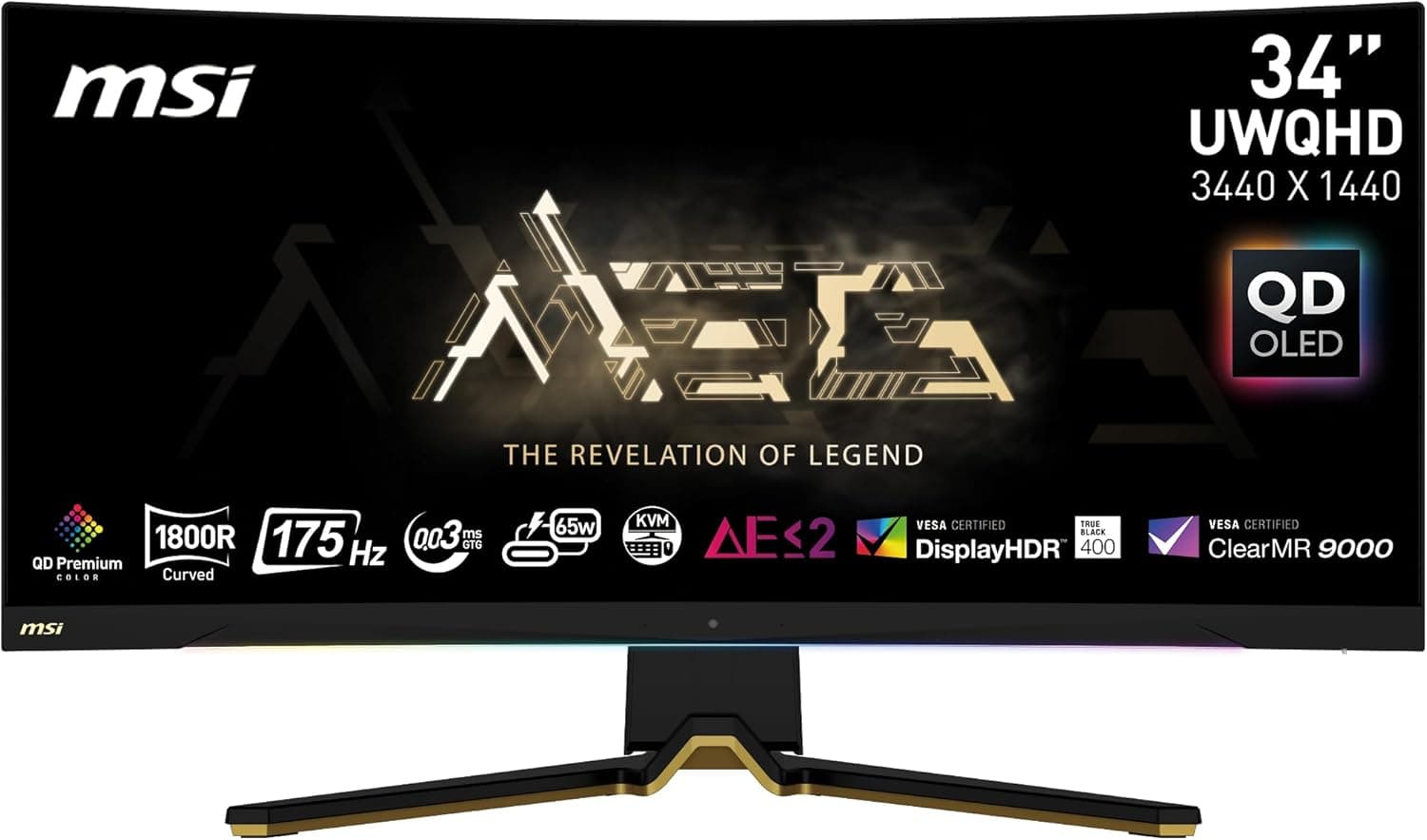
The MSI MEG 342C QD OLED sits in MSI's flagship MEG line as a QD-OLED gaming display. As captured on June 12, 2026, its Amazon JP listing price was ¥242,005 — firmly flagship territory for a single monitor.
Below, we look at who that price actually makes sense for, and who should walk away.
Overview
QD-OLED combines a quantum-dot layer with a self-emissive OLED panel. Because each pixel produces its own light, black levels collapse to near-zero and contrast reaches a level backlit LCDs cannot match — the difference is most obvious in dark scenes in shooters, horror titles, and films.
Pixel-level switching also means noticeably less motion smearing than on LCD. The intended buyer is a PC gamer who ranks image quality above price, or a creator doing video and photo work.
That said, this is not a monitor for everyone. As captured on June 8, 2026, it carried 59 reviews averaging 3.9 out of 5 stars (roughly a 78% positive rate).
With fewer than 100 reviews the average is statistically soft, but it does tell you this is not a universally praised product. High-end OLED monitors typically collect praise for image quality alongside complaints about burn-in anxiety, brightness, and cost.
Compatibility Guide
The first thing to check is output bandwidth. Driving high resolution and a high refresh rate at the same time requires DisplayPort or a sufficiently modern HDMI revision; an older cable will silently cost you either resolution or refresh rate.
Cross-check the monitor's listed inputs against what your GPU can actually output before ordering. If you plan to run a laptop over a single USB-C cable, confirm separately that the port supports DisplayPort Alt Mode.
GPU headroom is the other real constraint. A large, high-refresh panel only pays off if something can feed it frames.
Pair it with a mid-range GPU and you will end up lowering settings anyway, leaving the panel's strengths untapped. Conversely, if you already own a high-end GPU and your display is the bottleneck, this is exactly the kind of upgrade that shows immediate returns.
Physical fit is easy to overlook. Large curved panels on a shallow desk put you too close, pushing the screen edges outside comfortable vision.
Some stands also protrude forward and crowd the keyboard, so measure your desk before buying. If you intend to use a monitor arm, verify VESA support, the mounting pattern, and that the arm's weight rating clears the panel's mass.
Product Info
The price was ¥242,005 on the Amazon JP listing as captured on June 12, 2026. That figure moves with sales, exchange rates, and stock, so treat it strictly as a snapshot from that date.
This article will not update itself — always confirm the current price on the live listing before deciding.
One honest note about the listing data: a marketplace reference price of $6.19 also appears against this product.
That is not a plausible price for the monitor itself. Marketplace searches routinely mix in accessories — stand screws, cables, screen films — under the same query.
When you find a suspiciously cheap marketplace listing, read the item title and photos to confirm whether you are looking at the display or a small part.
Review data stood at 59 reviews and 3.9 out of 5 stars as captured on June 8, 2026.
Buyers of flagship hardware hold it to a higher bar, so the score alone should not settle the question. At this sample size, a handful of extreme reviews moves the average easily.
How It Compares
Step down a price tier and you meet 31.5-inch OLED gaming monitors and curved VA panels.
Between OLED options, black level and response behavior are broadly similar; the real differences are size, resolution, port selection, and warranty terms. VA LCDs hold up well on contrast but trail self-emissive panels on dark-scene response and viewing angles.
| What you prioritize | Reasonable pick |
|---|---|
| Image quality, no budget ceiling | OLED / QD-OLED |
| Competitive FPS, frame rate first | High-refresh FHD or WQHD LCD |
| Maximum desktop space | 31.5-inch or larger 4K LCD |
| Budget-driven | Large curved VA |
The table is directional only. In practice your GPU and your desk depth narrow the field before anything else does — refresh rate beyond what your GPU can deliver goes unused.
Things to Check Before Buying
Burn-in risk cannot be reduced to zero. OLED can retain brightness differences where a static image sits for long periods.
Modern panels include pixel shift and refresh routines, but mitigation is not immunity. If your day is dominated by fixed UI — taskbars, editor chrome, streaming overlays — a monitor at this price is the wrong buy, and an LCD serves you better.
LCDs can still win in bright rooms. Sustained full-screen brightness is a known OLED weakness, so a room with direct daylight may not feel as bright as you expect.
Lighting conditions are hard to change after the fact.
A mismatched GPU wastes the money. This is the most common failure.
Upgrading only the display changes little if the render side cannot keep up. With a fixed total budget, splitting it between GPU and monitor usually beats spending it all on the panel.
Read the warranty terms first. On a purchase above ¥200,000, how failures are handled shapes the whole ownership experience.
Whether OLED burn-in is covered varies by manufacturer and retailer, so it is worth confirming before you order.
Listed specs may not match this product. The source data behind this article contained fields unrelated to a monitor.
Verify resolution, refresh rate, ports, and panel size against the manufacturer's official product page before purchase.
Best Use Cases
This suits a gamer who already owns a high-end GPU and whose display is the last bottleneck. Players of dark, atmospheric titles and creators who care about contrast and color will feel the difference the price implies.
Deep desks and controllable lighting help you get the most from the panel.
It makes far less sense if you spend most of your day in spreadsheets or an editor, work in a bright room, or run a mid-range or lower GPU. Splitting the same budget between a GPU and a solid mid-tier LCD delivers a bigger perceived improvement.
FAQ
Q. Does burn-in actually happen? A.
It depends on usage. Long, unbroken display of the same UI raises the risk.
Auto-hiding the taskbar, varying wallpapers, and a short screensaver timeout mitigate it substantially.
Q. What GPU do I need? A.
It depends on your titles and settings, but a monitor at this tier assumes an upper-tier GPU. Measure the frame rates you get today before deciding.
Q. Will the price drop? A.
¥242,005 was the value captured on June 12, 2026, and it moves with sales and successor launches. If you are not in a hurry, check the price more than once.
Q. Can I use it as a work monitor? A.
You can, but the more static UI you display, the more you lean into OLED's weakness. If work dominates, keep an LCD as primary and reserve this for games and video.
Q. Where should I verify the real specs? A.
Both the manufacturer's official product page and your retailer's spec sheet. Configurations for the same model number can vary by region and production run.
Product Disclosure (Amazon)
- ASIN: B0C15JDWF4
- Note: This article covers a manufacturer-made product based on Amazon listing details.