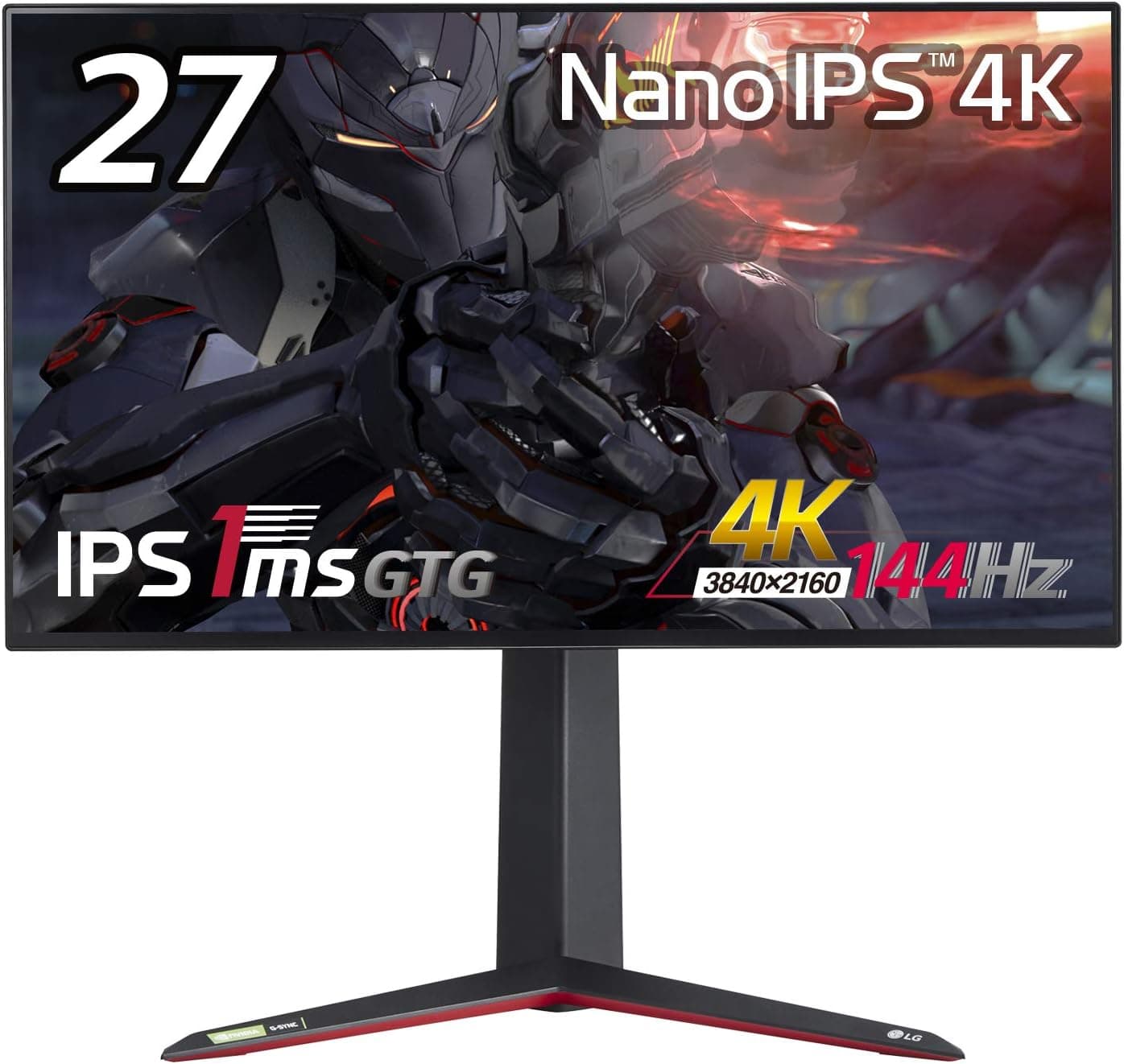
The LG UltraGear 27GN950-B pairs a 27-inch 4K (3840×2160) Nano IPS panel with a 144Hz refresh rate. Released in August 2020, it remains one of the few ways to get 4K and high refresh in a single display — but whether you regret the purchase depends almost entirely on what you plug into it.
Overview
This is a monitor for PC gamers connecting over DisplayPort 1.4.
It combines roughly 163ppi sharpness, 144Hz smoothness, and the wide gamut Nano IPS is known for. As captured on 2026-07-09, Amazon.co.jp shows 119 reviews averaging 4.4 stars (about 88%) — a modest sample, but a consistently positive one.
If a PS5 or Xbox Series X is your main machine, however, this is not the monitor for you. The reason is the input selection, covered in detail below.
Skipping that section is how most buyers end up disappointed.
Quick Verdict Table
| Use case | Fit | Why |
|---|---|---|
| 4K high-refresh PC gaming | Excellent | 144Hz works over DP 1.4 |
| Competitive FPS | Fair | Driving 4K at high fps is GPU-heavy |
| Photo / video editing | Good | Wide gamut, but calibrate it |
| PS5 / Xbox Series X | Poor | HDMI 2.0 caps you at 4K60 |
| HDR movie watching | Fair | HDR600, but no fine local dimming |
Compatibility Guide
Video inputs are two HDMI 2.0 ports and one DisplayPort 1.4. Only the DisplayPort input can deliver 4K at 144Hz; HDMI 2.0's 18Gbps ceiling limits 4K to 60Hz.
Because there is only one DP port, only one device at a time can run at 144Hz. Use the bundled DisplayPort cable — swapping in an old or cheap long cable is a common cause of unstable links or missing refresh-rate options.
On the GPU side, sending 4K 144Hz at 10-bit requires a DisplayPort 1.4 output with DSC support.
As a rough guide, that means GeForce RTX 20 series or newer, or Radeon RX 5000 series or newer. Older cards will still connect, but you may have to compromise on refresh rate or color depth, so check your card's spec sheet.
Variable refresh works either way: the panel supports both NVIDIA G-Sync Compatible and AMD FreeSync Premium Pro.
Treat raw GPU performance as part of compatibility too. Actually hitting 144fps at 4K in modern titles is demanding.
Plan on lowering settings, using DLSS/FSR-style upscaling, or accepting 80–100fps as your real-world target.
Mounting is VESA 100×100mm, so standard arms and wall brackets fit (sold separately). The included stand offers 110mm height adjustment, -5° to 15° tilt, and pivot.
A built-in USB 3.0 hub (1 up, 2 down) lets you park receivers on the monitor.
There are no built-in speakers — budget for a headset or powered speakers.
Product Info
The Amazon.co.jp listing showed ¥54,800 as captured on 2026-07-09.
Prices move with stock and sales, so check the product page for the current figure. The eBay side is individual listings with no fixed price.
Key specs: 27 inches, 3840×2160, Nano IPS, 1ms GTG, 144Hz, VESA DisplayHDR600, VESA 100×100mm. As with IPS panels generally, that 1ms figure assumes aggressive overdrive; pushing overdrive to maximum can introduce overshoot artifacts, so a middle setting is usually safer.
Reviews stood at 4.4 stars across 119 entries at capture time — a small but healthy sample for such a niche configuration.
DisplayPort, HDMI, and USB cables are included, and the warranty runs three years, which matters for a device you keep for years.
Versus the Successor
LG's 27GP950-B differs by a single character in the model name but adds HDMI 2.1, which lets a PS5 or Xbox Series X run 4K at 120Hz.
If consoles are in your plan, paying the difference for the newer model is worth serious consideration. For a PC-only setup, the 27GN950-B's DisplayPort 1.4 is entirely sufficient and typically cheaper.
QHD OLED panels at 360Hz are also on the table now — they trade resolution for motion clarity and true blacks, which suits competitive play better. The 27GN950-B wins on desktop real estate and detail; if you don't value that, choose on a different axis.
Best Use Cases
- PC gamers chasing 4K high refresh — best fit if you have a capable GPU and connect via DisplayPort. Dual adaptive-sync support means either GPU brand works.
- People who game and work on one screen — 27-inch 4K is genuinely useful for code editors and editing timelines.
- Hobbyist to semi-pro photo/video editors — wide gamut helps, but assume hardware calibration for color-critical work.
- Multi-monitor builders — near-borderless edges keep seams unobtrusive, though driving multiple panels at 144Hz needs GPU headroom.
Before You Buy
The HDMI 2.0 limitation is the big one. Consoles are capped at 4K60 here, so the headline 144Hz is unavailable to them.
"I bought a 4K 144Hz monitor and my PS5 won't do 120Hz" is the single most common misunderstanding with this model. Choose an HDMI 2.1 display if consoles matter.
Don't over-expect from HDR. DisplayHDR600 is respectable for the price, but it isn't fine-grained local dimming.
As an IPS panel, black levels won't match OLED. If dark-room movie watching is the main goal, you'll likely be underwhelmed — treat HDR as a bonus.
IPS glow varies by unit. Faint corner glow on dark content in a dark room is structural, not a defect.
Severity varies, so inspect yours early and raise it with the seller if it's clearly excessive.
Set Windows scaling. At roughly 163ppi, 100% scaling makes text very small.
150–200% is the usual landing spot, but older applications may render blurry under scaling — verify anything business-critical in advance.
Budget for the GPU too. A cheap monitor paired with an underpowered card wastes the panel.
Price monitor plus upgrade together, then decide whether 4K or a QHD high-refresh panel is the better use of the money.
Finally, verify the listing details. Retail pages sometimes carry mismatched model or manufacturer metadata, and 27GN950-B versus 27GP950-B differ by one letter — an easy mix-up.
Confirm the model from the product images and title, and be sure which one has HDMI 2.1, before you order.
FAQ
Q. What do I need for 4K 144Hz?
A. A DisplayPort 1.4 connection, a DSC-capable GPU, and a good DP cable. HDMI 2.0 tops out at 4K60.
Q. Can I play at 120Hz on PS5?
A. Not at 4K. The HDMI ports are 2.0, capping 4K at 60Hz. Pick an HDMI 2.1 model for consoles.
Q. Does variable refresh work on both GPU brands?
A. Yes — G-Sync Compatible and FreeSync Premium Pro are both supported.
Q. Are there speakers?
A. No. Plan on a headset or external speakers.
Q. Can I use a monitor arm?
A. Yes, VESA 100×100mm. Arms and brackets are sold separately.
Q. Is 4K text too small at 27 inches? A.
At 100%, yes. Set Windows scaling to 150–200% and you get sharper text plus useful screen area.
![Dell 27 LED backlit LCD Monitor SE2719H IPS Full HD 1080p 1920 x 1080 at 60 Hz HDMI VGA[並行輸入]](/_next/image?url=https%3A%2F%2Fm.media-amazon.com%2Fimages%2FI%2F81nSaeP3AvL._AC_SL1500_.jpg&w=1920&q=75)