Overview
The GARRULAX 16GB USB flash drive is a small-capacity Type-A drive aimed at moving files around rather than storing them. The short answer: 16GB is plenty for creating Windows installation media, flashing a motherboard BIOS, handing documents to a colleague, or loading music for a car stereo.
It is clearly not enough for photo and video archives, and it should never be your only copy of anything important.
As captured on June 7, 2026, the listing showed a 4.8-out-of-5 rating (96% positive) — but from only 18 reviews.
That sample is too small to say anything meaningful about defect rates or long-term durability. Read the rating as "no loud early complaints," nothing more.
How to Think About 16GB
16GB sits near the bottom of the current capacity ladder, which makes its use cases unusually clear-cut. Note that the advertised 16GB is measured in decimal bytes, so your OS will report roughly 14GiB.
That is a units difference, not a defect, and it applies to every brand.
| Use case | Fits in 16GB? | Notes |
|---|---|---|
| Windows 11 install media | Yes | Microsoft requires 8GB minimum |
| BIOS/UEFI update | Easily | A FAT32 drive and one small file |
| Documents and PDFs | Easily | Thousands of files with room to spare |
| Car audio music | Yes | Roughly 3,000-4,000 MP3s as a rough guide |
| Full phone photo backup | Tight | A few thousand photos will fill it |
| 4K video storage | No | Gone in tens of minutes |
| Linux live USB | Yes | Major distro ISOs run about 2-5GB |
The sensible pattern is one drive, one job. The more purposes you pile onto a 16GB stick, the more likely it is to be full the moment you need it.
Compatibility Guide
This is a standard USB Type-A mass-storage device. Windows, macOS, Linux and Chrome OS all mount that class without drivers, and it draws power from the port, so no external supply is needed.
The failure points are practical rather than technical:
- It will not plug into a USB-C-only laptop or tablet. You will need an adapter or hub. Check your ports first if you mainly use a MacBook, a thin-and-light notebook, or an iPad.
- The file system decides what works. Drives usually ship formatted FAT32, which cannot hold a single file larger than 4GB. Reformat to exFAT for large videos or disk images. Conversely, leave it FAT32 for car stereos, TVs and older hardware — many of them cannot read exFAT at all.
- NTFS is read-only on macOS. Use exFAT if you need write access from both platforms.
- Do not plan on using it as TV recording storage. Most TVs expect a USB hard drive; flash media is typically unsupported or discouraged on endurance grounds.
- Front-panel ports and cheap hubs cause phantom failures. If the drive is not detected, plug it directly into a rear motherboard port before assuming it is dead.
Real-World Speed
Small-capacity drives on a USB 2.0 interface typically read in the 20-30MB/s range and write slower still.
Even USB 3.x models in this capacity class use fewer parallel flash dies, so they never approach SSD speed.
Copying thousands of small files is dramatically slower than one large sequential write — budget time accordingly if you are moving a photo library. If throughput actually matters to you, buy a larger USB 3.2 Gen 1 drive instead.
Comparison with Alternatives
Within the 16GB class, three things separate products: interface generation, connector type, and housing design. Retractable, capless designs like the ADATA UV330 structurally eliminate the single most common failure — a lost cap.
Domestic-brand drives such as KIOXIA's bring Japanese-language support. SanDisk's Type-C model and IODATA's dual Type-A/Type-C drive suit anyone shuttling files between a phone and a PC.
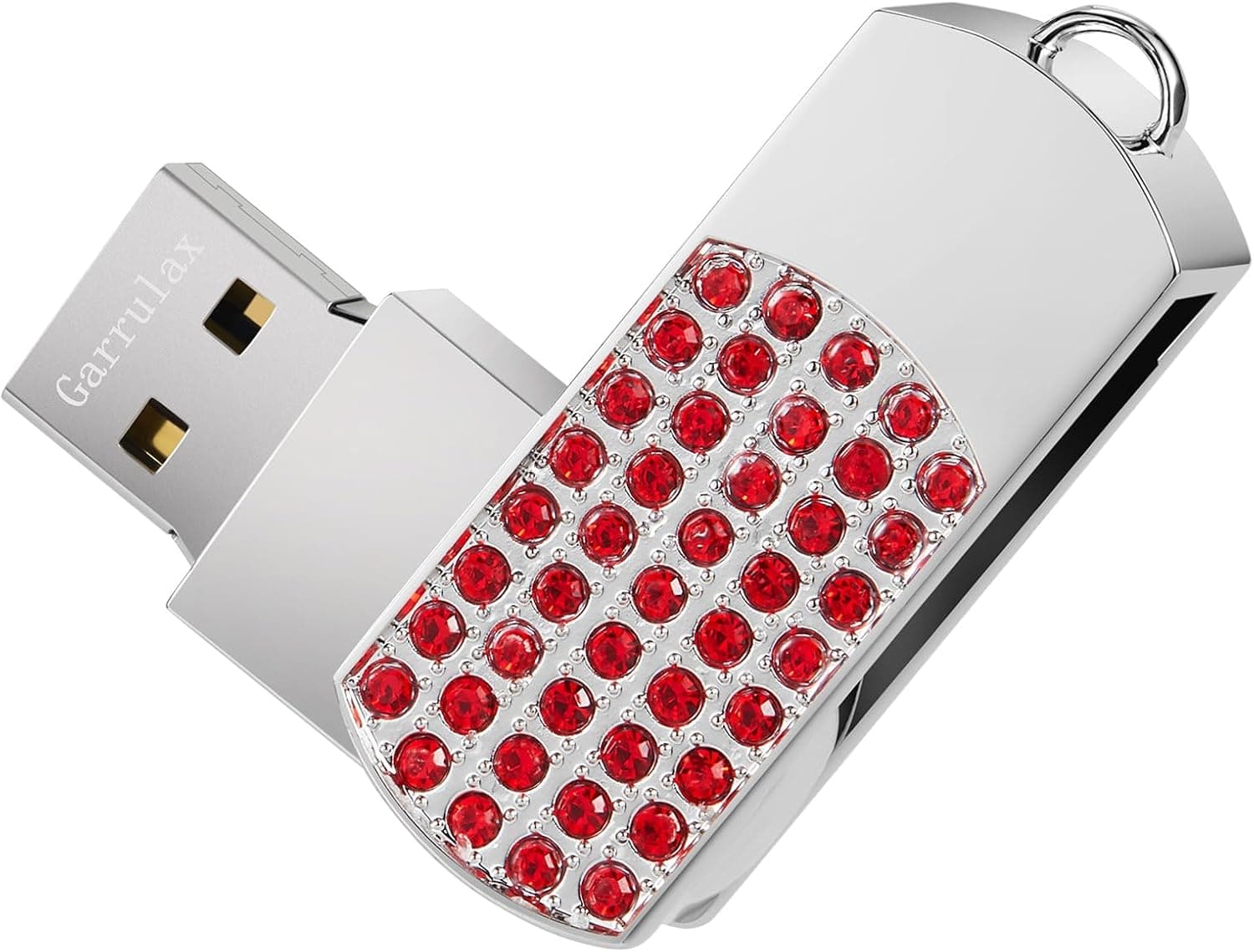
Choosing a low-profile brand like GARRULAX makes sense when it wins on price or on physical design. If it wins on neither, an established manufacturer is the lower-risk choice.
Product Info
The product is listed on Amazon.co.jp under ASIN B0CXMWDXJG.
However, the listing data we reviewed contained information that plainly belongs to a different product (details in the next section), so we are not quoting its price or spec values here. Prices move constantly, and the figure captured for this listing is out of proportion for a drive of this class — check the current price on the product page yourself.
The only field we could reference with confidence is the review snapshot taken on June 7, 2026 (4.8 of 5 stars, 18 reviews).
Confirm the bundled accessories, warranty term, and — most importantly — whether the drive is USB 2.0 or USB 3.x directly on the listing.
That generation gap is the single biggest driver of perceived speed, and skipping the check is how people end up disappointed.
Best Use Cases
This drive is a reasonable pick if you are:
- Keeping a dedicated stick for OS reinstalls and BIOS updates. A fixed single purpose is exactly where 16GB fits.
- Handing documents, slides and PDFs to people physically. Still the default in environments where cloud storage is blocked.
- Playing music through a car stereo. MP3s on FAT32 need no more capacity than this.
- Wanting a cheap, semi-disposable shuttle drive you will not mourn if it is lost.
It is the wrong tool if you want to archive photos and video, host a Time Machine or versioned backup target, or run games and applications from external storage. Those jobs belong to an external SSD.
Things to Check Before Buying
First, this listing's registered details are inconsistent. The data we received described the material as "aluminum," a supported screen size of "13-17 inches," and a "15-degree tilt angle" — laptop-stand specifications filed under a USB flash drive.
The captured price was likewise an order of magnitude off for a 16GB stick. You will very likely see the same mismatch when you open the page, so verify the product from the photos, the title and the seller name before ordering. Trusting the spec fields alone is how you end up with something other than what you expected.
Beyond that, the usual flash-drive pitfalls apply:
- Never make it your only copy. Flash has finite write cycles, and unpowered cells lose charge retention over years. "Important data on one USB stick in a drawer" is the riskiest possible arrangement. Keep at least two copies.
- You will lose the cap. If that bothers you, buy a sliding or retractable design instead.
- Watch for capacity fraud. Suspiciously cheap high-capacity drives sometimes have rewritten controllers that misreport size. Verify with a tool like H2testw when it arrives.
- Encrypt it yourself. Without stated hardware encryption, a lost drive is a readable drive. Pair it with BitLocker To Go or VeraCrypt for anything sensitive.
- Always eject properly. Pulling it while the write cache is flushing can corrupt the whole file system.
Frequently Asked Questions
Q. Can I build Windows 11 install media on 16GB? A.
Yes. Microsoft's minimum is 8GB, so 16GB leaves headroom.
The drive is wiped during creation, so move anything on it first.
Q. Files over 4GB will not copy. Is it broken? A.
No — that is a FAT32 limitation. Reformat to exFAT.
Just confirm your target devices can read exFAT before you do.
Q. Will it work on both Mac and Windows?
A. Format it exFAT and both can read and write. NTFS is read-only under macOS.
Q. Can I use it with a USB-C laptop? A.
Not directly; you need an adapter or hub. If USB-C is your main port, a dual-connector drive is more convenient.
Q. How long will it last? A.
There is no honest number — it depends on usage. Occasional file transport often means years of service, while heavy daily rewriting shortens life considerably.
Keep important data elsewhere too.
Product Disclosure (Amazon)
- ASIN: B0CXMWDXJG
- Note: This article covers a manufacturer-made product based on Amazon listing details.