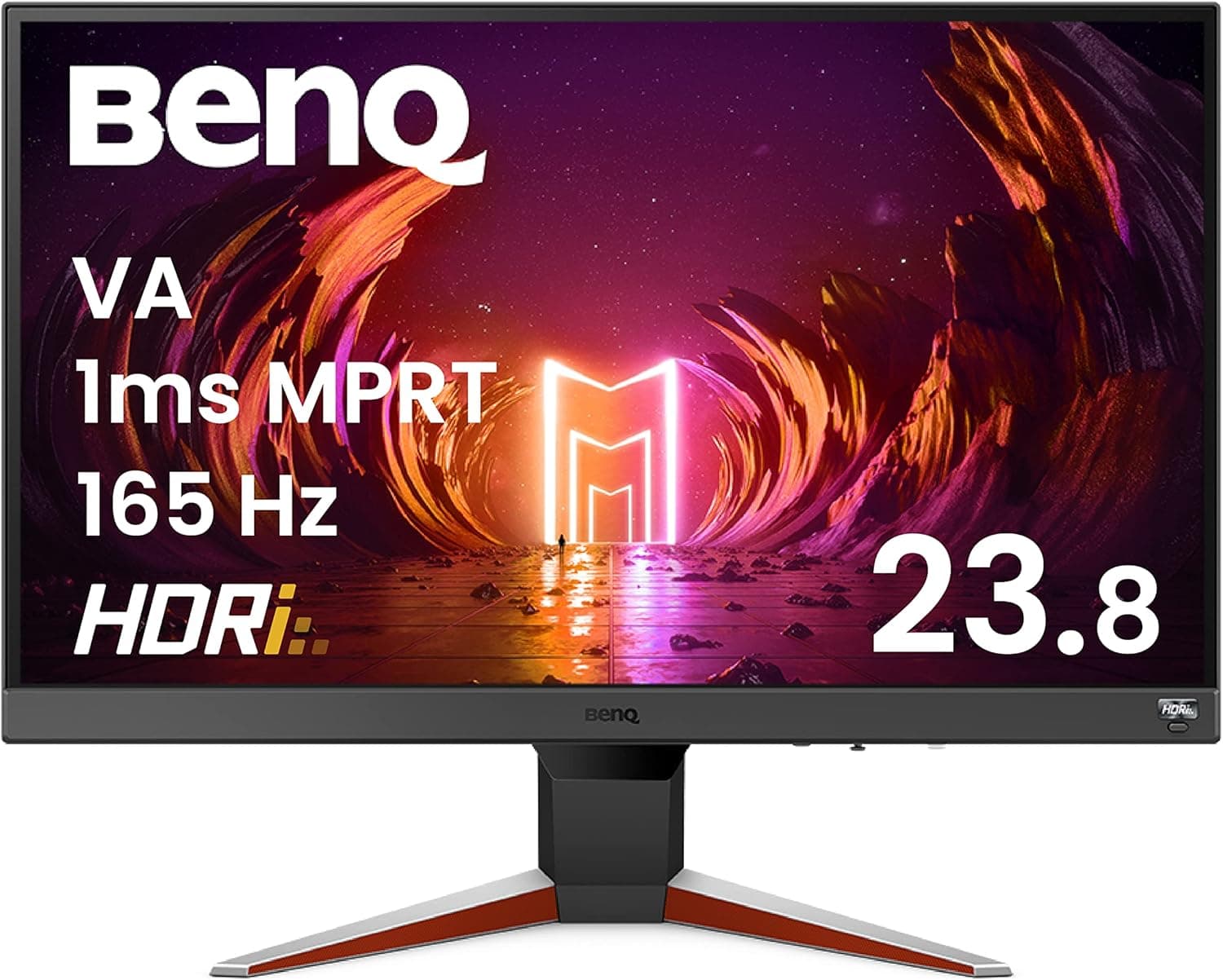
The BenQ MOBIUZ EX240N is a 23.8-inch Full HD gaming monitor.
This article covers who it suits, what PC setup gets the most out of it, and the pitfalls buyers usually discover only after the box is open.
Overview
The EX240N belongs to BenQ's MOBIUZ line, which is aimed at gaming and entertainment rather than pure esports. MOBIUZ models are built around watchability — automatic HDR image adjustment (HDRi) and built-in speakers so one panel can handle games, films and streaming.
The EX240N sits at the entry-to-mid tier of that line, at 23.8 inches and 1920x1080.
The short verdict: this is for people who want to move from 60Hz to a high refresh rate while staying at 1080p. If you want 1440p or higher, or a competitive-tier panel above 240Hz, you should be shopping a different class from the start.
A 23.8-inch 1080p panel works out to roughly 92 pixels per inch.
That is the density where Windows looks right at 100% scaling — text stays crisp and you never fight the scaling settings. If you have ever found a 27-inch 1080p display coarse, the 24-inch class is where that problem disappears.
Compatibility Guide
Monitor compatibility is not like CPU sockets or memory standards. In practice it comes down to three things: video output, refresh rate, and physical setup.
Video output. 1080p at a high refresh rate fits comfortably within both DisplayPort and HDMI 2.0 bandwidth.
But older HDMI 1.4-era graphics cards, some laptops, and many conversion adapters will cap 1080p at 60Hz.
This is the classic failure: you buy a fast panel and never see it run fast. Check the generation of your PC's output port and confirm the cable matches that standard.
For the EX240N's exact port layout and maximum refresh rate, check the specification table on the product page.
GPU headroom. 1080p is a light load for current GPUs, so even mid-range cards can push high frame rates.
The flip side: if you already own a high-end GPU, this panel will not let the resolution side of it work. With the same budget, a 1440p or larger panel would return more.
Physical setup. The 24-inch class fits shallow desks easily, but stand adjustability (height, tilt, pivot) varies a lot by model.
If you plan to use a monitor arm, confirm VESA support and the hole spacing (usually 100x100mm) before buying. Entry and mid-tier monitors sometimes lack VESA mounting or need spacers.
Consoles. A fast 1080p monitor pairs reasonably with game consoles, but whether a given model supports VRR or 120Hz output varies.
If console use is the main purpose, verify that in the spec sheet.
Product Info
rmation
The listing data collected for this article recorded a rating of 4.4 out of 5 from 231 reviews (about 88% positive) as of 2 June 2026.
However, as explained below, the collected listing data clearly contains information belonging to a different product, so that rating cannot be confirmed as belonging to the EX240N. Cross-check the product name and images on the listing before relying on those reviews.
We are not quoting a price in this article, because the captured price figure does not appear consistent with this product. Monitor pricing also moves sharply around new launches and sale periods, so check the current price on the retailer page at the time of purchase.
As a rough guide, a 23.8-inch high-refresh 1080p panel typically sits a tier above ordinary office monitors of the same size, and a tier below 1440p gaming panels.
How It Compares
Even within the 24-inch class, products target clearly different buyers.
| Type | Focus | Best for |
|---|---|---|
| 23.8in 1080p entertainment (EX240N's class) | High refresh plus speakers and HDR tone handling | One panel for games and video |
| 24.5in 1080p competitive | Maximum speed, minimal extras | FPS players chasing frame rate |
| 27in+ 1440p/4K | Resolution and workspace | Creators and multi-window work |
| Curved ultrawide | Immersion and horizontal space | Single-player and sim titles |
The practical benefit of an entertainment-focused model is simply that it makes sound. As a secondary display, or on a desk with no room for speakers, that removes one cable.
Built-in speakers are still a fallback, not a replacement for a headset or desktop speakers — accept that trade-off going in.
What Actually Matters Day to Day
Satisfaction after purchase usually depends less on spec numbers than on daily handling: how usable the OSD menu is, how fast input switching is, how you cycle presets, and the default brightness. Most gaming monitors ship far brighter than a dim room needs.
Turn brightness down first, and try the low-blue-light modes if your eyes tire.
Also, a high-refresh monitor does not run fast just because it is plugged in. You must raise the refresh rate in Windows advanced display settings and enable variable refresh rate in your GPU control panel.
Skipping those two steps is why a surprising number of upgrades feel identical to the old 60Hz screen.
Best Use Cases
- Moving to high refresh without changing resolution. Keeping 1080p means the GPU load barely rises, so an existing PC can deliver the improvement.
- Small desks and close viewing distances. At 50-70cm, 23.8 inches requires very little eye movement.
- No room for separate speakers. Built-in audio saves a cable and some desk space.
- A secondary display. A 24-inch 1080p panel beside a 1440p or 4K main monitor is an easy, practical layout.
- Shared or living-room use. The MOBIUZ line's games-and-video positioning fits this well.
Before You Buy
Check this first. The listing data behind this article contained specifications, pricing and model information that clearly belong to a different product — a portable battery pack.
Fields such as battery capacity and wireless output were registered as this monitor's specs. Readers opening the same product page may run into the same inconsistency.
Verify the product images, the title, and the manufacturer name (BenQ / BenQ Japan) before trusting any listed detail. If the page belongs to another product, its review count and rating tell you nothing about this monitor.
You are accepting a resolution compromise. 23.8-inch 1080p is excellent for text clarity but not for workspace.
Two spreadsheets side by side, or a video timeline plus preview, will feel cramped. If work is the primary use, a 27-inch 1440p panel at a similar budget deserves consideration.
"Gaming" does not mean all-purpose. Gaming monitors are generally not tuned for color-accurate photo or video work.
Editing on a saturated out-of-box preset means your output looks wrong everywhere else.
Panel technology changes the picture. The 24-inch high-refresh class includes both IPS and VA panels.
VA gives higher contrast but tends to smear in dark scenes. If you play horror titles or watch dark films often, read hands-on reviews on this point first, and confirm the EX240N's panel type in the spec table.
Stands and arms. A stand without height adjustment can leave your eyeline too low, which strains the neck over long sessions.
Confirm VESA support before assuming an arm will fit.
Do not over-expect. Built-in speaker quality, bundled cable selection, and "real HDR" impact are all areas where this price tier requires compromise.
An HDR badge on a panel without high peak brightness can even make content look darker with HDR enabled.
FAQ
Q. Is 24-inch 1080p outdated in 2026? A.
It depends on use. For competitive FPS, or for a PC without GPU headroom, 1080p remains rational.
If you want workspace, higher resolution will satisfy more.
Q. What do I need to actually get the high refresh rate? A.
Three things: a cable and port that support it, a refresh-rate change in Windows display settings, and enough in-game frame rate. Missing any one negates the rest.
Q. Are the built-in speakers enough? A.
Fine for video and calls; use a headset if you need positional audio in games. Treat them as a cable-saving fallback.
Q. Can I connect a console? A.
Yes, over HDMI. Whether 120Hz output and VRR work depends on the console and connection, so check the spec sheet if that is your main use.
Q. The listing specs do not match the product. What should I do? A.
Listing errors do happen. Judge by images, title and manufacturer name, and confirm detailed specs on the manufacturer's official product page.
A few minutes of checking beats discovering the mismatch after delivery.