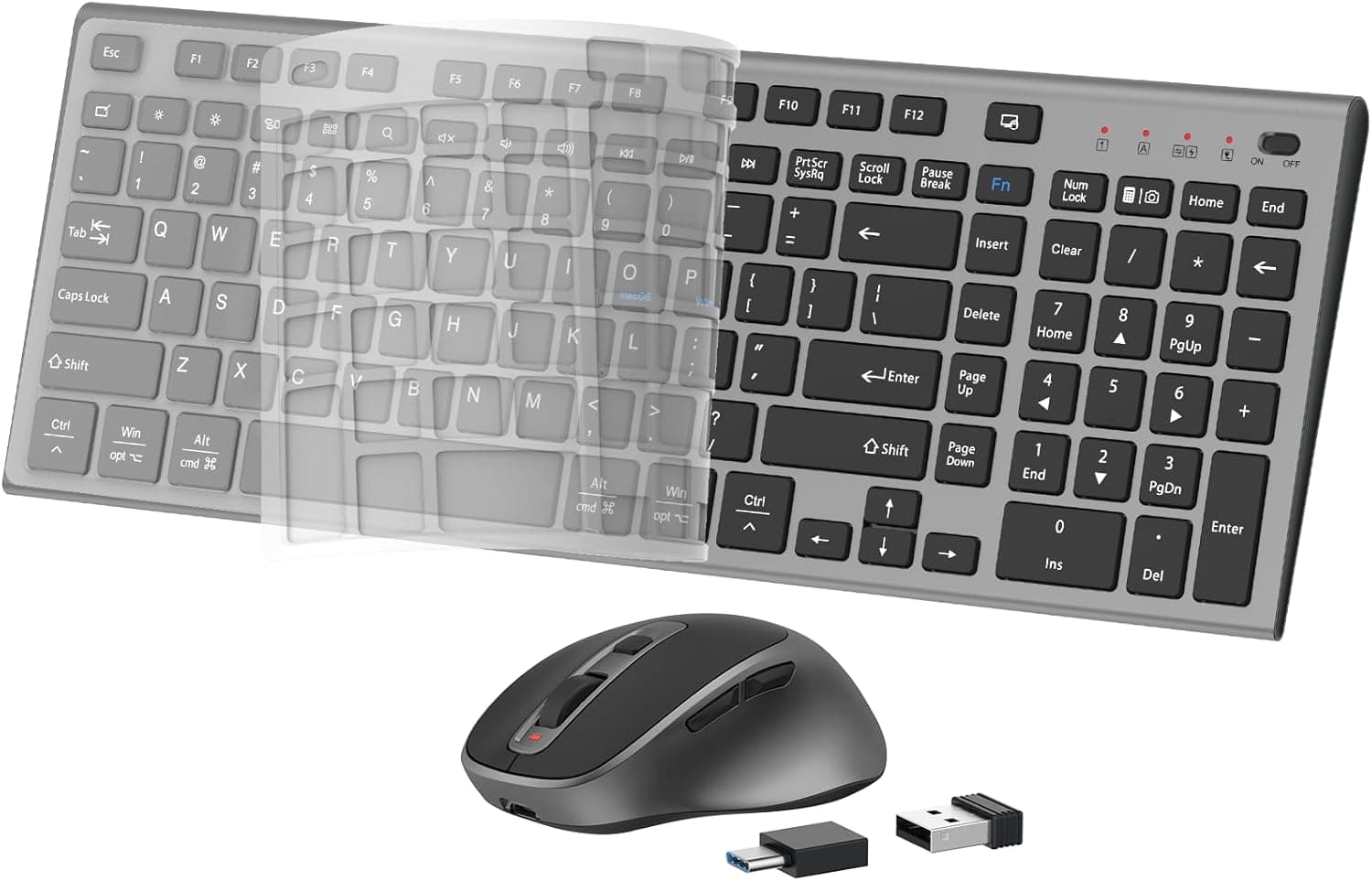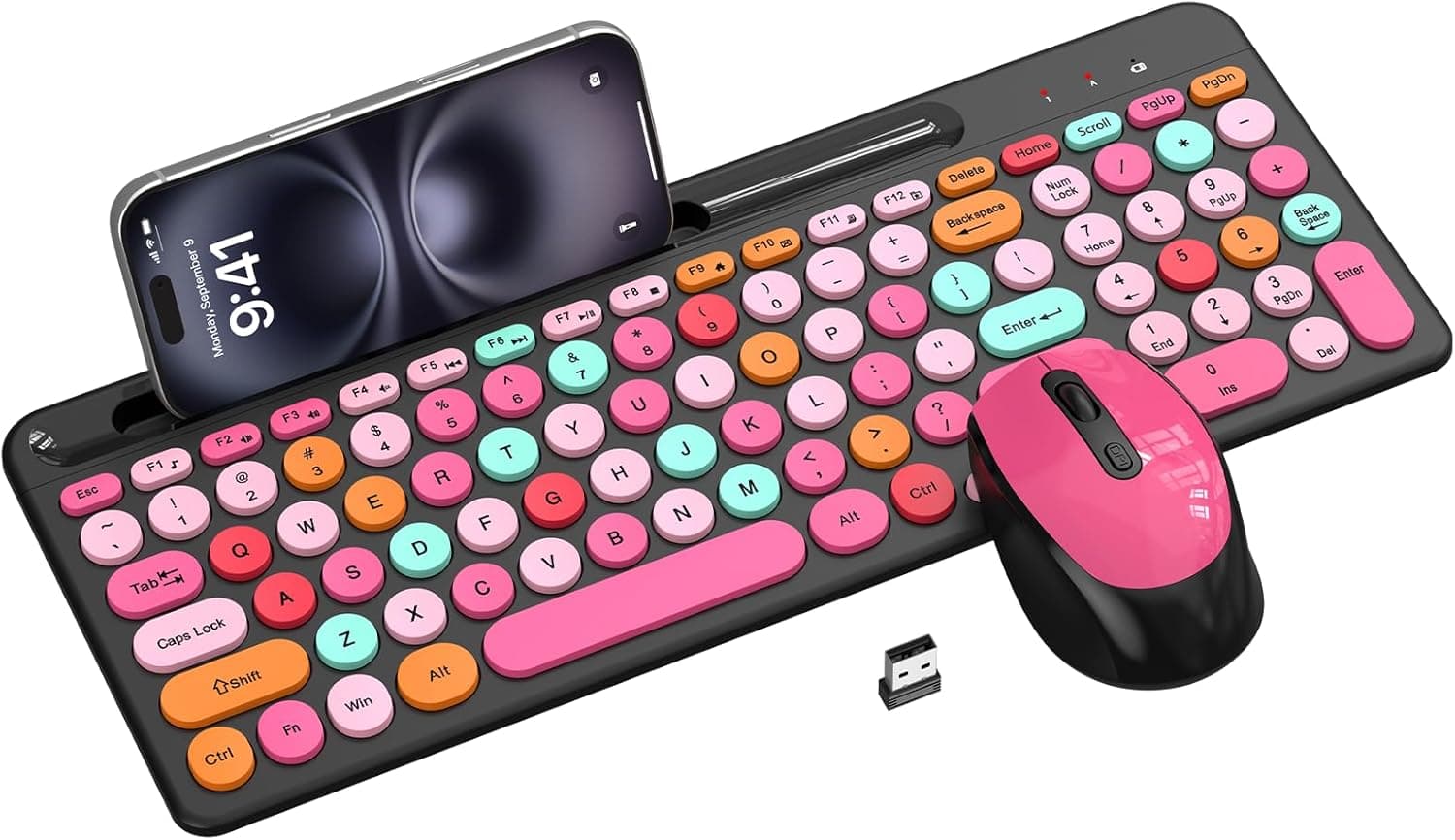
This article takes a closer look at EDJO's Pink & Black Colorful Wireless Keyboard & Mouse Combo, focusing on the things you actually need to know before buying.
Overview
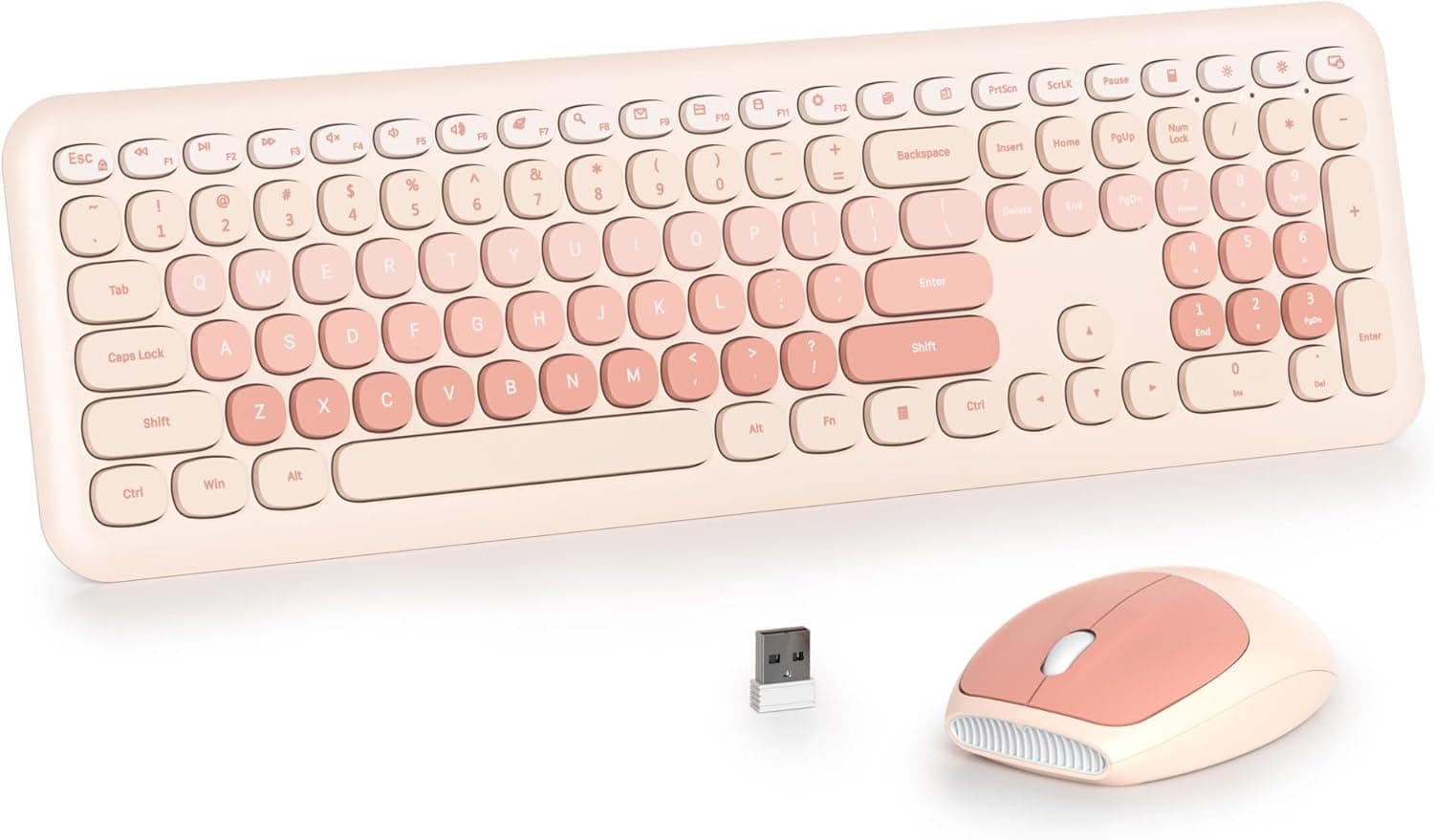
EDJO's Pink & Black Colorful Wireless Keyboard & Mouse Combo pairs a retro typewriter aesthetic with round keycaps and a vivid pink-and-black color scheme. The 2.4GHz set includes a keyboard with a number pad and 12 multimedia keys, plus a mouse with three DPI steps (800 / 1200 / 1600).
Setup is plug-and-play through a single USB receiver, with a wireless range of up to 33 feet (about 10 m), and it supports Windows, macOS, Linux, and Chrome OS.
The honest summary: this is a keyboard you buy for how your desk looks, not for typing performance. As captured on May 25, 2026, the Amazon.co.jp listing showed 72 reviews at 4.3 out of 5 stars (roughly 86% positive) — a solid score, but 72 reviews is a small sample, so the average can still move.
Buyers drawn to the design tend to be happy; buyers who prioritize key feel have better options.
Which Use Cases Fit
| Use case | Fit | Why |
|---|---|---|
| Office work, numeric entry | Great | Full number pad cuts right-hand travel |
| Home office / study secondary PC | Great | One receiver covers both devices |
| Styling a desk setup | Great | Round pink-and-black keycaps photograph well |
| All-day writing or coding | Fair | Round keycaps take real getting used to |
| Competitive gaming | Poor | 1600 DPI cap, 2.4GHz, battery-powered |
| iPad / Android tablets | Poor | No Bluetooth; needs a USB-A port |
As the table shows, the verdict depends almost entirely on intended use. For clerical work and desk decoration it delivers; for speed-critical or competitive input it was never the target.
Connectivity & Compatibility
Connection is 2.4GHz wireless, and a single USB receiver handles both the keyboard and the mouse.
The only real requirement is a free USB-A port. Desktops, laptops, Chromebooks, and smart TVs all qualify, and the supported operating systems are Windows, macOS, Linux, and Chrome OS.
Most "it doesn't work" reports come down to physical conditions rather than OS support. Thin laptops with USB-C only (MacBooks, some Windows ultraportables) need a USB-A adapter or hub.
Hubs generally work, but unstable bus-powered hubs — or a receiver tucked behind a metal chassis or monitor — invite dropouts. Plug the receiver into a front-panel or desk-level port whenever you can.
Keep in mind that 2.4GHz shares its band with Wi-Fi, Bluetooth, and microwave ovens.
Seating the receiver right next to a router, or beside a USB 3.0 external SSD, can cause cursor stutter.
The 33-foot figure assumes clear line of sight, so couch-to-TV usage will realistically fall short of that number.
Power is from disposable cells: two AAA batteries for the keyboard and one AA for the mouse. There is no built-in rechargeable pack, which may surprise anyone used to USB-C charging, though swapping cells takes seconds.
After 15 minutes of inactivity both devices sleep, waking on a double key press. Because of that, the first keystroke after sleep is sometimes swallowed — tap a key to wake the board before typing a password.
On macOS, the layout follows Windows conventions, so expect to remap command/option and input switching in the macOS keyboard settings. Some function keys behave differently on Chrome OS for the same reason.
Product Info
Key specs: 2.4GHz wireless via USB receiver; keyboard with number pad plus 12 multimedia keys; mouse with 800 / 1200 / 1600 DPI; range up to 33 feet (about 10 m); two AAA batteries for the keyboard and one AA for the mouse; 15-minute auto-sleep; support for Windows, macOS, Linux, and Chrome OS.
In the box: keyboard, mouse, 2.4GHz USB receiver, and manual.
The maker lists a one-year warranty with support continuing past the retailer's return window.
As captured on May 25, 2026, the Amazon.co.jp price was ¥10,115.
That is on the high side for a number-pad wireless combo in this class, and prices in this category swing significantly with sales and coupons while articles like this one stay frozen in time — always check the current listing. Note also that the record labeled "Amazon US" points to the same Japanese listing and the same yen price, so it is not a usable overseas reference, and the eBay entry is only a search link rather than a confirmed sale price.
Review data from the same capture date: 72 reviews, 4.3 out of 5 stars (about 86%).
Respectable, but with so few reviews the average is volatile. Read whether the low scores describe dead-on-arrival units or simply key feel before drawing conclusions.
What Round Keycaps Are Really Like
The typewriter-style round keycaps define this product, and opinions split sharply. Round tops offer less usable surface than standard rectangular caps, leaving gaps your fingers can drop into.
Fast touch typists will notice catching the edge of adjacent keys at first. Many people adapt within a few days to two weeks; some never do.
Retro caps also tend to sit tall, which angles the wrists upward without support. If you plan on long typing sessions, budget for a wrist rest.
For a few hours of clerical work, TV use, or a secondary machine, the quirk barely registers.
How to Choose Against Rivals
Retro round-keycap wireless combos are a crowded field, and typewriter-style 104-key sets such as SbocKeeb's are direct competitors. Decide whether you want a full 104-key layout or a smaller desk footprint.
If quiet typing matters most, a slim scissor-switch combo marketed as silent is the more straightforward pick. If a rechargeable battery is a must, this battery-powered set is out.
The reason to choose this one is the specific combination: pink-and-black styling with a number pad included. Many design-focused combos drop the number pad to stay compact, so options narrow if you want both.
That is the deciding factor.
Best Use Cases
First, anyone remaking the look of a desk. If retro styling and bold color are what you want, that will matter more than any spec on the sheet, especially for photogenic workspaces or interior-matched setups.
Second, anyone who uses a number pad daily. Invoicing, bookkeeping, and spreadsheet work all move faster with dedicated numeric keys, and the 12 multimedia keys shave friction off volume and browser control during remote work.
Third, anyone avoiding cable clutter. One receiver covers both devices, so a port-starved laptop gives up just one USB slot, and no driver install means it works fine on locked-down or shared machines.
It also suits student writing setups, family living-room PCs, and TV-connected media use.
Things to Check Before Buying
There is no Bluetooth. This is the most common misunderstanding.
The set connects only through its dedicated 2.4GHz receiver, so iPads, Android tablets, and USB-less devices are out.
Lose the receiver and both devices stop working, with no guarantee of a replacement — store it in the unit's receiver slot.
Disposable batteries require acceptance. If you're used to charging peripherals, keeping AAA and AA cells on hand is added upkeep.
Rechargeable NiMH cells work but run at slightly lower voltage, which can change perceived runtime or level indication.
Gaming was not the design target. The 1600 DPI ceiling is fine for office work and browsing, but limiting for large cursor moves on high-resolution displays or fast aiming in shooters.
A 2.4GHz link also can't match wired or dedicated low-latency wireless.
It is not marketed as silent. Retro round-keycap boards typically produce audible clatter even with membrane switches.
For video calls where mic pickup matters, choose a product that explicitly advertises silent keys.
Verify the price and listing details yourself. The ¥10,115 captured price is high for this class and can move sharply.
Beyond that, Amazon listings sometimes carry manufacturer, seller, model, or compatibility details that don't match the actual product — the captured data here even files a Japanese yen price under an "Amazon US" label. Before ordering, confirm the product images, title, and the pink-and-black colorway match what you want; listings with multiple variants may differ in specification by option.
Confirm the key layout. Design-led keyboards like this are often sold in US (ANSI) layout, where symbol placement and the Enter key shape differ from a Japanese layout.
Check the legends in the product photos before buying.
FAQ
Q. Can I connect it to a phone or tablet over Bluetooth? A.
No. It only works with devices that accept the bundled 2.4GHz USB receiver.
USB-C-only devices need an adapter or hub.
Q. Does it occupy two USB ports? A.
Just one. A single receiver serves both the keyboard and the mouse, which helps on laptops with few ports.
Q. How long do the batteries last? A.
Runtime depends on usage and battery type, so no firm figure can be stated. The 15-minute auto-sleep helps if you step away often.
Keeping spare AAA and AA cells on hand is the practical answer.
Q. Does it work properly on a Mac? A.
macOS is supported, but the layout follows Windows conventions — plan to remap command/option and input switching in macOS keyboard settings.
Q. Is it usable for games? A.
Casual games, yes. With a 1600 DPI general-purpose mouse on a 2.4GHz link, it isn't suited to reaction-critical competitive play.
Q. Are typewriter-style keys hard to type on? A.
Round caps have less usable surface, so mistypes increase at first. Most people adjust within a few days to two weeks, but daily high-speed typists are safer with conventional rectangular keys.
Product Disclosure (Amazon)
- Manufacturer: EDJO
- Seller: eespd78
- Fulfilled by: eespd78
- ASIN: B0G13HB8JZ
- Note: This article covers a manufacturer-made product based on Amazon listing details.