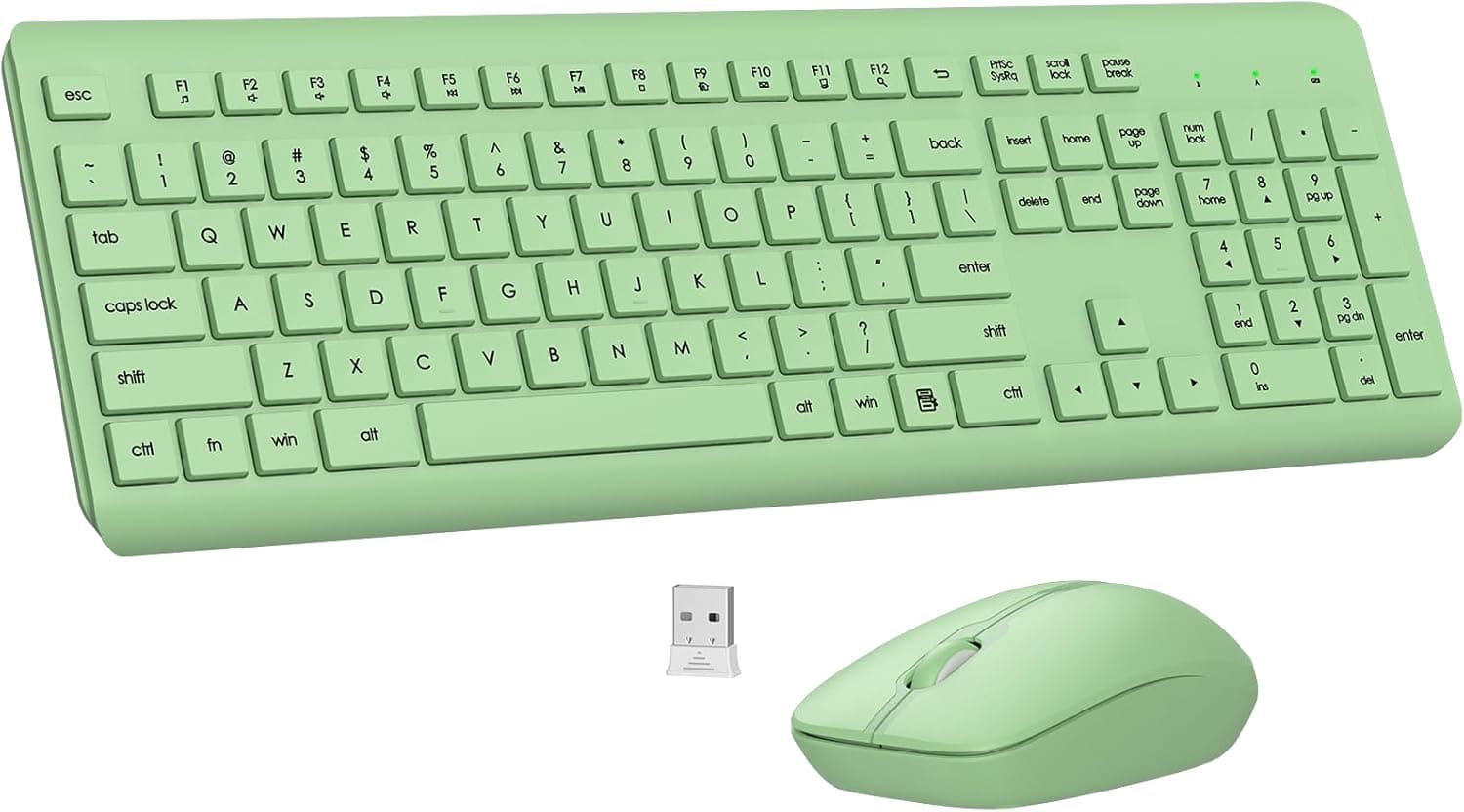
Overview
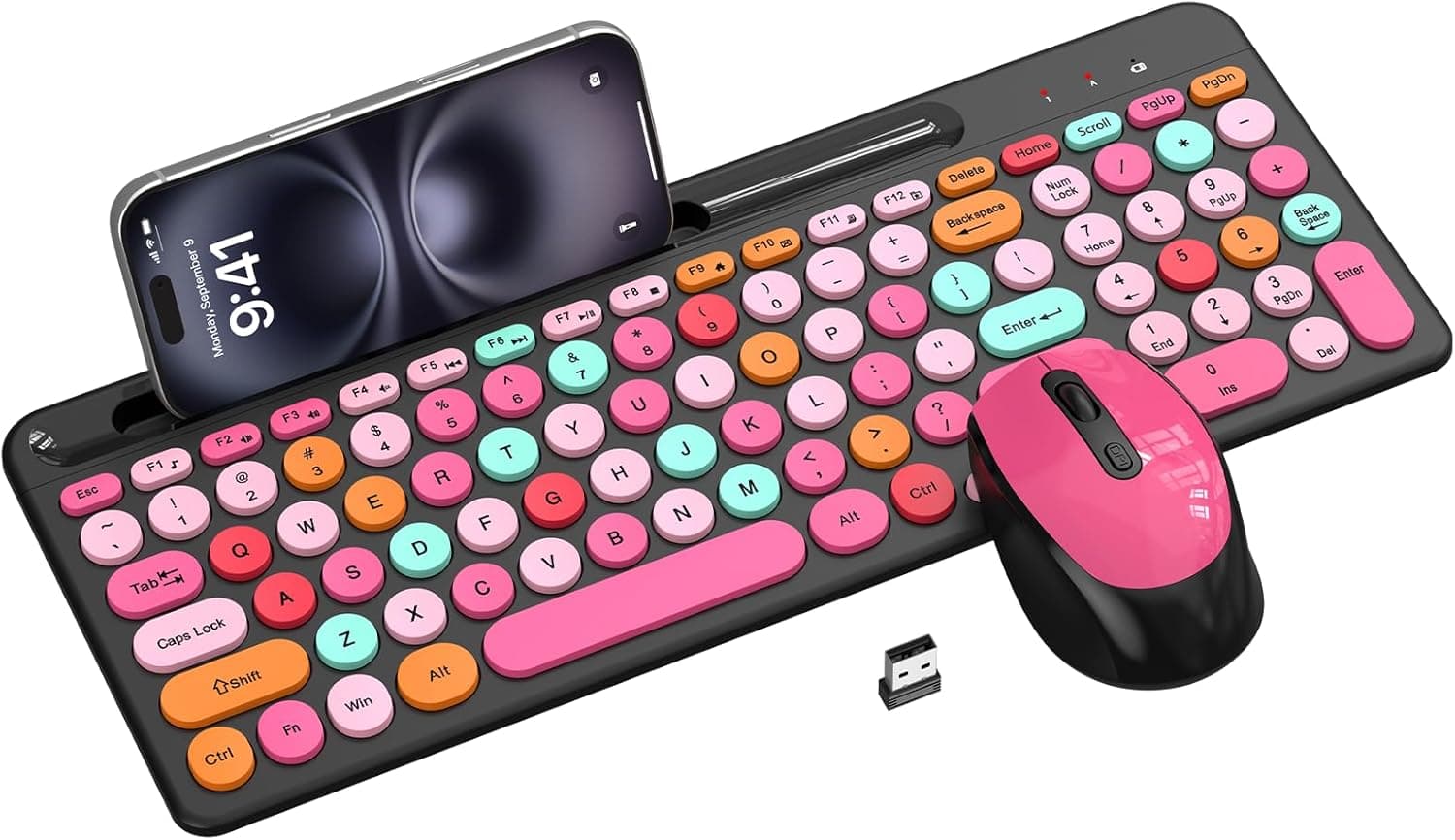
The EDJO Wireless Keyboard and Mouse Combo in Avocado Green pairs a full-size silent membrane keyboard (number pad included) with a 1600 DPI optical mouse, both running off a single USB receiver. Its purpose is narrow and clear: quiet typing, a number pad you use daily, and no pairing or driver hassle.
Gaming and multi-device switching were never part of the design brief.
On Amazon.co.jp it holds 4.4 stars across 237 reviews (88% positive, captured 6 June 2026).
For a peripheral at this tier that is a stable, unremarkable-in-a-good-way record — nothing in the data suggests dead-on-arrival flakiness. That said, if silent membrane keys and a color choice don't move you, this combo has little else to argue with.
What the Silent Keys and Ergonomics Actually Deliver
Noise is the central value here. The membrane structure combined with a silent key design is quieter than mechanical switches and, in most cases, quieter than a typical scissor-switch laptop-style keyboard too.
If you don't want keystrokes bleeding into a meeting mic, or you work while the house is asleep, that is a real benefit.
The mouse uses silent micro-motion switches, so left and right clicks are nearly inaudible. A common mistake is buying a quiet keyboard and keeping a clicky mouse — the room stays noisy.
Getting both in one box is this product's most honest strength.
On ergonomics, you get adjustable tilt legs and a full layout with 12 multimedia shortcut keys. Calibrate your expectations: keyboards marketed as "ergonomic" range all the way to split layouts that angle each half.
This is a conventional layout with tilt adjustment, not a device that fundamentally changes your wrist angle. If you already have tendon pain, don't expect this to treat it.
Compatibility Guide
Connection is 2.4 GHz through one bundled USB-A receiver that drives both devices.
The receiver stows inside the mouse, which cuts the odds of losing it in transit. No driver installation — plug it in and type.
Stated range is up to 10 m.
Supported systems are Windows 11/10/8/7, macOS, Chrome OS, and Linux, covering laptops, desktops, Chromebooks, and MacBooks. Check these points before ordering:
| Check | Detail |
|---|---|
| USB port type | Receiver is USB-A. USB-C-only laptops and MacBooks need an adapter or hub |
| Bluetooth | Not supported. 2.4 GHz receiver only |
| Key layout | Windows layout; Command/Option sit in swapped positions on macOS |
| Batteries | 1x AAA (keyboard), 1x AA (mouse). Not rechargeable |
| Multi-device | One receiver, one set. Cannot mix with other brands' receivers |
For USB-C-only portables — recent MacBooks, thin Windows laptops — a hub is effectively mandatory. Dock-connected use works, but slow re-detection after sleep is a general trait of 2.4 GHz dongles rather than a fault unique to this model.
On macOS, the Windows layout means the Command-equivalent key isn't where Apple puts it. System Settings → Keyboard → Modifier Keys lets you swap Option and Command, which solves it functionally, but the legends printed on the caps will no longer match what the keys do.
Mac-first users who care about that should buy a keyboard with a Mac layout.
Product Details
The headline specs: 2.4 GHz wireless via USB receiver, 10 m range, full-size silent membrane keyboard, 1600 DPI mouse, up to 365 days of battery life (keyboard 1x AAA, mouse 1x AA), and support for Windows 11/10/8/7, macOS, Chrome OS, and Linux.
Avocado Green is one of several color options, and the package includes a 12-month after-sales service period with email support.
Treat "up to 365 days" as a manufacturer figure under assumed usage. All-day data entry shortens it, and alkaline versus zinc-carbon cells changes it too.
Still, not thinking about charging for months is a genuine advantage over rechargeable gear. The flip side: batteries die without warning, so keep one spare AA and one spare AAA in a drawer.
Price was ¥10,815 on Amazon.co.jp as captured on 12 June 2026.
That figure looks high for a full-size membrane silent combo — products in this class commonly sell for a few thousand yen, and the capture may have picked up a marketplace listing or a stock-constrained price. Check the current price on the product page before buying. Prices move often and this article will not.
How It Compares Within Its Class
Even within "silent, full-size, wireless combo," products split along three axes:
- Power — disposable batteries (this model) versus USB rechargeable. Rechargeable saves you buying cells but leaves you tethered when it runs flat.
- Layout philosophy — conventional plus tilt legs (this model), split layouts, or integrated palm rests. If wrist load is your actual problem, split or palm-rest designs are the stronger candidates.
- Looks — retro round keycaps, gradient colors, and similar styling-driven sets exist. Avocado Green belongs to this conversation too.
This combo's slot: quiet, number pad, no setup friction, in an understated color. If gaming, multi-device switching, or serious wrist relief is your main goal, look at a different category instead.
Best Use Cases
The strongest fit is office or remote work built around numeric entry and document work. A full-size layout with a number pad pays off immediately in accounting, data entry, and spreadsheets, and silent keys respect both the room and the meeting mic.
Because one receiver covers everything, it also suits people who can't install software on a work machine or simply don't want to pair anything.
It also works well as a secondary or study-room input set. Because it runs on disposable cells, a machine you use occasionally won't be sitting there with a dead rechargeable keyboard.
And if your desk is built around light wood or green tones, the color itself is a legitimate reason to choose it.
Before You Buy
Not for gaming. 2.4 GHz plus membrane switches is fine for office work but short of what FPS-style play demands in latency and simultaneous key handling (N-key rollover).
The mouse is listed at a fixed 1600 DPI with no confirmed DPI switching, and sensor performance is not what this product sells on. Buy a gaming set if that's the goal.
No Bluetooth. It won't drive a tablet or smart TV, and it won't help if you need to keep USB ports free.
The USB-A receiver also means USB-C-only machines need an adapter. Assuming "wireless" means Bluetooth is the single most common way people get burned here.
No device switching. You can move the receiver to another PC, but there's no button-press switching or multi-channel pairing like Logitech Flow.
If you bounce between a desktop and a laptop, buy a multi-pairing model.
Don't over-read "ergonomic." As noted, this is a standard layout with tilt adjustment, not a split or negative-tilt design.
If your wrists already hurt, changing the input device alone probably won't fix it — start with desk height, chair height, and monitor position.
Silent is not silent. Bottoming out still makes noise.
If you're expecting true inaudibility for late-night work, lower the expectation now.
Verify the listing yourself. Amazon product pages sometimes carry registration details — price, model number, manufacturer — that don't match the actual item.
In this article's source data, the price sits outside what this product class normally commands. Before ordering, confirm from the images and title that you're buying the Avocado Green full-size combo, and check what it currently costs.
FAQ
Q. Can I connect it to an iPad or smart TV over Bluetooth? A.
No. It works only via the bundled 2.4 GHz USB receiver.
A device with a USB-A port that accepts driverless keyboards and mice may work, but there is no Bluetooth mode.
Q. Can I use rechargeable (NiMH) batteries? A.
Generally yes for AA/AAA NiMH cells, but their 1.2 V nominal output is below the 1.5 V of alkalines, so you're unlikely to see the rated battery life and low-voltage behavior varies by product.
Alkalines are the safer long-term choice.
Q. Does it work on a Mac, and what about the layout? A.
macOS is supported, but the layout follows Windows conventions. You can swap Command and Option in System Settings; the printed legends will then disagree with the actual functions.
Q. Can the keyboard and mouse use separate receivers? A.
No. One bundled receiver serves the whole set.
Losing it means neither device works, so make a habit of returning it to the storage slot inside the mouse.
Q. How quiet is it, exactly? A.
No decibel figure is published, so no firm answer. Structurally it should be quieter than mechanical boards and typical membrane boards — the design target is keeping keystrokes off a meeting mic.
Product Disclosure (Amazon)
- ASIN: B0G5PNTYTZ
- Note: This article covers a manufacturer-made product based on Amazon listing details.