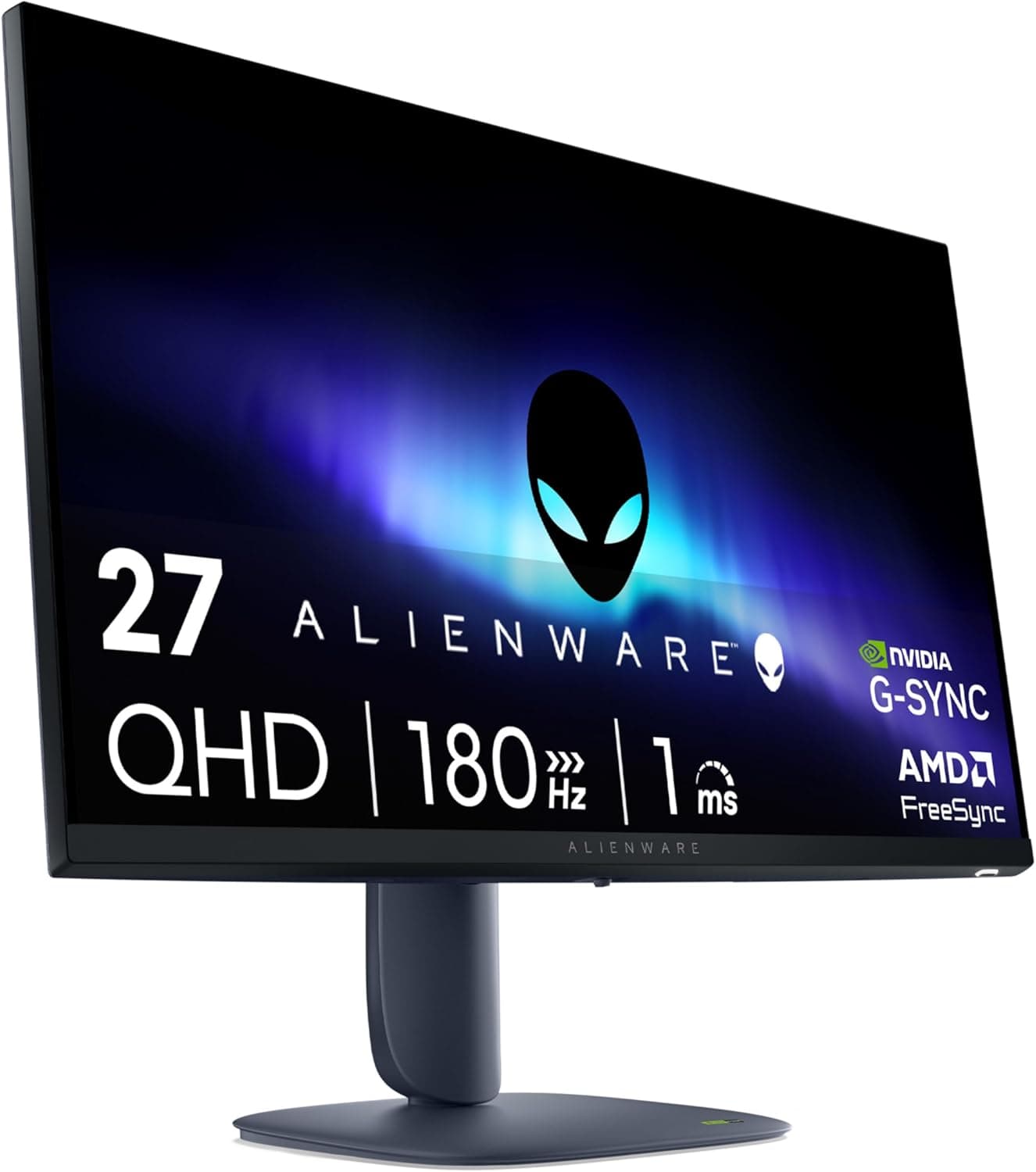
The Alienware 27 Gaming Monitor AW2725DM is a 27-inch QHD (2560x1440) display rated for up to 180Hz and a 1ms response time. This article uses the Amazon.co.jp review data and the captured pricing snapshot to work out who will be happy with it and who should look elsewhere.
Overview
The AW2725DM is the most straightforward upgrade path for anyone graduating from 1080p. At 27 inches, 2560x1440 lands at a pixel density that stays sharp at 100% scaling, so text remains readable without OS scaling tricks.
Coming from a 24-inch 1080p panel, you gain roughly 1.8x the desktop area.
The 180Hz refresh rate sits between 144Hz and 240Hz — practically the best value bracket right now. The jump from 144Hz is subtle, but if your GPU actually sustains 180fps at QHD, tracking during fast camera movement is noticeably cleaner.
The 1ms figure is a manufacturer rating measured under specific conditions; what you actually see depends heavily on the overdrive setting.
As of the data captured on 2026-06-05, Amazon.co.jp lists 370 reviews with an average of 4.7 out of 5 stars (94% positive).
A product holding 4.7 across a three-digit review count generally means it has not been dragged down by widespread defects or unit variance.
Early Answer by Use Case
| Use case | Fit | Why |
|---|---|---|
| Competitive FPS (Valorant / CS) | Yes | 180Hz at 27 inches matches the competitive standard |
| AAA titles at high fidelity | Yes | QHD is lighter on the GPU than 4K, a good middle ground |
| You only accept 4K | Maybe not | Resolution stops at QHD |
| Office work and coding | Yes | 27-inch QHD is readable at native scaling |
| Color-critical photo/video work | Maybe not | Verify gamut coverage and factory calibration first |
| Console-first (PS5 / Xbox) | Maybe not | Check the HDMI generation and supported refresh rates |
Do not stop at the table. The GPU question below is the single most overlooked part of buying a monitor.
What GPU Class Do You Need?
A 180Hz panel only pays off when you can feed it 180fps. As a general guideline, driving modern heavyweight titles at QHD with high settings and high frame rates calls for a current-generation upper-midrange GPU or better (roughly RTX 4070 / RX 7800 XT class and up).
Lighter competitive titles such as Valorant, CS2, or Apex often reach 180fps on considerably less hardware.
If your system only produces 60-100fps today, swapping to a 180Hz panel buys you resolution and little else. In that case, spend on the GPU first.
Check the product page for the Adaptive-Sync situation; variable refresh rate keeps tearing under control on the many frames where you fall short of 180.
Compatibility Guide
Physically, a 27-inch 16:9 panel is a bit over 60cm wide. Aim for a desk at least 60cm deep, ideally 70cm, so you can keep a sane viewing distance (roughly 60-80cm for 27-inch QHD).
On a 45cm-deep desk the panel sits too close and eye travel becomes tiring.
If you plan to use a monitor arm, confirm the VESA pattern and panel weight against the official spec sheet. 100x100mm is common for 27-inch gaming monitors, but it is not guaranteed on any given model, and your arm needs headroom on its weight rating.
On the input side, QHD at 180Hz needs real bandwidth. DisplayPort has plenty of margin; over HDMI the ceiling depends on the port generation (2.0 vs 2.1) and on the cable itself.
Reuse an old cable only if it carries a proper certification marking. From a laptop, whether USB-C DP Alt Mode carries QHD 180Hz depends entirely on the host machine.
Note: the specs data attached to this article contains entries that clearly belong to a monitor arm — "supports up to 34 inches", "1.4kg to 11.3kg capacity", "clamp / grommet mounting".
Those are not AW2725DM specifications, and this article does not treat them as such.
Product Info
Pricing captured on 2026-06-12 shows Amazon.co.jp at JPY 68,919 under ASIN B0F146MYKD, and eBay US at USD 400.00 as captured on 2026-07-06.
Monitors swing hard on exchange rates, sales, and model transitions, so treat these strictly as snapshots at capture time and check the live listing before you buy. Alienware products in particular can differ in price between the official store and Amazon.
Review data stands at 4.7 out of 5 across 370 reviews, 94% positive, captured 2026-06-05.
At that volume, the Q&A section and review text usually accumulate practical details — bundled cable types, stand adjustment range, OSD ergonomics — that are worth reading before purchase.
How to Compare It Against Rivals
The 27-inch QHD high-refresh segment is crowded. Narrow your comparison to three axes.
First, panel technology: IPS-type, VA-type, or OLED. OLED wins on black level and response but adds burn-in risk and cost.
Second, the effective refresh rate — whether your GPU actually delivers that number. Third, extras: USB hub, KVM, stand adjustability, warranty length.
Within Alienware you can step down to 24.5 inches or up to a 31.5-inch curved model.
If OLED is on the table, QD-OLED options from other brands belong in the shortlist. If raw refresh rate is the priority, dropping to 1080p and buying 240Hz or more is a legitimate alternative.
The right answer depends on your GPU and the games you actually play.
Best Use Cases
This is the clearest recommendation for someone lifting both sharpness and smoothness at once from a 1080p setup. It pairs especially well with an upper-midrange or better GPU and a mixed diet of competitive shooters and story-driven AAA games.
QHD asks far less of the GPU than 4K while looking distinctly better than 1080p, which makes it a long-lived compromise.
Outside gaming, 27-inch QHD is a comfortable size and resolution for coding, spreadsheets, and side-by-side windows. If you want one display for both work and play, this combination is an easy landing spot.
It also suits buyers who specifically value Alienware's design language and support experience.
Before You Buy
Do not take the listing metadata at face value. The source data behind this article had monitor-arm specifications mixed into the spec table (34-inch support, 11.3kg capacity, VESA 75x75/100x100, clamp/grommet mounting, 10-60mm desk thickness, 10-year warranty).
Amazon listings can carry the same kind of contamination. Before buying, confirm from the product images and title that you are looking at the AW2725DM itself, and verify panel type, inputs, and warranty length on the official Dell/Alienware product page.
On price: the captured JPY 68,919 looks toward the high end for a 27-inch QHD 180Hz panel. It may reflect a particular seller or stock situation, so compare current prices across multiple sellers rather than anchoring on that figure.
Who should skip it? First, anyone who has already decided only 4K will do — QHD is dense enough at 27 inches, but eyes accustomed to 4K may find it soft.
Second, anyone on an entry-level GPU; the 180Hz panel will sit unused and the money is better spent on graphics first. Third, creators whose income depends on color accuracy — gaming monitors are usually tuned for response over color fidelity, so verify gamut coverage and calibration before committing.
Two common misconceptions. "1ms" is a rated figure under defined test conditions, not a claim that every gray-to-gray transition completes in 1ms; cranking overdrive to maximum often introduces overshoot artifacts, so tune upward from a middle setting.
And 180Hz is not automatic — plenty of users leave Windows at 60Hz because they never changed the refresh rate in display settings. Check that immediately after connecting.
FAQ
Q. How is it reviewed? A.
As captured on 2026-06-05, Amazon.co.jp shows 370 reviews averaging 4.7 out of 5 stars, 94% positive — a strong score at meaningful volume.
Q. What GPU do I need for QHD 180Hz? A.
It depends on the title. Lightweight competitive games reach 180fps on midrange hardware; modern heavyweight titles at high settings want current upper-midrange or better.
Q. Can I use it with a PS5 or Xbox? A.
It will output video, but the refresh rates and VRR support available to consoles depend on the monitor's HDMI generation. Confirm the port spec officially.
Q. Can I mount it on a monitor arm? A.
If it supports VESA mounting, yes — but confirm the pattern and panel weight on the official spec sheet. The arm-related numbers in this article's spec data do not belong to this monitor.
Q. Is 1ms actually noticeable? A.
Coming from 60Hz, yes, clearly. But since the number is a conditional rating, tuning overdrive to what your eyes actually see matters more than the figure itself.
Product Disclosure (Amazon)
- ASIN: B0F146MYKD
- Note: This article covers a manufacturer-made product based on Amazon listing details.