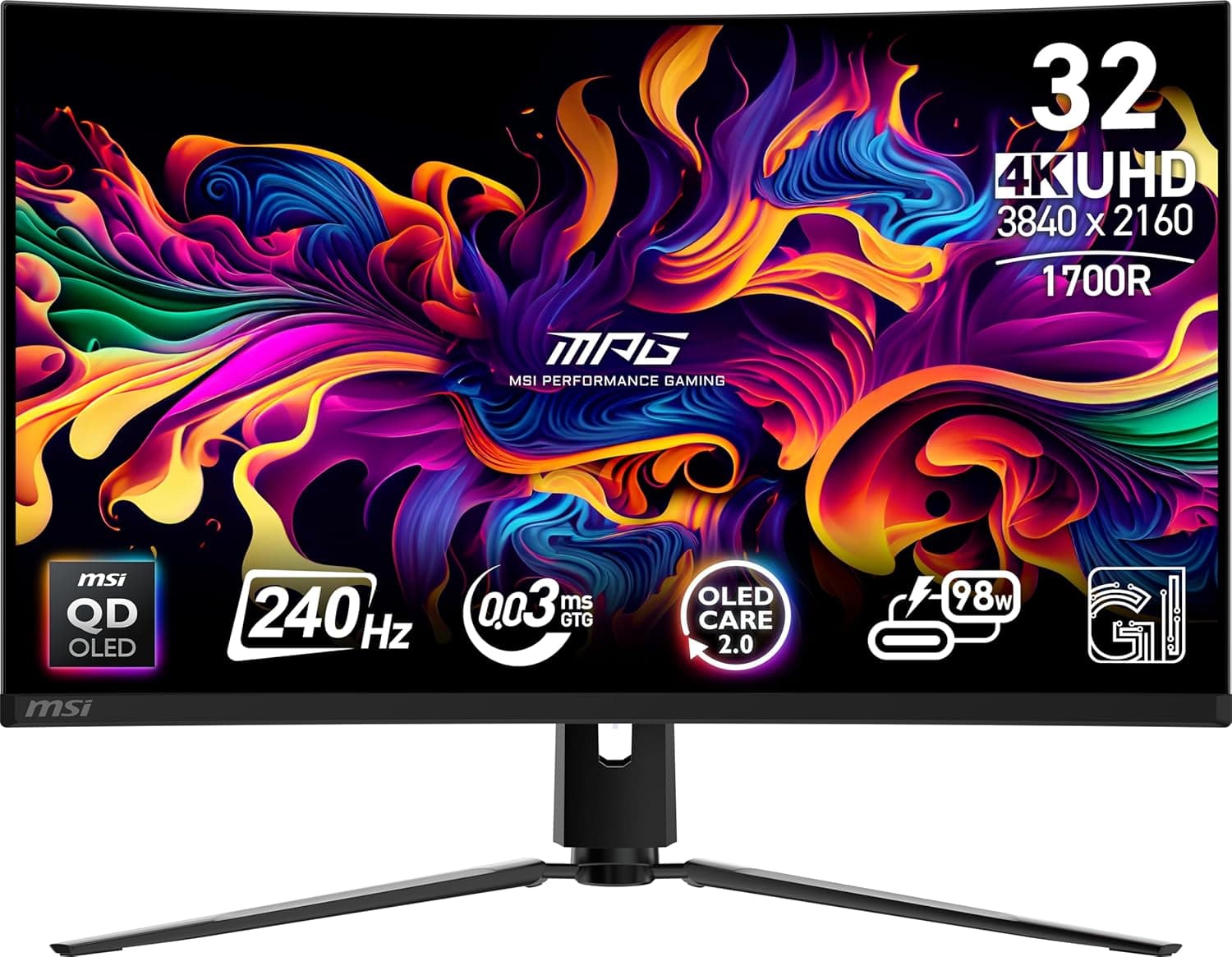
The MSI MPG 321CURX QD-OLED is a 32-inch, 3840x2160 (4K UHD) QD-OLED display running at 240Hz, sitting at the top of the current gaming monitor stack. It lists a 0.03ms response time, Adaptive-Sync support, both HDMI and DisplayPort inputs, VESA mounting, tilt adjustment, and built-in speakers.
This article works from the published product name and specs, the captured prices, and the Amazon.co.jp review data to answer the question that matters: who should buy this, and who clearly should not.
Overview
The short version: this panel is for people who want 4K sharpness, OLED black levels, and 240Hz smoothness all in one screen. If any one of those three is optional for you, this is an overspend.
At 32 inches, 4K works out to roughly 140ppi — dense enough to look clean, but still usable at 100% scaling in Windows, unlike 27-inch 4K panels where scaling is effectively mandatory.
QD-OLED combines a quantum dot layer with a self-emissive OLED panel, so black is genuinely black (there is no backlight to leak) and the color volume exceeds typical LCDs. The 0.03ms figure is an order of magnitude below LCD's 1ms class, and motion clarity in fast FPS or racing titles is visibly better.
But OLED carries two structural weaknesses — burn-in and text rendering — and buying without understanding those leads to regret.
Amazon.co.jp showed 140 reviews at 4.5 out of 5 stars (about 90% positive) as captured on June 6, 2026.
That is a modest sample but a normal distribution for a 32-inch 4K OLED at this tier, with no sign of a systemic defect.
Real-World Use
There are surprisingly few situations where 4K and 240Hz both pay off at once. Competitive shooters are usually run at 1080p or 1440p to chase frames, and very few GPUs sustain 240fps at 4K.
Where 240Hz earns its keep is as headroom: for single-player showpiece titles at 4K and 60-120fps, variable refresh smooths out the dips instead of letting them stutter.
Outside gaming, dark-room movie watching is the biggest win. HDR shadow detail on OLED simply cannot be replicated by an LCD.
Desk work is possible, but if your day is mostly white document backgrounds, the burn-in risk and the automatic brightness limiting make an LCD the more sensible choice.
The built-in speakers exist so sound comes out of the box, not to serve as your gaming audio. Budget for a headset or external speakers.
Compatibility Guide
Hitting 4K at 240Hz requires the entire signal chain to carry the bandwidth, not just the monitor. This is where most buyers trip up.
| Check | Requirement |
|---|---|
| GPU output | DisplayPort 1.4 with DSC, or HDMI 2.1 class |
| Cable | VESA-certified DP, or Ultra High Speed (48Gbps) HDMI |
| Inline devices | Hubs, KVMs and extenders often drop bandwidth |
| GPU power | High frame rates at 4K need current high-end hardware |
| Mounting | VESA compatible; stand included with tilt |
4K240 does not fit uncompressed within existing interface bandwidth, so DSC (Display Stream Compression) is normally used. If your GPU generation lacks DSC support, you will be trading away either refresh rate or color depth.
Confirm the generation of your GPU's output ports before you buy.
Use the bundled cable. "240Hz isn't in the list" and "the screen flickers" are overwhelmingly cable problems caused by reusing an old HDMI lead.
Likewise, KVM switches and docking stations frequently cannot pass full bandwidth — connect directly to the GPU first, confirm the mode, then add accessories.
Consoles cap out lower: PS5 and Xbox Series X output 4K at 120Hz, so 240Hz is unavailable to them. The 4K120 plus VRR experience is still excellent, but it is not a reason to pay for 240Hz.
On Mac, external display refresh limits vary by model — check Apple's specification page for your machine.
Product Info
Prices below are point-in-time captures and move often. Treat them as a snapshot, not a current quote.
| Retailer | Captured price | Captured on |
|---|---|---|
| Amazon.co.jp | ¥159,064 | Aug 27, 2026 |
| eBay US | $877.49 | Jul 14, 2026 |
The eBay figure converts to less than the Japanese domestic price, but grey imports put duties, shipping, power specification and warranty entirely on you. Given what round-trip shipping costs on a panel this size, the savings rarely justify losing local warranty service.
Read the domestic price as "price including support."
Reviews stood at 140 ratings, 4.5 stars (about 90%) as of June 6, 2026.
With a sample that small, a handful of one-star entries moves the average noticeably. Rather than the star count, read the review text for mentions of burn-in warranty terms, dead pixels on arrival, and firmware updates.
Confirmed specifications are those in the product name: 32 inches, 3840x2160, 240Hz, 0.03ms, Adaptive-Sync, HDMI and DisplayPort inputs, VESA mount, tilt, and speakers.
Finer details such as peak brightness, HDR certification tier, and DisplayPort revision can vary by region and revision, so verify on the manufacturer's page before ordering.
Competitive Comparison
Other 32-inch 4K 240Hz QD-OLED panels exist, including the Alienware AW3225QF. Where panel generations are close, the decision comes down to stand quality, OSD usability, burn-in warranty length, and port selection — not image quality.
Warranty terms in particular differ meaningfully between brands, so never compare on price alone.
Against Mini LED LCDs, the LCD wins on peak and full-field brightness and has no burn-in mechanism at all. Bright room, lots of white documents?
Buy the LCD. Dark room, games and film?
Nothing replicates OLED black.
Against 1080p/1440p high-refresh panels in the 24-27 inch class, the price gap is several times over. If you play competitively and want frames above all, that difference is better spent on the GPU.
Best Use Cases
- Single-player enthusiasts at 4K — shadow detail and color depth are in a different class from LCD, and the money shows on screen.
- Owners of current high-end GPUs — 240Hz only means something once your GPU can feed it. Buying the monitor first is backwards.
- One screen for games and film — HDR movies in a dark room are this panel's strongest suit.
- Users who want 32 inches of workspace — 4K at 32 inches stays legible at 100% scaling and suits side-by-side windows.
- Minimal-setup builds — VESA mounting for arms, and onboard speakers mean audio works out of the box.
Before You Buy
Watch for mismatched listing data. This product's listing has been observed carrying specifications from an entirely different category of device (a portable battery).
If you see entries like battery capacity or wireless output — items with no relevance to a monitor — the listing metadata is wrong. Confirm the product from the images, the title, and the manufacturer's official page before ordering; price and review counts attached to a wrong listing can belong to another product too.
Burn-in is still a real risk. Avoid leaving static elements — taskbars, game HUDs, streaming overlays — in the same spot for hours on end.
Enable pixel shift and panel refresh, and set short screensaver and sleep timers. If you cannot work that way (machine always on, static business UI all day), do not buy an OLED at all.
Text rendering is worse than LCD. QD-OLED uses a non-standard subpixel layout, so thin black text can show colored fringing.
4K density mitigates it substantially, but if text work dominates your day, look at the panel in person first.
Full-field brightness drops. OLED limits luminance when most of the screen is white.
In a bright office, spreadsheets may look dimmer than you expect.
It demands a lot from your GPU. Few titles hit 240fps at 4K.
Upgrading the monitor without the GPU leaves the refresh rate unused; the GPU is usually the better first spend.
Treat the speakers as a fallback. Do not attach this price tier's expectations to the onboard audio.
Check warranty terms. For OLED, burn-in coverage matters not just in existence but in years covered and symptoms included.
It is one of the few differentiators you can verify before purchase.
FAQ
Q. Can I get 240Hz from a PS5? A.
No. The PS5 tops out at 4K 120Hz.
It does support 4K120 with VRR, which still looks excellent, but 240Hz is a PC-only feature here.
Q. Will my existing HDMI cable do 4K 240Hz? A.
Often not. Use the bundled cable, an Ultra High Speed (48Gbps) certified HDMI, or a VESA-certified DisplayPort cable.
Most "240Hz isn't listed" reports trace back to the cable or an older GPU port generation.
Q. How soon does burn-in appear? A.
It depends entirely on usage. Hours of the same static image daily accelerates it; varied content can go years without issue.
Enable pixel shift and panel refresh, and blank the screen when idle.
Q. Is text too small at 32-inch 4K? A.
Around 140ppi is generally considered usable at 100% scaling. If your eyes tire, 125% scaling gives you roughly the apparent size of a 27-inch 1440p display.
Q. Worth it if I mostly do office work? A.
Honestly, no. Reduced full-field brightness, text fringing, and burn-in risk from static UI all work against office use.
A 4K IPS or Mini LED at a similar price will satisfy you more.
Q. Domestic model or grey import? A.
Buy domestic. Shipping a panel this large for service is expensive, and having a local warranty channel for burn-in claims is where the real value sits.