Overview
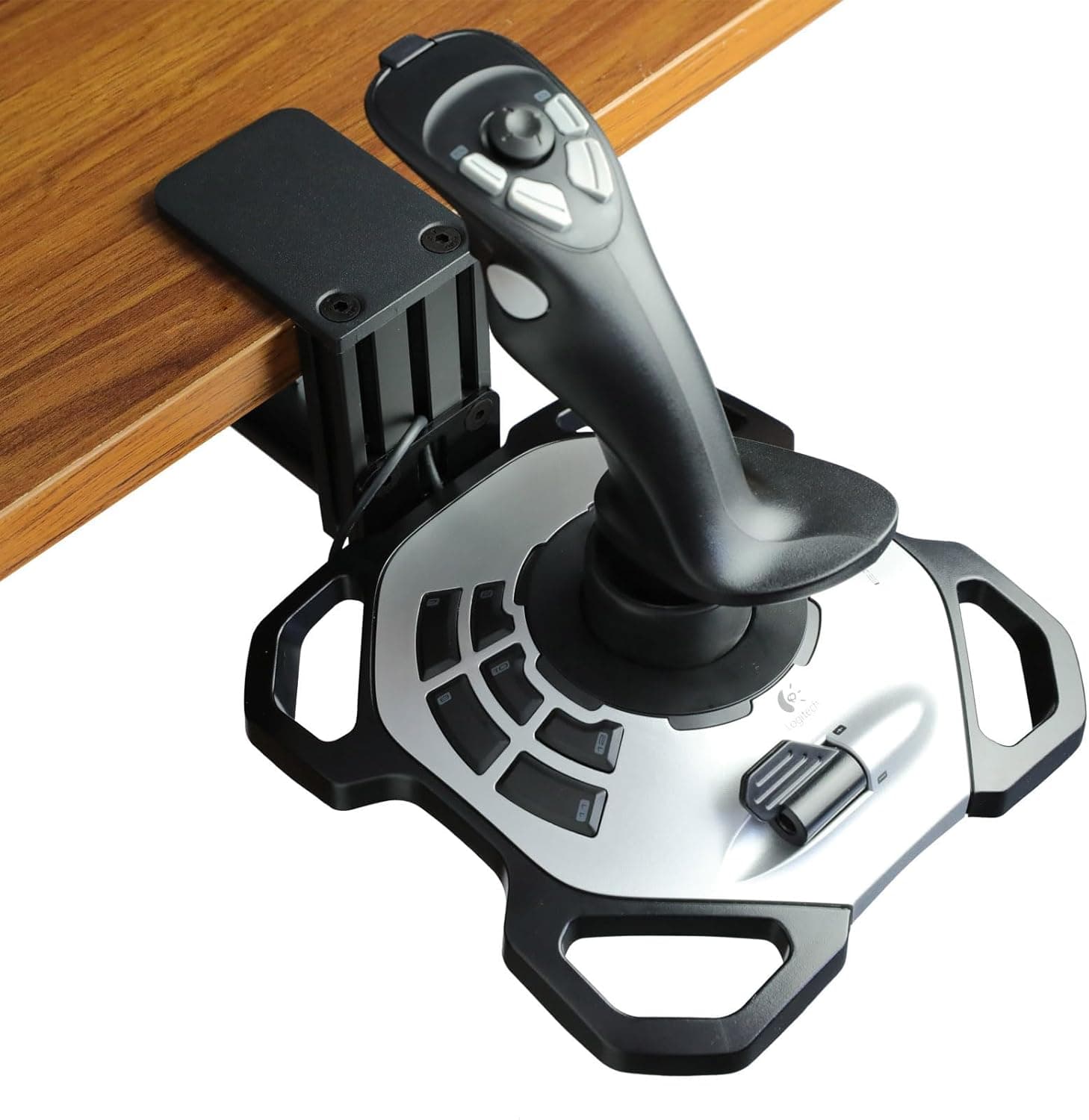
The WELLMETE Desk Mount for Flight Sim Joystick is a metal clamp-style mount that fixes a flight sim joystick to the edge of your desk. It is built around the Logitech G Extreme 3D PRO, and it solves in hardware what many sim pilots fight in software: a stick that creeps across the desk every time you pull hard on the roll axis.
If you own the target stick and that creep annoys you, this is a sensible purchase. If your desk cannot physically take a clamp, no amount of value will help.
Published specifications are a metal holder, a quick-release mechanism, package dimensions of 19.61 x 8.89 x 4.7 cm, a weight of 739 g, and the model designation Quick Release Type.
That 739 g figure matters. Plastic stands in this category typically land between 200 and 300 g, so most of the mass here sits in the clamp body and post — which is exactly what buys you resistance to side loads.
On Amazon.co.jp the product carries 99 reviews at 4.2 stars, an 84% positive score.
With a sample near 100, a 4.2 is the classic profile of a product that works as advertised for most people while failing outright for a minority whose desks do not suit it.
The caveats below are an attempt to name that minority precisely.
Why a Desk Mount at All
Flight sim sticks take far more lateral force than their rubber feet or suction cups were designed to resist, especially during hard pulls and combat manoeuvres. On a painted desktop, on glass, or on a fabric desk mat, suction does nothing and the stick walks a few millimetres at a time.
That drift accumulates into input error, and the more precise your flying, the more you notice it.
A clamp mount replaces friction with mechanical fixing: the desktop is gripped from above and below, so the load goes into the desk itself and the stick simply does not move. There is a second benefit — position.
Mounting at the desk edge lets you bring the stick closer to your body or drop it below the desktop, which is closer to how a real centre stick sits between your knees than a stick perched on the desk surface.
Compatibility Guide
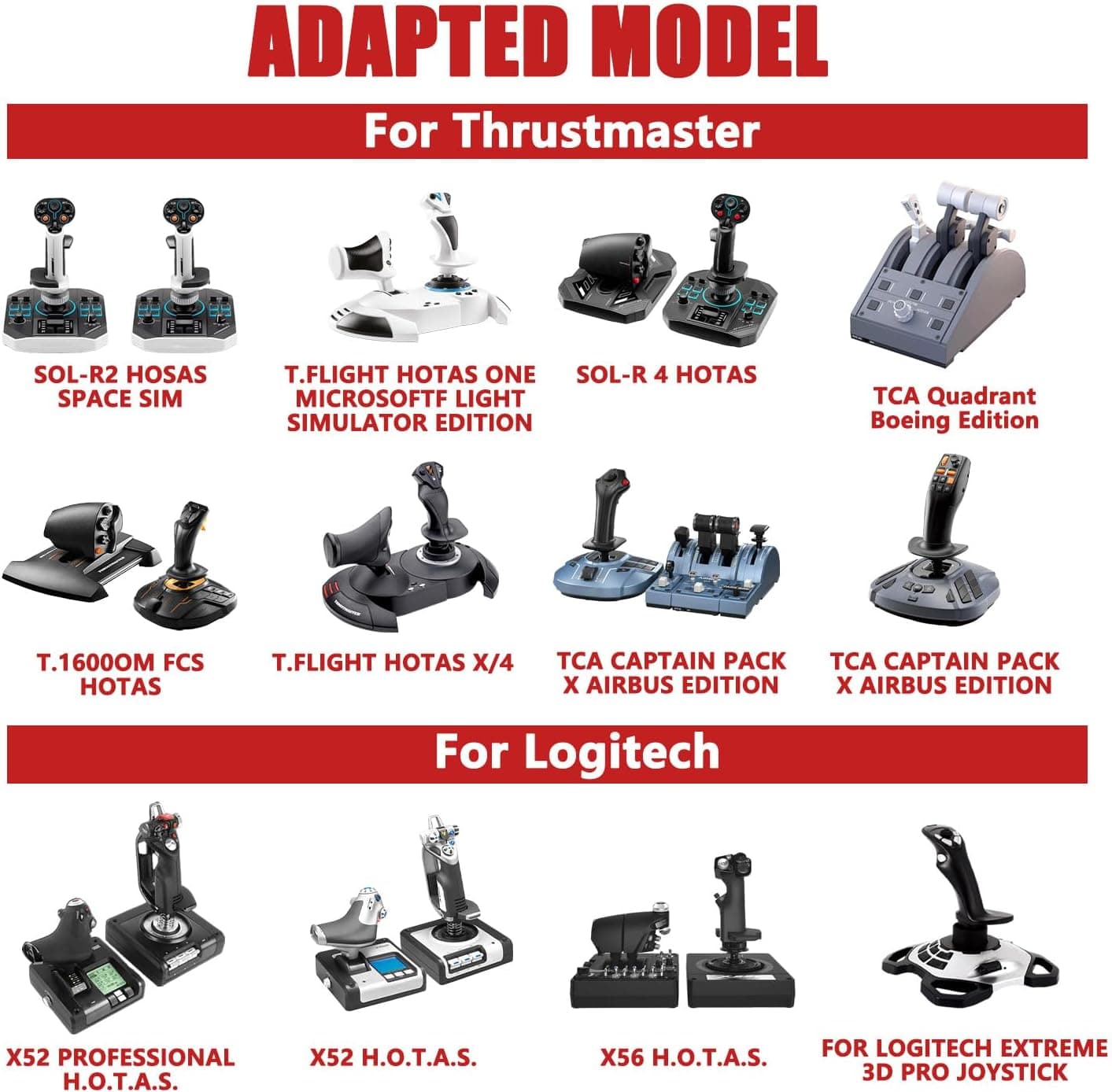
The only officially supported stick is the Logitech G Extreme 3D PRO. The holder is adjustable, so similarly sized sticks may physically fit, but that is outside any warranty and entirely at your own risk.
Sticks with different base geometry — the Thrustmaster T.16000M, or HOTAS setups with a separate throttle — should not be assumed to work.
If a HOTAS is your target, buy a mount that names it.
On the desk side, check four things. First, desktop thickness: every clamp has a supported range, and thin modern tops (around 15 mm) or thick laminated tops (over 40 mm) often fall outside it, so verify the figure on the product page.
Second, edge shape: rounded, heavily chamfered, or framed edges stop the clamp seating parallel, and it will tilt no matter how hard you tighten. Third, clearance underneath: drawers, keyboard trays, cable trays, and the reinforcement bars common on gaming desks all block the lower clamp pad.
Fourth, material: glass tops and thin veneered particle board can crack or mark under clamping pressure.
Installation itself needs no tools — position it and tighten the knob. The flip side is that clamping force depends on your hand, so plan to re-tighten periodically once it settles.
| Check | What to look for |
|---|---|
| Target stick | Logitech G Extreme 3D PRO (others at your own risk) |
| Desktop thickness | Within the clamp range — confirm on the product page |
| Edge profile | Flat and parallel; rounded or framed edges will not seat |
| Under-desk clearance | No drawer, tray, or reinforcement bar in the way |
| Desktop material | Glass and thin veneer risk cracking or marking |
| Footprint | Roughly 19.6 x 8.9 cm plus the overhang toward you |
Product Info
rmation
On Amazon.co.jp the price was ¥9,302 as captured on 19 May 2026.
A US eBay listing showed $24.50 as captured on 1 June 2026.
Both are point-in-time figures that move with sales, exchange rates, and the individual seller, so check the current price before buying. If you are not in a hurry, watching the listing for a few weeks costs nothing.
Stated specifications are the Quick Release Type designation, package dimensions of 19.61 x 8.89 x 4.7 cm, 739 g, metal construction, and compatibility with the Logitech G Extreme 3D PRO.
Since the package size is close to the product's own footprint, the mount occupies just under 20 cm of desk edge — easy enough to fit alongside a keyboard and mouse.
The box contains the mount and non-slip pads; the joystick is not included. No warranty period is stated, but an Amazon purchase falls under that site's standard return policy.
For a product whose fit you cannot fully confirm until it arrives, buying somewhere returnable is effectively insurance.
| Item | Detail |
|---|---|
| Material | Metal |
| Weight | 739 g |
| Package size | 19.61 x 8.89 x 4.7 cm |
| Mechanism | Quick release, tool-free clamp |
| Reference price | ¥9,302 on Amazon.co.jp as of 19 May 2026 |
| Reviews | 99 reviews, 4.2 stars / 84% positive (May 2026) |
Recommended Users
The clearest fit is an owner of the Logitech G Extreme 3D PRO who plays stick-heavy titles such as Microsoft Flight Simulator, DCS World, or Star Citizen and is tired of the base sliding on a desk mat or a smooth desktop. The improvement there is immediate and obvious.
The second fit is anyone who cannot build a dedicated sim pit. A cockpit frame costs money and floor space; a clamp mount lets an ordinary work desk become a flight setup only when you want it to.
The quick-release mechanism makes it practical to pull the stick and stow it in a drawer, which matters on a shared desk or one that doubles as your work surface.
If your stick already sits still and you have no drift problem, this is low priority. That budget is better spent on rudder pedals or a throttle — hardware that adds capability rather than stability.
Before You Buy
The biggest risk is your desk, not the mount. The most common failure reports for clamp mounts in general are "the top was too thick," "too thin," "the edge is rounded so it will not grip," and "there is a drawer in the way." Before ordering, measure the thickness with a tape and reach under the intended mounting spot to confirm there is clearance.
Three minutes of checking prevents almost every return.
Expect marks on soft desktops. A metal clamp under tension will leave impressions on veneer or laminate.
The supplied non-slip pads cushion this to a degree, but on a rented or scratch-sensitive desk, add a thin rubber or felt shim. Avoid glass tops entirely — the crack risk is not worth it.
Accept the narrow compatibility. Only the G Extreme 3D PRO is confirmed.
If you later step up to a HOTAS, there is no guarantee this mount carries over. Anyone planning to add a throttle and rudder should price a multi-device stand or sim pit up front; it may work out cheaper overall.
Fixing the stick changes how it feels. Loose on a desk, the base absorbs some of your input through its own movement.
Bolted down, every bit of force goes into the spring and your wrist. The first few hours often feel stiffer and twitchier than before.
That usually passes, and flattening the in-game sensitivity curve slightly helps it settle.
Mind your seating position. Clamping at the desk edge brings the stick toward you and eats elbow room.
It can foul chair armrests, or force you to sit further back than usual. Decide the mounting position while actually seated, checking your arm's range of motion.
Watch for unit variation. An 84% positive score across 99 reviews (May 2026) means it works for most buyers and disappoints some.
In this product category the usual culprits are clamping force and machining tolerance. Fit your actual stick early, load it up, check for slack, and act within the return window if anything is off.
Compared With Alternatives
Flight stick mounts come as singles and as two-packs. If a throttle or second stick is in your future, an aluminium two-pack lowers the per-unit cost.
If the G Extreme 3D PRO is the whole plan, a mount that explicitly names your stick is the safer bet for fit.
A tier above sit floor-standing sim rigs and cockpit frames that hold stick, throttle, and rudder together. They free you from desk geometry entirely, but price and floor area jump by an order of magnitude.
As long as "it must live on my desk" is a requirement, a clamp mount remains the rational answer.
FAQ
Q. Will it work with joysticks other than the G Extreme 3D PRO? A.
The holder adjusts, but only the G Extreme 3D PRO is officially supported. Other sticks are unsupported and may not seat at all depending on base shape.
Q. Are tools required for installation? A.
No. Position it and hand-tighten the clamp.
Because it is hand-tightened, check for slack after some use and re-tighten as needed.
Q. Can I remove it easily when not gaming? A.
Yes. The quick-release mechanism makes detaching the stick fast, and the clamp itself can also be removed to return the desk to work use.
Q. What desk thickness does it support? A.
No specific range appears in the available material. Every clamp has upper and lower limits, so check the product page and measure your desktop before ordering.
Q. Is the joystick included?
A. No. The mount is sold on its own; the joystick must be purchased separately.
Q. What does it cost?
A. ¥9,302 on Amazon.co.jp as captured on 19 May 2026. Prices move, so check the current listing before buying.
![Logitech G X56 H.O.T.A.S. RGB Throttle and Stick Simulation Controller for VR Gaming 141[並行輸入]](/_next/image?url=https%3A%2F%2Fm.media-amazon.com%2Fimages%2FI%2F51NWV0%2BmjZL._AC_SL1000_.jpg&w=1920&q=75)