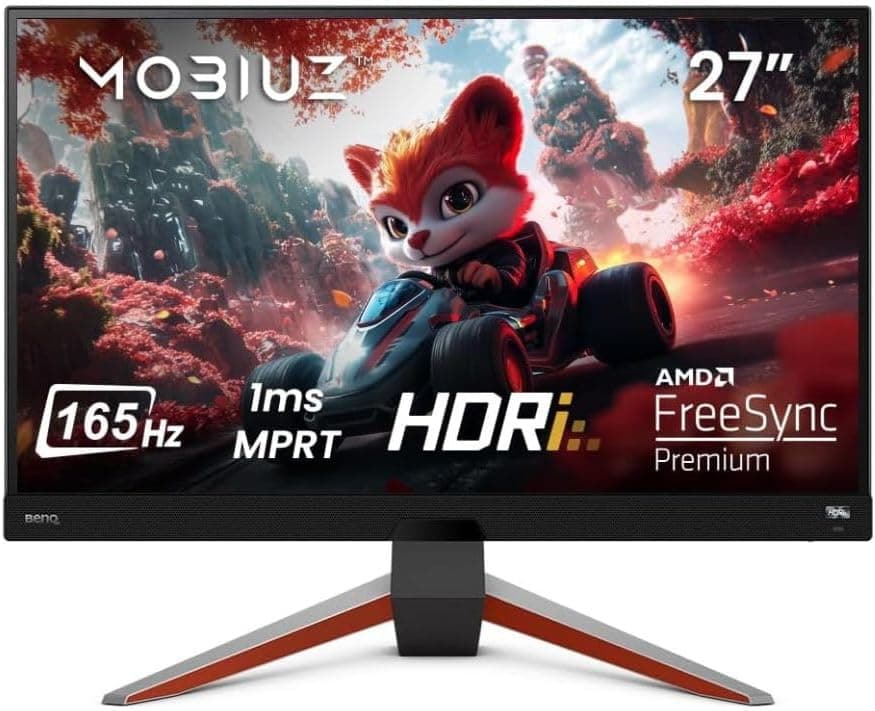
This article takes a closer look at BenQ's 27-inch WQHD gaming monitor, the MOBIUZ EX2710Q — from how to read its spec sheet to the mistakes buyers actually make.
Overview
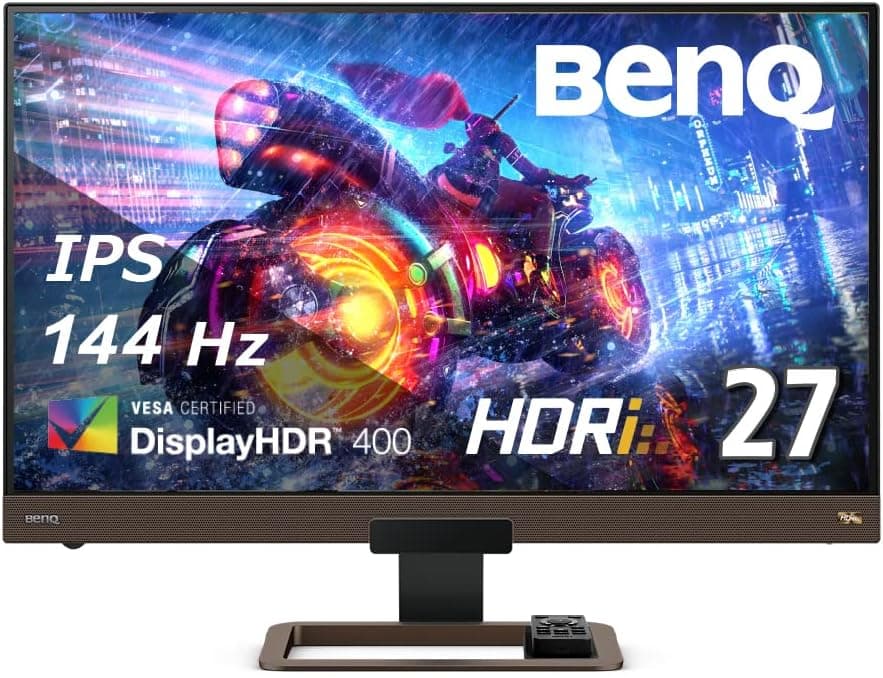
The MOBIUZ EX2710Q hits the current mainstream gaming-monitor formula: 27 inches, 2560×1440 (WQHD), 165Hz, IPS. In short, it suits someone stepping up from 1080p who doesn't want to compromise heavily on either image quality or speed.
It carries DisplayHDR 400 certification, FreeSync Premium, a 1ms MPRT response time, and sRGB 99% / DCI-P3 90% coverage, so it works as a dual-purpose display for gaming and photo or video editing.
It also makes the compromises you'd expect at this tier. DisplayHDR 400 is not a real HDR experience, and HDMI stops at 2.0, which caps what current consoles can do.
Whether you're fine with those two things decides how happy you'll be.
As of the 2026-06-04 capture, the Amazon.co.jp listing showed 1,312 reviews at 4.5 stars (90% positive).
A product that holds 4.5 stars across more than a thousand reviews well after launch generally isn't hiding a fatal design flaw.
Quick Fit Table
| Use case | Fit | Why |
|---|---|---|
| PC FPS / competitive | Excellent | 165Hz over DisplayPort, 1ms MPRT |
| RPG / open world | Excellent | 27" WQHD balances detail and text size |
| Photo / video editing | Good | sRGB 99% / DCI-P3 90%, but not a pro color-managed panel |
| PS5 / Xbox Series X | Limited | 1440p works; no 4K120Hz without HDMI 2.1 |
| Serious HDR viewing | Poor | DisplayHDR 400 tops out near 400 cd/m² |
| 4K work or viewing | No | The panel is WQHD |
The pattern is clear: this display is tuned for PC-first gaming with occasional creative work. If a PS5 is your main device and 4K120Hz is the goal, you'll hit the port limitation right after unboxing.
Compatibility Guide
Ports are two HDMI 2.0, one DisplayPort 1.4, and a 3.5mm audio out.
The single most important point: 165Hz is only available over DisplayPort 1.4. HDMI 2.0 caps the panel at 144Hz.
Leaving the bundled HDMI cable plugged in and never checking is an extremely common mistake, so verify the refresh rate in your OS display settings after setup — on Windows, under System → Display → Advanced display — and in your GPU control panel as well.
On the GPU side, any card with DisplayPort or HDMI output works. FreeSync Premium is designed around AMD GPUs.
NVIDIA cards often run FreeSync panels as G-SYNC Compatible, but check the product page for whether this specific model is certified; don't buy assuming it.
Actually using 165Hz at WQHD takes GPU headroom. As a rough guide, competitive titles near 165fps want an upper-midrange card or better, while heavy AAA games realistically mean lowering settings or leaning on variable refresh rate for smoothness instead of chasing the ceiling.
Upgrading the monitor alone won't change much if the GPU can't keep up.
For mounting, VESA 100×100mm means off-the-shelf arms and wall brackets fit. A 27-inch WQHD panel lands around 109ppi, which most people run at 100% scaling on Windows.
Moving up from a 24-inch 1080p display, users typically notice the extra workspace more than the smaller text.
For consoles, PS5 and Xbox Series X both output 1440p here, but with no HDMI 2.1 there is no 4K120Hz passthrough.
If a console is the main source, look at an HDMI 2.1 model instead.
Product Info
Key specs: 27-inch screen, 2560×1440 (WQHD), IPS panel, 165Hz refresh, 1ms MPRT response, 400 cd/m² typical brightness, sRGB 99% / DCI-P3 90% gamut, DisplayHDR 400, and FreeSync Premium. Built-in speakers are 2.5W×2 stereo — enough for voice chat or background music, but a 2.5W driver produces essentially no bass, so assume a headset for any game where audio positioning matters.
On price, Amazon JP showed ¥47,800 as of the 2026-06-12 capture. Prices move often and sales can push this either way, so check the listing at the time you buy.
A separate eBay US listing showed $565.52 as of the 2026-07-15 capture, well above the domestic price — overseas listings usually stack shipping, duties, and reseller margin, so buy domestically when you can.
Warranty is the standard one year from the manufacturer. The box includes a power cable, DisplayPort cable, HDMI cable, USB Type-B to A cable, and a quick start guide.
Including the DisplayPort cable matters practically: you don't need to buy anything extra to reach 165Hz.
BenQ's HDRi (HDR Intelligent) adjusts image settings automatically based on content and ambient light. Handy for gaming, but the automatic brightness and contrast shifts get in the way of color-critical editing.
Turn it off and use a fixed preset such as sRGB mode when you're editing.
Competitive Context
Within the 27-inch class, the right pick depends on what you're optimizing for. Want higher refresh and deeper blacks?
QD-OLED QHD panels at 360Hz sit above this, at a considerably higher price and with burn-in management to think about. Care more about frame rate and cost than resolution?
A 1080p 240Hz panel buys more speed per yen. Want 4K?
A 27-inch 4K model exists, but the GPU requirement jumps a tier.
The EX2710Q occupies the safest middle ground: WQHD 165Hz IPS. It won't impress anyone with a headline number, but it rarely becomes the bottleneck whether you're gaming, working, or watching video.
The more roles one display has to fill, the better this configuration looks.
Setup Tips
A few settings pay off immediately. Connect over DisplayPort and confirm 165Hz is selected.
Don't max the overdrive setting — 1ms is an MPRT figure, and pushing response too hard can make overshoot artifacts visible. Start from a middle setting and work from there.
On HDR, DisplayHDR 400 means the panel accepts an HDR signal, not that highlights and shadows transform. Some games look washed out with HDR enabled, so rather than leaving it always on, compare per title.
SDR with a tuned picture preset often looks better.
Best Use Cases
The strongest fit is a PC gamer moving from 1080p at 60Hz or 75Hz to a real gaming monitor for the first time — resolution and refresh rate both jump, so the perceived change is largest. Next, anyone who wants one display for both gaming and photo or video editing: sRGB 99% / DCI-P3 90% is plenty for web and social output.
It also suits remote workers handling spreadsheets or code. 27-inch WQHD shows roughly 1.33× the linear pixels of 1080p without scaling.
And VESA 100×100mm support pays off for anyone clearing desk space with a monitor arm. In short: people with more than one primary use case.
Before You Buy
Start with the listing title. It mixes what looks like a seller name with French wording ("Écran Gaming", "27 Pouces"), which suggests parallel-import or overseas stock rather than domestic retail channel.
With parallel imports, the standard one-year warranty may not be serviceable locally. Confirm the power plug type, menu language, and who handles warranty claims with the seller before ordering.
Also note that Amazon listing metadata — manufacturer, model number, category — is sometimes wrong; check the product images and the model string "EX2710Q" to confirm you're buying the right unit.
No HDMI 2.1 is the easiest thing to regret. If a PS5 or Xbox Series X is the main source and 4K120Hz is the goal, skip this model.
The panel is WQHD, so 4K isn't possible regardless of ports.
Don't over-expect from HDR. DisplayHDR 400 tops out near 400 cd/m² and doesn't assume local dimming.
Buying on the "HDR" badge alone will disappoint. For real HDR, look at DisplayHDR 600 or above, mini-LED, or OLED.
The 1ms figure is MPRT, not GtG. Different measurement, different meaning.
It's fast for an IPS panel, but not TN or OLED fast. And being IPS, some degree of IPS glow — corners glowing faintly on black in a dark room — is a panel characteristic, not a defect.
Treat the speakers as a backup. 2.5W×2 produces sound, not usable audio for music or hearing footsteps.
Budget for a headset or external speakers.
Finally, 165Hz needs a GPU to feed it. Upgrading the display while the GPU manages only 60fps at WQHD limits the gain.
Plan the two together.
FAQ
Q. How do I actually get 165Hz? A.
Connect over DisplayPort 1.4.
HDMI 2.0 caps at 144Hz.
Then confirm the refresh rate in both your OS settings and your GPU driver.
Q. Will variable refresh rate work on an NVIDIA GPU? A.
The stated support is FreeSync Premium. Check the product page for NVIDIA compatibility; an AMD GPU is the safe pairing.
Q. Does it work with a PS5? A.
Yes, at 1440p. No 4K120Hz, since HDMI 2.1 isn't present.
Console-first buyers should look at an HDMI 2.1 display.
Q. Is it usable for photo or video editing? A.
sRGB 99% / DCI-P3 90% is workable for web and social deliverables. Factory calibration accuracy and unit variance aren't guaranteed, so use a colorimeter for color-critical work — and turn HDRi off while editing.
Q. Can I use a monitor arm?
A. Yes, VESA 100×100mm. Check that the arm's load rating covers the monitor's weight.
Q. What does it cost?
A. ¥47,800 on Amazon JP as of the 2026-06-12 capture. Prices move a lot — check the listing when you buy.
Product Disclosure (Amazon)
- ASIN: B096B2XQVJ
- Note: This article covers a manufacturer-made product based on Amazon listing details.