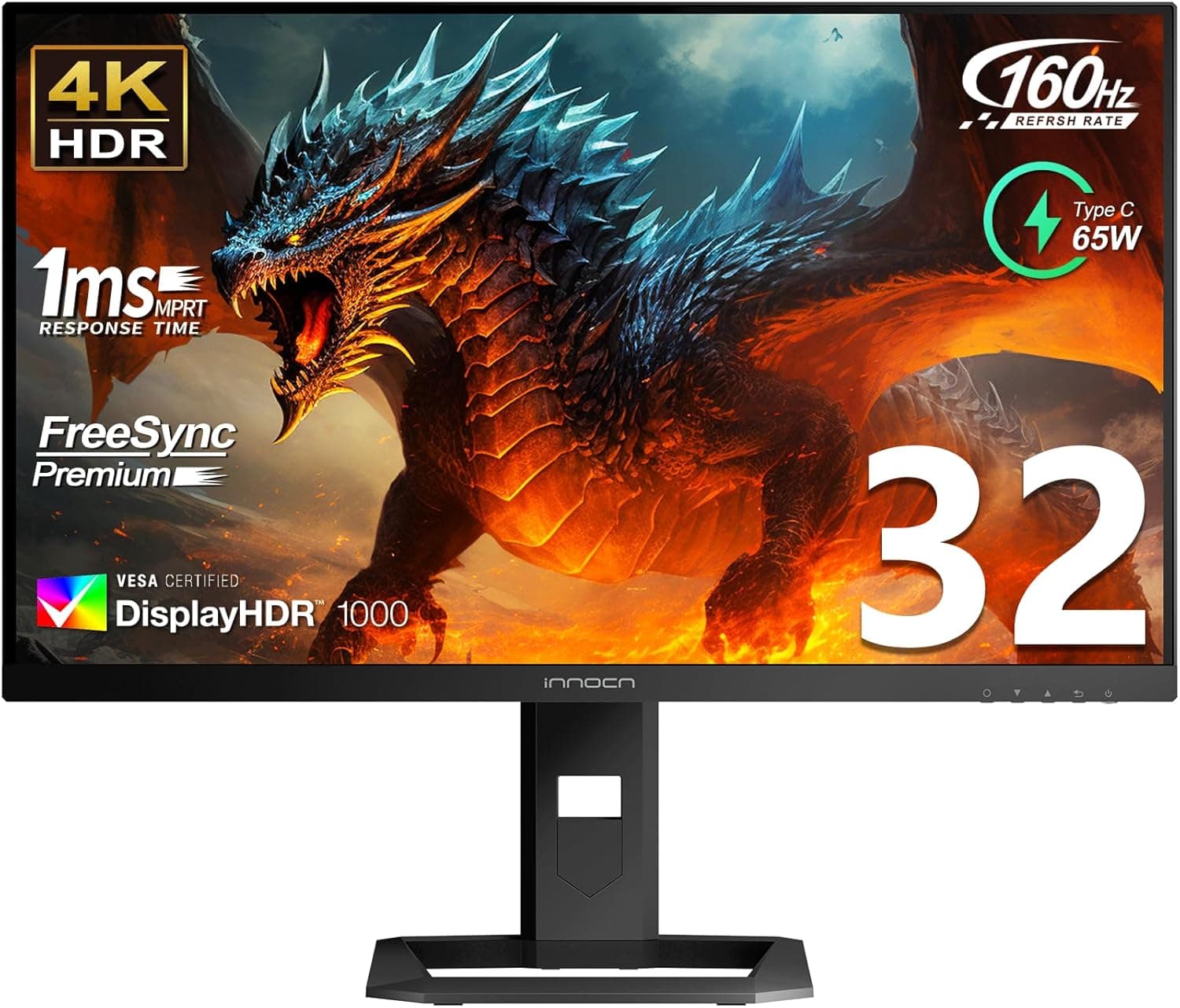
INNOCN's 32-inch Mini-LED gaming monitor checks the high-end boxes — 4K at 144Hz, HDR1000, 99% DCI-P3 — while sitting below the big-brand price tier. This article works through where it delivers and where you will need to compromise, using the published specs and the review pattern on its listing.
Overview
The core spec is 32 inches, 3840x2160, 144Hz, IPS, 1ms GTG. The differentiator is the backlight: instead of a conventional edge-lit array it uses Mini-LED with local dimming, rated for HDR1000 and a 1000-nit peak.
Color coverage is quoted at 99% DCI-P3, aimed at HDR content and video work.
A 32-inch 4K panel lands around 140ppi. That is less punishing than 27-inch 4K (roughly 163ppi) and stays legible at 100-125% scaling in Windows, which makes it one of the more practical 4K sizes for mixed work and play.
It suits people who want 4K, high refresh and HDR in one panel, plus creators who need a wide gamut. It is not a monitor to buy purely for competitive shooters.
Connectivity & Compatibility
Inputs are HDMI 2.1, DisplayPort and USB Type-C with 65W power delivery.
To actually run 4K 144Hz, use HDMI 2.1 or DisplayPort.
Older GPUs capped at HDMI 2.0, or a pass-through AV receiver, lack the bandwidth and will either drop you to 4K 60Hz or compress color with 4:2:0 chroma subsampling.
If text looks smeared, suspect the interface and cable first.
For consoles, HDMI 2.1 means PS5 and Xbox Series X can output 4K 120Hz.
The 144Hz figure applies to PC input only, since the consoles top out at 120Hz.
The PC-side requirement is not modest. Driving 4K at a real 144fps assumes a current-generation upper-midrange or high-end GPU, and in heavy titles you will realistically lean on DLSS, FSR or XeSS plus some settings tuning.
Esports titles and games a few generations old are where the high frame rate lands easily.
USB-C carries both video and up to 65W of charging. Two caveats: your laptop's USB-C port must support DisplayPort Alt Mode — a data/charge-only port will not output video — and 65W is sized for thin 13-14 inch machines.
Gaming or workstation laptops shipping with 100W-plus adapters may fail to keep up under load and slowly drain while connected.
Mounting is VESA 100x100mm, so arms and wall mounts work. A 32-inch panel is heavy, so verify your arm's weight rating.
On desks shallower than about 60cm the panel sits too close and forces large eye movements; aim for roughly 70cm of viewing distance.
Product Info
| Item | Value |
|---|---|
| Screen size | 32 inches |
| Resolution | 3840x2160 (4K UHD) |
| Refresh rate | 144Hz |
| Panel | IPS with Mini-LED backlight |
| Response time | 1ms (GTG) |
| HDR | HDR1000, 1000-nit peak |
| Color gamut | 99% DCI-P3 |
| Ports | HDMI 2.1, DisplayPort, USB-C (65W PD) |
| VESA | 100x100mm |
The Amazon.co.jp price was ¥154,183 as captured on 23 June 2026.
Monitors are one of the most volatile categories for pricing — sales, currency and stock levels can move the figure by tens of thousands of yen — so treat that number as a snapshot and check the product page before buying. There are marketplace listings on eBay as well, but pricing there is not fixed and warranty or DOA handling is usually weaker than a domestic purchase.
Reviews at the same June 2026 capture sat at 3.6 out of 5 across 38 ratings, roughly 72% on a 100-point scale.
For a spec sheet this flashy, that is not a strong score, and 38 ratings is a thin sample. Read what the low-star reviews actually complain about — unit variance, DOA units, support response — rather than judging from the spec table alone.
What Mini-LED Actually Buys You
Mini-LED splits the backlight into many dimming zones. Compared with a conventional edge-lit IPS, black levels tighten noticeably and HDR peaks get much brighter.
Night scenes, space, explosions — anything with large contrast swings — show the benefit clearly.
The trade-off is finite zones. A small bright object on a dark background lights up its surroundings, the effect known as blooming or halo.
You see it most on subtitles in dark scenes, starfields, and around HUD elements or the mouse cursor. Per-pixel black like OLED is not physically achievable here, and whether that bothers you is the single biggest fork between this panel and an OLED.
Where Mini-LED wins is burn-in immunity and full-field brightness in a lit room. If you keep static HUDs or spreadsheets on screen for hours, it is the lower-anxiety choice.
Best Use Cases
- One panel for gaming and video — HDMI 2.1 plus 144Hz covers both PC and console ceilings, and HDR content genuinely benefits from the brightness headroom.
- Photo and video editors needing wide gamut — 99% DCI-P3 is ample for P3-based video workflows, with the accuracy caveat below.
- Single-cable laptop desks — 65W USB-C PD and the built-in hub let a thin laptop run on one cable.
- Anyone wary of OLED burn-in — static interfaces for long sessions are safer on Mini-LED.
Before You Buy
Take the review score seriously. 3.6 out of 5 from 38 ratings (June 2026) is low for these specs.
The small sample may mean a handful of bad units are dragging the average, but that also means outcomes are hard to predict. Buy from a seller with clear return terms and check for dead pixels, uniformity and backlight consistency the day it arrives.
HDR1000 does not guarantee a great HDR image. Peak brightness is measured on small windows for short durations; full-screen bright scenes will be dimmer.
With no published zone count, the severity of blooming is unknown until you see the panel. For dark-room movie watching, an OLED may satisfy more.
It is not the right pick for competitive FPS. 1ms GTG is fast, but refresh rate and input lag decide those matches, and 240Hz+ 1440p or 1080p panels beat it there.
Today you still choose between 4K image quality and esports speed.
Do not underestimate the GPU requirement. Buying a 144Hz panel does not produce 144fps.
4K is about 1.8x the pixels of 1440p and 4x of 1080p.
If your GPU barely manages 4K 60, the extra refresh mostly shows up as smoother desktop motion.
Wide gamut is not the same as color accuracy. 99% DCI-P3 describes how wide the gamut is, not how correct it is.
Without published sRGB/Adobe RGB coverage or factory calibration data, assume color-critical print work needs your own calibrator.
Check the listing details. Retail spec fields are frequently auto-generated and can list model numbers, manufacturers or bundled items that do not match the actual product, and large monitors often share one page across several size and refresh variants.
Confirm from the images, title and selected variation that you are ordering the 32-inch 4K 144Hz version before checkout.
Factor in support. Compared with major brands, information on repair channels, loaner units and turnaround is harder to come by.
Buying from a retailer offering extended warranty coverage, and keeping proof of purchase, is worth the small extra cost.
FAQ
Q. Can it do 4K 120Hz on PS5? A.
Yes, by spec, thanks to HDMI 2.1.
Use an Ultra High Speed cable and enable 120Hz output in the PS5 video settings.
Q. Can one USB-C cable charge a gaming laptop? A.
Delivery tops out at 65W. Fine for thin ultraportables; gaming laptops needing 100W+ may not keep up under load, so keep the stock adapter connected.
Q. Mini-LED or OLED? A.
Mini-LED for bright rooms, static interfaces and burn-in peace of mind. OLED for dark-room movies and games where perfect black and zero halo matter most.
It is a use-case split, not a ranking.
Q. Is text too small at 32-inch 4K? A.
At roughly 140ppi, 125-150% scaling in Windows or macOS scaling works comfortably, and it is more readable at native than 27-inch 4K.
Q. What does it cost? A.
¥154,183 on Amazon.co.jp as captured on 23 June 2026.
Monitor pricing moves a lot, so check the current listing before ordering.
Q. Will it work on a monitor arm?
A. It supports VESA 100x100mm. Confirm the arm's load rating covers a 32-inch panel's weight.