Overview
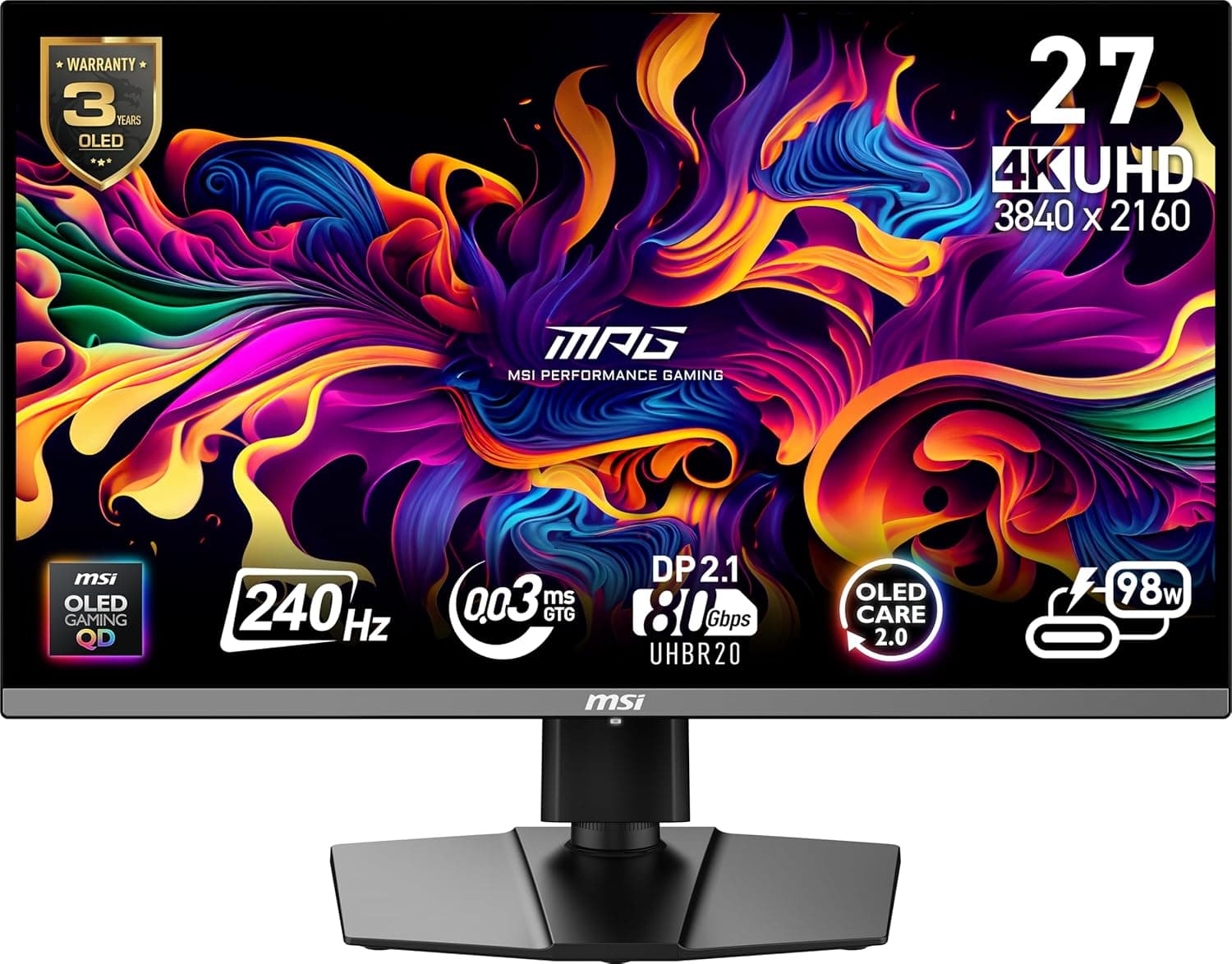
The MSI MPG 272URX QD-OLED is a 27-inch gaming monitor built around a QD-OLED panel with 3840×2160 (4K UHD) resolution, a 240Hz refresh rate, and a quoted 0.03ms response time.
In short, it targets people who refuse to choose between resolution and speed. It supports VESA mounting, tilt adjustment, built-in speakers, adaptive sync, and both HDMI and DisplayPort inputs, so it works as a single-PC display or as a hub for multiple devices.
That said, 4K at 240Hz is a demanding target. Whether you actually see that ceiling depends less on the monitor and more on your GPU, your cable, and your in-game settings.
On Amazon.co.jp the listing shows 4.3 out of 5 stars from 39 reviews (roughly 86% positive, captured 2026-05-29) — a small sample, but a consistent one.
Where This Panel Sits
27 inches at 4K works out to roughly 160ppi, which looks fundamentally different from a 1080p or 1440p panel of the same size. Text edges smooth out and distant in-game detail holds together, but on Windows you will almost certainly run 125–150% scaling.
If you planned to use it at 100%, expect the text to feel small.
QD-OLED combines quantum dots with an OLED emissive layer, so there is no backlight. Black pixels simply switch off, which eliminates black crush glow and haloing in dark scenes by design.
The 0.03ms figure is not directly comparable to an LCD response spec; it reflects the structurally low motion blur of emissive panels.
The trade-offs — burn-in and full-field brightness — are covered below.
| Item | Value | Why it matters |
|---|---|---|
| Panel size | 27-inch | Fits a desk from ~60cm wide |
| Resolution | 3840×2160 (UHD) | 4K; plan on scaling |
| Refresh rate | 240Hz | Very demanding at 4K |
| Response | 0.03ms | Emissive-panel speed |
| Sync | Adaptive sync | Reduces tearing |
| Inputs | HDMI / DisplayPort | Two or more sources |
| Mounting | VESA + tilt | Arm-friendly |
| Audio | Built-in speakers | Supplementary only |
These values come from the product title and listing. On paper there are few gaps; the real question is compatibility.
Compatibility Guide
Start with the GPU. Actually rendering 240fps at 4K is out of reach for mid-range cards, and even current high-end hardware struggles in heavy titles at maximum settings.
Realistically you will lean on upscaling (DLSS / FSR / XeSS) and frame generation, or split usage: high frame rates in competitive titles, maximum fidelity in single-player. Treat 240Hz as headroom so you are never capped, not as a promise of a constant 240fps.
Next, the cable. A 4K 240Hz signal at 10-bit-class color needs very high bandwidth, which in practice means DSC (Display Stream Compression) and a modern DisplayPort or HDMI standard.
Reusing an old DisplayPort cable or a cheap generic HDMI cable commonly results in the top refresh rate not appearing in the list, intermittent signal loss, or a black screen. If 240Hz will not select, suspect the cable and the port (make sure you are on the GPU's DisplayPort, not a motherboard output) before anything else.
Check the product page for the exact port generations on this unit.
For mounting, VESA support means you can move it onto an arm. Confirm the arm's weight rating, your desk thickness, and rear port clearance first.
The included stand offers tilt; if you need height or pivot adjustment, an arm is the reliable answer. The built-in speakers are functional rather than good — budget for a headset or external speakers.
If you connect a console, 4K120Hz is the practical ceiling over HDMI. The 240Hz figure applies to PC connections; consoles will not reach it.
Product Info
rmation
As captured on 2026-05-30, the Amazon.co.jp listing showed ¥167,944.
Separately, on 2026-07-08 an eBay US listing showed $693.95.
The first is domestic new stock; the second is an individual overseas marketplace listing with different warranty coverage, power requirements, and import costs. Both are point-in-time figures and move with sales and stock, so always confirm the current price on the seller's page.
If you buy from an overseas listing, understand that domestic manufacturer warranty support may not apply.
Review data shows 4.3 out of 5 stars across 39 reviews (captured 2026-05-29), roughly 86% positive.
That is a strong score for this price tier, but 39 reviews is too small a sample to reveal unit variance or early-failure patterns. At this price, it is worth reading what the low-star reviews actually describe — dead-on-arrival units, shipping damage, or misunderstood specifications.
Note that the specification data attached to this listing included entries unrelated to a monitor (portable-battery capacity and output figures). This article therefore only uses attributes that can be verified as monitor specifications.
See the caveats section below.
How It Compares
The same segment includes 32-inch curved 4K models and 4K 165Hz LCD panels. Three axes decide it.
Size: 27 inches keeps eye movement short and the whole frame readable in competitive titles, while 32 inches makes better use of 4K for film and creative work. Panel technology: for long sessions on bright, white-background documents, an IPS LCD is easier to live with in terms of burn-in risk and peak full-field brightness.
Refresh rate: 240Hz only pays off if you play competitive titles at high frame rates; for single-player-heavy use, a 144–165Hz panel narrows the perceived gap considerably.
This monitor lands hardest for people whose usage is genuinely split — competitive shooters where 240Hz gets used, plus single-player games where 4K detail matters. If you sit firmly on one side, a cheaper option is the rational pick.
Best Use Cases
- PC gamers who want 4K and high refresh in one panel — you stop re-litigating the resolution-versus-frame-rate trade-off every time you install a game. Assumes you already own, or plan to buy, a high-end GPU.
- Players who care about dark-scene rendering — horror, sci-fi, and night-combat titles benefit from black levels an LCD cannot reproduce.
- Motion-clarity purists — fast-flick shooters and fighting games, where the low motion blur of an emissive panel is the point.
- Monitor-arm desk builders — VESA support drops it into an existing arm setup.
- Multi-device users — HDMI plus DisplayPort makes PC-and-console switching straightforward.
Before You Buy
Watch for mismatched listing data. The specification set attached to this product included portable-battery attributes (27,000mAh capacity, 100W AC output, and similar) that cannot describe a monitor.
Listings that carry another product's registered metadata, or that surface data from a different variant, are not rare. Verify the model number (MPG 272URX) against the product images and title before ordering. If a listed price looks out of line with the product class, cross-check it against other retailers before trusting it.
Burn-in is a structural risk on emissive panels. Taskbars, static game HUDs, and streaming overlays are the worst case because they hold the same image in the same place for hours.
Most panels ship with pixel shift and panel-refresh routines; leaving those enabled, letting the display sleep when you step away, and auto-hiding the taskbar are the practical mitigations. If your day is mostly one business application in full screen, this technology is not the optimal choice.
Full-screen white content is not as bright as on an LCD. Emissive panels excel at small-area highlights but pull back brightness when the whole screen is lit.
For long sessions on white documents in a bright room, this may not match expectations. Check whether you can place it away from direct reflections.
240Hz is a GPU purchase too. A fast panel behind a slow GPU still forces you to drop resolution or frame rate.
If you have no GPU upgrade planned, putting that money into the GPU first — or choosing a settled-price 4K 144Hz panel — will likely leave you happier.
Subpixel layout affects text rendering. QD-OLED uses a different subpixel arrangement than typical LCDs, which can produce faint color fringing on thin text.
It is a non-issue in games and video, but if text work dominates your day, see the panel in person if you can.
Treat the speakers as a convenience. Their presence is handy; their quality is not a reason to buy.
Plan an separate audio setup into your budget.
Overseas marketplace purchases carry warranty risk. Domestic RMA and repair channels may be unavailable compared with officially distributed units.
At this price tier, losing support is not a small concession even when the sticker price looks better.
FAQ
Q. What do I need to actually run 4K at 240Hz? A.
A capable GPU, a cable that meets the required standard, and a connection to the GPU's DisplayPort (or a supported HDMI port). When 240Hz does not appear as an option, the cause is almost always the cable, the port, or the OS display settings.
Q. Is text too small at 4K on 27 inches? A.
At 100% scaling, yes, for most people. Windows users typically run 125–150%, which keeps the sharpness while making text usable.
Q. How much should I worry about burn-in? A.
It depends on usage. For games and video, where content keeps changing, normal use is low risk.
For static UI displayed for hours daily, it is a poor fit even with mitigation features on. Confirm whether burn-in is covered by the warranty before buying.
Q. Can I use a monitor arm? A.
Yes — it supports VESA mounting. Check the arm's load rating, your desk thickness, and whether a VESA adapter plate is needed.
Q. Will a game console run at 240Hz? A.
No. 240Hz is a PC-connection specification.
Treat 4K120Hz as the practical ceiling for consoles.
Q. Are the listed prices still current? A.
The ¥167,944 Amazon.co.jp figure was captured on 2026-05-30 and the $693.95 eBay US figure on 2026-07-08.
Prices in this tier move sharply with sales and exchange rates, so check the seller's page for the current figure.
![MSI MAG Z690M MORTAR WIFI マザーボード Micro-ATX [Intel Z690チップセット搭載] 第12世代CPU(LGA1700)対応 MB5747 シルバー](/_next/image?url=https%3A%2F%2Fm.media-amazon.com%2Fimages%2FI%2F91uOu554V7L._AC_SL1500_.jpg&w=1920&q=75)