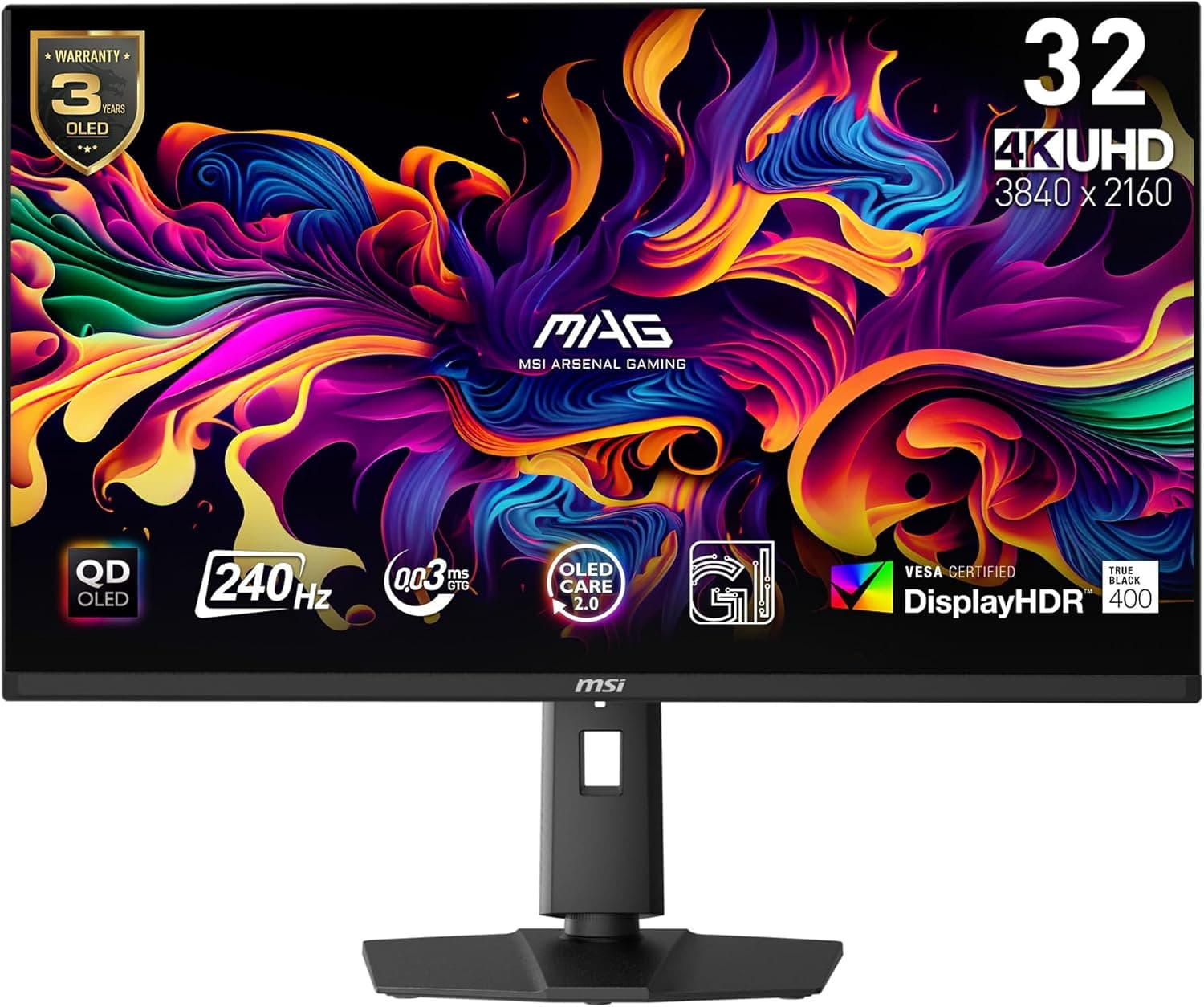
The MSI MAG 321UPX QD-OLED pairs a 32-inch-class 4K QD-OLED panel with a very high refresh rate. This article focuses on the two questions buyers actually have: will my PC drive it properly, and what do I have to give up.
Overview
The MAG 321UPX QD-OLED is a 31.5-inch 4K (3840x2160) QD-OLED gaming monitor capable of running at 240Hz-class refresh rates at full resolution.
The short verdict: this is for people who want 4K detail and OLED black levels and response speed in a single display. If 1080p or 1440p is enough for you, or your work is mostly documents and spreadsheets, it is clearly overkill.
QD-OLED has no backlight, so each pixel can switch off completely and blacks never wash out. OLED response times are an order of magnitude faster than LCD, typically quoted around 0.03ms GtG.
That reduction in smearing is often more noticeable in practice than the refresh-rate number itself. The trade-offs are burn-in risk and full-field brightness in a bright room, covered below.
Amazon.co.jp showed 226 reviews at 4.3 out of 5 (86% positive) as of the June 18, 2026 capture.
That is a solid score for a premium display, but 226 is a small sample, so read the low-star reviews rather than trusting the average alone.
Panel and Picture Quality
4K at 240Hz means different things depending on how you play. If competitive FPS titles are your priority, a 1440p high-refresh panel is far better value.
Where this class earns its price is the both-at-once case: heavy single-player games at high fidelity, plus competitive play that still feels responsive.
Because OLED is self-emissive, small HDR highlights — streetlights, explosions, starfields — look dramatically cleaner than on LCD. The flip side is full-screen white brightness, where high-end mini-LED LCDs still win.
In a room with direct sunlight and a lot of white-background browsing, an LCD can genuinely be more comfortable. Check whether your room is a dark room or a bright one before buying.
Compatibility Guide
To carry 4K/240Hz with minimal compression, GPU output matters. A DisplayPort 2.1 (UHBR) class output has plenty of headroom; DisplayPort 1.4 GPUs will rely on DSC.
DSC is considered visually lossless, but some setups see a brief black screen while the link renegotiates on resolution changes. On the HDMI side, use a certified Ultra High Speed cable — older uncertified cables may pass a signal but fail to hold the top refresh rate.
Be realistic about GPU horsepower too. Few demanding titles actually sustain 240fps at 4K; most will need upscaling (DLSS / FSR / XeSS) plus frame generation.
In practice, owning a recent high-end GPU that supports those features is the real prerequisite. With a mid-range card, the monitor will outrun your system.
Physically, 31.5 inches is bigger than most people picture.
4K at 32 inches lands near 140ppi, so 125-150% scaling is practical in Windows. Aim for at least 60-70cm of viewing distance, ideally around 80cm, which means a reasonably deep desk.
On a 50cm-deep desk you will sit too close and eye movement becomes tiring. If you plan to use a monitor arm, confirm the VESA pattern and weight rating on the product page.
Consoles such as PS5 and Xbox output up to 4K/120Hz, so the 240Hz advantage applies to PC only. If consoles are your main source, a cheaper 4K/120Hz display meets the requirement.
Product Info
All prices are captured values and move often. Amazon.co.jp listed ¥194,427 as of the June 18, 2026 capture, while an eBay US listing showed $649.99 as of the July 12, 2026 capture.
Even allowing for exchange rates that gap is large, and the eBay figure may reflect a used, parallel-import, or different configuration. Warranty handling differs between domestic retail and parallel imports, so confirm the final price and warranty terms on the listing itself.
OLED monitors often carry a separate burn-in warranty. Because that term directly affects the buying decision, check whether panel coverage is included and for how many years before you order.
Review data again: 226 reviews at 4.3/5 as of June 18, 2026.
Positive reviews cluster around image quality and response; negative ones tend to involve early failures, brightness expectations, or the stand's footprint. With this few reviews, read the negatives before deciding.
Competitor Comparison
Several brands ship 32-inch 4K QD-OLED displays built on the same panel generation, so the real differentiators are input selection, KVM and USB hub features, burn-in mitigation tooling, warranty length, and OSD usability. Comparing spec sheets rarely separates them; start from how many devices you need to connect.
If budget matters more, the alternatives are a 27-inch 1440p high-refresh panel or a 1080p 165-200Hz LCD. For pure competitive gaming, spending the difference on your GPU produces a bigger felt improvement.
If you also watch films or edit photos and video, OLED black levels are not something an LCD substitutes for.
Best Use Cases
- Players who want high-fidelity single-player and competitive play on one screen — assumes you already own a high-end GPU.
- People who watch films or play story games in a dark room — the black levels and HDR highlights are the biggest upgrade over LCD.
- Users consolidating several devices onto one display — USB-C and KVM features can cut cable count; verify what this unit includes on the product page.
- Color-focused creative users — wide gamut is a plus, but confirm calibration support if your work demands strict color management.
Before You Buy
First, the Amazon listing's spec fields for this product appear to contain metadata from a different item — a laptop stand. Material, supported laptop size, tilt angle, and weight were all stand specifications, not monitor specifications.
You will see the same mismatch when you open the page, so verify the product by the images, title, and the manufacturer's official spec sheet rather than the listing's spec table. The price figures come through the same pipeline, so treat them as reference values.
Burn-in remains a real risk. Avoid leaving bright static elements — taskbars, game HUDs, streaming overlays — in the same spot for hours.
Practical mitigations: auto-hide the taskbar, use a darker wallpaper, set a short sleep timer, and never disable the manufacturer's pixel-shift and panel-refresh routines. If your daily use is a spreadsheet on screen all day, this is the wrong monitor.
Bright rooms are not OLED's strength. Full-field white brightness trails high-end LCDs, and the glossier finish picks up reflections.
Avoid placing a window behind you, and consider indirect lighting.
Text fringing may be visible. QD-OLED uses a different subpixel layout than standard RGB-stripe LCDs, and some people notice slight color fringing on thin fonts.
It is invisible in games and video, but if you work in text all day, try to see one in person first.
Check power draw, heat, and whether a fan is present. Some monitors in this class include an internal fan, which can be audible in a quiet room.
Do not buy the monitor first. If your GPU cannot keep up, you will end up running below 4K anyway — and at that point a 1440p monitor would have made you happier.
FAQ
Q. What GPU do I need for 4K/240Hz? A.
DisplayPort 2.1-class output gives the most headroom, but DisplayPort 1.4 works with DSC.
Actually hitting high frame rates requires a recent high-end GPU with upscaling and frame generation.
Q. Is there a burn-in warranty? A.
OLED monitors frequently include separate panel coverage. Terms vary by region and by whether the unit is domestic retail or a parallel import, so check the listing and the manufacturer's warranty policy.
Q. Does it work with a PS5?
A. Yes over HDMI, but consoles top out at 4K/120Hz, so 240Hz applies to PC only.
Q. Is text too small at 32-inch 4K? A.
At 100% scaling, yes. Most users run 125-150%, which still yields more usable space than 1440p with smoother text.
Q. Worth it for office work? A.
Not really. Static UI raises burn-in risk and bright-room white backgrounds are not OLED's strength.
A quality LCD at the same price is the more rational choice.