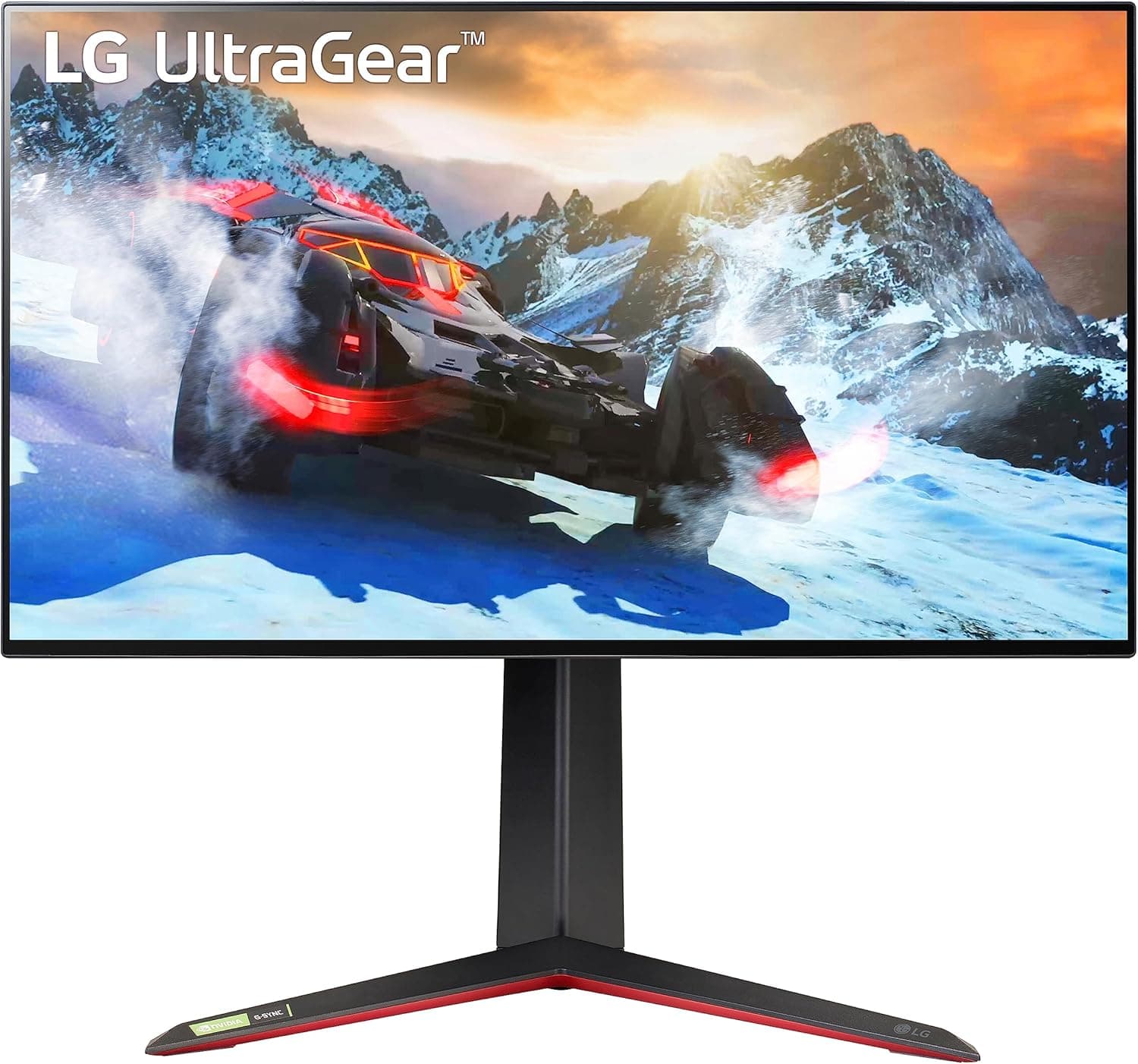
![LG 27UL850-W 27 Inch UHD (3840 x 2160) IPS Display with VESA DisplayHDR 400 and USB Type-C Connectivity 141[並行輸入]](/_next/image?url=https%3A%2F%2Fm.media-amazon.com%2Fimages%2FI%2F71A2ITHxwLL._AC_SL1500_.jpg&w=1920&q=75)
The LG 27UL850-W pairs a 27-inch 4K UHD (3840x2160) IPS panel with USB Type-C connectivity, aimed at creative and business users. This article works through where it genuinely shines and where you have to accept compromises.
Overview
In one line: this is a monitor that spends its budget on resolution and color, not on speed. At 27 inches and 3840x2160, pixel density lands around 163ppi, roughly double that of a 27-inch Full HD panel (about 82ppi).
Text edges and 1:1 photo previews look visibly different. The IPS panel offers 178deg/178deg viewing angles (CR>=10), 99% sRGB coverage, and VESA DisplayHDR 400 certification.
The second pillar is USB Type-C. DisplayPort Alt Mode video plus up to 60W power delivery over one cable means a laptop user can dock with a single connection.
On Amazon.co.jp the monitor has 1,945 reviews at 4.5 out of 5 stars (90% positive), a steady result for a product that has been on the market for several years.
The refresh rate, however, is 60Hz. That single spec decides most purchases, so here is the conclusion up front: if competitive FPS gaming is your main use, look elsewhere.
Compatibility Guide
The most common setup failures happen in a predictable order.
| Item | This monitor | Easy to overlook |
|---|---|---|
| Video inputs | USB-C (DP Alt Mode), HDMI, DisplayPort | The laptop port must support Alt Mode |
| Power delivery | Up to 60W | High-load laptops may still drain |
| Resolution | 3840x2160 at 60Hz | Older HDMI paths can drop 4K to 30Hz |
| Mount | VESA 100x100mm | Check arm load rating and stand removal |
Start with USB-C. Plenty of laptops still ship Type-C ports that handle charging and data only, with no DisplayPort Alt Mode.
If there is no DP logo or Thunderbolt bolt next to the port, confirm in the maker's spec sheet that video output is supported. When it is, both MacBooks and Windows notebooks run fine on a single cable.
Next, the 60W limit. Thin-and-light machines such as a MacBook Air charge comfortably at 60W, but creator and gaming laptops that ship with 90W to 200W adapters will charge slowly or even lose battery under sustained load.
Plan on keeping the original AC adapter connected in those cases.
For 4K 60Hz over HDMI, both the source output and the cable must support it. Older HDMI paths cap 4K at 30Hz, which makes cursor movement feel wrong.
If DisplayPort is available, connect that first and verify 60Hz in your OS display settings.
VESA 100x100mm mounting is supported. Note that 27-inch 4K models have substantial stands, and separating the base for an arm install is where people get stuck.
Read the stand removal steps before you start.
Living With It
On a 27-inch 4K panel, OS scaling shapes the whole experience. Around 150% on Windows, or a readability-weighted setting on macOS, is the usual landing spot; running at 100% is realistically too small for daily work.
The payoff is that you keep roughly WQHD-class working space while text rendering becomes far smoother.
Typical brightness is rated at 350 cd/m2. DisplayHDR 400 requires 400 nits of peak brightness as a standard, not a constant output level.
On a desk with direct window light the panel can feel dim, and HDR content will not deliver a dramatic jump in shadow detail. Treating DisplayHDR 400 as entry-level HDR certification keeps expectations aligned.
The stand supports height, tilt, and pivot adjustment. Pivot matters more than people expect for coding and long documents in portrait orientation.
How To Compare It
Other 27-inch 4K monitors chase different goals. High-refresh 4K gaming panels (144Hz and up, including OLED models) clearly win on response and dark-scene contrast, but cost more and demand a stronger GPU.
Against ordinary FHD or WQHD office monitors, this model adds resolution and USB-C docking.
The deciding question is simple: what do you spend the most hours doing in front of the screen? Photo, video, DTP, and coding work on largely static images favor a 60Hz 4K IPS panel.
Fast-motion gaming favors a high-refresh model. And if a single laptop is your main machine, USB-C power delivery pays off every single day.
Product Info
Key specifications: 27-inch screen, 3840x2160 resolution, IPS panel, 350 cd/m2 typical brightness, 99% sRGB, 60Hz refresh rate, 178deg/178deg viewing angles (CR>=10), VESA DisplayHDR 400, USB-C (DP Alt Mode) / HDMI / DisplayPort inputs, up to 60W USB power delivery, and VESA 100x100mm mounting.
Pricing on Amazon.co.jp was 85,794 yen as captured on 2026-05-28.
This is an imported unit, and the price moves with stock levels and sales, so check the product page for the current figure before buying. Listings also appear on overseas marketplaces such as eBay, where price and condition vary per seller.
Amazon.co.jp shows 1,945 reviews at 4.5 out of 5 stars (90% positive).
With a four-digit review count, that score reflects the product's general behavior rather than a handful of outliers.
Product Disclosure (Amazon)
- Manufacturer: LG
- Seller: Amazon US
- Fulfilled by: Amazon US
- ASIN: B07MKT1W65
- Note: This article covers a manufacturer-made product based on Amazon listing details.
Best Use Cases
The strongest fit is photo editing, video editing, and design work where color accuracy and resolution directly affect output quality. 99% sRGB covers the working gamut for web-facing production, which is plenty for web design and social-media photo work.
Second is the business user or engineer whose laptop is their main machine. Video, USB hub, and charging over one cable measurably reduces friction when you move between office and home.
Combined with the pivot stand, reading code and logs in portrait becomes practical.
If your day is mostly video streaming and office tasks and you have no strong need for 4K sharpness, a cheaper WQHD monitor will likely satisfy you. There is no obligation to buy 4K just because it exists.
Before You Buy
60Hz cannot be changed later. This is the compromise that matters.
If you play FPS or fighting games, or you have grown used to a 120Hz phone, cursor movement and scrolling will feel less fluid. For gaming-first buyers, this alone is enough to rule the monitor out.
Do not expect much from HDR. DisplayHDR 400 is entry-level certification, nothing like mini-LED or OLED panels with local dimming.
With 350 cd/m2 typical brightness, HDR movie watching in a bright room is not a use case to build around.
Import warranty terms depend on the seller. You may not get the same support channel or coverage period as a domestic retail unit.
Confirm the contact point for defects, who pays return shipping, and how long coverage lasts before ordering. If long-term warranty matters, weigh the price gap against a domestically distributed unit.
Also check the bundled power plug type and voltage notes on the listing.
Whether 60W is enough depends on your laptop. As noted, powerful notebooks will out-consume it.
Assuming that "USB-C support" automatically means "charges fine" is the single most common post-purchase disappointment.
Amazon listing metadata is sometimes wrong. Seller, fulfillment, and model-number fields occasionally disagree with the actual product.
At the time of writing the listing showed LG as the manufacturer with no contradiction, but sellers can change over time. Confirm from the product images and title that you are looking at the LG 27UL850-W before ordering.
Understand normal IPS behavior. In a dark room with a black image, the corners may glow faintly (IPS glow and backlight bleed).
This is a characteristic of the panel type, not a defect, and it varies between units. If you need truly deep blacks, you are shopping for OLED.
FAQ
Q. Can one USB-C cable charge a MacBook and drive 4K at the same time? A.
Yes, if the MacBook's Type-C port supports DisplayPort Alt Mode. Power delivery tops out at 60W, so heavy workloads on higher-draw models may still drain the battery.
Q. Is it usable for gaming? A.
The refresh rate is 60Hz. RPGs, simulations, and adventure titles play comfortably; competitive FPS is not a good match.
Q. Is text too small on a 27-inch 4K panel? A.
At 100% scaling, yes. Most people run about 150% on Windows or a readability-focused setting on macOS.
Text still renders with full 4K smoothness.
Q. Can I use a monitor arm?
A. Yes, VESA 100x100mm is supported. Verify that the arm's load rating covers this monitor's weight.
Q. Are imported units fine to use in Japan? A.
Generally yes, but warranty follows the seller's terms. Check plug type, bundled cables, and support contact details on the listing before purchase.