Overview
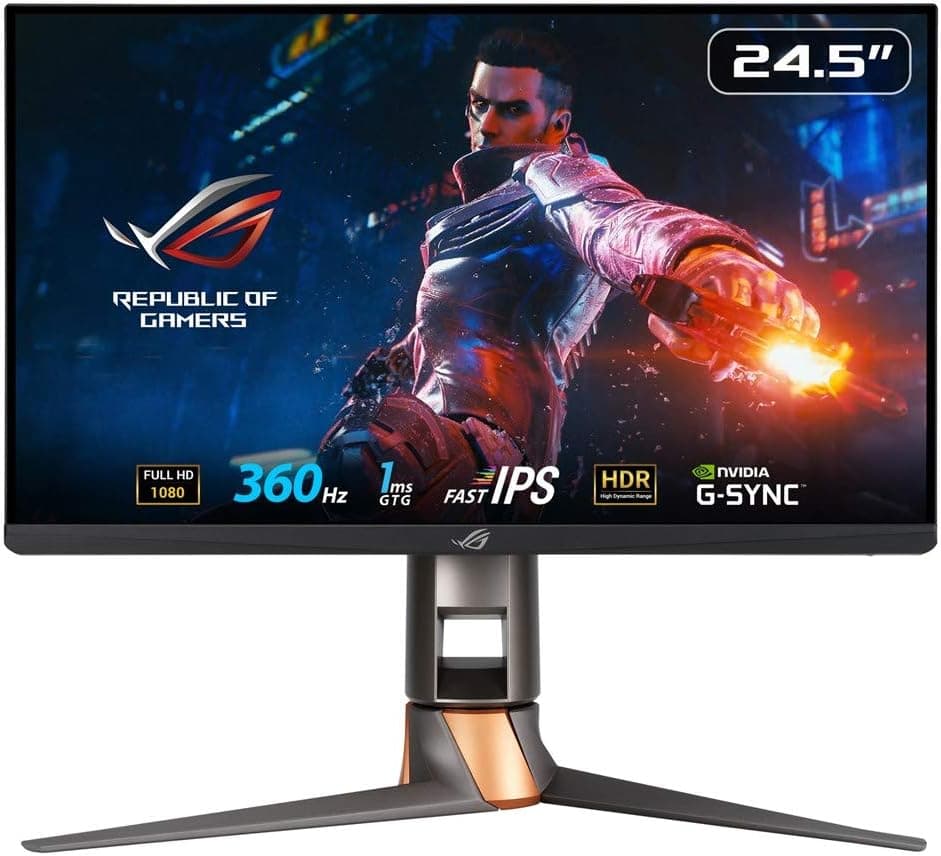
The ASUS ROG SWIFT PG259QN is a 24.5-inch, Full HD (1920x1080) IPS gaming monitor with a maximum refresh rate of 360Hz.
Put simply, it trades resolution and screen real estate for frame rate and responsiveness. If you play competitive shooters such as VALORANT, Counter-Strike, Apex Legends, or Overwatch and want to see enemies a frame sooner, this is built for you.
If you want a large screen for story-driven RPGs, or a display that doubles as a photo and video editing panel, or room for several windows side by side, look elsewhere. A 24.5-inch Full HD panel is cramped for general productivity, and its pixel density is lower than a 27-inch WQHD alternative.
This article focuses on the two questions that actually decide the purchase: what conditions let you use 360Hz, and where you have to compromise.
As the product name indicates, connectivity covers HDMI 2.0, DisplayPort 1.4, and a headphone output.
Response time is quoted at 1ms (GtG) on a fast IPS-type panel. The important caveat is that neither the 360Hz nor the 1ms figure translates into a felt difference unless several conditions line up, and those are covered below.
Who Actually Benefits from 360Hz
360Hz means the screen redraws up to 360 times per second. Compared with a typical 60Hz panel, the interval per frame shrinks from roughly 16.7ms to about 2.8ms, and it is less than half of 144Hz (about 6.9ms).
That shows up as reduced motion blur during fast flicks and as less delay between an enemy stepping out and appearing on screen.
The returns diminish, though. The jump from 60Hz to 144Hz is dramatic; the jump from 240Hz to 360Hz is far subtler.
If you upgrade from a 240Hz display expecting a night-and-day change, you will be disappointed. Coming from 60Hz or 75Hz, the change is very noticeable.
| Use case | Fit | Why |
|---|---|---|
| Competitive FPS at high frame rates | Excellent | You can actually feed the panel close to 360fps |
| First high-refresh monitor after 60Hz | Good | Covers the range where the difference is largest |
| Heavy AAA titles | Poor | You will not reach 360fps; only the low resolution remains |
| Editing or office work | Poor | Too little screen area and detail at 24.5-inch Full HD |
| Upgrade from a 240Hz panel | Marginal | Real but small gain for the money |
The deciding factor is whether your PC can actually produce those frames. If it cannot, the same budget spent on a 27-inch WQHD panel at 165Hz to 240Hz will make you happier.
Compatibility Guide
Start with the ports. The monitor offers DisplayPort 1.4 and HDMI 2.0, but treat DisplayPort as mandatory for 360Hz.
HDMI 2.0 tops out around 18Gbps of bandwidth, which caps the refresh rate even at Full HD.
Use the bundled DisplayPort cable or a properly certified one, plugged into your GPU's DisplayPort output. Poor cables causing missing refresh options or brief blackouts are a common problem on high-refresh displays.
On the GPU side, the real question is not whether the port exists but whether your system can produce the frames. Hitting a stable 360fps at 1080p usually makes the CPU the bottleneck before the GPU, so single-thread performance and fast memory matter.
A mid-range GPU can approach 300fps in competitive titles with settings turned down, but AAA games will not get close. Buying this monitor does not raise your frame rate; it lets an already-fast PC finally show what it was producing.
Physically, the small 24.5-inch size is deliberate.
Competitive players favor a panel they can take in without moving their eyes, which makes 24 to 25 inches a rational choice. If your desk is deep and your eyes sit 80cm or more from the screen, it may feel too small.
Measure your viewing distance before committing.
After setup, check the refresh rate in three places: Windows display settings, your GPU control panel, and each game's own settings, plus how you handle vertical sync. Leaving a high-refresh monitor running at 60Hz is the single most common mistake owners make.
Product Info
rmation
The published specifications are a 24.5-inch IPS panel, Full HD (1920x1080), up to 360Hz, 1ms response time, HDMI 2.0 and DisplayPort 1.4 inputs, and a headphone output.
Higher-end ROG SWIFT models typically include a height-, tilt-, and pivot-adjustable stand plus VESA mounting, but confirm this on the product page before ordering.
Pricing needs a warning. The Amazon price captured for this article is implausibly low for a 360Hz competitive-class monitor and most likely belongs to a different product, so no figure is quoted here.
Prices in this category swing widely, so check the current price on the product page. Sale and regular pricing can differ substantially.
As for ratings, the Amazon listing showed 4.2 out of 5 stars across 110 reviews when the data was captured in June 2026, roughly an 84% positive score.
That is a moderate sample without extreme polarization. However, as noted below, the listing metadata contains inconsistencies, so some reviews may belong to another product.
Treat the score as a hint and read the actual review text.
What Matters Day to Day
The IPS panel gives better viewing angles and color stability than the TN panels that once dominated high-refresh gaming displays. That old "fast but washed out" tradeoff has largely faded with fast IPS.
Even so, do not expect VA-level black depth or wide-gamut vibrancy. Contrast is typical for IPS, so black levels may look raised when watching films in a dark room.
The headphone output is genuinely convenient, letting you plug a headset in without reaching behind the PC. Audio routed through a monitor is usually weaker than a motherboard output or an external DAC, so if sound quality matters, plan not to rely on it full time.
Overdrive tuning has a real effect on perceived motion. The fastest setting can produce overshoot, a pale trail behind moving objects, which is common to fast IPS panels in general.
One step below maximum often looks cleaner. Compare a few levels after you set the monitor up.
Best Use Cases
Serious competitive FPS players are the primary audience. If you are chasing rank, competing, or simply want the shortest possible path from input to visible response, the 24.5-inch Full HD constraint reads as a sensible choice rather than a compromise.
Anyone moving up from a 60Hz or 75Hz display will feel the largest possible improvement, including outside games in cursor movement and window scrolling.
Owners of already-fast systems that push past 200fps in competitive titles will remove the display as the bottleneck. Without that headroom, the return on this purchase drops sharply.
People wanting a dedicated gaming secondary display can pair it with a larger high-resolution main monitor and switch over for matches, which makes the Full HD resolution a non-issue.
Before You Buy
The listing metadata is inconsistent. The source data for this article paired the ASUS ROG SWIFT PG259QN title with manufacturer and model details that clearly belong to a completely different product category (a game console accessory).
Publishing a wrong manufacturer would be worse than omitting it, so that block has been removed. You may encounter the same mismatch on the product page, so verify the product images, title, and model number (PG259QN) yourself before ordering. Keep in mind that the listed price and review count may also belong to another item.
24.5-inch Full HD is genuinely tight for general use. Two spreadsheets side by side, or a browser and an editor at once, will feel cramped.
If one display must cover both work and play, this is the wrong choice. It is sharper than a 27-inch Full HD panel, but it will look coarse to eyes accustomed to WQHD or 4K.
360Hz only works alongside a capable PC. Upgrading the GPU alone will not help if the CPU caps your frame rate.
Measure your actual fps in the games you play before buying. If you plateau near 150fps, a WQHD panel at 165Hz to 240Hz is the better purchase.
HDMI-only systems cannot reach the full refresh rate. Some laptops and integrated graphics setups lack DisplayPort output, and adapter-based high-refresh connections are often unstable.
Confirm you have a native DisplayPort output.
Do not expect meaningful HDR. Competitive panels in this configuration lack the brightness and local dimming for real HDR presentation.
If HDR content matters, shop a different category.
FAQ
Q. What do I need to connect for 360Hz? A.
A DisplayPort 1.4 connection.
HDMI 2.0 lacks the bandwidth to sustain the top refresh rate, and cable quality matters too.
Q. Will I notice the difference coming from 144Hz or 240Hz? A.
Some players will, but the gap is much smaller than moving up from 60Hz. From 240Hz, the value for money is weak.
Q. Can I use it for non-gaming work? A.
You can, but 24.5-inch Full HD offers limited working area and the color performance is not aimed at editing work.
Q. Is the 1ms response time real? A.
It is a gray-to-gray figure and depends on measurement conditions. Overdrive settings change how smearing and overshoot appear, so compare a few levels yourself.
Q. Are the review scores trustworthy? A.
4.2 stars from 110 reviews as captured in June 2026 is respectable, but the listing has metadata inconsistencies.
Read the review text to confirm it describes this monitor.
Q. How much does it cost? A.
The automatically collected price appears to belong to another product, so no figure is published here. Check the product page for current pricing.