Overview
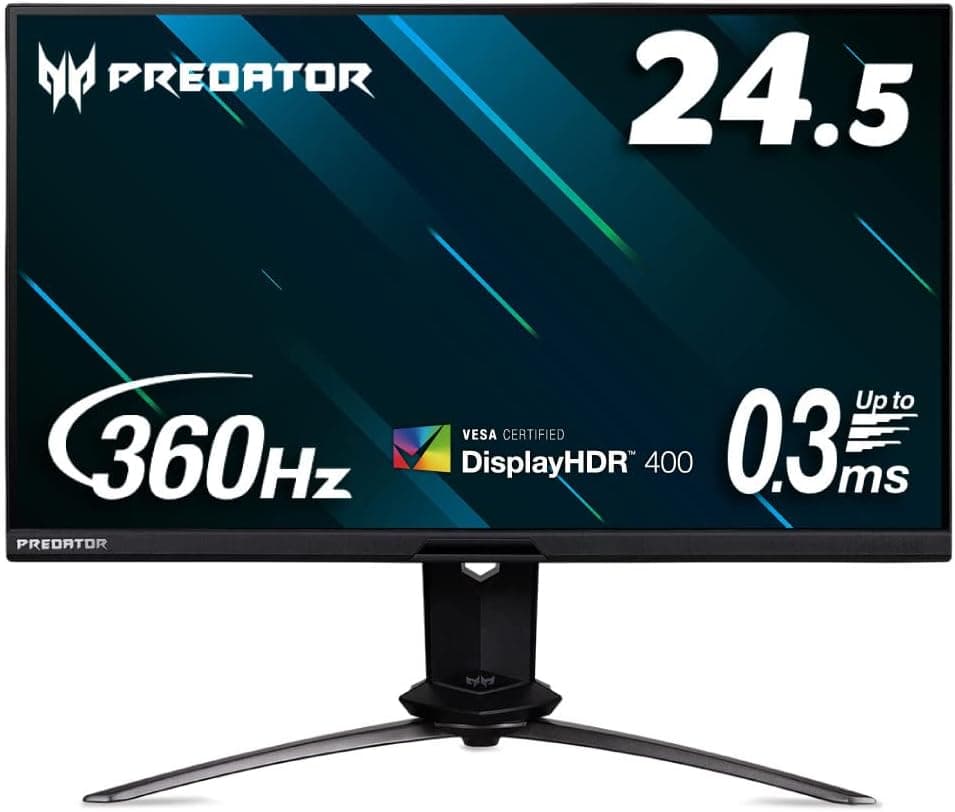
The Acer Predator X25bmiiprzx pairs a 24.5-inch Full HD (1920×1080) IPS panel with a 360Hz refresh rate, aimed squarely at competitive FPS players.
The short verdict: buy it only if you already own a PC that can actually push 240–300+ fps in your main title and you want to shave off motion blur and latency. For anything else, the 24.5-inch Full HD combination becomes a limitation.
Response time is 1ms (GTG) with a 0.3ms (GTG, Min.) figure, brightness is 400 cd/m², it carries VESA DisplayHDR 400, and color accuracy is rated Delta E<1.
On Amazon.co.jp it holds 4.5 stars from 39 reviews (90% positive, captured June 2026).
The sample size is small, but the score is consistent — and a modest review count is itself a reminder that 360Hz is a niche category.
Which Use Cases Fit
| Use case | Fit | Why |
|---|---|---|
| Competitive FPS (Valorant / CS / Apex) | Excellent | 360Hz plus 0.3ms (Min.) directly improves motion clarity |
| Story-driven action games | Good | Perfectly comfortable, but 360Hz is wasted |
| Photo/video color checking | Good | Delta E<1 and a bundled color report, though Full HD limits workspace |
| 4K or high-resolution gaming | No | The panel is Full HD only |
| Office work and coding | Marginal | 24.5-inch Full HD shows relatively little on screen |
| Console-first (PS5 / Xbox) | Marginal | HDMI 2.0 caps at 120Hz; 360Hz is DisplayPort-only |
This is a sharply focused product: outstanding when the use case matches, and the wrong purchase when it doesn't. The sections below draw that line clearly.
Compatibility Guide
The first thing to understand is that 360Hz is available over DisplayPort 1.4 only.
Video inputs are one DisplayPort 1.4 and two HDMI 2.0 ports, with HDMI limited to 240Hz.
Use the bundled DP cable; reusing an older DP 1.2-era cable can leave the 360Hz option missing from the Windows display settings even at Full HD.
If the refresh rate won't go up, suspect the cable and the port before anything else.
For variable refresh rate, the monitor is G-SYNC Compatible certified and works with NVIDIA GeForce GPUs. Certification assumes an NVIDIA setup; DisplayPort Adaptive-Sync is a shared standard, but whether VRR works on AMD Radeon is not covered by the data available here, so check the product page if that matters to you.
GPU requirements deserve a realistic look. To benefit from 360Hz you need to actually sustain roughly 300 fps in the game you play.
Full HD is light on the GPU compared with 4K, which means the CPU becomes the bottleneck in that frame rate range. Above 240 fps, single-thread CPU performance and memory tuning matter more than raw GPU power.
A mid-range GPU paired with an aging CPU will often plateau near 150 fps, leaving the monitor's headroom unused.
For mounting, VESA 100×100mm support means any standard monitor arm will fit. The bundled stand already offers height, tilt, swivel, and pivot adjustment, so an arm is convenient rather than necessary.
Power comes via an external AC adapter rather than an internal supply, so check your cable tray and under-desk space before installation.
A built-in USB 3.2 hub (one upstream, four downstream) lets you consolidate keyboard, mouse, and wireless receivers at the monitor.
Note that the hub only works if you also connect a USB upstream cable between the PC and the monitor — the video cable alone will not enable it. This trips up a lot of people.
Product Info
rmation
Released in 2021, the 360Hz plus 0.3ms (Min.) combination was among the fastest available at the time.
The 24.5-inch IPS panel has a matte, non-glossy finish that keeps reflections down in bright rooms.
Brightness of 400 cd/m² and VESA DisplayHDR 400 provide entry-level HDR support, but DisplayHDR 400 does not require local dimming, so this is not a monitor to buy for HDR contrast — more on that below.
Warranty is 3 years send-back service, with the panel and backlight unit covered for 1 year. Gaming monitors accumulate long on-hours, so that one-year panel term is worth noting.
Included accessories: HDMI cable, DP cable, USB cable, AC cable, AC adapter, quick guide, stand base, stand arm, warranty card, repair request form, and a per-unit color calibration report — a fitting touch for a display claiming Delta E<1.
Pricing was ¥27,325 on Amazon.co.jp as captured on June 12, 2026. That is notably low for what launched as a flagship 360Hz display, which most likely reflects its age.
Prices move often and vary by seller and stock, so confirm the current figure and the seller on the product page. An eBay search listing exists as an alternative, but with no price shown and different shipping, duty, and warranty terms, it isn't a good first purchase route.
Review data was 39 reviews at 4.5 stars (90%) as of June 8, 2026.
With a sample that small, individual reviews swing the average, so read whether low scores describe defective units or genuine spec complaints rather than trusting the number alone.
How It Compares
In the same 24.5-inch class, options such as the Alienware AW2525HM occupy nearly identical territory.
Meanwhile, 27-inch 240Hz models and curved Full HD 250Hz panels represent the "high refresh at lower cost" route, which is the more sensible pick if you don't need 360Hz.
On resolution, QHD (2560×1440) high-refresh models and OLED panels are the real competition. OLED clearly wins on response and black levels, but sits in a different price bracket and requires burn-in awareness.
This monitor's advantage is that committing to Full HD makes a very high refresh rate affordable — which also means anyone prioritizing resolution should rule it out immediately.
Setup Tips
Three things to do right after unboxing. First, confirm in Windows advanced display settings that the refresh rate is actually set to 360Hz — it often defaults to 60Hz.
Second, enable G-SYNC in the NVIDIA Control Panel. Third, do not max out the overdrive setting: the 0.3ms figure is a best-case minimum, and excessive overdrive introduces overshoot (bright trailing artifacts).
Start from a middle setting and pick the level that balances blur against overshoot for your eyes.
Built-in speakers are present, but like most monitor speakers they are useless for positional audio in shooters. Treat them as a backup and plan on a headset.
Best Use Cases
This monitor is an easy recommendation if any of the following describe you:
- You play competitive FPS seriously and your PC genuinely exceeds 240 fps. Only this group extracts the full value of 360Hz and 0.3ms (Min.).
- You already game at Full HD and have decided smoothness beats resolution. A 24.5-inch Full HD panel keeps eye movement short and remains a rational competitive choice.
- You want one display for gaming and color-sensitive work. Delta E<1 plus the bundled color report covers basic color checking.
- You want a tidier desk. The built-in USB 3.2 hub and the height/tilt/swivel/pivot stand consolidate peripherals and ergonomics at the monitor.
Things to Check Before Buying
The biggest pitfall is not owning a PC that can feed 360Hz. If your game runs at 120 fps, a 360Hz panel changes almost nothing you can feel.
Measure your current frame rates first; if you are well under 200 fps, put the money into a GPU or CPU, or drop to a cheaper 240Hz model and spend the difference on parts.
HDMI will not deliver 360Hz. Connecting a PS5 or Xbox means operating within HDMI 2.0 bandwidth (Full HD up to 120Hz), so the headline feature is unavailable.
Console-first buyers will be disappointed.
Don't expect much from HDR. DisplayHDR 400 is an entry certification that doesn't require local dimming, and 400 cd/m² isn't enough to render HDR highlights convincingly.
Leaving Windows HDR permanently on can even make SDR content look washed out, so SDR is usually the better daily setting.
24.5-inch Full HD is cramped for productivity. Pixel density is fine, but placing a browser and an editor side by side leaves too little room.
If your split is 80% gaming, this single display works; if it's the reverse, plan on a QHD-or-higher secondary monitor.
Also keep in mind the external AC adapter and the one-year panel warranty. Finally, Amazon product pages sometimes carry category or metadata that doesn't match the actual product — the data behind this article even included an unrelated cable tag.
When you open the listing, verify the product from the images and the model number "X25bmiiprzx", and treat any price that looks out of line with the product class as a possible different listing or model.
FAQ
Q. Can I get 360Hz over HDMI?
A. No. HDMI 2.0 tops out at 240Hz; 360Hz requires the DisplayPort 1.4 input. Use the bundled DP cable.
Q. Does it work with a PS5 or Nintendo Switch? A.
It displays fine, but only within HDMI 2.0 limits, and 360Hz is unavailable.
Console-first users have little reason to choose this model.
Q. Is the 0.3ms response time always achieved? A.
No. 0.3ms is the "GTG, Min." figure; the standard rating is 1ms (GTG).
Real-world results depend on overdrive setting and the gray levels involved.
Q. Does VRR work on AMD Radeon? A.
The monitor is G-SYNC Compatible certified for NVIDIA GeForce. AMD behavior isn't specified in the available data, so check the product page.
Q. Can I use a monitor arm?
A. Yes — it supports VESA 100×100mm. Just plan a spot for the external AC adapter.
Q. Is it usable for photo editing? A.
Delta E<1 accuracy and the bundled color report make it fine for basic color checking, but the Full HD resolution limits working space for detailed work.
Product Disclosure (Amazon)
- ASIN: B08WYQ14NX
- Note: This article covers a manufacturer-made product based on Amazon listing details.