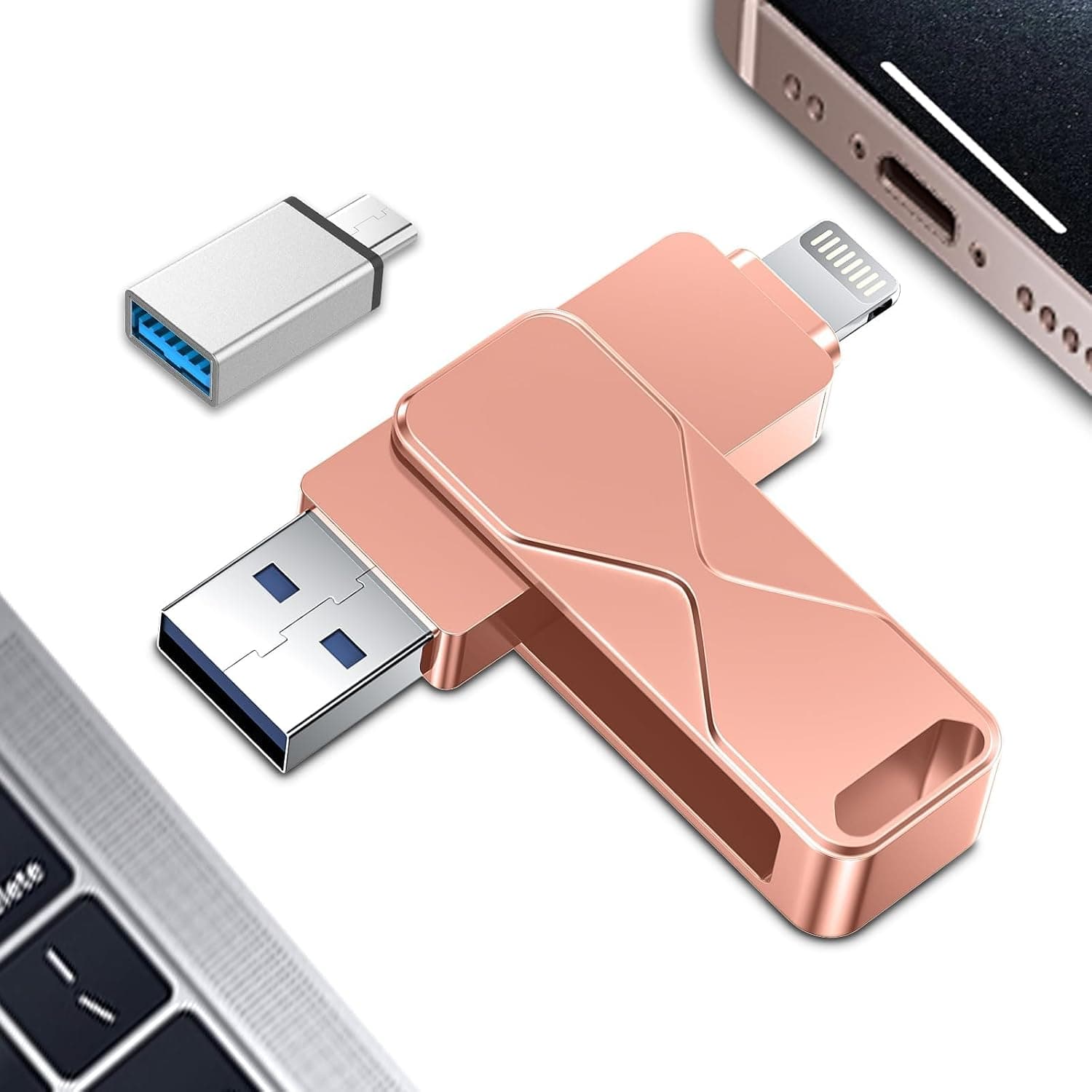
This article reviews a 512GB USB flash drive sold as a "high-speed thumb drive" (rose-colored, with a keychain loop), based on the available listing data. The short version: it is an entry-class product for people who want a lot of capacity cheaply, and it is not a good fit if speed, durability, or data safety matter.
The listing data also contains several inconsistencies, so read the cautions before buying.
Overview
This is a portable flash drive with 512GB of capacity and a plain "USB" interface. It holds documents, photos, music, and HD video, and works plug-and-play with no driver installation.
The rose-colored body includes a keychain loop, so it is designed to be carried daily on keys or a bag.
Its real role is moving data physically without a network or cloud: offline file handoffs, bringing a music library to a car stereo, or playing photos and video on a smart TV. Anything that ends with "just plug it into a USB port" is where it fits best.
The listing shows a rating of 3.9 out of 5 (78% positive, 58 reviews, captured 10 July 2026).
That number deserves an honest reading: it is neither praise nor condemnation, but the typical band for a cheap high-capacity drive. With only 58 reviews, unit-to-unit variation weighs heavily on the average.
Compatibility Guide
The stated compatibility note is simply "works with most devices that have a USB port." In practice:
| Target | Expected behavior | Watch out for |
|---|---|---|
| Windows PC | Recognized as-is | Reformat to exFAT/NTFS for files over 4GB |
| Mac | Recognized as-is | NTFS is read-only; exFAT is the safe choice |
| Android | Works via USB-C adapter | Requires an OTG-capable device |
| iPhone / iPad | No direct connection | Lightning needs an adapter; USB-C iPhones can use the Files app |
| Car audio | FAT32 is most likely to work | Many head units cannot read exFAT or large volumes |
| Smart TV / consoles | Device-dependent | Check the file system and capacity limits in the device manual |
The file system is where most people get stuck. If the drive ships as FAT32, no single file over 4GB can be stored.
Switching to exFAT fixes that but can break playback on car stereos and older TVs. Decide the primary use first, then format accordingly.
Physical fit matters too. Drives in this class are often thick enough to block an adjacent laptop port or fail to reach a recessed USB socket in a car console.
A short USB extension cable solves this cheaply.
Note that the spec says only "USB" — it does not state whether this is USB 2.0 or USB 3.x.
Do not assume USB 3.x throughput when the standard is not documented.
How to Read the Speed Claim
The product name says "high-speed," but no transfer-rate figure appears anywhere in the specs, and the interface field is just "USB." Products that genuinely compete on speed normally publish a "read up to X MB/s" number; its absence is itself information.
Low-cost high-capacity drives without published speeds often perform at USB 2.0-class rates.
Practically: for a few hundred megabytes of documents and photos, you will not notice. For a 50GB bulk copy, USB 2.0-class speed can mean hours.
If you bought 512GB intending to fill it, that wait becomes the main complaint.
If speed is a requirement, choose a drive that publishes its standard and rates — the related links include a Japanese-brand USB 3.2 Gen 1 model with both Type-A and Type-C connectors as a comparison point.
Product Info
Only two specifications are published:
| Item | Value |
|---|---|
| Storage capacity | 512GB |
| Interface | USB |
That is genuinely all there is. Read/write speed, USB generation, housing material, operating temperature, and warranty length are all unlisted.
The listing brand is Patianco; the seller and shipper are SELLOYSA LLC, and the ASIN is B0G1YMTNFC.
On price: the captured price figure is implausible for this product class (a five-digit yen amount), and it does not match the other figure that appeared in the original article. An entry-class USB stick does not normally reach that range, so this article does not quote a price. Check the current price on the product page before buying; this category also swings hard during sales.
As a rough sanity check, 512GB USB flash drives are generally available in the low thousands of yen — a figure far outside that should be treated as a listing error or a mismatched product.
The release period is given as around 2024, based on the listing date. Warranty terms are not published, though normal return policies may apply depending on where you buy.
Where It Sits Against Alternatives
- If cost per gigabyte is all that matters, unbranded high-capacity drives like this one tend to be cheapest — with no guarantee on speed or reliability.
- If you want certainty, KIOXIA, SanDisk, or IODATA cost more per gigabyte but publish their specs and offer support.
- If the goal is iPhone backup, buy an MFi-certified drive with a native connector rather than stacking adapters onto a generic stick.
- If you are handing drives out to several people, a multi-pack of small drives fits the job better.
In short, this product is recommendable to the cost-per-gigabyte buyer and to almost no one else.
Best Use Cases
- Students and office workers — carrying documents and presentations. Small files hide the speed weakness, and the capacity means you rarely have to prune.
- People who cannot use the cloud — corporate policy bans cloud sharing, or the connection is unreliable. Offline handoff is still fastest on a USB stick.
- Car audio listeners — bring a whole music library along, assuming FAT32 formatting and a head unit that accepts the capacity.
- Anyone needing temporary offload space — freeing up a phone or camera. Treat it as temporary, not as your only copy.
It is a poor fit for anyone needing USB 3.2 Gen 2-class throughput, rugged shock/water resistance for fieldwork, or a single long-term archive copy.
Cautions Before Buying
1. The listing data is inconsistent. The Amazon listing carried "JONSBO" as the manufacturer, but JONSBO is known for PC cases and cooling products, not flash drives, and it conflicts with the Patianco branding on this product.
That manufacturer line has therefore been omitted here. The ASIN on the source page also differs from the ASIN in the pricing data.
You will encounter the same discrepancies on the product page, so confirm the product from the image, title, and capacity label yourself before ordering. Seller-entered listing metadata is frequently wrong and rarely corrected.
2. Do not trust the displayed price blindly. As noted, the captured price is out of line with the product class.
Verify the price, capacity, and who ships it before adding to cart.
3. Test for capacity fraud. Unbranded high-capacity drives have a long history of reporting more space to the OS than physically exists.
On arrival, write dummy data up to roughly 80% of capacity and read it back, or use a verification tool such as H2testw or F3. Do this immediately, while you are still inside the return window.
4. Never make it your only backup. Flash drives are easy to lose, have finite write cycles, and can lose data retention when left unpowered for long periods.
Keep important data in at least two places. This applies to every USB stick, not just this one.
5. Lower your speed expectations. The word "high-speed" in the title is not backed by a standard or a number.
If you routinely move large datasets, a drive with published rates will cost less in wasted time.
6. There is no encryption. No hardware encryption is listed.
If you carry personal or work data, pair it with OS-level encryption (BitLocker To Go on Windows) or an encrypted container. Losing the contents hurts far more than losing the drive.
Frequently Asked Questions
Q. Do I really get 512GB? A.
The spec says 512GB. The OS will show roughly 10% less because of binary versus decimal counting — that is normal.
Anything well below that, or files that corrupt on read-back, points to capacity fraud; verify while you can still return it.
Q. Can I use it directly with an iPhone? A.
Not with a standard USB-A plug. A USB-C iPhone may work through an adapter and the Files app, but for reliability choose an MFi-certified iPhone drive instead.
Q. Will it play music in my car? A.
If the head unit supports USB playback, yes — but most car stereos only read FAT32 and cap the volume size they accept. Check your car's manual for the supported capacity and file system.
Q. Which format should I use? A.
exFAT for PC-to-PC work with files over 4GB; FAT32 for car stereos and older devices. You cannot have both, so pick your primary use.
Q. Is a 3.9 rating bad? A.
It is about average for a budget high-capacity drive (58 reviews, 78% positive, as captured in July 2026). Because the sample is small, read the most recent reviews yourself, especially any that mention speed or dead-on-arrival units.
Q. Is there a warranty? A.
No manufacturer warranty period is published. In practice you are relying on the seller's return policy, which is why testing it the day it arrives matters.