The ABLAZE Personalized USB 32GB Flash Drive 10-Pack is not a fast USB drive — it is a distributable one. This article covers what USB 2.0 at 18MB/s actually means in practice, how to judge a 10-unit pack, and who should skip it entirely.
Overview
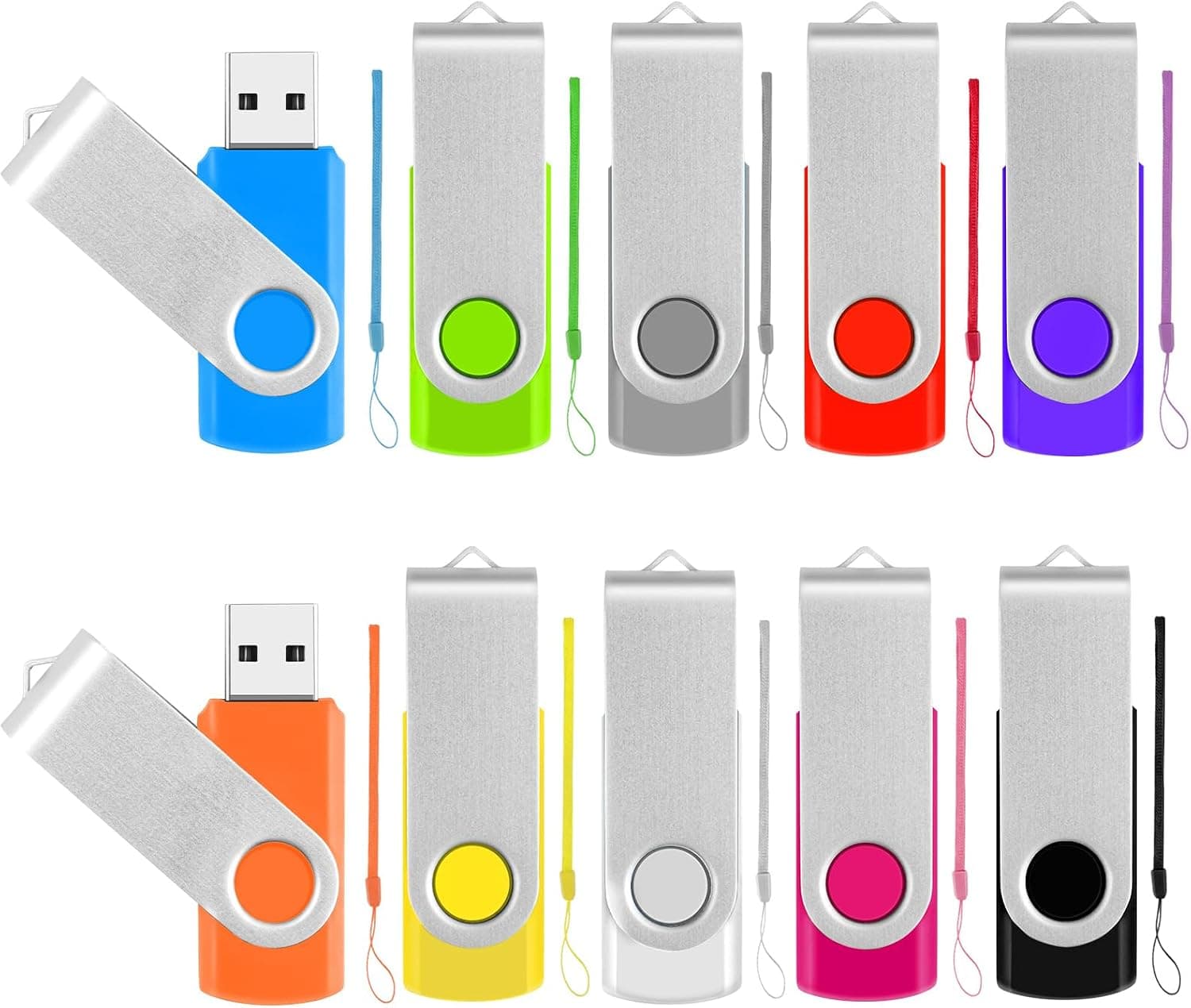
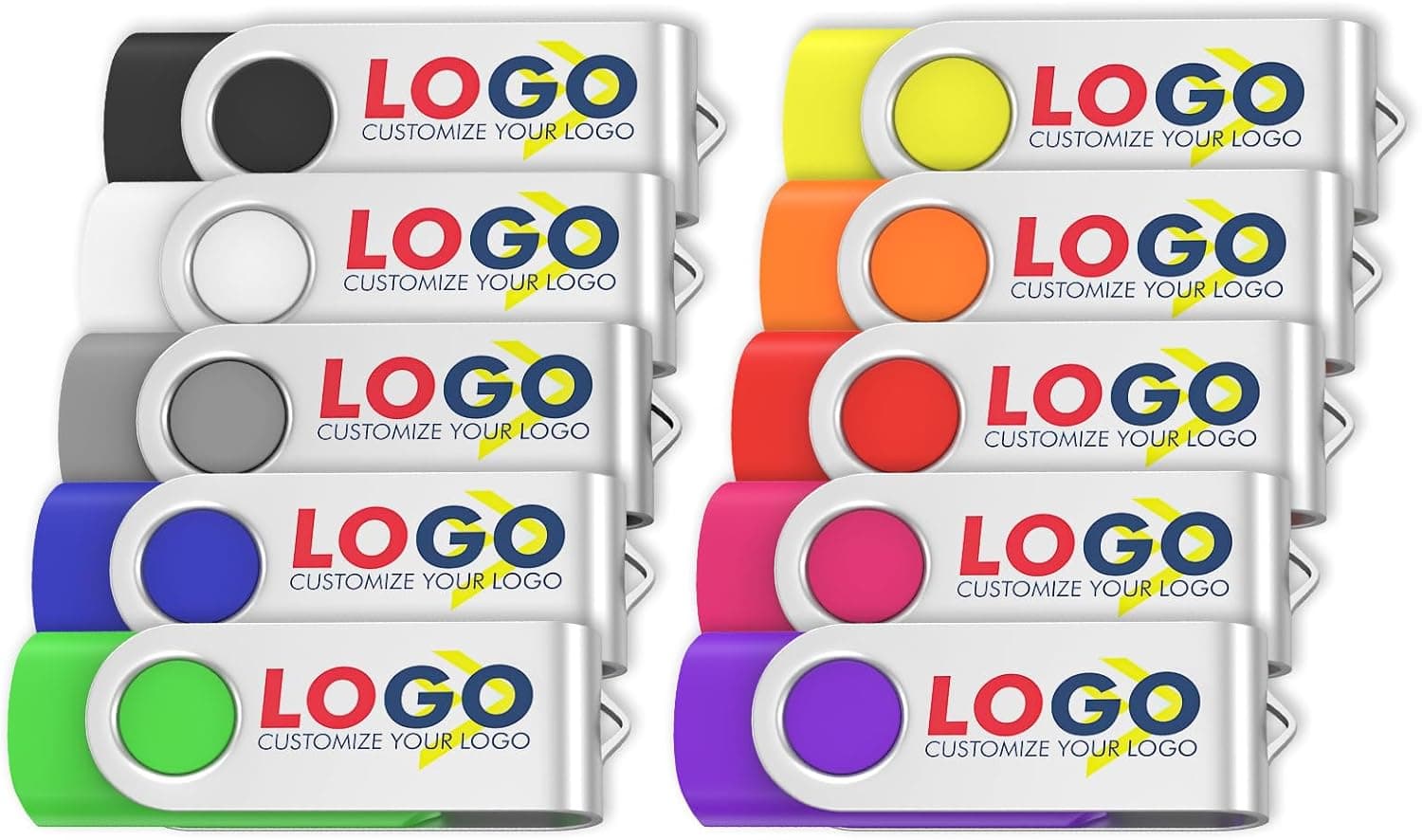
This product is a bundle of ten customizable USB drives that can be printed with a logo or design. Each drive holds 32GB, uses a USB 2.0 interface, and is rated at 18MB/s read.
It targets one job: handing the same content to many people — trade show giveaways, seminar handouts, wedding keepsakes. It is not aimed at someone shopping for a single everyday drive.
Mixed colors are standard, with single-color options available. Pack sizes of 10, 20, 50, and 100 are offered, and capacities reportedly range from 128MB to 128GB; this listing is the 32GB × 10 configuration.
The drives use a capless metal swivel protector and include a lanyard hole and an LED indicator.
The decision is simple: if the printing and the unit count matter to you, this is a candidate; if you want throughput or the lowest per-unit price, look elsewhere.
What 18MB/s Really Buys You
The listed 18MB/s read sits below the practical ceiling of USB 2.0 (generally cited around 30–35MB/s).
Write speed is not published. On drives of this class, writes are typically noticeably slower than reads, sometimes into the low single-digit MB/s — since it is not in the spec sheet, plan around "slower than read" rather than any specific figure.
| Payload | Approx. size | Rough read time at 18MB/s |
|---|---|---|
| PDF catalog / proposal | 20MB | 1–2 seconds |
| 200 JPEG photos | 800MB | ~45 seconds |
| 5-minute 1080p clip | 500MB | ~30 seconds |
| Full 32GB | 32,000MB | ~30 minutes |
The takeaway: for the payloads these drives are actually meant to carry, speed is a non-issue. Filling them to capacity is where the wait becomes real.
Copying a few hundred MB onto ten drives by hand runs roughly ten minutes plus swap time; a multi-gigabyte payload across ten units deserves an hour or more in your schedule.
Note that the LED is described as solid, not blinking — a lit LED does not mean the write finished. Always use your OS's eject function.
That is the single most common mistake when batching ten drives.
Compatibility
Compatibility is this product's easiest dimension. The USB 2.0 Type-A connector plugs into USB 3.x ports (backward compatible) and is recognized by older machines and appliances alike.
The manufacturer notes compatibility with USB 2.0 devices in general, including TVs and car audio systems.
- PCs — driver-free plug and play on Windows, macOS, and Linux. No software needed.
- TVs, car audio, speakers — appliances often behave more reliably with a plain USB 2.0 drive than with a fast USB 3.x one. Format to whatever file system the device expects, usually FAT32 or exFAT.
- Consoles and other USB gear — recognized on insertion, but capacity and file system limits vary by device. Test one drive before committing all ten.
Physically, swivel drives are wide. On crowded rear PC panels or tightly spaced laptop ports, they can block a neighboring port. A short extension cable or a hub makes the batch-writing job far easier.
Devices with only USB-C ports need an adapter. Plugging directly into an iPhone is not a supported use case — choose a Lightning or MFi-certified product for that.
Product Info
To restate the specs: 32GB per drive, USB 2.0, 18MB/s read, solid LED indicator, and support for Windows, macOS, and Linux.
The drives are the only contents; no bundled software.
The price on Amazon.co.jp was ¥28,850 including tax as captured on 8 June 2026 for the 10-pack — roughly ¥2,885 per drive.
That is clearly above the going rate for unbranded 32GB USB 2.0 sticks, and the gap is best understood as the cost of customization.
If you are not using the printing, there is little reason to pay it. Prices move often; check the product page before ordering.
The eBay entry is a search link with no listed figure.
Reviews stand at 6 total with a 5.0 average (100% positive) as of June 2026.
The score is perfect, but six reviews is a weak statistical basis — do not read it the way you would a 100% rating built on tens of thousands of entries. Custom-printed goods vary by production run, so a proof or sample before the full order matters more than the review count.
Warranty terms are not stated. Typical USB drive coverage likely applies, but since it is not documented, confirm with the seller before relying on these for business use.
How It Compares
| Goal | Fit | Consider instead |
|---|---|---|
| Branded drives to hand out | Excellent — the core use case | — |
| Cheapest possible bulk | Weak — per-unit cost is high | Plain bulk multi-packs |
| One fast drive for yourself | Poor — too slow | USB 3.x / Type-C models |
| Phone backup | Poor — wrong connector | Type-C / Lightning drives |
If plain drives will do, bulk packs cost far less for the same count. If you want speed, a USB 3.2 Gen 1 drive is in a different league at the same capacity.
The real competition here is other promotional-merchandise services, not other flash drives.
Best Use Cases
- Marketing teams running booths and launches — a printed drive stays on the recipient's desk long after the event. Preloading catalogs cuts the paper you carry.
- Training, seminar, and school organizers — reliable handout distribution even where venue Wi-Fi is not. Color coding can separate staff copies from attendee copies.
- Individuals making keepsakes — weddings and anniversaries, loaded with photos or video. The mixed colors look lively laid out on a table.
- Anyone targeting older USB 2.0 hardware — for car audio and legacy TVs, this plain spec is a feature rather than a compromise.
Before You Buy
1. Do not buy this for speed. USB 2.0 at 18MB/s is decidedly slow by 2026 standards.
It is unsuitable for working storage, hauling games or video, or booting a portable OS. The value is in printing and count, not performance.
2. Per-unit cost is high versus plain bulk. At the captured price, each drive works out to about ¥2,885.
If you just need many cheap drives and branding is irrelevant, the same budget buys considerably more elsewhere.
3. Confirm the printing terms before ordering. Accepted file formats, printable colors and area, minimum quantities, and — critically — lead time from artwork to delivery are not in the available data. If your event has a fixed date, lead time outranks price. Confirm preload availability and any surcharge the same way.
4. Warranty and support terms are undocumented. Flash memory fails at some nonzero rate.
Decide in advance what you will do if one of the ten will not mount on the morning of the event.
5. Never make these the only copy of anything important. Budget flash drives are not archival media.
These are duplication media for distribution, not backups. Keep the master elsewhere.
6. Verify the listing details yourself. Retail product pages sometimes carry manufacturer names, model numbers, or capacity entries that do not match the item shipped, and variation listings are especially prone to mixing information.
Before ordering, check the product images, title, and the selected variation to confirm you are getting the 32GB / 10-pack configuration.
7. Do not over-trust six reviews. A 5.0 average is a good sign, but not a trend.
For a first order, a small trial run before the full batch is the prudent move.
Prep Checklist Before Distribution
Fill one drive completely as an inspection step — capacity issues and early failures only surface under real writes.
Format to match the target devices — FAT32 for appliances, exFAT if any single file exceeds 4GB.
Use file names your recipients' devices can render — some appliances mangle non-ASCII names.
Always eject through the OS — the solid LED is not a completion signal.
Build the folder structure once and clone it — organizing each drive individually guarantees inconsistency.
FAQ
Q. Will these work in a USB 3.0 port? A.
Yes, USB 3.x ports are backward compatible.
Speed does not improve; reads stay at the rated 18MB/s.
Q. How long does filling all 32GB take? A.
Reading alone works out to roughly 30 minutes at 18MB/s. Write speed is unpublished and typically slower, so budget more.
In practice, distribution payloads rarely approach full capacity.
Q. What artwork do I submit for printing? A.
Designs are uploaded to the seller, but accepted formats, color counts, and printable area are not documented in the specs. Confirm before ordering.
Q. Can I plug these into a phone? A.
Not directly — the connector is USB Type-A, so an adapter is required, and on iOS access goes through the Files app. For phone-first use, choose a Type-C or Lightning drive.
Q. What if I need more than ten? A.
20, 50, and 100-unit packs are offered. Larger quantities usually lower the per-unit price, but check the product page for actual figures.
Q. Can they arrive with data already loaded? A.
A data preloading service is described as available. Confirm availability, cost, and lead time with the seller before ordering.