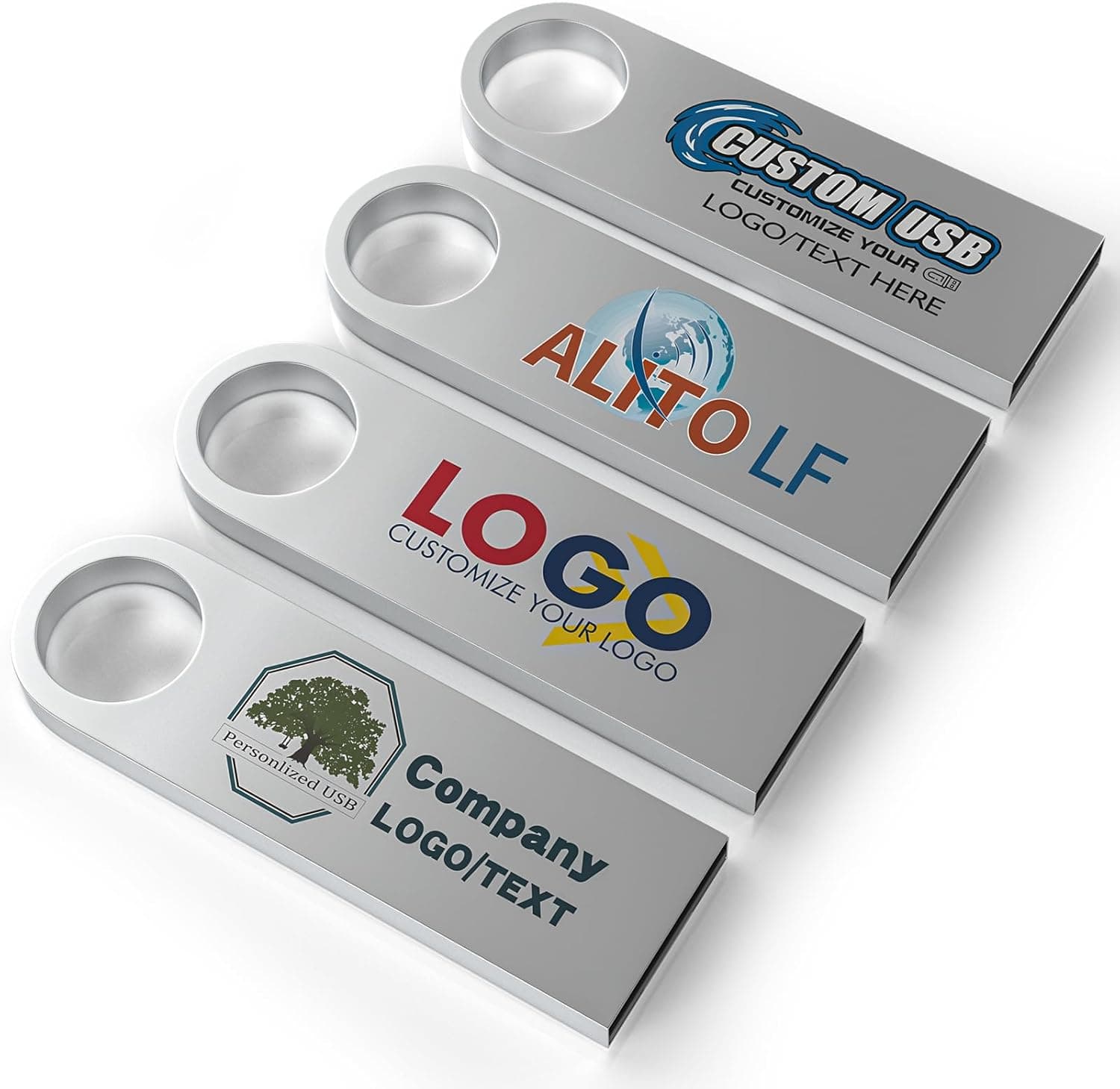
The ABLAZE Custom Flash Drive 16GB 10-Pack is a way to source ten branded USB sticks at once. It is not a drive you buy for personal storage — it is built around the assumption that you will print a logo on it and give it away.
Overview
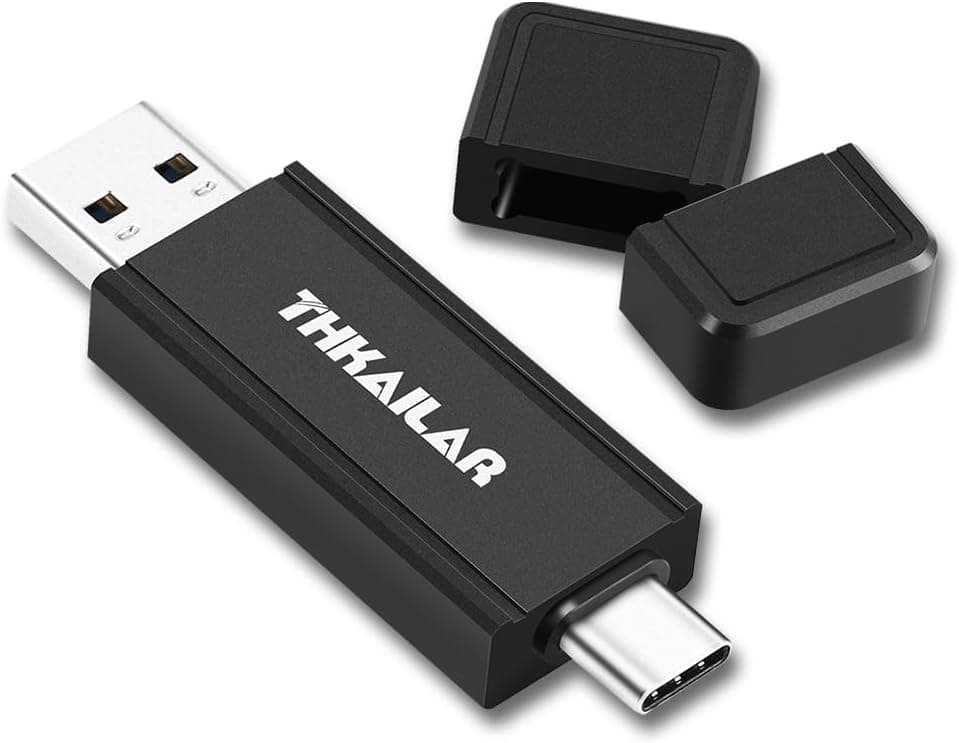
This is a 10-pack of USB 2.0 flash drives in metal housings that can be printed with any logo or text.
Each drive holds 16GB, the body is metal with a vacuum-sealed waterproof claim, and a keychain ring is included. The short version: this product is built for handing out document-loaded drives at trade shows, seminars, and orientation events — not for use as a fast everyday drive.
As of the 6 June 2026 capture, the Amazon.co.jp listing showed 384 reviews at 4.4 out of 5 stars (roughly an 88% positive rate), which is a steady result for a novelty drive in this bracket.
A count of 384 at least suggests that dead-on-arrival units are not the norm. That said, most of those reviews reflect giveaway use, so they say little about long-term write endurance.
Compatibility Guide
The interface is USB 2.0 with a standard Type-A connector.
Because the form factor is USB-A, the only compatibility question is whether the target device has a Type-A port. There are no socket, chipset, or PSU requirements to worry about.
The drives work in USB 3.0/3.2 ports through backward compatibility, but speed stays pinned to the USB 2.0 ceiling.
Windows, macOS, and Linux all recognise the drives plug-and-play with no driver install, as do TVs, car audio head units, and speakers with USB media playback. Three practical snags come up more often than people expect:
| Where you hand them out | Easy thing to miss |
|---|---|
| Recent laptops and tablets | Many no longer have Type-A ports; an adapter is needed |
| TVs and car audio | Some units are picky about file systems and folder layout; FAT32 is the safest choice |
| Corporate and government PCs | Security policy frequently blocks external USB storage outright |
That last one bites hardest at B2B trade shows. To avoid the "we handed them out but nobody could plug them in" outcome, pair the drive with a printed leaflet that points to the same material through another route.
Conveniently, this product can print a QR code directly on the body, so the fallback can live on the drive itself.
One physical note: metal-bodied drives can bridge or crowd adjacent ports on densely packed machines, and leaving a strap attached to the keychain ring puts leverage on the port when inserted. Fine for a giveaway, poor as a permanently installed drive.
Product Info
The headline specifications:
| Item | Value |
|---|---|
| Capacity | 16 GB (per drive) |
| Interface | USB 2.0 |
| Write speed | 8x (manufacturer notation) |
| Material | Metal |
| Waterproof | Yes (vacuum sealed) |
| Package | 10-pack |
As captured on 12 June 2026, the Amazon.co.jp price was ¥26,434 for the 10-pack — about ¥2,643 per drive.
Flash drive pricing moves constantly with stock and sales, and custom-printed goods can be quoted differently depending on order size and artwork, so check the current figure on the product page.
Customisation covers logos, website names, QR codes, phone numbers, addresses — essentially any image or text on the body. Data preloading is also available on request, so the drives can ship with your files already written.
Copying to ten drives yourself is not a huge job, but given USB 2.0 write speeds, it is worth outsourcing if the option is offered.
The "8x" write speed in the spec sheet is neither MB/s nor a USB generation, and it tells you nothing usable about real throughput. As a general rule, USB 2.0 tops out at 480Mbps in theory, reads land in the tens of MB/s in practice, and writes on inexpensive flash are usually considerably slower.
Writing a few hundred megabytes of PDFs is fine; anything speed-sensitive is not. If you need a firm number, ask the manufacturer or check the product page.
Best Use Cases
The clearest fit is marketing and communications staff who need ten branded giveaways for a trade show, seminar, or recruiting event. Handed over with a business card, a USB stick tends to survive longer on a desk than a paper brochure.
16GB is ample for catalogue PDFs, slide decks, product photography, and a short intro video.
Schools, cram schools, and training providers distributing course materials are another good match. In education, where recipients often run older machines, USB 2.0's universality is an advantage rather than a compromise.
Wedding photographers and studios handing over image files also pair well with an engraved metal drive as a keepsake.
If you are an individual looking for a drive to carry your own files, this is not the product. You do not need ten, and the same budget buys a USB 3.x drive with far more capacity and speed.
Things to Check Before Buying
The per-unit price only makes sense as a promotional spend. The ¥26,434 captured in June 2026 works out to roughly ¥2,643 per drive, which is plainly expensive judged purely as 16GB of storage.
What you are paying for is the metal body and the custom print, not the capacity. If you are not printing a logo, there is almost no reason to choose this.
Judged against T-shirts or tote bags as branded merchandise, however, it is cheap per unit and more likely to be kept.
USB 2.0 is more noticeable than you expect. If you plan to load video or large photo sets, expect writes measured in minutes, and remember that writing the same payload to ten drives in sequence adds up.
Use the preload service if you can. If your payload is tens to hundreds of megabytes of PDFs, the older standard costs you nothing in practice.
Do not over-trust the "waterproof (vacuum sealed)" claim. A housing that resists water is not the same as NAND and a controller surviving submersion.
Claims like this generally mean "tolerates a splash," not "safe underwater." Never make these drives the only copy of important data, and do not treat flash memory as a multi-year archive medium — it was never designed for that.
Artwork approval and lead time are the real bottleneck on custom printing. Submitting files, confirming colour and placement, then production and shipping all take time that a stock item does not.
Order well ahead of a fixed event date and ask for a print proof if possible. Printing on metal generally reproduces high-contrast designs best; fine gradients and very small type tend to fill in.
If your logo is complex, a simplified symbol mark usually looks better in the end.
Manufacturer details and specs on the Amazon listing can disagree with the actual product. Custom USB drives like these are often sold by multiple sellers off the same tooling, and listing metadata sometimes stays stale.
Before ordering, confirm that the product images, title, and customisation options all refer to the item you intend to buy.
Finally, allow for recipients who will not accept it. Plenty of organisations forbid plugging in unsolicited USB devices, and the more security-conscious your audience, the more likely they are to decline.
Treat the branding value and the data-delivery value as separate things, and avoid campaigns that depend on the latter.
FAQ
Q. What format should the logo artwork be in? A.
Custom printing generally favours vector formats (AI, EPS, SVG) that scale without degrading. The accepted formats and resolution requirements are set by the manufacturer, so confirm on the product page before ordering.
Q. What actually fits in 16GB? A.
Hundreds of typical PDF catalogues (a few to tens of MB each), or thousands of high-resolution product photos. Full HD video consumes several GB per hour, so multiple long videos will not fit.
Q. Can I use it in a USB 3.0 port? A.
Yes. USB is backward compatible, so there is no physical or logical issue — but speed remains capped at USB 2.0 levels.
Q. Can all ten drives be delivered with the same data preloaded? A.
A data preloading request option is offered. Availability, extra cost, and how to submit files depend on your order terms, so confirm in advance.
Q. Can the drives be write-protected so recipients cannot erase the contents? A.
No physical write-protect switch is listed in the specifications. Novelty drives usually lack one, so ask before ordering if you need it.
Q. Do they work on a Mac? A.
Yes. If your audience mixes Windows and Mac, format them as exFAT or FAT32 so both platforms can read them.
Product Disclosure (Amazon)
- ASIN: B0CNV9ZKKJ
- Note: This article covers a manufacturer-made product based on Amazon listing details.