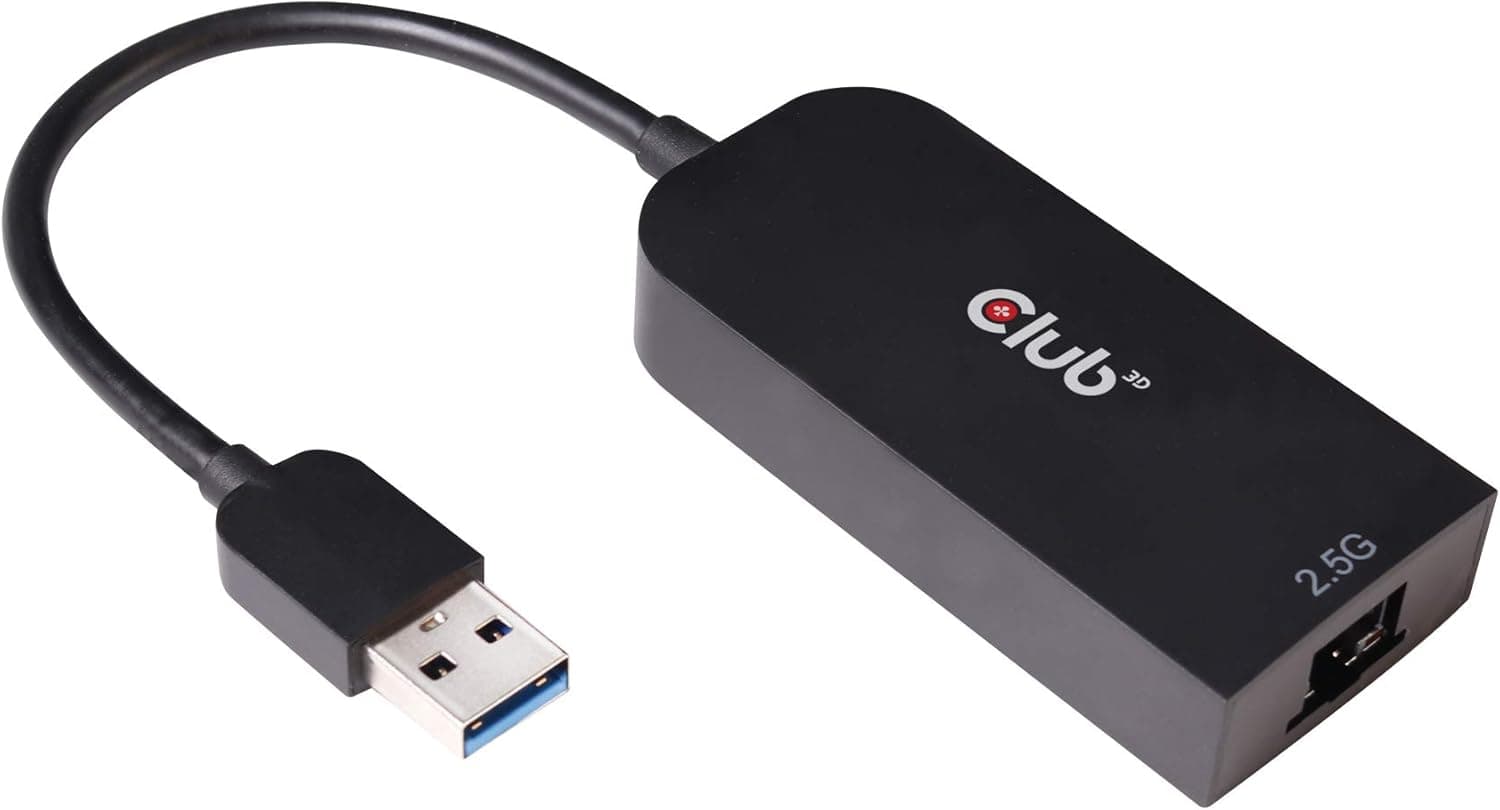
This article covers Club3D USB 3.2 Gen1 Type A to RJ45 2.5Gb 高速イーサネット アダプタ (CAC-1420).
Overview
The Club3D CAC-1420 is a compact USB 3.2 Gen1 Type-A to RJ45 adapter that brings 2.5Gbps wired Ethernet connectivity to any laptop or desktop with a spare USB-A port. It's designed for users who need faster-than-gigabit networking without opening their PC chassis, and it runs entirely on bus power with no external adapter required. The cable is 24cm long, and the whole unit weighs just 37 grams, making it easy to slip into a laptop bag or pocket. With support for 2.5GBASE-T and full backward compatibility to 1Gbps, 100Mbps, and 10Mbps networks, this adapter can serve as a drop-in upgrade for existing wired connections. It uses a Realtek chipset and comes with a driver CD for Windows 10/8 and macOS 10.6 through 10.14. The adapter's power consumption stays under 2.3W even at full 2.5Gbps speed, so it won't stress your USB port.
Connectivity & Compatibility
The adapter has a USB 3.2 Gen 1 Type-A male connector on one end and an RJ45 female port on the other. It will work in USB 2.0 ports, but maximum speed will be limited to around 300Mbps due to USB 2.0 bandwidth constraints. Compatible with IEEE 802.3bz (2.5GBASE-T), 1000BASE-T, 100BASE-TX, and 10BASE-T. For 2.5Gbps operation, use at least Cat5e Ethernet cabling. Officially supports Windows 10/8 (32/64-bit) and macOS 10.6 through 10.14. Linux compatibility is not officially listed, but community drivers may work. Requires driver installation from the included CD or downloadable from Club3D's support site. Powered directly via USB; voltage range 4.75V–5.25V. Power draw: <400mW at 10Mbps, <650mW at 100Mbps, <1.5W at 1Gbps, <2.3W at 2.5Gbps.
Product Info
Released around 2019, the Club3D CAC-1420 currently sells for approximately ¥9,200 (around $60 USD). It carries a 1-year domestic warranty (for Japan market). The retail package includes the adapter itself, a driver CD, and a quick-install guide. Drivers can also be downloaded from Club3D's official website. Market positioning is entry-to-mid-range. Among USB-A to 2.5GbE adapters, this is one of the more affordable options, and its key differentiator is the USB-A interface, which works with older laptops that lack USB-C ports. The USB-C variant (CAC-1421) is available for those who prefer the newer connector.
Best Use Cases
Owners of ultrabooks or thin-and-light laptops without built-in Ethernet: If your laptop only has Wi-Fi and USB-C (or USB-A), this adapter provides a reliable wired connection. It's ideal for stationary desk setups where stability matters more than mobility. However, if your laptop only has USB-C ports, you will need a USB-C to USB-A adapter or dongle to use it. Home office or small NAS users who want faster file transfers: Pair this adapter with a 2.5GbE-enabled NAS or switch to break through the 1Gbps ceiling. Real-world transfer speeds can reach 280–290 MB/s over a direct connection or through a 2.5GbE switch. Note that your router/switch must also support 2.5GbE to see the full benefit; otherwise the link will fall back to 1Gbps. Cloud gaming and remote desktop enthusiasts: For services like GeForce Now, Stadia (discontinued), or Xbox Cloud Gaming, a wired connection reduces latency and packet loss. The 2.5Gbps pipe provides headroom for future higher-bitrate streaming, though most current services are fine with 1Gbps. This adapter is overkill if you only need basic internet access. Budget-conscious upgraders: If your desktop or mini PC lacks a free PCIe slot for a 2.5GbE NIC, this USB adapter offers a straightforward alternative. It's also a good choice for testing whether 2.5GbE networking benefits your workflow before investing in more expensive internal hardware. Be aware that sharing the USB 3.0 bus with other high-speed devices (e.g., external SSDs) may cause bandwidth contention.