Overview
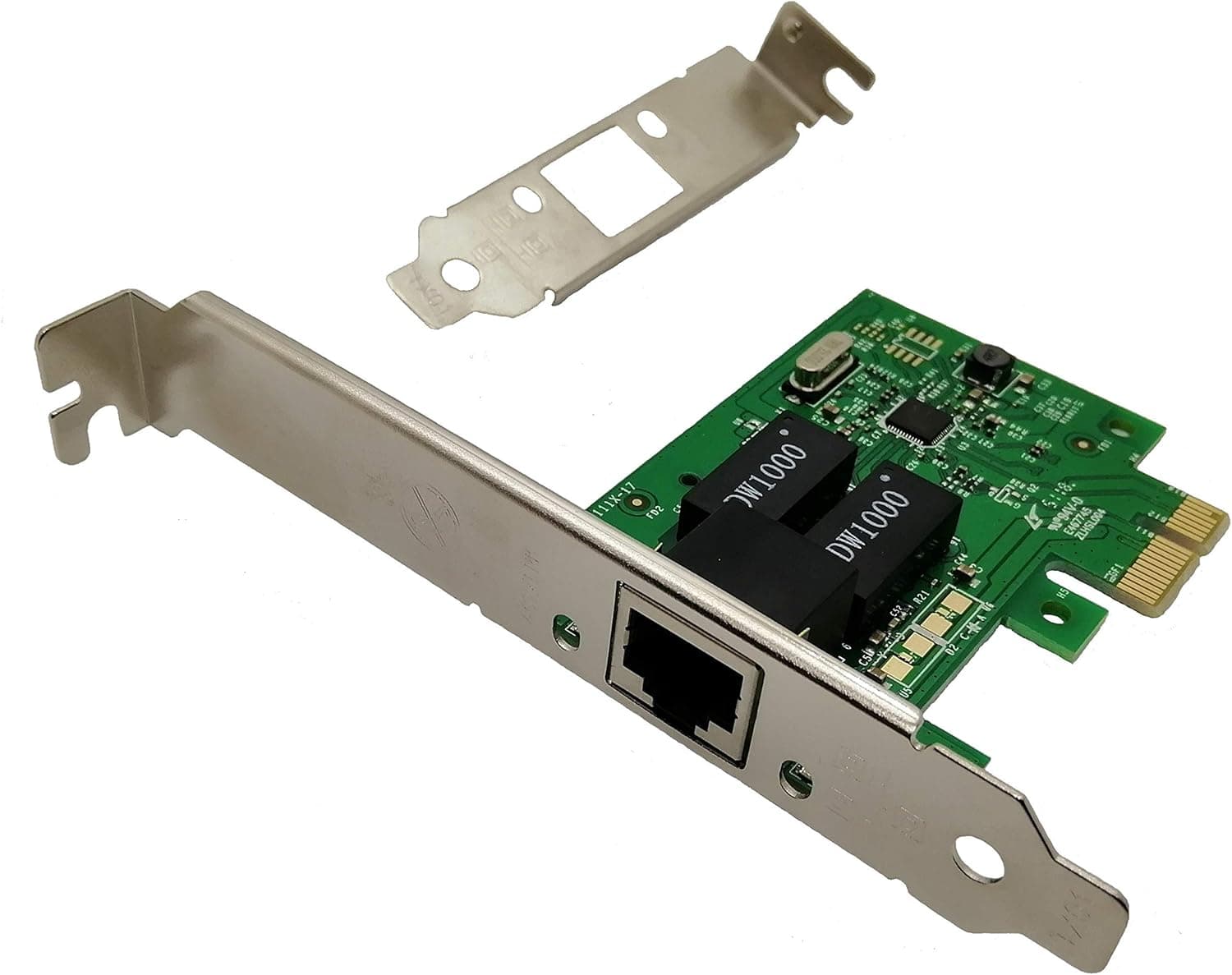
The Tenext Realtek card is a PCI Express x1 gigabit wired network adapter with a very narrow job description: add one 1Gbps RJ45 port to a desktop PC, cheaply and without fuss. That is all it does, and for many people that is exactly enough.
On Amazon.co.jp it holds 4.6 out of 5 stars across 347 reviews (roughly 92% positive, captured 20 May 2026) — a solid record for an unbranded expansion card.
The short version: this card makes sense if your onboard LAN has died, if you have a Wi-Fi-only desktop that needs a stable wired link, or if you need a low-profile NIC for a slim case. It does not make sense if you are moving to 2.5GbE or 10GbE, if you run a virtualization host that needs advanced offload, or if you actually wanted wireless.
When Onboard LAN Dies
Motherboard Ethernet ports fail — surges and years of cable swaps take their toll. Replacing the board over a single dead port drags in CPU removal, OS reactivation and a full rebuild.
A few thousand yen for an add-in card is the rational fix.
If you go that route, disable the onboard controller in BIOS/UEFI (look for "Onboard LAN Controller" or "Integrated NIC"). That leaves the OS with exactly one adapter to manage, which matters most when the failed port is half-alive — intermittently linking, dropping DHCP leases every few minutes.
Disabling it turns a confusing symptom into a clean setup.
The other common use case is a quiet HTPC or office PC. Those chassis usually have short rear slot openings, so a standard bracket physically prevents the case from closing.
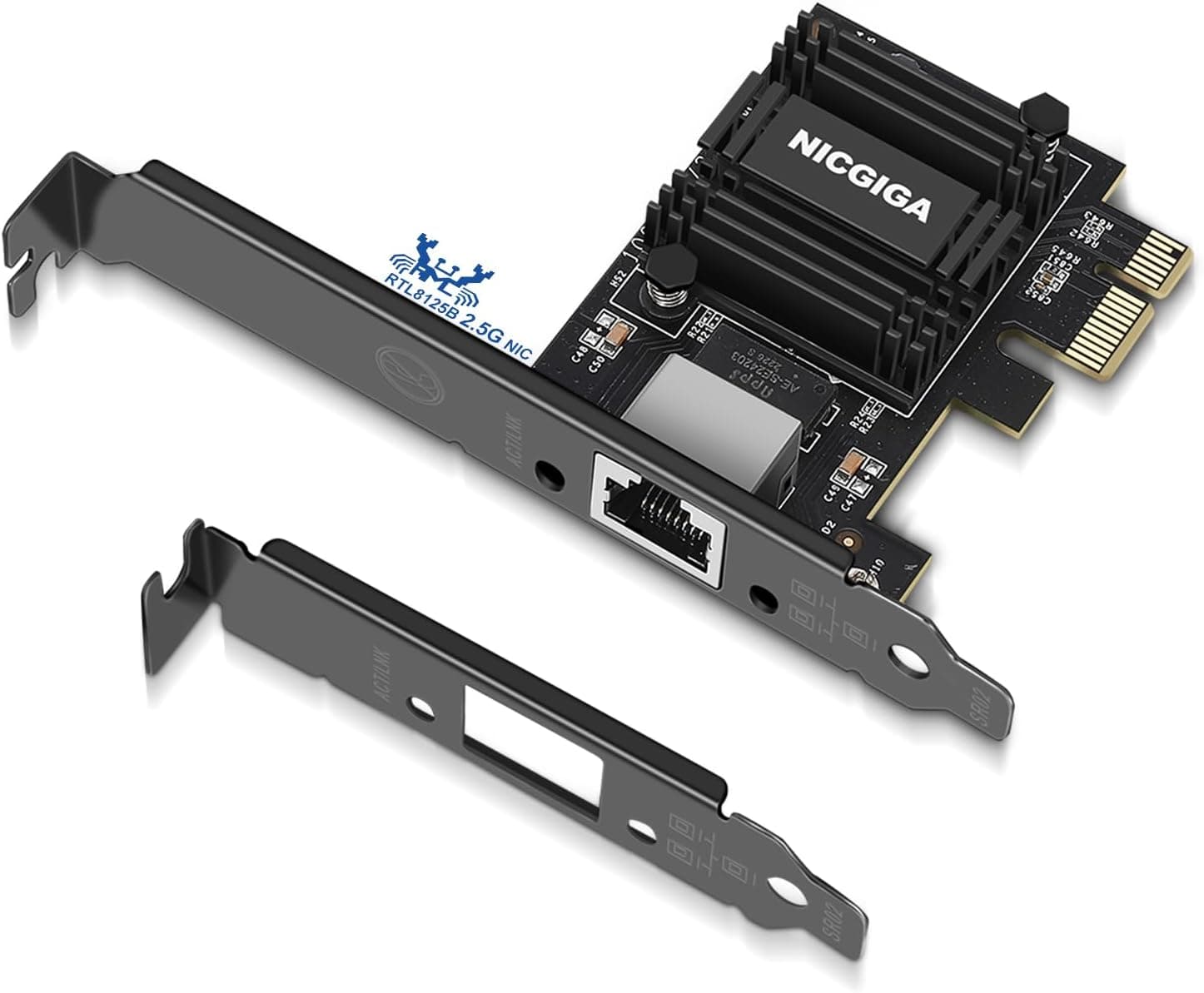
This card ships with the standard bracket pre-installed and a low-profile bracket in the box, so either chassis works without a second purchase.
Compatibility Guide
The stated environment is a PCI Express x1 slot, 10BASE-T / 100BASE-TX / 1000BASE-T, Windows 7/10/11, macOS and Linux, with BSD-based systems explicitly unsupported. Here are the places installs actually go wrong.
| Check | Guideline | Common pitfall |
|---|---|---|
| Slot | PCIe x1 (fits x4 / x8 / x16 too) | Longer slots fit electrically but are often blocked by the GPU |
| Bandwidth | Even PCIe 1.1 x1 is ample for 1GbE | Old boards are not a speed bottleneck here |
| Brackets | Standard (pre-installed) + low-profile (included) | Two screws; ground yourself before handling the PCB |
| OS | Driver-free on Windows 7/10/11, macOS, Linux | BSD-based router/storage OSes are out of scope |
| Wireless | None — wired only | You need a separate adapter for Wi-Fi |
Start with the slot. PCIe is backward compatible, so an x1 card seats fine in x4, x8 or x16 slots.
The real obstacle is physical, not electrical: on most ATX boards the x1 slots sit directly above or below the graphics card, and a modern 2.5- to 3-slot GPU covers them completely.
Open the case and confirm that the "free" x1 slot is genuinely reachable before ordering. If it is blocked, using a longer slot below the GPU is the practical workaround.
Bandwidth is a non-issue. A single PCIe 1.1 lane carries about 250MB/s (roughly 2Gbps), comfortably more than 1000BASE-T needs.
Installing this in an older board will not cap your throughput.
On the software side, Realtek 1GbE controllers ship in-box with Windows 10/11 and every mainstream Linux distribution, so "plug it in and it works" is broadly accurate. The exceptions are Windows 7 and older Linux install media, where the bundled driver can be dated enough to misbehave around power-saving features; installing the vendor's current driver resolves that.
BSD deserves a hard warning: it is listed as unsupported, so do not buy this for a FreeBSD-based router or storage appliance. For the same reason, treat hypervisor passthrough as outside the design envelope.
macOS support is listed, but few Macs even have PCIe slots — essentially Mac Pro territory. Apple Silicon desktops have no internal expansion slots at all, so do not read that line as "it works with my Mac."
Product Details
As captured on 19 May 2026, the Amazon.co.jp listing price was ¥3,552 including tax.
Prices move constantly with sales and stock, so check the product page for the current figure. Both the seller and the shipper are listed as "What America Buys!" — a marketplace listing rather than a manufacturer storefront, which means warranty terms and defect handling depend on that seller.
Check the seller details before ordering.
In the box: the card, the pre-installed standard bracket, and a low-profile bracket for slim chassis. That second bracket is an unglamorous but real advantage, since replacement low-profile brackets are awkward to source separately.
Review data captured on 20 May 2026 shows 347 ratings averaging 4.6 out of 5 (about 92% positive).
Three-figure volume means the average is not being swung by a handful of ratings. That said, Realtek 1GbE cards are a crowded, price-competitive category, and comparable cards sometimes sell for less.
If price is your reason for buying, compare a few equivalents first.
Real-World Throughput
1000BASE-T tops out at 1Gbps in theory; after TCP/IP overhead, expect roughly 900–940Mbps, or about 110MB/s in file-transfer terms. That is the standard's ceiling, not a flaw in this particular card.
Moving from Wi-Fi, the improvement you feel is stability rather than peak speed. In congested apartment-building RF environments, wireless suffers latency spikes (jitter) and packet loss — which is what actually causes game lag, choppy conference audio and failed large transfers.
Wired links fix that. Conversely, if your Wi-Fi 6 setup is already rock solid, adding this card will not feel dramatic.
How It Compares
Intel-based 1GbE cards cost a bit more but bring more mature drivers, better virtualization support and a long server-OS track record. For ordinary Windows or Linux desktop use, Realtek is fine; for ESXi, Proxmox or a NAS OS, Intel is the safer pick.
One tier up sits 2.5GbE.
Recent routers and NAS units increasingly ship with 2.5GbE ports, and it runs over existing Cat5e/Cat6 cabling, which keeps migration cheap.
If the other end of your network is already 2.5GbE, buying a 1GbE card now means buying again later — start at 2.5GbE instead.
10GbE is a different conversation: x8 slots, meaningful heat, and mandatory investment in switches and cabling. Without a concrete driver like heavy NAS transfers or collaborative video editing, home users do not need to go there.
If your goal is "restore what broke" or "replace Wi-Fi with wired," a 1GbE card like this is the right size of solution.
Best Use Cases
- Recovering from a dead onboard LAN port without replacing the motherboard — far lower risk for a few thousand yen.
- Wi-Fi desktops plagued by disconnects or latency spikes during online gaming and video calls.
- Slim towers and HTPCs that require a low-profile bracket, supplied here at no extra cost.
- Secondary PCs or file servers that need one more Ethernet port.
- First-time builders who would rather not hunt for drivers at all.
Before You Buy
This card stops at 1Gbps. Do not read "Gbps" as "fast." If you already run — or plan to run — 2.5GbE or 10GbE, spending here is money you will spend again.
Check your router and NAS port speeds first.
There is no wireless whatsoever. The phrase "network card" misleads a surprising number of buyers.
This is wired Ethernet only; Wi-Fi needs a separate adapter.
Verify physical clearance. x1 slots are frequently buried under large graphics cards.
Open the case and look, rather than assuming a slot is free. In low-profile chassis, also check that the PCB length clears drive cages and cable runs, not just the rear bracket height.
BSD is unsupported. If you are building a router or storage appliance on a BSD base, take this off your list — even if it enumerates, stable operation is not promised.
Treat the listing metadata with some caution. This is a marketplace listing, and region labels, currency and seller fields can look inconsistent with the actual sale terms.
Amazon listing data is partly auto-linked, and metadata from other products sometimes bleeds in. Before ordering, confirm from the product images and title that you are buying a PCIe x1 gigabit LAN card with two brackets included, and review the return policy in case what arrives does not match.
Finally, this makes things work and stay stable — it does not make them faster. If your internet plan is below 1Gbps, external speeds will not change.
The gains show up in local file transfers and in eliminating wireless-related latency and dropouts. Misread that and you end up disappointed.
FAQ
Q. Are drivers really unnecessary? A.
Windows 10/11 and mainstream Linux distributions include Realtek 1GbE drivers in-box, so most systems detect it on boot. Older Windows 7 installs or dated Linux media may carry drivers old enough to misbehave with power-saving features; install the vendor's current driver in that case.
Q. Can I use an x16 slot? A.
Yes — PCIe is backward compatible, and this is a useful workaround when the GPU blocks your x1 slots. Just do not take the slot your graphics card is using.
Q. Can I leave the broken onboard LAN enabled? A.
You can, but a half-failed port makes the OS unsure which adapter to use, which causes intermittent connectivity. Disabling it in BIOS/UEFI is the reliable route.
Q. Is the bracket swap difficult? A.
No — two screws and a small screwdriver, a few minutes' work. Touch bare metal to discharge static first, and avoid touching the connector pins or chips directly.
Q. Will my internet get faster? A.
Not beyond your plan's speed. The benefit is in local network transfers and the removal of wireless jitter and dropouts.
Big improvement if you game over Wi-Fi; none if you already have a solid wired link.
Q. How trustworthy is the rating? A.
4.6 out of 5 from 347 ratings (about 92% positive) as captured on 20 May 2026 — enough volume that the average is not skewed by a few outliers.
Still, this category is crowded, so compare street prices and bracket contents alongside the score.
Product Disclosure (Amazon)
- Manufacturer: Tenext
- Seller: What America Buys!
- Fulfilled by: What America Buys!
- ASIN: B007MWYCG2
- Note: This article covers a manufacturer-made product based on Amazon listing details.