Overview
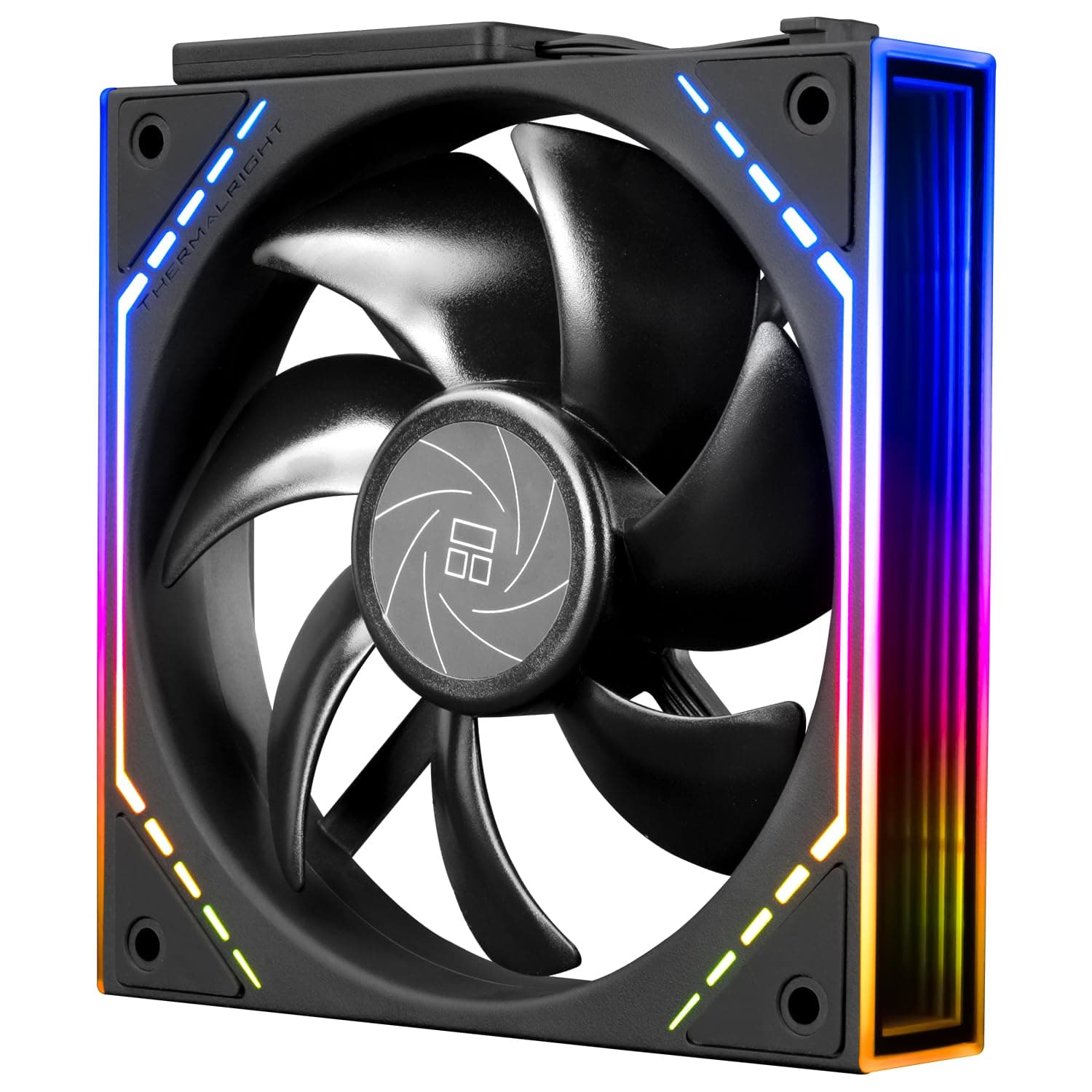
The Thermalright TL-M12Q is a budget-focused 120mm fan in a standard 120×120×25mm frame, carrying both a 4-pin PWM connector and a 3-pin ARGB connector. The short verdict: it is a volume-fill fan for builders who want ARGB and PWM control on the smallest possible budget — not a static-pressure specialist for high-end radiators, and not a silence-first fan.
Bought with that understanding, the value is excellent.
Rated specs are 2000 RPM maximum, 68.9 CFM airflow, 28.2 dBA noise, and 2.04 W power draw.
The bearing is S-FDB (magnetic stability fluid dynamic bearing), which is a step up from cheap sleeve bearings in both lifespan and smoothness. On Amazon.co.jp the price was ¥2,575 as captured on 2 June 2026, and on eBay US it was listed at $27.23 as captured on 15 July 2026 — both are point-in-time figures that move with sales, stock, and exchange rates.
Reviews stood at 43 total with a 4.8 out of 5 rating (96%), which is strong, but 43 is a small sample worth discounting slightly.
How to Read the Specs
Raw numbers don't decide a purchase. Here is what each of the four headline specs actually means in a build.
| Spec | Rated value | What it means |
|---|---|---|
| Airflow | 68.9 CFM | Average to slightly above average for a 2000 RPM 120mm fan; plenty for case intake/exhaust |
| Noise | 28.2 dBA | Measured at full speed; far quieter in normal PWM-limited operation |
| Speed | 2000 RPM | Higher than 1200–1500 RPM silence-oriented fans; designed to be reined in by PWM |
| Power | 2.04 W | About 0.17 A at 12 V, so several fans on one header stay well within limits |
The noise figure is the most misread. 28.2 dBA is what you get with the fan pinned at 2000 RPM.
Held at 40–60% duty via a fan curve, it is noticeably quieter. Conversely, leaving the BIOS fan curve untouched and letting it spin near maximum will produce exactly the airflow whine you'd expect from a high-RPM budget fan.
Most people who call this fan loud simply never edited the curve.
The 2.04 W draw matters too.
Low current per fan means you can daisy-chain several units onto a single motherboard header and stay comfortably under the typical ~1 A header limit. The bundled series-connection buckle only makes sense because the power draw is this small.
Compatibility Guide
The frame is a fully standard 120×120×25mm with 105mm screw spacing, so it mounts anywhere a 120mm fan position exists — front, top, or rear. Beyond case duty, it is also intended for use on tower-style CPU coolers that accept 120mm fans, attached with clips or wire retainers.
Power is 4-pin PWM; lighting is 3-pin 5V ARGB. This is where builds actually go wrong, so check three things:
- Does your motherboard have a 3-pin 5V ARGB header? It is not the same as a 4-pin 12V RGB header — different pinout, different voltage, and plugging into the 12V header will destroy the LEDs. Look for labels like ARGB, A-RGB, ADD_HEADER, or JRAINBOW. Without one, you need a separate ARGB controller.
- Header type for power. It will spin on a 3-pin DC header, but you lose PWM control granularity. Use a 4-pin header to get the intended behaviour.
- 25mm of thickness clearance. Standard thickness is usually fine, but check the case spec if you are stacking it against a 360mm radiator up front, or clearing tall memory and VRM heatsinks at the top.
The data lists a recommended PSU of 300 W. That is a floor for the kind of PC this part goes into, not a requirement of the fan itself — at 2.04 W, power capacity will never be your limiting factor.
No CPU socket restriction applies. This is a standalone fan, so it works on any Intel or AMD platform that has a 120mm mounting point.
Product Info
Sold under the Thermalright brand, the fan was listed on Amazon.co.jp at ¥2,575 as captured on 2 June 2026.
The same product appeared on eBay US at $27.23 as captured on 15 July 2026, making the domestic Japanese listing the better value at those points in time.
Both figures are point-in-time captures — confirm the current price on the product page before buying.
The package includes the fan, mounting screws, and daisy-chain buckles. Very few fans combine ARGB, PWM, and a magnetic-stability bearing in the ¥2,500 range, which places this squarely in the entry-to-mid value segment.
Thermalright built its reputation on air coolers like the Peerless Assassin 120 and Phantom Spirit 120 EVO that punch above their price, and this fan sits in that same tradition.
The 4.8/5 rating from 43 reviews (as captured on 2 June 2026) is encouraging, but a 43-review sample doesn't yet reveal defect rates or long-term durability the way a several-thousand-review staple does.
Installation Tips That Actually Matter
Three things will decide whether you're happy with this fan.
First, set a fan curve. In BIOS or your vendor's utility, hold 30–40% at idle and ramp progressively once the CPU passes about 70 °C.
You almost never need 2000 RPM even in games, and noise is essentially a settings choice with this fan.
Second, don't crush the silicone anti-vibration pads at the corners. Over-torquing the screws defeats them and transmits a low-frequency hum straight into the case panel.
Stop as soon as you feel resistance.
Third, balance intake and exhaust. If you buy several, running one more intake than exhaust creates slight positive pressure and reduces dust ingress.
The daisy-chain buckle is designed for fans lined up in the same orientation, so a front triple-fan row is the natural use case.
Best Use Cases
The ideal buyer is a builder on a tight budget who refuses to give up either ARGB or PWM control. At roughly ¥2,575 each at time of capture, three fans land under ¥8,000, which makes a full case-fan replacement genuinely affordable.
Second best fit: anyone improving airflow in a prebuilt or second-hand PC. Swapping non-PWM 3-pin stock fans for these hands speed control back to the BIOS, improving both thermals and noise.
Third, owners of Thermalright tower coolers who want a push-pull setup. Matching fans from the same maker keeps the aesthetics and rotational characteristics consistent, which also avoids audible beat frequencies between mismatched fans.
Things to Check Before Buying
It is not the best choice as a radiator fan. The 68.9 CFM figure is open-air airflow; through the dense fins of a liquid cooler or a fine dust filter, a static-pressure-optimised fan does better.
If you're replacing stock fans on a 240mm or 360mm radiator for performance reasons, look for a fan that publishes a static pressure rating. For case intake/exhaust and tower cooler duty, this airflow is plenty.
Don't buy it expecting a silence fan. 28.2 dBA is the full-speed rating.
Throttled by PWM it is quiet, but a fan that reaches 2000 RPM will make itself heard under load. If you never touch fan curves, or you want near-inaudible operation, start with a 1200–1500 RPM silence-oriented model instead.
Mind the ARGB header. As noted, 3-pin 5V ARGB and 4-pin 12V RGB are not interchangeable, and the 12V header will burn the LEDs.
Older or budget motherboards may lack an ARGB header entirely — verify yours first. You can also run it purely as a PWM fan by simply leaving the 3-pin connector unplugged.
Re-check that 25mm thickness. "Supports 120mm fans" sometimes means only 15mm slim fans in compact cases, or a reduced depth budget where a radiator shares the mount.
Buying a fan that physically won't fit is the single most common mistake in this category.
Only 43 reviews so far. A 4.8 average is attractive, but with a sample that small, early-failure rates and long-term durability aren't visible yet.
If track record matters more than price, a staple model with thousands of reviews is a reasonable alternative.
One more caution: the manufacturer and model-number metadata printed on Amazon listings occasionally belongs to a different product. When you open the page, don't take the registration fields at face value — confirm from the product images and title that you are looking at the Thermalright TL-M12Q.
FAQ
Q. Can I use it on a motherboard with only 3-pin fan headers? A.
Yes, physically, and it will spin. But on a 3-pin header it runs in DC voltage mode, so you lose fine PWM control.
Set that header to DC mode in BIOS and you can still vary the speed.
Q. Can I run it without the ARGB lighting? A.
Yes. Leave the 3-pin ARGB connector unplugged and the LEDs stay off while the fan works normally on 4-pin PWM alone.
Q. How many can I daisy-chain? A.
The included buckles let you link several, but the real limit is what your motherboard's fan and ARGB headers can supply. At 2.04 W per fan there is headroom, but check your board's documented header current limit for the exact figure.
Q. Can it replace the fan on a CPU cooler? A.
Yes, on any tower cooler that accepts 120mm fans. Note that on very dense fin stacks, a higher-static-pressure fan may cool better.
The most realistic uses are replacing a failed stock fan or adding a second fan for push-pull.
Q. When were the prices captured? A.
¥2,575 was captured on 2 June 2026 and $27.23 on 15 July 2026.
Fan pricing moves a lot, so always check the current listing before buying.

![Cooler Master MasterFan MF200R ARGB RGB LED搭載 200mm PCケースファン [R4-200R-08FA-R1]](/_next/image?url=https%3A%2F%2Fm.media-amazon.com%2Fimages%2FI%2F81%2BjNYW-7qL._AC_SL1500_.jpg&w=1920&q=75)