Overview
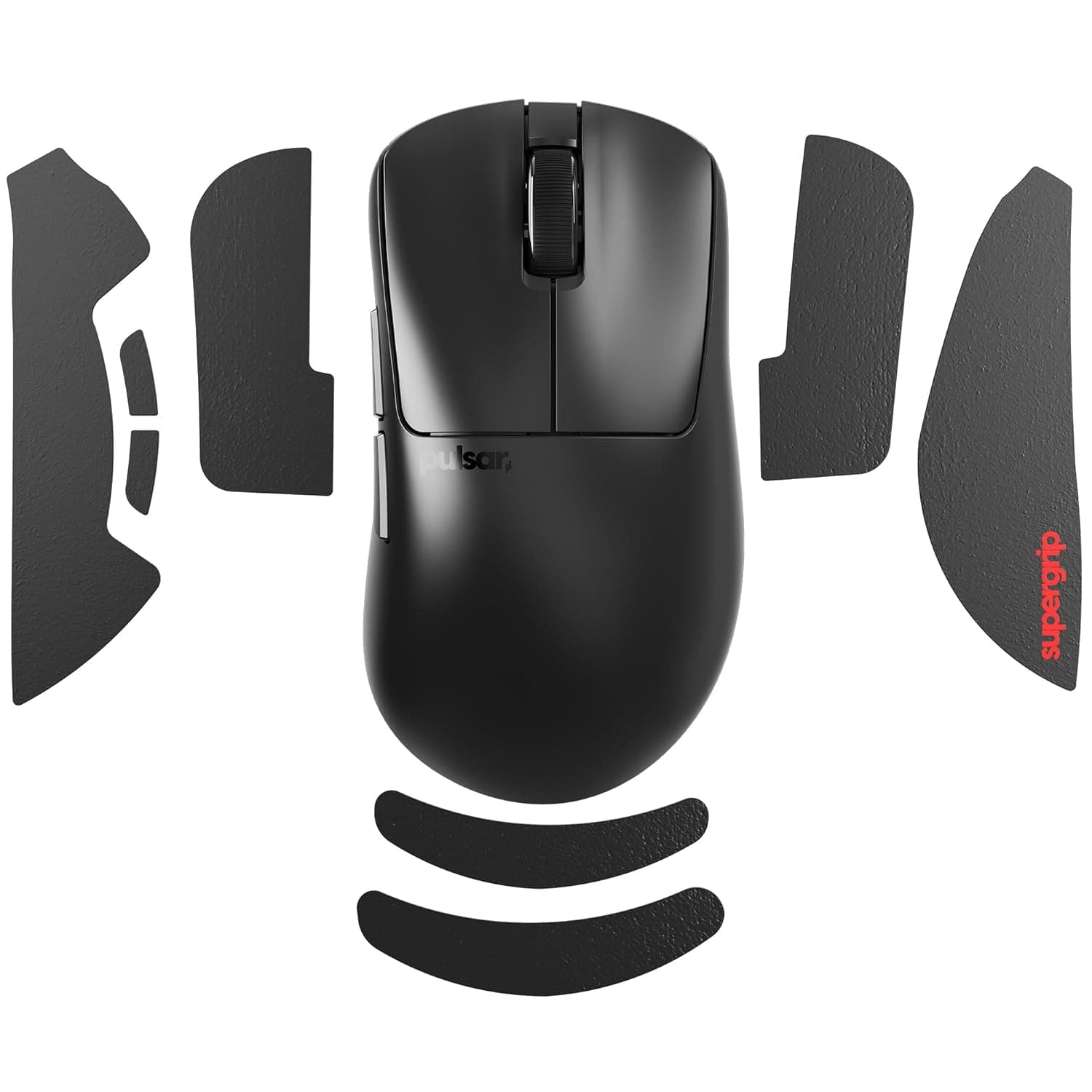
The Pulsar Gaming Gears Superglide Glass Mouse Skate (type S) is an aluminosilicate glass replacement foot made specifically for the Logitech G Pro X Superlight2. The short version: it glides faster than the stock PTFE feet and, crucially, that glide barely changes over time.
It suits competitive players who value low initial friction and a consistent feel. It does not suit players who prize stopping power or quiet operation.
On Amazon.co.jp, the listing carried 90 reviews at 4.1 out of 5 stars (roughly 82% positive) as captured on 25 May 2026.
That is a modest sample compared with mainstream peripherals but healthy for a single accessory. A 4.1 average is the classic "most people love it, some clearly don't" distribution — and the complaints below (too slippery, audible, wears the pad) are the usual reasons for the low scores.
Why glass, and how it differs from PTFE
Stock feet, including Logitech's, are PTFE. PTFE is low friction and quiet, but it abrades: over months the surface wears and the glide changes.
That is why competitive players often say the first week felt best.
Glass removes that variable. Hardened glass is vastly harder than a cloth pad's fibres, so it effectively does not wear — the glide you buy is the glide you keep.
The feel is also qualitatively different: static friction is low enough that the mouse seems to break away instantly rather than after a slight initial resistance.
| Aspect | Stock PTFE | Superglide (glass) |
|---|---|---|
| Break-away | Slight initial resistance | Almost none |
| Wear | Changes over months | Practically unchanged |
| Stopping | Easier to control | Harder, needs adjustment |
| Noise | Quiet | Noticeable scratching sound |
| Pad load | Low | Pad wears out first |
In short, glass trades stopping power and quietness for speed and consistency. The lower your sensitivity — the more you swipe wide and stop hard — the more that trade costs you.
Compatibility Guide
This is a type S skate, meaning G Pro X Superlight2 only. The original G Pro X Superlight and the GPRO Wireless use different foot outlines and cutouts, so cross-fitting is not intended.
Confirm the exact model name before buying.
Pad pairing matters just as much. The manufacturer advises against glass mouse pads: glass on glass drops friction to the point of losing control, and risks scratching both surfaces.
Pair the skates with a cloth pad or a plastic hard pad instead. Control-type cloth pads, with higher surface friction, offset the glass's speed nicely.
Speed-type low-friction cloth or thinly coated hard pads go the other way — expect a few unstable hours at first.
One physical caveat: replacement skates are not guaranteed to match the stock thickness exactly, and even a small difference can affect sensor lift-off distance. If tracking feels off after the swap, re-tuning LOD in the mouse software often resolves it.
Product Info
The material is aluminosilicate (hardened) glass, the colour is black, and the edges are rounded and polished. Rounded edges are essential on glass skates — sharp corners dig into pad surfaces and catch during movement.
Polished edges also mean effectively no break-in period.
Pricing was ¥5,623 as captured on 25 May 2026 (Amazon listing, ASIN B0F2DJPZVY). That is expensive for mouse feet, roughly three times the ¥1,000–2,000 range typical of PTFE replacements.
If you currently replace PTFE feet two or three times a year, the maths works out within one to two years. Prices move with stock and sales, so check the product page for the current figure.
The package contains one set of black skates.
The eBay data shows only "See listing" with no concrete figure. Parallel imports look nearly identical to domestic stock, so prefer a seller whose warranty terms you can verify.
Installation Tips
- Peel the stock feet off slowly with a fingernail or plastic spudger.
Avoid metal blades, which gouge the shell. 2.
Clean off residual adhesive with isopropyl or ethanol and let it dry fully. Skipping this leaves bumps and uneven glide.
Align carefully before pressing down — glass skates lose adhesive strength if repositioned repeatedly.
Press gently for a few minutes to seat the adhesive.
Keep your sensitivity unchanged for the first hour or two.
Changing both at once makes it impossible to tell which caused what.
Best Use Cases
- Competitive FPS/TPS players who find the initial resistance of PTFE gets in the way of sub-centimetre corrections. Low static friction helps most in micro-aim.
- Players frustrated by wear, who dislike re-pasting PTFE every few months and re-learning the feel each time. If consistency alone is worth the money, this fits.
- Mid-to-high sensitivity users who move in small arcs, where the weaker stopping power rarely surfaces.
- Long-term Superlight2 owners. The shape is model-specific, so a new mouse generally means new skates. Buy this if you plan to keep the mouse.
Things to Check Before Buying
The biggest pitfall is overshoot. Glass carries momentum further, so the same flick that used to land on target now sails past it.
Low-sensitivity swipe-and-stop players usually feel their aim degrade for several days to a week. Don't swap right before a tournament or an important ranked session.
The sound changes. Glass on cloth produces a scratchy sound PTFE does not.
It can be loud enough for a voice-chat mic to pick up — a real consideration in shared or late-night spaces.
Your mouse pad becomes the consumable. Glass barely wears, but it abrades the pad surface faster.
"Permanent skates" is true; "zero running cost" is not — the cost moves to pads. Rotating between pads spreads the wear somewhat.
Glass chips. Hardened or not, a drop onto a hard floor or a knock against something metal can chip an edge, and a chipped skate will score your pad.
Replace it immediately if that happens.
Model lock-in. Type S fits the Superlight2 and little else. If a new mouse is on your shortlist, pick the mouse first.
About the listing data. The captured pricing record labels the seller as "Amazon US" while quoting a yen figure (¥5,623, captured 25 May 2026).
Listing mismatches like this happen during automated collection, so before ordering, confirm the seller, the fulfiller, and the shape (type S / Superlight2) using both the product images and the title. Skate listings often bundle several shapes under one page, so double-check the variation selected at checkout.
FAQ
Q. Will it fit the original G Pro X Superlight? A.
Not as intended. Type S targets the Superlight2 outline; the first-generation cutouts differ.
Choose the matching shape instead.
Q. Can I use it on a glass mouse pad? A.
The manufacturer advises against it. Friction drops to the point of poor control and both surfaces risk scratching.
Use cloth or a plastic hard pad.
Q. Do these really last forever? A.
Wear under normal use is negligible, but impacts can chip them. And since the wear shifts to your pad, total consumable cost never reaches zero.
Q. My aim broke after installing. Should I lower sensitivity? A.
Give it a few days at your current settings first — most players re-calibrate naturally. If it still feels wrong, switching to a control-type cloth pad often works better than changing sensitivity.
Q. Is it worth the price over stock PTFE? A.
At ¥5,623 as captured on 25 May 2026 it costs several times a PTFE set. Worth it if you re-paste often or value consistent feel; overkill if you game a few hours a month.
Product Disclosure (Amazon)
- Manufacturer: Pulsar Gaming Gears
- Seller: Amazon US
- Fulfilled by: Amazon US
- ASIN: B0F2DJPZVY
- Note: This article covers a manufacturer-made product based on Amazon listing details.