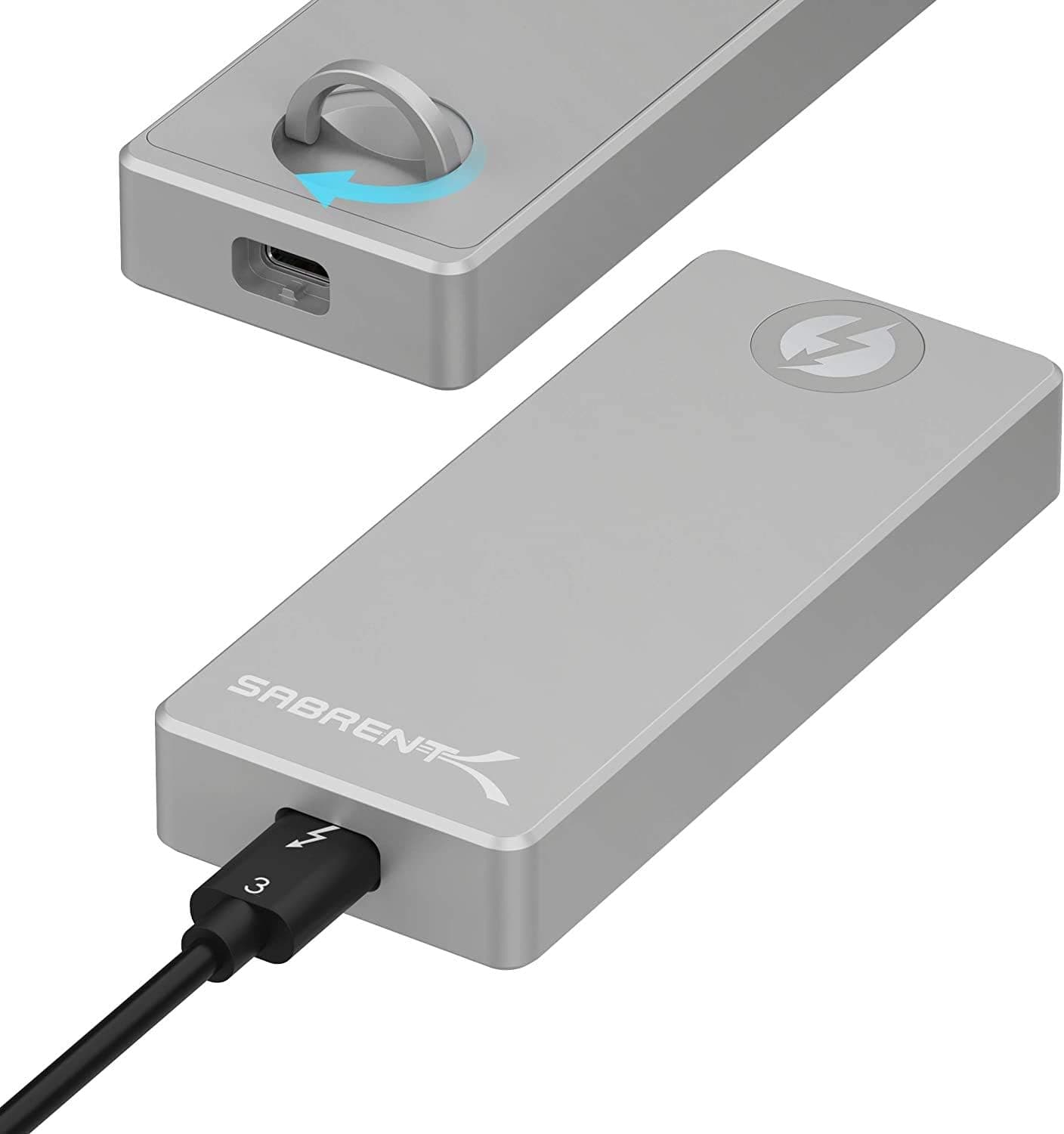
The Sabrent EC-T3NS turns a spare M.2 NVMe SSD into a Thunderbolt 3 external drive.
This article explains what the 1600 MB/s figure actually means, why the Thunderbolt-only interface is the single biggest thing to check before buying, and who should pick something cheaper instead.
Overview
The EC-T3NS is an Intel-certified Thunderbolt 3 enclosure for M.2 NVMe SSDs, rated at up to 1600 MB/s.
Its tool-free design means no screwdriver is needed to install or swap a drive, and the solid aluminum body measures 102 x 38 x 15 mm. It is bus-powered, so no external adapter is required.
The short verdict: this is for people who already have a Thunderbolt 3 port and find USB-attached external SSDs too slow. If that does not describe you, a cheaper USB 3.2 Gen2 enclosure is the rational choice.
Amazon.co.jp shows 858 reviews averaging 4.3 out of 5 (roughly an 86% positive score, captured June 2026), which suggests a consistent product rather than a hit-or-miss one.
The aluminum shell is not just cosmetic — it works as a heatsink. NVMe drives throttle when writing large files continuously, and plastic enclosures often show a speed cliff partway through a transfer.
A metal body with thermal pads helps here.
What 1600 MB/s Really Means
Thunderbolt 3 carries 40 Gbps in total, but the share available to storage is effectively PCIe Gen3 x4 minus protocol overhead. The 1600 MB/s figure reflects that practical ceiling.
Putting a drive that hits 3500 MB/s internally into this enclosure will not reproduce that number externally.
The fair comparison is against other externals, not internal drives. USB 3.2 Gen2 (10 Gbps) tops out near 1000 MB/s in practice; Gen2x2 (20 Gbps) can go higher but host support is limited.
Against that field, 1600 MB/s across both Mac and Windows hosts is genuinely fast.
Latency matters too. Thunderbolt extends PCIe directly rather than translating through a USB bridge, so workloads with many small files — photo catalogs, project files, editing caches — often feel faster than the sequential numbers alone would suggest.
Compatibility Guide
One point dominates everything else: the EC-T3NS is Thunderbolt 3 only and does not work on plain USB-C ports. The connector is physically identical, so the cable will plug in and simply do nothing.
Look for the lightning-bolt icon next to your port before you buy.
| Check | Requirement | Common mistake |
|---|---|---|
| Host port | Thunderbolt 3 required | Confusing it with identical-looking USB-C |
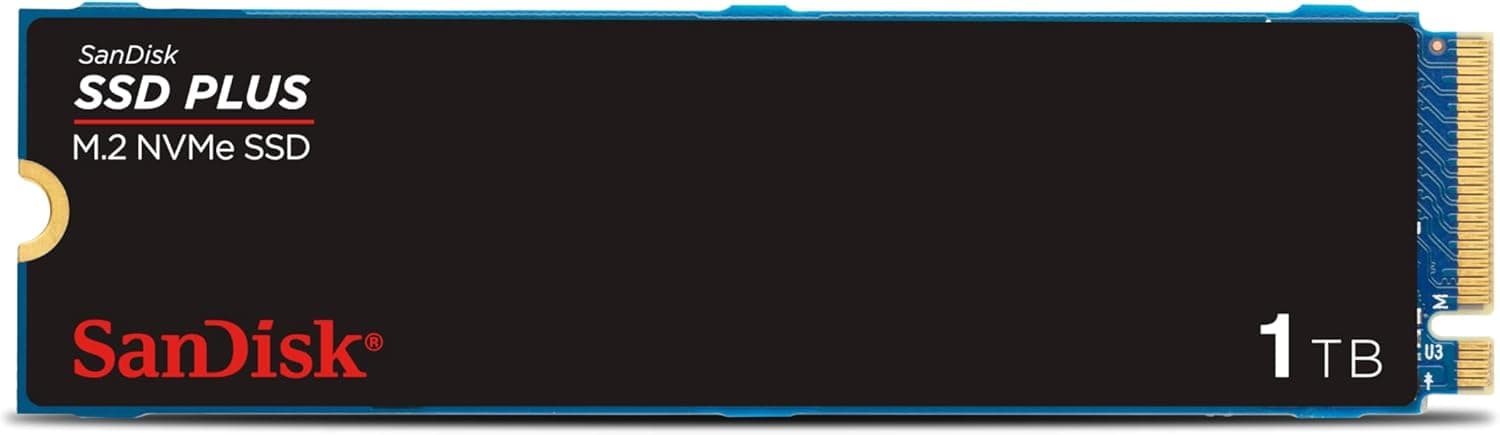
| Drive type | M.2 NVMe (PCIe Gen3 x4) | M.2 SATA drives are not supported |
| Drive size | 2230 / 2242 / 2260 / 2280 | Thick heatsinks may not fit |
| OS | Windows / macOS | Plug and play, no drivers |
| Power | Bus-powered | Drains laptop battery faster |
| Cable | 20 cm detachable included | Replacements must be certified TB cables |
The other frequent mix-up is M.2 SATA.
M.2 slots host both NVMe (PCIe) and SATA drives, and they use different key notches.
This enclosure is NVMe-only, so a leftover SATA M.2 stick will not work.
Confirm your drive's spec sheet says NVMe or PCIe.
On newer machines with Thunderbolt 4 or USB4 ports, Thunderbolt 3 devices generally work through backward compatibility. On Windows, however, BIOS-level Thunderbolt security settings may block unapproved devices, and you may see an authorization prompt on first connection.
A large share of "it doesn't show up" reports trace back to this, so check your Thunderbolt management panel.
The 20 cm cable is fine beside a laptop but short for desk use. It is detachable, but a replacement must be a certified Thunderbolt cable, not just a USB-C cable — another common and frustrating error.
Product Info
Key specs: Thunderbolt 3 interface, up to 1600 MB/s, support for 2230 / 2242 / 2260 / 2280 M.2 NVMe drives, aluminum enclosure, 102 x 38 x 15 mm, bus-powered with no external supply.
The box includes a 20 cm detachable Thunderbolt 3 cable and a quick-start guide. It launched around 2020 and sits in the mid-to-high-end segment.
On pricing, Amazon.co.jp listed it at ¥21,369 as captured on 12 June 2026, and an eBay listing showed $69.99 as captured on 15 July 2026.
Both are point-in-time figures and move with sales, exchange rates, and seller. Always check the current price on the product page.
Note that the source data repeats the same yen price under an "Amazon US" label, which looks like a collection duplicate — verify overseas pricing directly at the store.
Remember the SSD is a separate purchase. Around ¥21,000 for an empty enclosure looks expensive next to a finished portable SSD.
What you buy instead is speed plus the freedom to choose and later swap the drive inside.
The 4.3-out-of-5 average across 858 reviews (captured 4 June 2026) points to solid fundamentals, with the missing fraction lining up with the caveats below: heat, cable length, and the Thunderbolt-only restriction.
How It Compares
There are three realistic alternatives. USB 3.2 Gen2 NVMe enclosures cost a fraction as much but cap out near 1000 MB/s.
Finished portable SSDs are simpler and cheaper per terabyte but fix your choice of drive. Thunderbolt 3 enclosures like this one cost the most and win on throughput and latency.
The deciding question is whether the difference shows up as saved time. Moving 100 GB at 1000 MB/s versus 1600 MB/s differs by roughly a minute.
Do that several times a day and the premium pays back; do it monthly for backups and a USB enclosure is plenty.
Things to Know Before Buying
The USB-C incompatibility is the big one. Buying on the assumption that any USB-C port will do is the most common failure with this class of product.
Thunderbolt 3 is limited to MacBook Pro models from 2016 onward and Windows laptops or boards that explicitly advertise it.
An aluminum body does not mean heat is a non-issue. Metal moves heat out; it does not create less of it.
Write several hundred gigabytes continuously and the case can get uncomfortably hot to hold. Keep it on a hard desk surface rather than fabric during long transfers.
Bus power comes out of your laptop battery. Convenient on the road, but heavy transfers away from an outlet will drain the host noticeably faster.
No SSD is included. Obvious in principle, still a regular surprise in practice.
Also check thickness: drives with pre-attached heatsinks may not fit, and the heatsink may need removing.
There is no RAID or standalone cloning. If you want mirroring or PC-free drive-to-drive copies, buy a multi-bay clone dock instead.
Finally, listing metadata is not always reliable. Amazon product pages sometimes carry specs or model numbers from other items, and the source data for this article showed an inconsistency in the overseas price field.
Before ordering, confirm from the product images and title that the listing says both "Thunderbolt 3" and "NVMe".
Who It's For
It suits video editors and photographers who move tens to hundreds of gigabytes of project data daily. Thunderbolt's bandwidth and low latency make editing directly off the external drive practical rather than painful.
It also fits Thunderbolt 3 MacBook owners who cannot upgrade internal storage. You stop worrying about free space, and the drive carries over to your next machine.
Tool-free swapping pays off for anyone who rotates multiple SSDs — test environments, separate OS installs, per-client project drives. Conversely, if you just want a permanently connected backup target, this price tier is hard to justify.
FAQ
Q. Can I use it on a regular USB-C port? A.
No. The connector matches, but the host must provide Thunderbolt 3 (or a backward-compatible Thunderbolt 4 / USB4 port).
Q. Does it accept M.2 SATA SSDs?
A. No — M.2 NVMe (PCIe Gen3 x4) only.
Q. Is an SSD included?
A. No. This is an enclosure only; supply your own M.2 NVMe drive.
Q. Will I actually see 1600 MB/s? A.
That is the rated ceiling. Real speed depends on the SSD, host, file sizes, and temperature; long sustained writes can throttle.
Q. Mac and Windows both? A.
Yes, with no drivers needed. Windows machines may require approving the device on first connection due to Thunderbolt security settings.
Q. Can I use a longer cable? A.
Yes, the cable is detachable, but it must be a certified Thunderbolt cable. A look-alike USB-C cable will not work.
Product Disclosure (Amazon)
- Manufacturer: SABRENT
- ASIN: B08FT59SB6
- Note: This article covers a manufacturer-made product based on Amazon listing details.