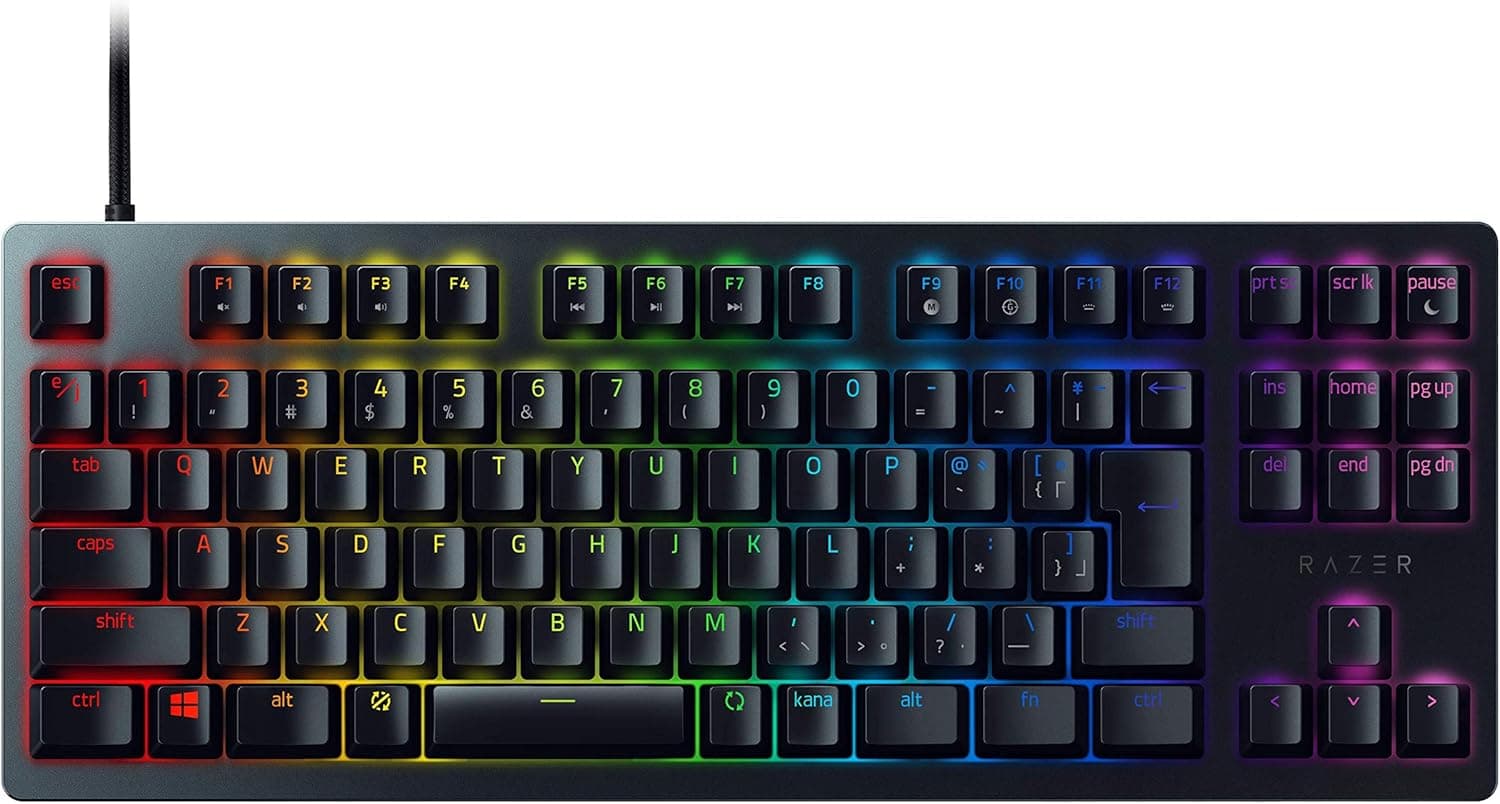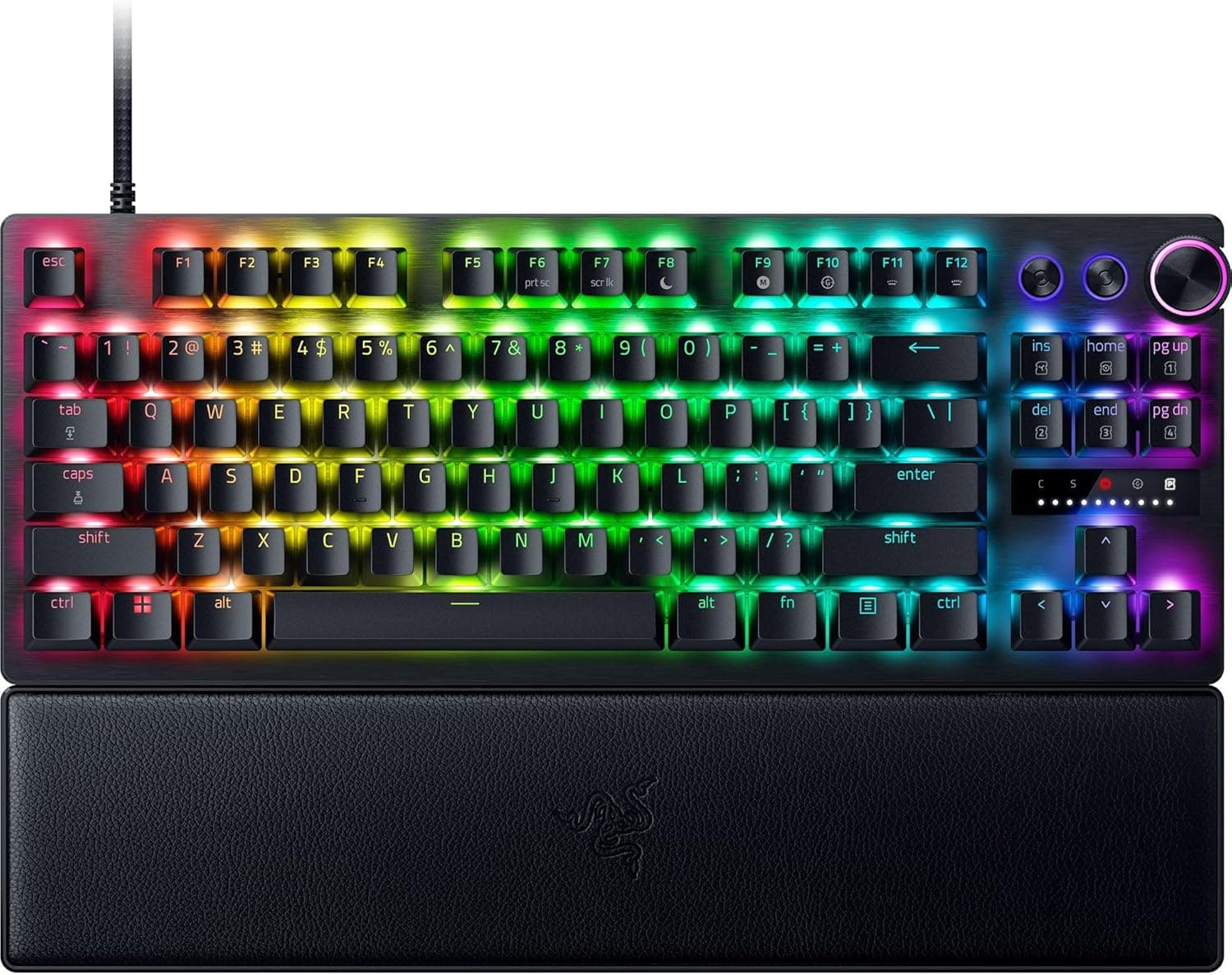
The Razer Huntsman V3 Pro Tenkeyless JP is a Japanese-layout TKL keyboard built around 2nd Gen Razer Analog Optical switches, with actuation adjustable from 0.1mm to 4.0mm in 0.1mm steps and Rapid Trigger support.
This article covers what those specs actually mean in use, the compatibility details people trip over, and — just as importantly — who should not buy it.
Overview
Everything about this keyboard revolves around one spec: adjustable actuation from 0.1mm to 4.0mm.
Conventional mechanical switches fire at a fixed point (typically around 2.0mm) and need a set amount of travel before resetting.
Analog optical switches read key depth as a continuous value, so both the trigger point and the reset point can sit anywhere you choose. Rapid Trigger builds on that, cutting the input the instant you begin lifting the key.
The target audience is competitive FPS and TPS players. If you play CS2 or VALORANT and want to shave the dead time out of counter-strafing — releasing A and pressing D — this feature aims directly at that.
If that scenario is not part of your play, the feature is largely inert, which is the core of the buying decision discussed below.
Actuation force is 40g. Common linear switches sit around 45g, so this is slightly on the light side.
Light switches reduce finger fatigue, but paired with a very shallow actuation setting they also make accidental inputs easier — read the 40g figure as both a comfort spec and a reason to tune carefully.
The Amazon.co.jp listing showed 266 reviews at 4.4 out of 5 stars (88% positive) as captured in late May 2026.
That is not a huge sample, but it is enough to read a trend for a niche high-end product.
Getting Rapid Trigger and Actuation Right
The first thing to do after unboxing is to stop treating every key the same. Push actuation toward 0.1mm across the board and simply resting your fingers will register inputs.
A practical starting configuration is shallow actuation plus Rapid Trigger on the WASD cluster only, with everything else left at a normal depth. The 0.1mm granularity exists precisely so you can build per-key setups like this.
It also helps to separate two ideas. Analog input uses key depth as a range, like a gamepad stick — useful for throttle control in racing and action titles.
Rapid Trigger is about how fast on becomes off — useful in shooters. Both come from the analog switch, but they pay off in different games.
Configuration runs through Razer Synapse. Whether profiles persist in onboard memory can vary by setup and generation, so if you plan to move the board between multiple PCs, confirm current behavior on the product page before buying.
Compatibility Guide
The stated requirement is a Windows PC with a USB-A port. The connection is wired USB-A only — no Bluetooth, no 2.4GHz wireless.
Check this first: if your desk is built around wireless peripherals, this board is out.
Many recent cases and laptops expose only USB-C on their front and side ports. If your USB-A ports are full or absent, you will need a USB-C adapter or a hub.
For gaming, plugging directly into a motherboard USB-A header is the safer route for consistent polling.
Physical size is 36.3 × 13.9 × 3.9cm.
That is typical width for a TKL; moving from a full-size board frees up roughly 8–10cm of desk. Note that the 13.9cm depth is the board alone — the included wrist rest extends the footprint toward you.
On shallow desks or keyboard trays, plan around the combined depth.
The Japanese layout needs one setup step. If Windows is still set to a US (101/104) layout, the printed symbol keys will not match what you type.
Set the keyboard layout to Japanese (106/109) under Language & Region. Also be aware that the JP layout has a short right Shift and dedicated conversion keys flanking a shorter spacebar — expect a few days of adjustment if you are coming from US layout.
| Item | This board | Watch out for |
|---|---|---|
| Connection | Wired USB-A | Adapter needed on USB-C-only builds |
| OS | Windows PC | Synapse-dependent features assume Windows |
| Footprint | 36.3 × 13.9 × 3.9cm | Wrist rest adds depth |
| Layout | Japanese (TKL) | Set Windows layout to 106/109 |
| Switches | 2nd Gen analog optical | Not built for hot-swap tinkering |
Product Info
Core specs: 2nd Gen Razer Analog Optical switches, 0.1–4.0mm actuation in 0.1mm steps, 40g actuation force, 100-million-keystroke lifetime, wired USB-A, per-key RGB backlighting, 36.3 × 13.9 × 3.9cm, tenkeyless Japanese layout.
A wrist rest is included.
The 100-million-keystroke rating comes from the optical design. Instead of judging actuation with a physical metal contact, the switch reads a broken light beam, removing contact wear as a failure mode.
Typical mechanical switches are rated for 50–100 million, so this sits at the upper end.
The Amazon.co.jp listing showed ¥32,980 as captured on 29 May 2026.
That is clearly premium territory for a keyboard — the same budget buys two or three solid conventional mechanical boards. Prices move often and drop during sales, so check the product page for the current figure.
This is the version distributed with official Japanese importer warranty coverage.
Its real market position is narrower than it first appears: among analog-switch, Rapid-Trigger boards, very few come from a major brand in a Japanese layout with domestic warranty support. Much of this category is English-layout only or comes from smaller overseas makers, so adding those constraints shrinks the field fast.
How It Compares
Three questions sort out the comparison. Do you need Rapid Trigger at all?
If so, do you need a Japanese layout? And what size layout do you want?
Rapid Trigger options have multiplied in recent years, many using magnetic Hall-effect switches. The sensing principle differs from optical, but the user-facing features — adjustable actuation and Rapid Trigger — feel broadly similar.
Prices across that field vary widely, so if Rapid Trigger alone is the goal, cheaper options are worth a look.
If you can live with a 60% or 75% layout, the field opens further. If you need dedicated function and arrow keys and type Japanese regularly, the TKL JP niche is where this board earns its place.
Decide which constraint you refuse to give up first, and the choice gets easy.
Who It's For
The clearest fit is a player who logs regular hours in CS2, VALORANT, or Apex Legends and wants to shave milliseconds off counter-strafing and tap firing. This is where Rapid Trigger is genuinely felt, and where the price starts to look justified.
Second: anyone who will not compromise on a Japanese layout. If you type Japanese daily, use the same board for work, and have no plans to switch to US layout, the list of Rapid Trigger boards that fit shrinks dramatically — and this one is on it.
Third: people who enjoy tuning. Per-key actuation, per-game profiles, lighting — if that process is fun rather than a chore, the 0.1mm granularity gives you plenty to work with.
If you want to unbox it and never open software again, you will use maybe half of what you paid for.
It also suits anyone reclaiming desk space who still wants physical function and arrow keys. TKL has stayed popular for exactly that compromise.
Setup Steps
Plug the USB-A cable into a motherboard port rather than a hub.
Confirm Windows is set to the Japanese (106/109) keyboard layout.
Install Razer Synapse and check for firmware updates.
Start with all keys at a normal actuation depth (around 2.0mm) and use it as an ordinary keyboard for a while.
Shallow out WASD only and enable Rapid Trigger.
Begin near 1.5mm and step down until you find the shallowest point that does not misfire.
- Save separate profiles per game.
Plenty of people jump straight to the shallowest setting, decide it feels unusable, and give up. Work down gradually instead.
Before You Buy
Rapid Trigger is not a universal upgrade. It pays off when you rapidly toggle movement keys in competitive shooters.
In MMOs, RTS titles, simulators, or general typing, it does essentially nothing. What justifies the premium is not the feature itself but whether your games use it — so check your library first.
If you mostly play RPGs and adventure games, I would not recommend this board.
Wired USB-A only is a real compromise. If a permanent cable on your desk is unacceptable, look elsewhere.
On USB-C-only systems you will need an adapter, which adds one more thing that can go wrong.
The switches are not meant to be swapped. If your goal is tuning typing feel or changing switches later, a hot-swap mechanical board fits that better.
The value here lives in the switch itself; wanting to replace it means the product choice is off.
The light 40g force plus shallow actuation invites misfires. Buying purely for "light means less fatigue" can backfire once you tighten actuation and your resting fingers start registering.
Use the gradual tuning process above to find your own floor.
These are not silenced switches. Linear switches are dominated by bottom-out noise, and that can matter on voice chat or in a shared room.
If quiet operation is your top priority, consider something else.
Verify the listing details yourself. Amazon product pages occasionally carry registration data — manufacturer, model number, layout, bundled items — that does not match the actual product.
This model in particular ships in both JP and US layouts and in full-size and tenkeyless versions, so confirm "JP" and "Tenkeyless" in the title and images before ordering. Parallel-import units may fall outside the official Japanese warranty.
Prices change. The ¥32,980 figure here was captured on 29 May 2026 and moves with sales and stock.
Always confirm the price at purchase.
FAQ
Q. Does Rapid Trigger really improve results? A.
Only for actions that rapidly toggle keys — counter-strafing and stopping. It does not improve aim itself.
Think of it as removing the keyboard's share of input delay. Advanced players already bottlenecked there will notice it most.
Q. Does it work on a Mac? A.
The stated requirement is a Windows PC with a USB-A port, and software-dependent features assume Windows. Check the product page for current Mac support details.
Q. What actuation setting should I use? A.
There is no single right answer. A workable starting point is shallow movement keys and normal depth elsewhere.
Begin near 1.5mm and step down until resting your fingers no longer triggers input.
Q. Is there a performance difference between JP and US layouts? A.
None in switch or Rapid Trigger performance. The difference is symbol placement and the length of right Shift and the spacebar.
Type Japanese often, pick JP; want a longer spacebar, pick US.
Q. How long does a 100-million-keystroke rating last? A.
Optical switches have no metal contacts to wear, placing them at the long-lived end of the range. In practice the cable or keycaps usually show wear before the switches do.
Q. Is the wrist rest necessary? A.
It detaches, so it is your call. But the 3.9cm body height is not low profile, and without the rest your wrists tend to angle upward during long sessions.
Try it attached first and adjust to your desk and chair height.
Product Disclosure (Amazon)
- Manufacturer: Razer(レイザー)
- Seller: Amazon.co.jp
- Fulfilled by: Amazon.co.jp
- ASIN: B0CLGV79TS
- Note: This article covers a manufacturer-made product based on Amazon listing details.