Overview
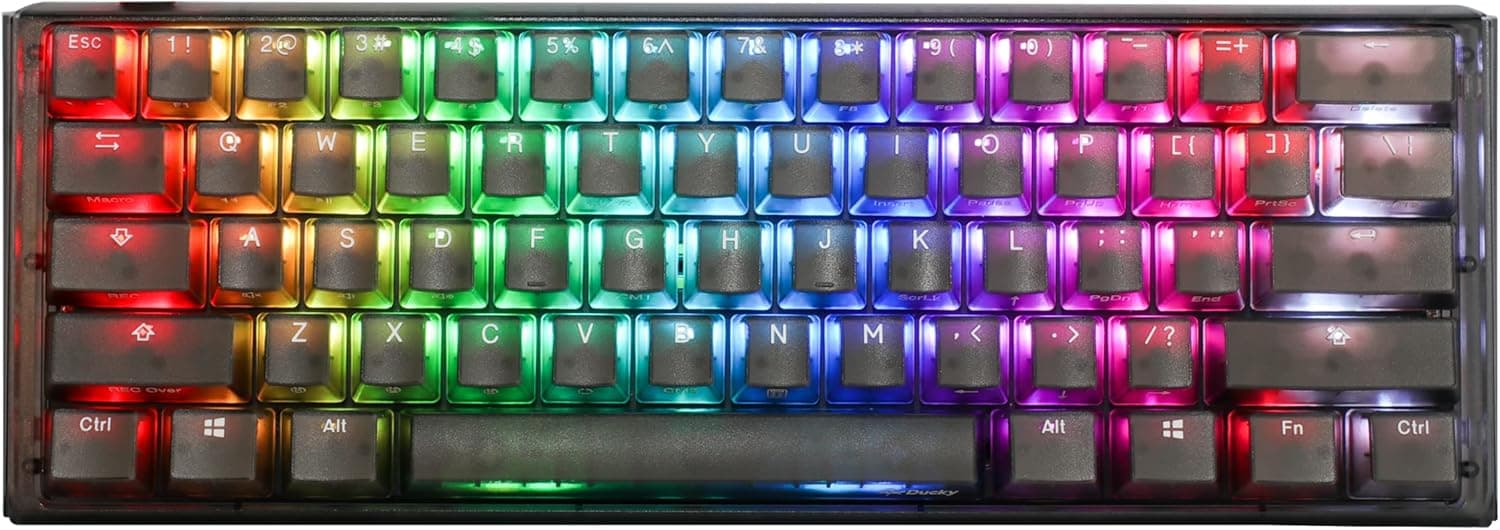
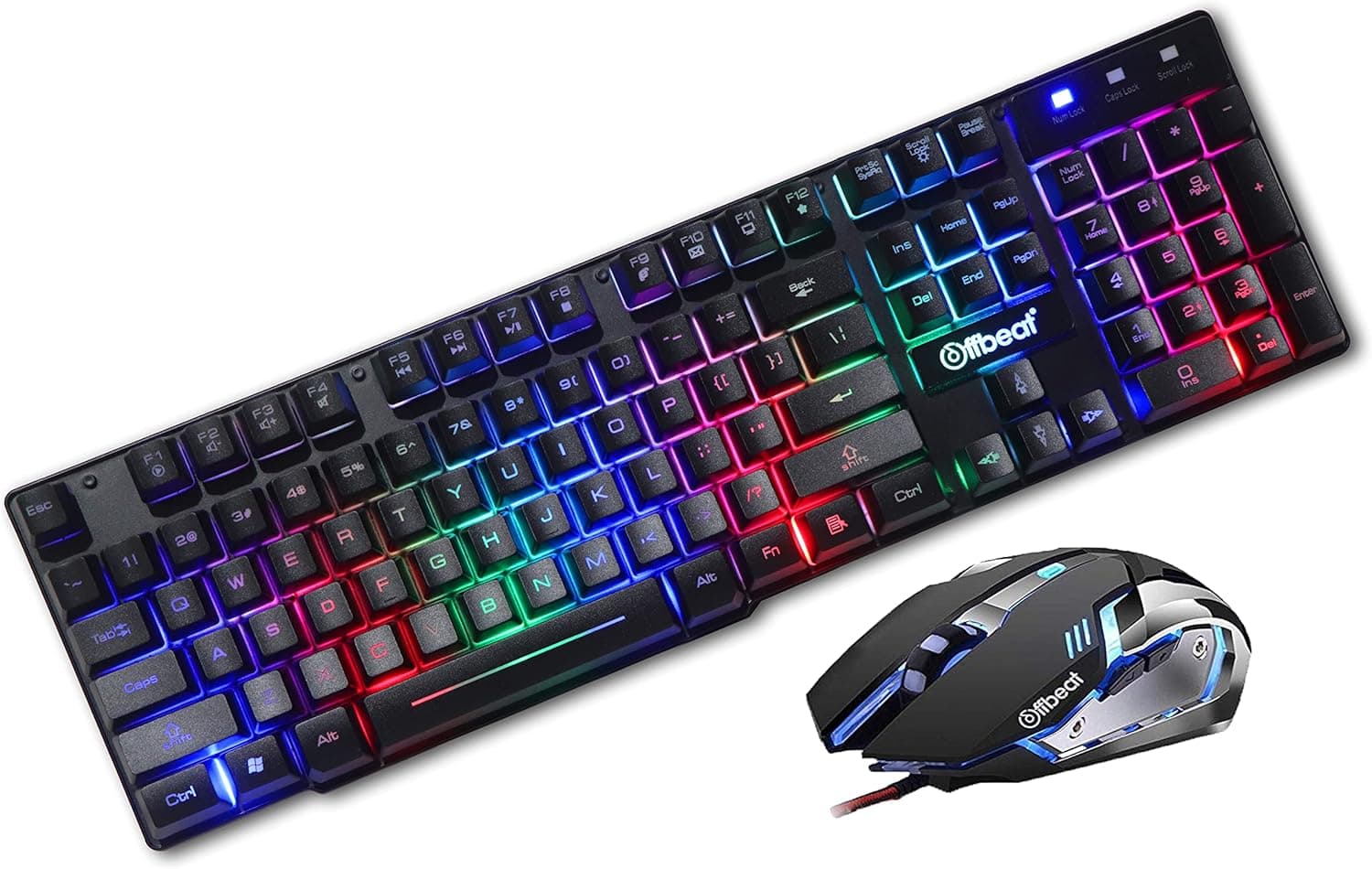
The Offbeat Slayer wired gaming keyboard and mouse combo exists for one purpose: getting a complete set of gaming input devices onto a desk for the smallest possible outlay. The keyboard has 19-key anti-ghosting and RGB backlighting; the mouse is a four-button unit with a 3200 DPI maximum across four steps.
Both connect over USB and need no driver install. On Amazon.co.jp the listing carries 867 reviews at an average of 3.9 out of 5 (78% positive) — squarely a price-appropriate score, not a hidden gem.
The short verdict: this is a sensible first kit for someone who wants to start playing today and would rather not spend on peripherals yet. It is not the right buy for competitive FPS players, for anyone who cares about switch feel, or for anyone who wants macros and key remapping.
The sections below explain why.
What "Mechanical Feel" Actually Means
The most misread part of this product is the phrase "mechanical feel" in its name. It does not mean mechanical switches.
It is the standard marketing wording for a membrane (rubber dome) keyboard given keycap shapes, travel, and sound that imitate a mechanical board.
Three differences matter in practice. Durability: membrane keys are typically rated in the low millions of presses, while mechanical switches commonly claim 50–100 million — a change of magnitude, not degree.
Serviceability: a worn membrane key cannot be replaced, whereas hot-swap mechanical boards let you swap a single failed switch. Consistency: membrane keys often actuate unevenly depending on where on the cap you press, so off-centre presses can feel mushy or drop.
Membrane is not simply worse, though. It is quieter, far cheaper, and usually more tolerant of dust and spills.
Bought with clear eyes, this board is fine value. The disappointment comes from expecting real switches because of the product name.
Reading the 19-Key Anti-Ghosting Spec
"19-key anti-ghosting" means 19 specific keys are protected against input conflicts — it is not full NKRO (N-key rollover), where every key registers simultaneously.
Manufacturers rarely publish which 19 keys are covered, but on boards of this type the protected set is almost always the WASD cluster plus its frequent gaming companions: Shift, Ctrl, Space, Q, E, R and similar. So the classic FPS combination — move, crouch, sprint, reload — will register reliably.
What drops out is anything outside that cluster: MMO and MOBA play with many skills bound across the number row, shortcuts involving F-keys or the numpad, and fighting-game inputs that press four or more widely separated keys at once. If your genre lives in that territory, buy a board that explicitly states full N-key rollover instead.
Judging a 3200 DPI Mouse
On paper, 3200 DPI looks feeble next to current gaming mice advertising 26,000 or 30,000 DPI. In practice, the raw DPI ceiling is not the limiting factor for almost anyone.
At 1080p and 1440p, most FPS players actually run somewhere between 800 and 1600 DPI, so 3200 leaves headroom rather than falling short.
What genuinely separates cheap sensors from good ones is tracking under fast movement, whether acceleration or smoothing is applied, click consistency, and the physical factors — weight and cable drag. At this price you should not expect parity with premium mice.
The cable in particular is usually a stiffer rubber type rather than a soft braided one; if you feel it snagging on the pad, a cheap mouse bungee fixes most of it.
Four buttons typically breaks down as left, right, wheel click, and a DPI toggle — or a single side button. If your workflow assumes two side buttons for forward/back, check the product images before ordering.
Compatibility Guide
This is a USB-A wired set for Windows and macOS. You need two free USB-A ports, one per device, and that trips people up more often than expected.
On a USB-C-only laptop or a mini PC with its ports already occupied, you will need a hub or a USB-C adapter. A bus-powered hub is fine — neither device draws meaningful current.
Game consoles (PlayStation, Xbox) are not guaranteed by the manufacturer. Some consoles accept USB keyboards for chat entry, but in-game control support is decided by each title, not by this product.
If console use is the plan, look elsewhere.
No driver install is required. The flip side of that convenience is that no companion software exists — which means no macros, no key remapping, no fine RGB control, and no custom DPI values.
Keyboard lighting cycles through preset patterns via an onboard shortcut (usually with Fn); the mouse LED runs a fixed breathing effect. If you must remap keys, use an OS-level tool such as PowerToys Keyboard Manager on Windows.
The keyboard cable is roughly 1.8m, which is enough for a PC sitting under a typical desk.
If you route cables behind a monitor arm, or the tower sits away from the desk, measure the actual path first — 1.8m disappears quickly.
Product Info
| Spec | Value |
|---|---|
| Anti-ghost keys | 19 keys |
| Mouse max DPI | 3200 (4 steps) |
| Connection | USB wired |
| Backlight | RGB (breathing mode) |
| Keyboard cable | Approx. 1.8m |
| Mouse buttons | 4 |
On pricing: Amazon.co.jp listed ¥9,791 as captured on 30 May 2026, and eBay US listed $18.00 as captured on 8 July 2026.
Both are point-in-time figures and move with sales and stock. The gap between them is wide enough that currency, shipping and import costs do not fully explain it — the overseas marketplace entry may well be a different configuration or batch under a similar name.
Treat these numbers as confirmation that this is an entry-class combo rather than as the price you will pay, and check the listing immediately before ordering.
Reviews stood at 867 with a 3.9/5 average (78% positive) as of 30 May 2026.
Crossing 800 reviews is unusual for an unbranded product at this tier and at least argues against a catastrophically defective run. But 3.9 is the "neither delighted nor annoyed" band; mainstream gaming keyboards from established brands cluster around 4.3–4.5, so set expectations accordingly.
Best Use Cases
- New PC gamers assembling a first setup. Buying the pair together costs less than two separate entry devices and looks consistent. Play on it, find out which genres actually hold your attention, then replace the piece that limits you — usually the mouse first. That is a shorter path than it looks.
- Secondary machines, a family PC, a spare box at work. There is no reason to park expensive peripherals on a machine you rarely use, and a wired driver-free set always works after months of sitting idle.
- Shared or kids' PCs. Cheap enough to replace without regret, and membrane keys are relatively quiet.
- Anyone curious about RGB. A small way to find out whether lit peripherals are your taste.
Before You Buy
This is where the decision actually gets made. Skip this product if any of the following apply.
You expect real mechanical switches. As covered above, this is a membrane board imitating one.
Choosing linear/tactile/clicky feel, swapping switches, and fitting aftermarket keycaps (the stems are likely not Cherry MX compatible) are all off the table.
You play competitive FPS or fighting games seriously. Beyond the anti-ghosting limits, polling rate and input latency are not published.
Unpublished does not mean bad, but it does mean running on assumption in the part of the chain that decides rounds.
You want macros or remapping. No software, so not from the keyboard itself — you would rely on OS-level tools.
You require a JIS (Japanese) layout. The listing does not state the layout.
Imported entry combos are frequently US ANSI, which changes symbol placement and removes the conversion keys. Check the Enter key shape in the listing photos before ordering — tall/L-shaped suggests JIS, wide and flat suggests US.
You are counting on long-term durability. Coverage in practice follows the retailer's return policy rather than a manufacturer warranty.
Budget for this as a consumable rather than a multi-year purchase.
One more thing: do not take the listing's own metadata at face value. Amazon pages sometimes carry manufacturer, model, or ASIN details that conflict with the item shipped, and a single page can mix variants (keyboard-only, combo, colour options).
At the time of writing, ASIN B08R1RLPSR lists Offbeat as the manufacturer, which is consistent with this product — but sellers rotate over time. Confirm from the product images and title that you are ordering the two-piece keyboard-and-mouse set before you check out.
First Things To Do After It Arrives
- Plug both into ports on the PC directly and confirm detection.
Testing through a hub first makes fault isolation harder later. 2.
Press every key once in a text editor. Most defective units reveal themselves here.
- Test the key combinations you actually game with — move + crouch + sprint + reload, three or four keys at a time — and check nothing drops.
Do this inside the return window. 4.
Cycle the four DPI steps and pick one. If none fit, fine-tune with the OS pointer speed setting.
FAQ
Q. Is this genuinely a mechanical keyboard? A.
No. "Mechanical feel" describes a membrane board tuned to feel mechanical.
You cannot choose or swap switches.
Q. Is 19-key anti-ghosting the same as NKRO? A.
No. Only 19 keys are protected.
Pressing many keys outside that group at once can drop inputs — a real concern for number-row-heavy MMO and MOBA play.
Q. Will it work on PS5 or Xbox?
A. The manufacturer does not guarantee console operation. Buy it for PC.
Q. Is 3200 DPI enough for FPS? A.
Numerically, yes — most players run 800–1600 DPI at 1080p/1440p. The real differences at this price are sensor tracking and click consistency, not the DPI ceiling.
Q. Can I remap keys? A.
Not from the keyboard, since there is no software. Use an OS-level tool such as PowerToys Keyboard Manager on Windows.
Q. Which keyboard layout is it?
A. The listing does not say. Check the Enter key shape in the product photos before ordering.
Product Disclosure (Amazon)
- Manufacturer: Offbeat
- Seller: Royal Ecommerce-Jp
- Fulfilled by: Royal Ecommerce-Jp
- ASIN: B08R1RLPSR
- Note: This article covers a manufacturer-made product based on Amazon listing details.