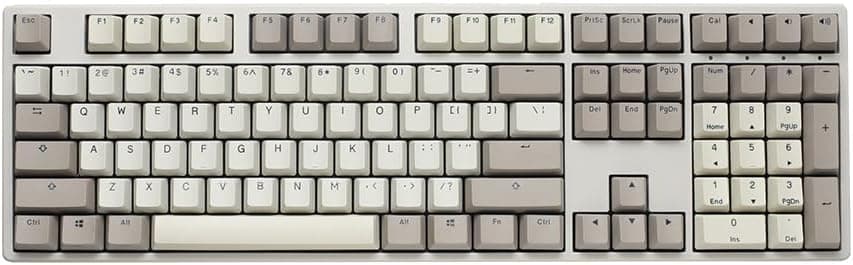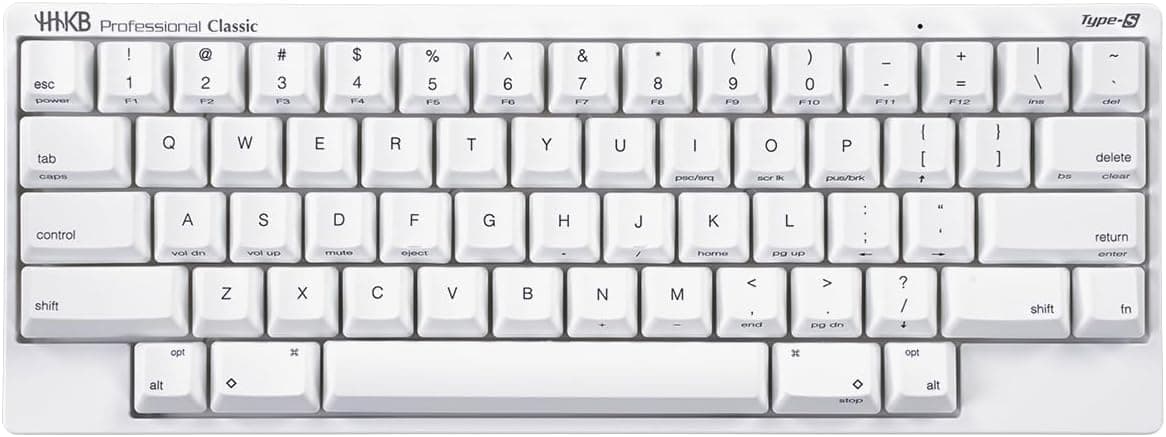
This article looks at the PFU HHKB Professional Classic Type-S (English layout, Snow) beyond the spec sheet: what it actually does well, and where you have to compromise.
Overview
The HHKB Professional Classic Type-S in English layout is a wired-only, USB Type-C keyboard that pairs electrostatic capacitive contactless switches with the Type-S silenced structure. In short, it is for people willing to spend serious money on typing feel and layout efficiency — not for gamers or for anyone shopping on features per yen.
On Amazon.co.jp it holds 4.5 stars across 27 reviews (90% positive, captured May 2026).
The sample is small, but the rating is high. HHKB is also famously polarizing, so understanding the layout quirks before you buy matters more here than with most keyboards.
Below: compatibility, where the price sits, how it compares to alternatives, and the pitfalls people hit after purchase.
Compatibility Guide
Connection is wired USB Type-C only — no Bluetooth, no 2.4GHz wireless.
The keyboard end is Type-C and your PC can take either USB-A or USB-C, with a USB-A cable included. The vendor lists Windows, macOS and Linux support, and all three recognize it with stock drivers, so no software install is required.
| Item | Value |
|---|---|
| Switch type | Electrostatic capacitive contactless |
| Layout | English (QWERTY) |
| Connection | Wired USB Type-C |
| Tilt adjustment | 3 stages |
| Form factor | 60% / Compact |
What matters in daily use is that keymap changes live on the board itself, via DIP switches and key combinations. Your settings travel with the keyboard, which is ideal for locked-down work PCs or for moving between machines.
The flip side: you cannot build arbitrary layers in a GUI.
On macOS you switch to the Mac-oriented arrangement with the DIP switches. If you hop between Windows and macOS on one keyboard, decide up front whether you will flip DIP switches each time or remap modifiers at the OS level.
The three tilt stages let you match the angle to your wrist rest, or lack of one.
It works through hubs and docks, but being wired-only, a cable is always part of the picture. If you want a cable-free desk, stop here.
Product Info
As captured on 27 August 2026, the Amazon.co.jp price is ¥29,800 including tax.
The same listing showed ¥29,800 back on 30 May 2026, so it held steady over that stretch. Sales and point rebates still move the effective price — check the product page before buying.
On eBay US, a listing at $383.33 was captured on 8 July 2026, clearly above the domestic price and consistent with import markup.
Since the product is sold normally in Japan, importing makes little sense.
The warranty is one year from the manufacturer, and the only accessory is the USB Type-C cable — no keycap puller, no wrist rest. It sits mid-to-high end, roughly two to three times the price of a typical mechanical board, but capacitive switches have no physical contacts and are structurally resistant to chatter, so the cost per year of ownership is lower than the sticker suggests.
How to Read the Feel and the Silence
Type-S means quieter, not silent. The structure damps bottom-out noise and spring ping, and it is dramatically quieter than a clicky mechanical, but slam the keys and you will hear them.
For being considerate in an office or on a video call, it does the job.
Capacitive switches actuate before full travel, so once you learn a light touch, finger fatigue drops noticeably. Conversely, if you enjoy a crisp mechanical click or the weight of a linear switch as feedback, this can feel insubstantial.
That is preference, not quality — try one in a store if you can.
Versus the Alternatives
Among capacitive boards, REALFORCE is the direct rival: more sizes, tenkey options and weight choices, better if you refuse to give up keys. HHKB commits fully to 60% and its own layout — your hands never leave the home row, but you lose dedicated arrows and function keys.
The question is whether you will learn a layout to cut hand movement.
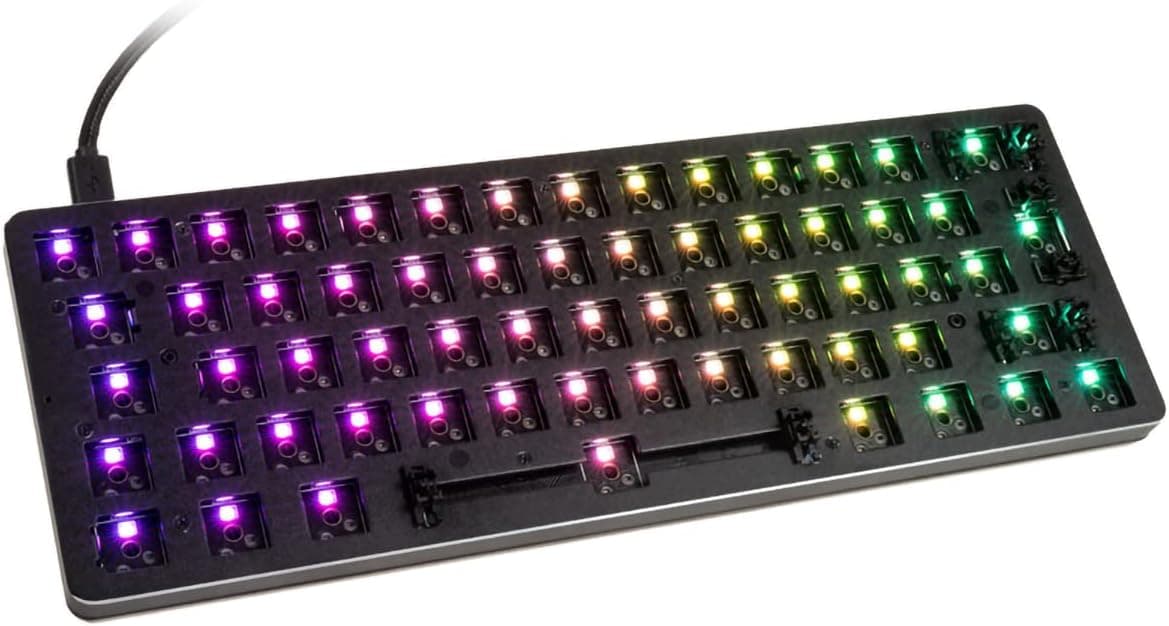
By shape alone it lines up with gaming 60% boards like the HyperX Alloy Origins 60 or Razer Huntsman Mini, but the character differs: those sell RGB, fast actuation and deep software control, and cost less. HHKB wins where you type for hours — prose and code.
If hot-swap tinkering is the appeal, a Keychron C1 style mechanical is the honest answer. HHKB is not built around swapping switches; it is one finished feel meant to last.
Best Use Cases
Programmers and engineers gain most: Control sits left of A, putting Emacs, Vim and shell bindings under a relaxed pinky and cutting hand travel across long sessions. The more terminal work you do, the bigger the payoff.
Writers and bloggers get the quiet, light keystroke — usable in cafés, shared offices, or late at night without waking the house.
Minimalists and multi-machine users fit too. Wired and self-contained, it reproduces the same key map anywhere you plug it in, and at just over half an A4 sheet it genuinely travels.
Before You Buy
The real hurdle is the English 60% layout itself. Arrows, function keys and some Delete behavior live behind Fn, so your muscle memory resets.
Expect days to weeks of adjustment — this is not a keyboard that speeds you up the morning after it arrives. Do not switch right before a deadline.
Japanese input needs planning: an English layout has no hankaku/zenkaku key, so you must assign a toggle at the OS level or with a utility. If you mainly type Japanese and do not want that setup work, a JIS-layout model or a REALFORCE will serve you better.
No wireless is the other common post-purchase regret. If you want to pair with an iPad or phone, or clear cables off the desk, this model does not meet the requirement — the series has wireless variants, so start there instead.
Customization has a ceiling. DIP switches and key combos cover a fixed set of changes; arbitrary macros and stacked layers are not part of the design, and the board is not built for keycap or switch swapping.
Tinkerers should look elsewhere.
For gaming, the missing keys hurt. Titles that lean on arrows, function keys or heavy simultaneous presses are easier on a dedicated gaming board.
Finally, verify what you are buying. Amazon listings sometimes carry seller, manufacturer or model details that do not match the actual product.
At the time of writing, both seller and shipper are PFU Direct and nothing contradicted the product, but confirm from the images and title that it is the Classic Type-S in English layout. HHKB spans Classic and Hybrid, Type-S and non-Type-S, JIS and ANSI — variants are easy to mix up.
Prices are point-in-time captures too, so check the current figure on the page.
FAQ
Q. Is Type-S completely silent? A.
No — it is silenced, not silent. It is clearly quieter than a typical mechanical, but bottoming out still makes noise.
Think "comfortable to use in a shared space."
Q. Does it work on a Mac? A.
Yes. Windows, macOS and Linux are supported, and you switch to the Mac arrangement with the DIP switches.
No driver install needed.
Q. How do I toggle Japanese input? A.
There is no hankaku/zenkaku key on an English layout, so you assign a toggle such as Ctrl+Space in OS settings or a remapping utility. Whether that extra step is acceptable is the real decision point.
Q. Can I customize it with software? A.
This model changes its keymap on the board via DIP switches and key combinations. Settings travel with the keyboard, but you cannot build free-form layers in a GUI.
Q. Is it good for gaming? A.
Usable, not optimal. Arrows and function keys require Fn, which is awkward in titles that use them heavily.
A 60% gaming board fits better.
Q. Will the price change? A.
The ¥29,800 figure was captured on 27 August 2026. Sales and point rebates shift the effective price, so check the listing before buying.
Product Disclosure (Amazon)
- Manufacturer: HHKB
- Seller: PFUダイレクト
- Fulfilled by: PFUダイレクト
- ASIN: B0FT3RD5ZJ
- Note: This article covers a manufacturer-made product based on Amazon listing details.