Overview
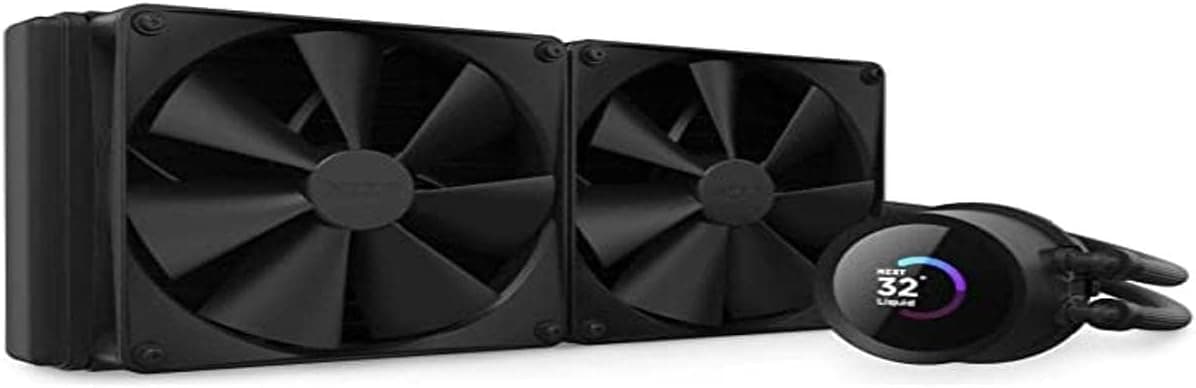
The NZXT Kraken 280 (model RL-KN280-B1) is a 280mm all-in-one liquid CPU cooler whose headline feature is a 1.5-inch square LCD on the pump head that can show CPU temperature, fan speed, or a custom image or GIF.
In short, this cooler is aimed at people who want quiet cooling and a build that looks deliberate. If you only care about degrees per yen, it is not the shortest path there.
On Amazon.co.jp it was listed at ¥23,500 as captured on 12 June 2026 — a snapshot, not a fixed price, since AIO pricing moves a lot during sales.
Non-LCD 280mm coolers sit noticeably lower, so a meaningful share of that gap is the display and the software experience.
Review data captured on 6 June 2026 showed 514 reviews averaging 4.5 out of 5, with 90% positive sentiment.
At that sample size, catastrophic failure rates look unlikely. Still, the real test for any AIO is whether the pump stays quiet after a few years, and a high review average cannot answer that.
Why 280mm Is the Interesting Size
AIO radiators cluster around 120, 240, 280, and 360mm. The 280mm class is the pragmatic middle: more radiator surface than 240mm, and it fits far more cases than 360mm.
Just as important, it uses two 140mm fans instead of 120mm ones. Larger fans move the same air at lower rpm, which shifts noise to a lower, less irritating frequency.
The flip side is that 280mm buys you quiet more than it buys you headroom. Under sustained all-core load on a high-end CPU, a 360mm setup will still pull ahead on temperature.
For gaming plus occasional heavy work, 280mm is plenty.
Compatibility Guide
Most AIO regrets come from case dimensions, not sockets. Work through this list.
1. Does your case actually take a 280mm radiator? Plenty of mid-towers accept 280mm in front but only 240mm on top.
A 280mm radiator is typically around 140mm wide and 310–320mm long, plus roughly 25mm of fan thickness. Check the "radiator support" table per mounting face, not just the headline number.
2. Top-mount clearance. Mounting on top eats into the space above the motherboard.
Tall RAM heat spreaders and large VRM heatsinks can collide with the radiator. The number that matters is the gap between the motherboard and the top panel, not the CPU cooler height limit.
3. Socket brackets. Kraken coolers normally ship with brackets for current Intel LGA1700-era sockets and AMD AM4 / AM5, but bundled hardware varies by production run.
Confirm the supported socket list on the manufacturer's product page before ordering — this is not a good place to guess.
4. Cables and headers. The pump, fans, and LCD all need connections, and the display is driven through NZXT CAM.
Make sure you have a free internal USB 2.0 header, or budget for a splitter.
5. PSU capacity. An AIO draws very little power on its own.
Size your power supply around the CPU and GPU; this cooler will not change that math.
Product Info
rmation
| Item | Detail |
|---|---|
| Product | NZXT Kraken 280 |
| Model | RL-KN280-B1 |
| Radiator | 280mm (two 140mm fans) |
| Display | 1.5-inch square customizable LCD |
| Reference price | ¥23,500 (Amazon.co.jp, captured 12 June 2026) |
| Reviews | 4.5 / 5 from 514 reviews, 90% positive (captured 6 June 2026) |
Treat the price as a timestamped snapshot. An eBay listing at $74.99 also appears in the collected data, but used, grey-import, or incomplete-accessory listings are common there, so it is not directly comparable to a domestic retail price.
If warranty support matters, buy through official channels.
How It Compares
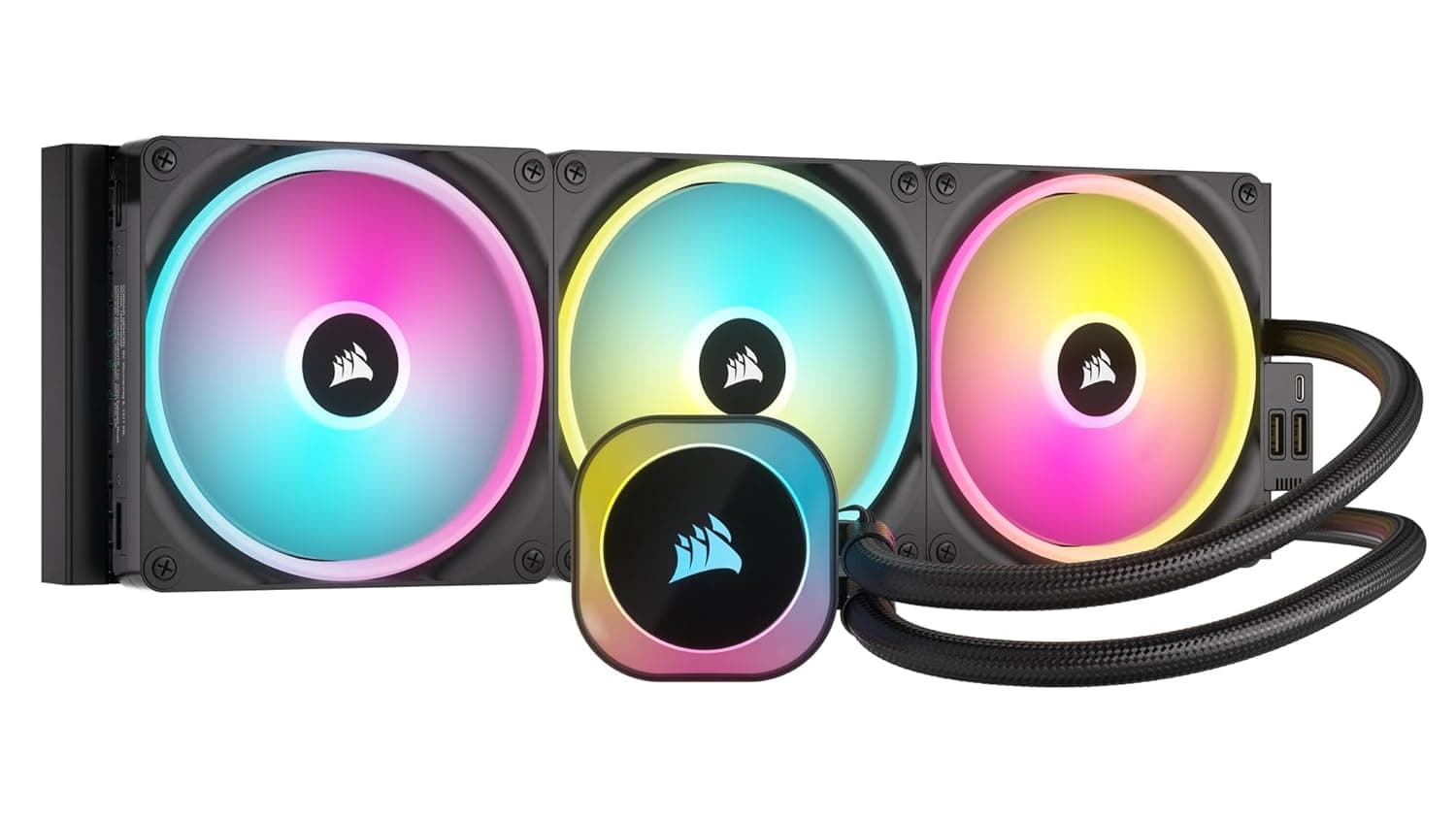
Among LCD-equipped AIOs, the CORSAIR iCUE LINK H150i LCD and ASUS ROG Ryujin III are the obvious rivals. Against 360mm units the Kraken 280 gives up some cooling ceiling but fits a much wider range of cases; against 240mm LCD models it runs quieter thanks to the larger fans.
On pure cooling-per-yen, dual-tower air coolers such as the Thermalright Peerless Assassin 120 SE are brutal competition — for a mid-range CPU they land in much the same place for a fraction of the price. The reasons to still pick an AIO are clearance around the socket, the look of the pump head, and not hanging a heavy metal block off the motherboard.
Decide whether those are worth the premium to you.
Best Suited For
- Builders who care how the inside of the case looks. The LCD is showmanship more than utility, but if that appeals, this executes it well.
- Cases that cannot take 360mm but deserve better than 240mm. The 280mm class is the sensible compromise.
- Quiet-first users. Two 140mm fans hit a given airflow at lower rpm, which is exactly what you want for late-night work.
- Existing NZXT users. If your case and fans are already NZXT, consolidating control in CAM is a genuine day-to-day convenience.
Before You Buy
The listing data for this product contains inconsistencies. The collected specification fields include entries such as "3m cable length," "DVI-D 24+1 pin," and "max resolution 2560×1600," and one retailer field named a different brand (StarTech.com) entirely.
None of that describes a liquid cooler. You may encounter the same mismatch on the product page, so do not trust the spec table there — verify the product from the images, the title, and the manufacturer's official page, especially socket support and radiator dimensions.
The LCD depends on vendor software. Configuring the display and temperature-linked behaviour requires NZXT CAM running on your system.
If you avoid vendor utilities on principle, the screen becomes decoration.
It is expensive for cooling alone. The same budget buys a 360mm model without a display, or a strong dual-tower air cooler with change left over, and either will likely post better temperatures.
Buy this knowing you are paying for the LCD.
Accept the usual AIO trade-offs. A pump is a moving part with a finite life and a constant low hum; if you want silence, air cooling wins.
Mount the radiator above the pump — top, or high on the front — since a bottom-mounted horizontal radiator tends to collect air in the pump and gurgle.
Budget time for installation. Backplate, thermal paste, radiator screws, and cable routing add up to roughly an hour for a first-timer.
Open the rear side panel before you start; it makes everything easier.
FAQ
Q. What cases fit a 280mm radiator? A.
Mid-towers and larger that explicitly list 280mm front support. Some allow only 240mm on top, so check each mounting face.
Expect roughly 310–320mm of radiator length.
Q. What can the LCD display? A.
Monitoring data such as CPU temperature and fan speed, plus custom still images and GIFs, configured through NZXT CAM.
Q. Is it really better than air cooling? A.
Under sustained heavy load on a high-end CPU, yes. On a mid-range CPU, a top-tier air cooler is often practically equivalent.
Q. Does it support AM5 and LGA1700? A.
Kraken coolers typically bundle brackets for current mainstream sockets, but bundles vary by production run — confirm on the official product page.
Q. Should I worry about leaks? A.
Sealed AIOs are filled and closed at the factory and rarely leak in normal use. It is not zero risk, so check the warranty terms before buying.
Q. Is the price stable?
A. No. The ¥23,500 figure here was captured on 12 June 2026. Check the retail page for the current price.