Overview
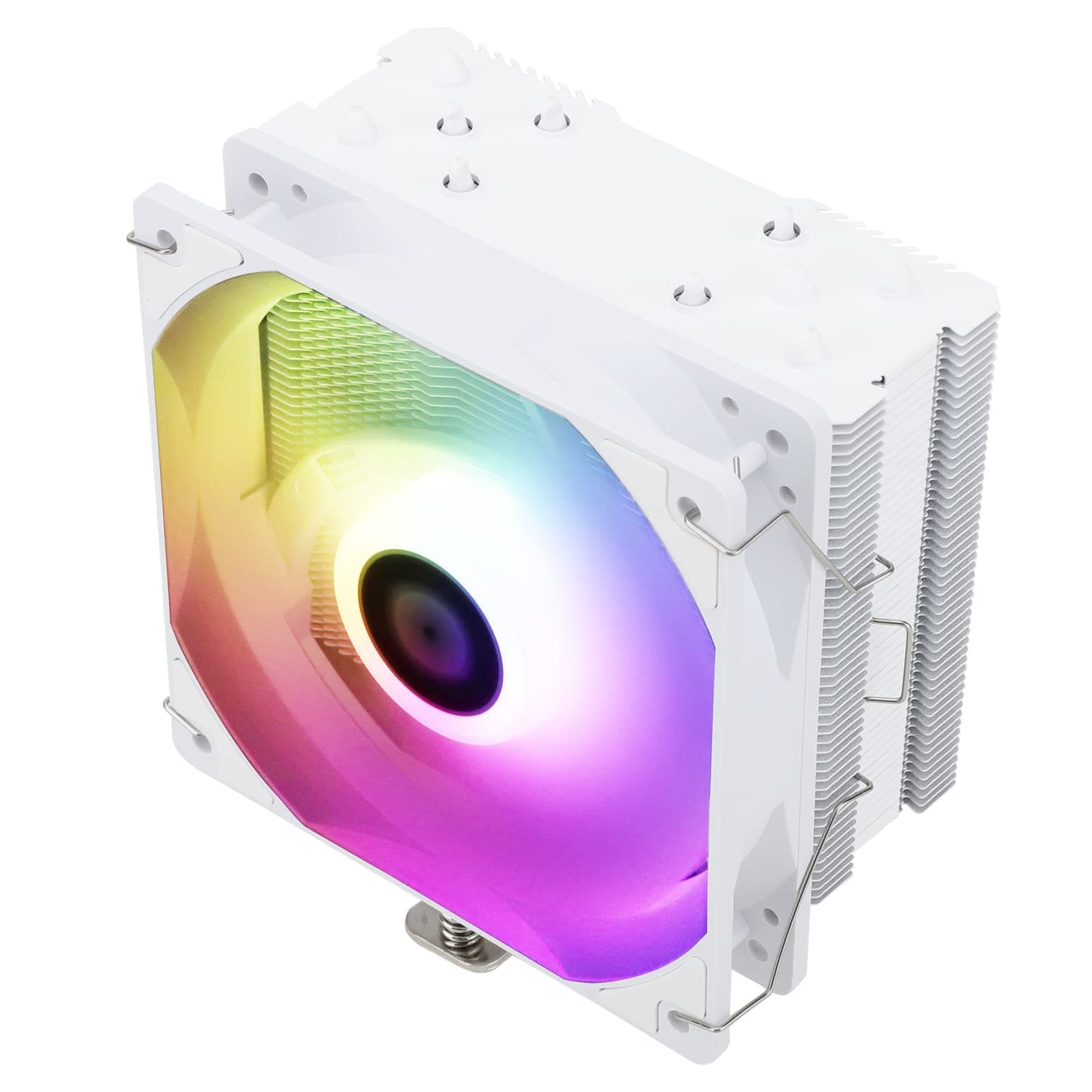
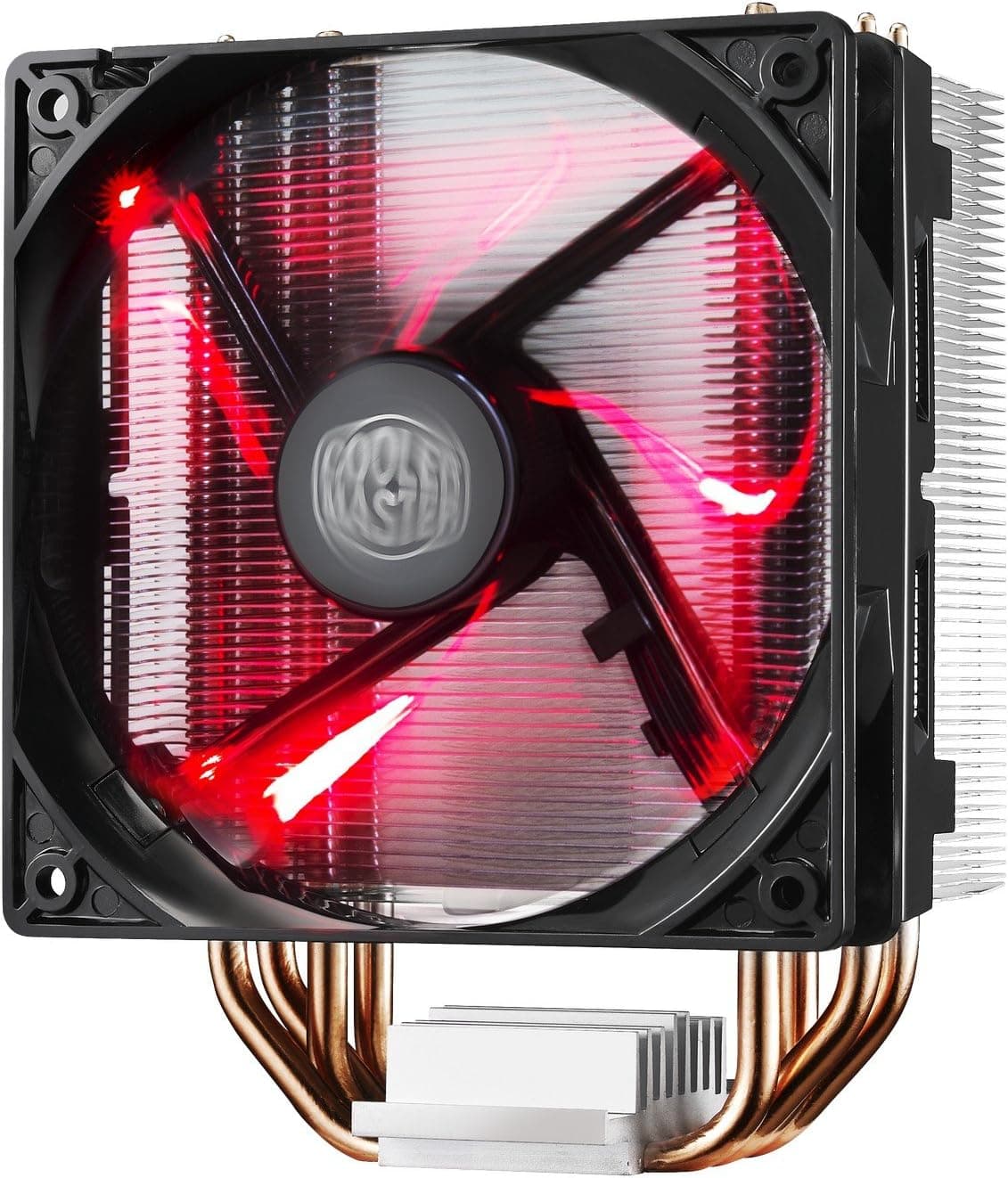
The Cooler Master Hyper 212 LED is a tower-style air cooler built around a 120mm LED fan and four copper heat pipes. The short version: it is aimed at people cooling a mainstream 65W-95W CPU quietly inside a mid-tower case.
It is rated for CPUs up to 150W TDP, stands 158mm tall, weighs roughly 500g, tops out at 31 dBA, and its fan spins between 600 and 2000 RPM under PWM control.
On Amazon.co.jp it carries 3,756 reviews averaging 4.6 out of 5 stars (92% positive, captured July 2026), which is a remarkably stable record for an entry-level part.
That score should be read in context, though: it reflects "quiet, effective, easy to install for the money," not "ready for a heavily overclocked high-end CPU." The trade-offs are spelled out below.
Compatibility Guide
Supported sockets are Intel LGA115x / LGA1200 / LGA1700 and AMD AM4 / AM5. The fan uses a standard 4-pin PWM connector that plugs straight into the CPU_FAN header for automatic speed control.
That part is straightforward. What actually trips people up is physical fit, not socket support.
Check these four things against your own build before buying.
| Check | Value | Where it goes wrong |
|---|---|---|
| Cooler height | 158mm | Cases rated under 160mm clearance won't let the side panel close |
| Rated TDP | 150W | Temperatures plateau on builds that draw more than that |
| Fan | 120mm / 600-2000 RPM / 4-pin PWM | Plugged into a non-CPU_FAN header, speed control won't work |
| Weight | ~500g | Watch board sag in horizontal-mount cases |
At 158mm, it clears most mid-towers (typically rated 160-170mm). The risky cases are slim, cube, and "mid-tower but narrow" designs.
Read your case's stated CPU cooler clearance, and if the margin is only 2-3mm, pick something shorter.
Memory clearance is reasonable for a tower cooler, and standard-height modules are rarely an issue. Tall-heatspreader gaming DDR5 or DDR4 in all four slots can foul the fan on the slot nearest the CPU.
The usual fix is to shift the fan up a few millimetres on its clips, which raises the cooler's effective height - something you cannot do if you were already at the edge of your case's 158mm limit.
The other point that matters is mounting-kit revisions. The Hyper 212 line has been sold for many years, and brackets for LGA1700 and AM5 appeared in later production runs.
Used units, parallel imports, and long-shelved stock may not include the bracket you need. If you plan to run LGA1700 or AM5, confirm the in-box contents on the listing or ask the seller first.
This is the single most common problem with this cooler.
Air Cooler vs. AIO: Which One You Actually Need
A 240mm or 360mm all-in-one liquid cooler serves a different purpose entirely. The dividing line is simple: does your CPU actually draw more than 150W?
- Up to ~95W (Core i5, Ryzen 5 class): the Hyper 212 LED is enough. A 360mm AIO here buys you noise headroom, not meaningful temperature gains for the money.
- 125-150W: it works, but with no margin. In a case with weak airflow the fan will climb toward 2000 RPM under sustained load and become audible. A dual-tower air cooler or a 240mm AIO is the better fit.
- Above 150W or overclocked: out of scope. Temperatures plateau and clocks throttle back.
Air cooling also has structural advantages: no pump to fail, and no performance decay from coolant loss over time. For a secondary machine or an always-on work box you intend to run for five years, that simplicity is reliability.
On the other hand, if lighting control is part of the appeal, look elsewhere - this model's LED is single-colour, not addressable, so you cannot sync or recolour it from motherboard lighting software.
What It's Like to Live With
The fan runs 600-2000 RPM under PWM control with a 31 dBA maximum. That figure describes a cooler you can hear if you put your ear near the case in a quiet room, and not much more - and it does not run at 2000 RPM all the time.
In practice, with a sensible motherboard fan curve, idle and light loads settle near 1000 RPM and the machine is close to silent.
If quiet operation is the priority, flatten the BIOS fan curve - something like holding under 50% duty up to 60C works well. Stock curves on entry builds are often far too aggressive, and adjusting them alone changes perceived noise significantly.
Conversely, don't flatten it so much that a 150W load has to reach a high temperature before the fan responds; keep a steep ramp above 70C for sustained workloads.
Product Details
Key specifications: 120mm fan, 600-2000 RPM (PWM), 31 dBA noise level, 150W rated TDP, four copper heat pipes, 158mm height, roughly 500g, sockets LGA115x / 1200 / 1700 and AM4 / AM5. The box includes Intel and AMD mounting kits, thermal compound, and a manual, with a 2-year manufacturer warranty.
Pricing needs a caveat. The captured Amazon.co.jp listing price was ¥23,155 (captured 3 July 2026), which is plainly out of scale for a single-tower 120mm entry cooler - most likely a third-party marketplace reseller price or a data-collection mismatch.
This article does not treat that figure as the product's real market price. For reference, eBay US showed $15.00 (captured 2 August 2026), which is far more realistic for this class.
Either way, prices move constantly, so check the current price on the product page before buying.
The cooler launched around 2016 and is still in circulation. Japanese PC parts retailers stock it as well, so if the only listings you find are priced unusually high, compare other sales channels.
Best Use Cases
- Budget-focused first-time builders — Installation is simple, and the upgrade over a stock cooler is immediately noticeable. A 4.6/5 average across 3,756 reviews suggests this is not a part that surprises you badly once the box is open.
- Anyone quieting down an existing PC — If the high-pitched whine of a stock cooler bothers you, a 120mm fan on a large fin stack fixes it directly. The 31 dBA ceiling plus PWM control keeps everyday use essentially unobtrusive.
- Long-life secondary or work machines — With no pump and no coolant, there is very little to degrade over several years of continuous use.
- Ordinary mid-tower gaming builds — It pairs well with a strategy of keeping the CPU in the 65-95W range and spending the budget on the GPU instead.
Before You Buy
1. The 150W rating is a ceiling, not a comfort zone. Near 150W it still works, but under sustained load the fan climbs toward its limit and the quiet-operation advantage evaporates.
If you plan long encoding or rendering sessions, buying one class up is cheaper in the end.
2. Verify that the LGA1700 / AM5 bracket is in the box. As noted, bracket contents vary by production run.
A socket appearing on the compatibility list does not guarantee the hardware ships with your unit.
3. Check your case's real cooler clearance. 158mm fits most mid-towers, but side panels with mounted fans or cable bulges can eat into the published figure.
4. The LED is not addressable RGB. It is single-colour and cannot be synced or recoloured from motherboard lighting software.
If lighting control matters to you, this will disappoint.
5. Listing data and prices can disagree with reality. The captured Amazon price for this product is implausibly high for its class, and the seller is a third-party marketplace account rather than the manufacturer.
Prices vary widely between sellers for the same model number, so compare listings and confirm from the product image and title that you are looking at the Hyper 212 LED. Listing metadata (manufacturer, model number, ASIN) is occasionally wrong.
6. Who should skip it, plainly: anyone running an overclocked high-end CPU, anyone building in a small-form-factor case, and anyone who wants fine-grained RGB control.
If you fall into any of those, look at a different class of cooler.
FAQ
Q. How much does it improve on a stock cooler? A.
The exact temperature delta depends on your CPU, case, and room temperature, so no single number applies. Structurally, a 120mm fan with four heat pipes handles the same heat at lower RPM - which is why most people notice the drop in noise more than the drop in temperature.
Q. Can I use it with a Ryzen 7 or Core i7? A.
At stock settings within the 150W envelope, yes. Under sustained heavy load there is little margin and the fan will spin up.
If your typical workload is heavy, consider a larger cooler.
Q. Is thermal paste included? A.
Yes, a tube of thermal compound ships with it. Buying separate paste isn't required, though it's handy to have if you expect to remount.
Q. Will it mount on an AM5 board as-is? A.
AM5 is on the compatibility list, but the included brackets differ by production run. Confirm the in-box contents on the listing before ordering.
Q. Can the LED be turned off? A.
The LED is single-colour and not software-controllable. Whether it can be disabled depends on the unit's wiring, so check the product page.
Q. How do I make it quieter still? A.
Start with the BIOS fan curve - stock curves on entry builds are usually too aggressive, and tuning alone changes what you hear. If that isn't enough, the next step is a larger cooler, not a different fan setting.
Product Disclosure (Amazon)
- Manufacturer: Cooler Master USA, Inc.
- Brand: Cooler Master
- Seller: ララグランダム
- Fulfilled by: ララグランダム
- ASIN: B01KBXKP8W
- Note: This article covers a manufacturer-made product based on Amazon listing details.