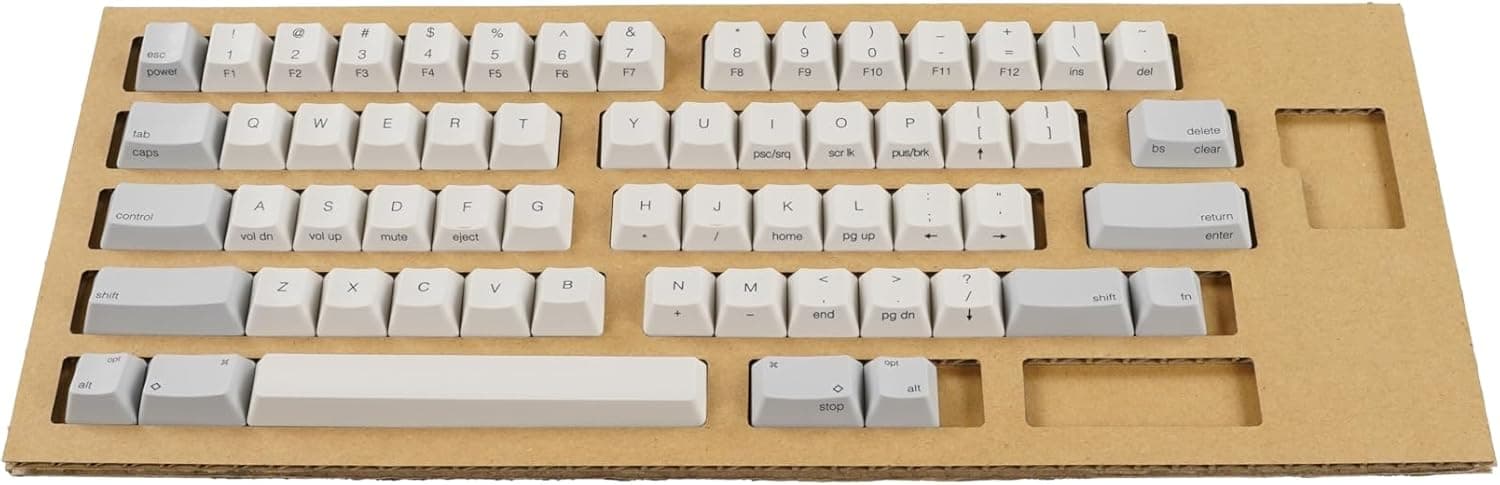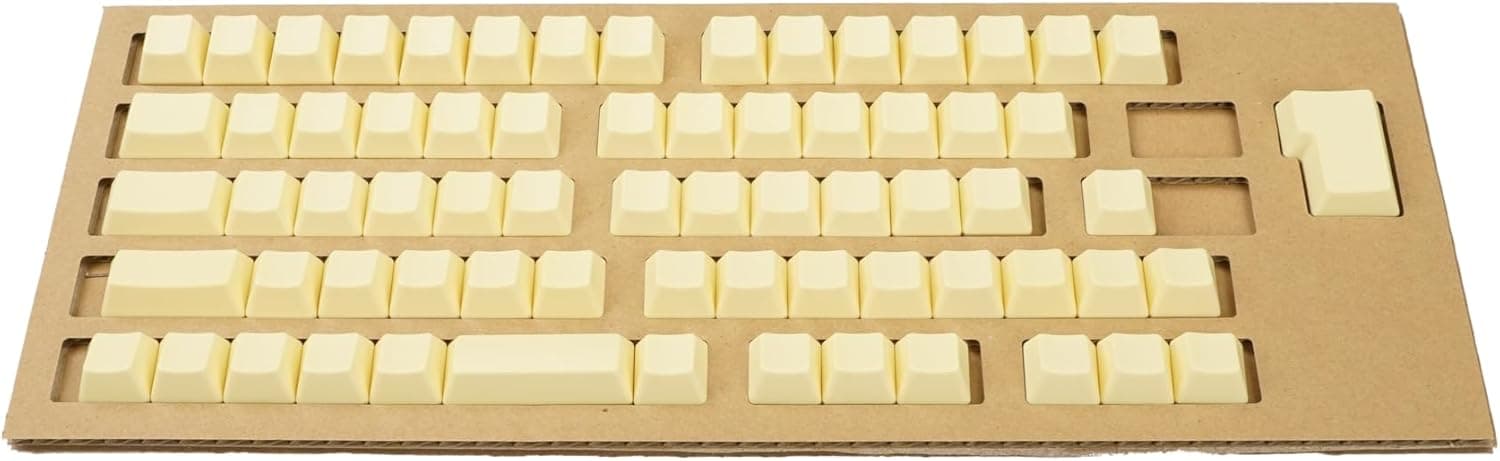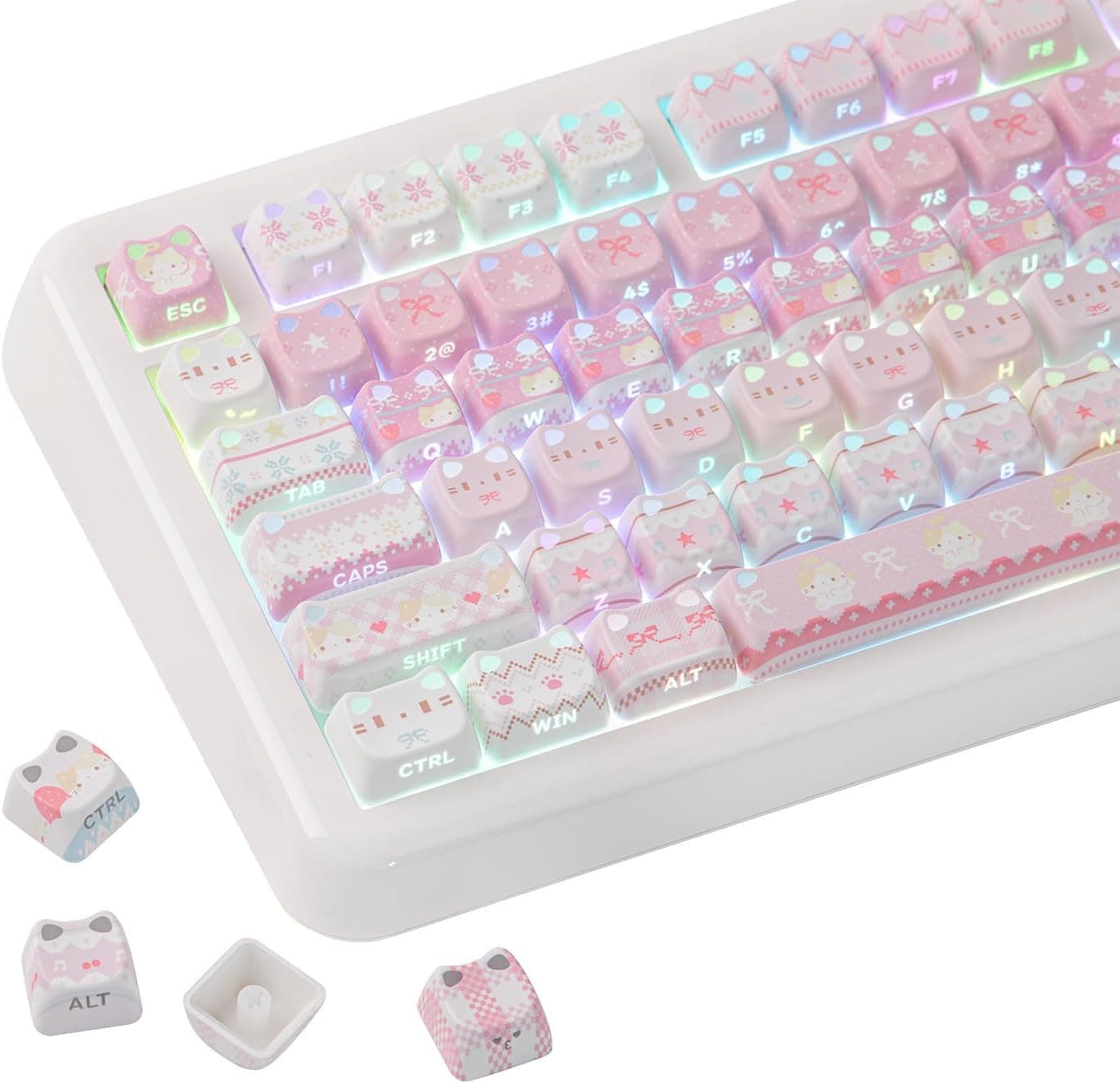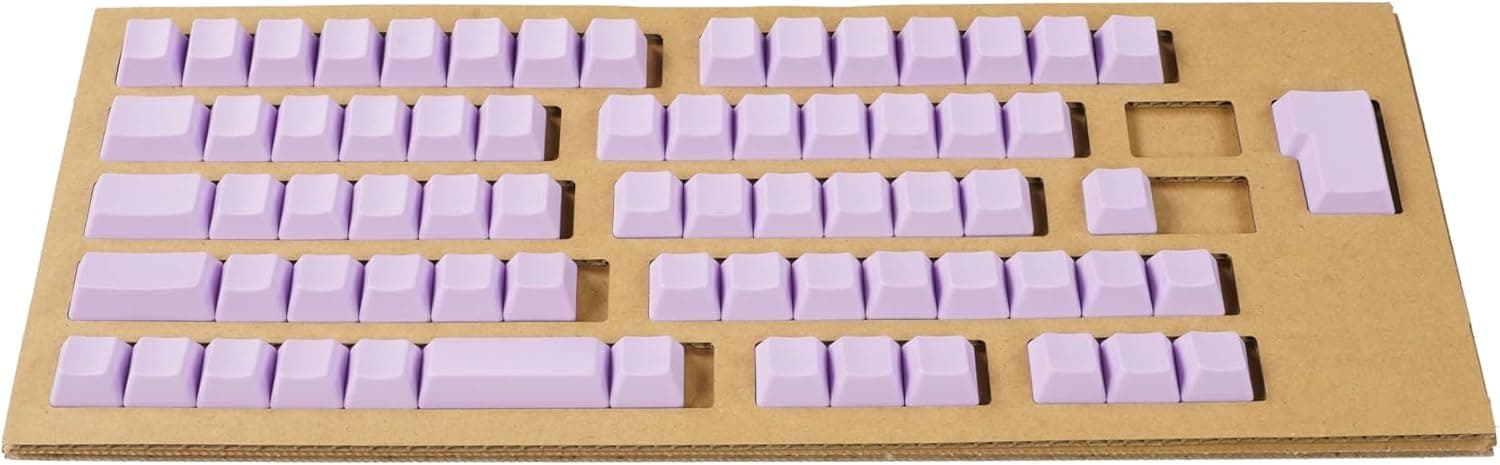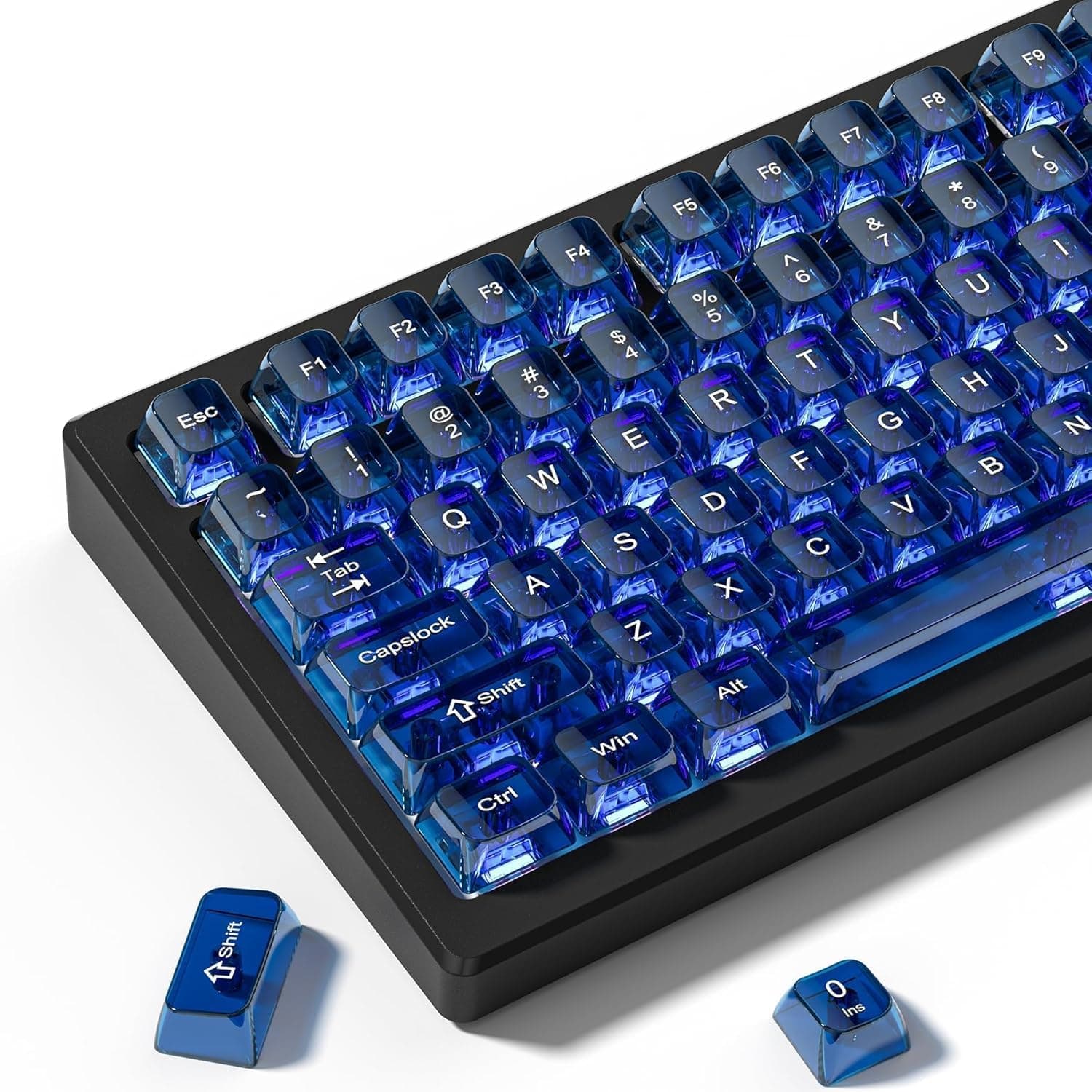
Womier's purple clear keycap set is a 115-key replacement kit built to let RGB backlighting shine through and completely change how a keyboard looks. This article focuses on what actually happens when you install it: which layouts it fills, and where you will have to compromise.
Overview
This is a replacement keycap set for Cherry MX-compatible stems, defined by three things: the MDA profile, the 115-key count, and the light-transmitting material. No keyboard is included — it is purely an accessory for changing the look and feel of a board you already own.
As captured on 2026-05-23, the Amazon.co.jp listing price was ¥3,390, with 14 reviews averaging 4.5 out of 5 stars (90% positive).
Prices move often, so check the product page for the current figure.
The short verdict: if your goal is loud RGB or a cheap visual refresh, this set lines up well with that goal. But with only 14 reviews, there is very little evidence about long-term durability, and that is worth stating plainly.
How to Read the Key Specs
| Item | Value | What it means in practice |
|---|---|---|
| Keycap count | 115 | Enough to cover a full-size (104–108 key) layout |
| Profile | MDA | Spherical dish, medium height; fingers settle centrally |
| Material | PBT resin + transparent plastic | Composite: clear sections plus opaque resin |
| Switch support | Cherry MX and clones | Gateron / Kailh / Outemu cross stems |
| Layouts | 60% / 75% / 100% (full-size) | TKL included |
| Dimensions | 34 × 17 × 3.5 cm | Package size; useful for storage planning |
The two entries that matter most are the 115-key count and the MDA profile. 115 caps covers a standard full-size layout (typically 104–108 keys) with a handful left over — but the margin is thin, and unusual layouts can still come up short.
MDA sits between SA and Cherry in height, with a deeply spherical top surface. Fingertips settle naturally toward the center, which is why it is often praised for keeping you on the home row.
Because row heights differ from Cherry and OEM, expect a few days of readjustment after swapping.
Compatibility Guide
Start with stem shape. The manufacturer's compatibility note is explicit: only mechanical keyboards using Cherry MX-style switches; optical and capacitive switches are not supported.
- Will fit: Cherry MX, Gateron, Kailh, Outemu, TTC and other cross (+) stem switches
- Will not fit: Topre capacitive (HHKB, some REALFORCE), Alps-style, most low-profile switches
- Check first: Optical switches. Some, like Gateron optical, use a cross stem and may physically fit, but the manufacturer lists them as unsupported. Proprietary stems such as Razer Optical will not fit
The reliable test is to pull one keycap and look at the stem. If you own an HHKB or REALFORCE, you need a dedicated keytop set instead.
On layouts, the listed form factors are 60%, 75%, TKL and full-size. Important nuance: "supported layout" does not mean every board in that class will be fully covered. Common gaps with imported sets include:
- JIS (Japanese) layouts: conversion keys, kana, ¥, and the L-shaped Enter are likely absent, leaving several original caps in place
- Spacebar width: 6.25u is standard; 7u and split spacebars will not match
- Split shift / split backspace: 65% and 75% custom boards often need 1.75u or 1u caps that may not be included
- Bottom row: boards using 1u-heavy bottom rows instead of 1.5u modifiers may not line up
Finally, physical clearance. MDA is a relatively tall profile, so on high-profile cases the cap edges sit closer to the case lip and can rub or feel recessed.
Clear caps also leak light from the sides, which some users find distracting.
Product Info
The package contains 115 keycaps only — no keyboard and no keycap puller. A wire puller is effectively mandatory for this job; prying caps off with fingers or metal tweezers is the classic way to snap a switch stem or crack a cap.
Price was ¥3,390 on the Amazon.co.jp listing as captured on 2026-05-23, placing it in the budget-to-mid tier where competition is heavy.
The eBay entry is a search link only, with no concrete price captured. Treat any figure here as a snapshot, not a current quote.
Reviews stand at 14, averaging 4.5 out of 5 (90% positive, captured 2026-05-23).
The score is good, but 14 samples cannot tell you the defect rate or how the plastic ages after six months. That is a real disadvantage against established sets with thousands of reviews.
The material is listed as PBT resin plus transparent plastic. As a general point, fully transparent caps are hard to make in PBT alone; clear sections are usually a higher-clarity resin such as polycarbonate.
Reading this as a composite construction is the natural interpretation, but it is not something we can state as fact — check the product page if the exact material matters to you.
What Actually Changes in Daily Use
The biggest change is how the board looks in the dark. Opaque PBT lets light out only through legends and gaps; clear caps turn the whole cap into a glowing element.
Great for gaming and streaming — but potentially too bright for late-night coding. Check whether your keyboard software can dim the backlight before you commit.
Sound changes too. Transparent resins are harder to mold with thick, even walls, so the result often reads higher-pitched and lighter than thick opaque PBT.
If you swapped hoping for a deeper thock, you may get the opposite. For sound, foam and switch choice move the needle far more than caps.
How It Compares
Keycap sets pull in different directions. Prioritize light transmission and you land on clear sets; prioritize texture and durability and you want thick opaque PBT; prioritize keeping a stock feel and you want the manufacturer's own keytop set.
This product is firmly in the first camp — a set for making a board glow. If legend legibility or long-term wear resistance is the priority, a double-shot PBT set serves you better.
It is worth comparing against other profiles, such as Cherry, before deciding.
Best Use Cases
- RGB-first builds: the strongest fit, if you already own a backlit keyboard
- Customization beginners: a few thousand yen is a low-risk way to change a board
- Standard ANSI full-size / TKL / 75% / 60% users: most likely to be fully covered by 115 caps
- Anyone curious about MDA: an affordable way to try a spherical profile
- Streamers and photographers: the large glowing surface reads well on camera
One group it does not suit: people buying purely to reduce typing fatigue at work. Profile effects vary enormously between individuals, and a palm rest or a switch change is a more reliable investment.
Things to Check Before Buying
1. The color naming is contradictory. The product name says "purple clear" while the variant suffix reads "(Blue)," and the spec sheet lists the color as "Purple (Blue)." You cannot tell from the title alone which one ships.
Confirm the selected variant and the product images before ordering. Clear caps also take on the color of the backlight beneath them, so real-world appearance drifts from product photos more than with opaque caps.
2. Amazon listing data is not always right. The price label reads "Amazon US" while the actual link and currency are Japanese (Amazon.co.jp, ¥).
Mismatches like this are common in automatically collected listing data, and manufacturer names or model numbers occasionally belong to a different product entirely. When you open the page, verify the product from the images and title rather than trusting the text fields alone.
3. Assume some JIS keys will not be covered. As noted above, 115 caps may still exclude JIS-specific keys and irregular sizes.
Being left with a few original caps in place is the most disappointing outcome for someone buying for visual consistency. If that matters, make a clear photo of the kit contents a condition of purchase.
4. Clear plastic scratches and yellows more readily. Transparent resin generally shows surface scuffs more than thick opaque PBT and is more prone to discoloration from UV and skin oils.
Avoid a desk in direct sunlight, and never clean with abrasive products.
5. Installation takes longer than you think. Swapping all 115 caps is a 30-minute job even with practice.
Photograph your original layout first. Stabilized keys — spacebar, Enter, Shift, Backspace — are the easiest to break, so pull them straight up.
6. Accept the thin review base. 4.5 stars from 14 reviews is a good sign, but the sample is too small to estimate your odds of a bad unit.
If certainty matters more than novelty, buy an established set instead.
FAQ
Q. Will these fit an HHKB or REALFORCE? A.
No. Those use Topre capacitive switches whose stems are not Cherry MX compatible.
Look for a dedicated keytop set.
Q. Do they work on a Japanese (JIS) keyboard? A.
Most caps will physically fit on cross stems, but JIS-specific keys and the L-shaped Enter are likely missing. Expect a few original caps to remain.
Q. Do the legends light up? A.
The entire cap is light-transmitting, so on a backlit board the whole cap glows rather than just the legend. For sharp glowing legends, a shine-through opaque set is the better tool.
Q. Is a keycap puller included?
A. No. The package contains only the 115 keycaps. A wire puller is strongly recommended.
Q. Is 115 enough for a full-size board? A.
A standard full-size layout is 104–108 keys, so the count works on paper. Coverage depends on sizes, not counts — check your spacebar width and modifier widths first.
Q. What does it cost? A.
¥3,390 on the Amazon.co.jp listing as captured on 2026-05-23.
Keycap pricing moves with stock and sales, so check the product page for the current figure.
Product Disclosure (Amazon)
- Manufacturer: Womier
- Seller: WOMIER SHOP
- Fulfilled by: Amazon
- ASIN: B0GXVDTXBT
- Note: This article covers a manufacturer-made product based on Amazon listing details.