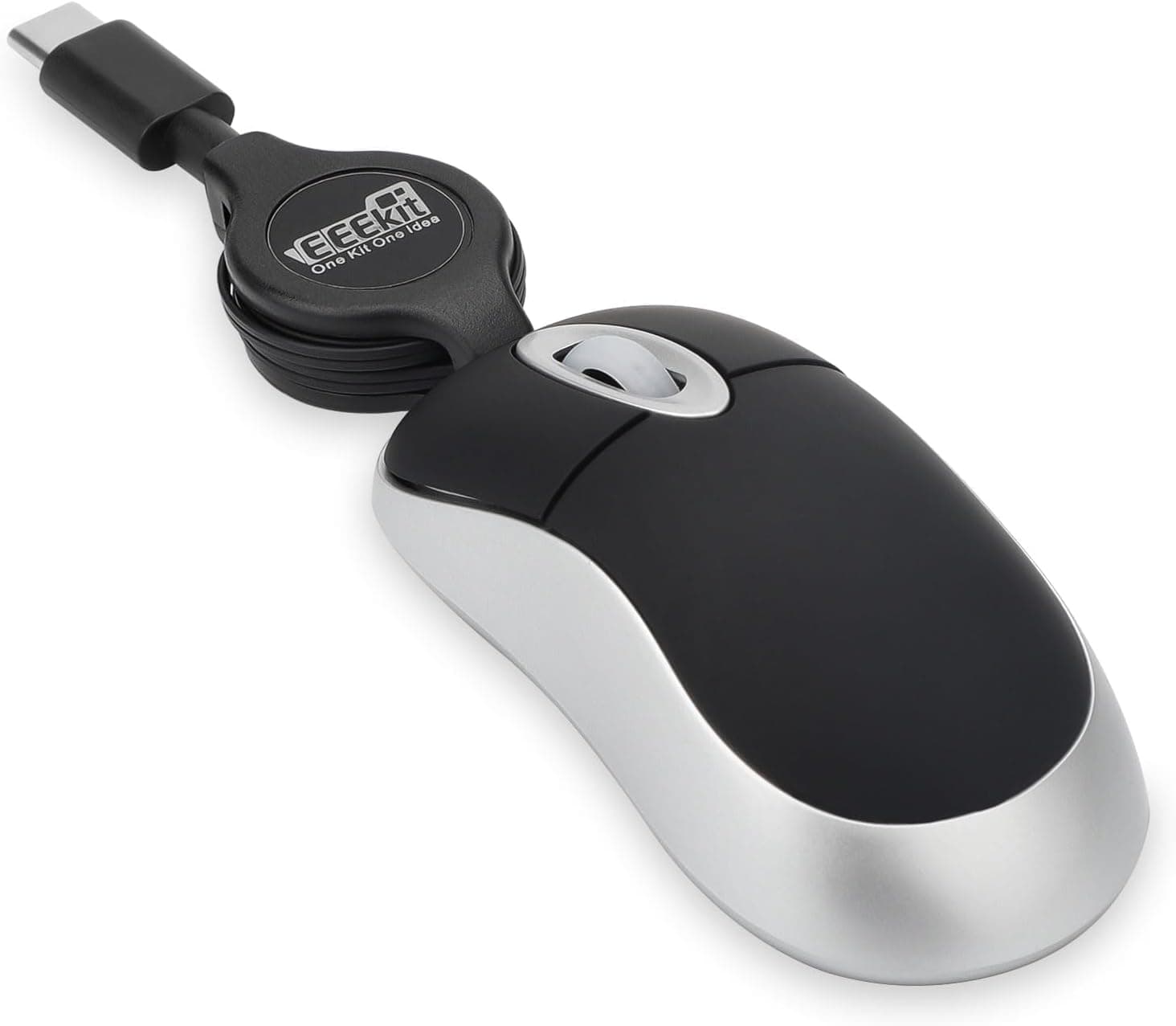
The EEEKit Mini Wired USB-C Mouse is defined by two things: a 73.7 x 40.6 x 25.4 mm body smaller than a card case, and an 80 cm cable that retracts into the shell.
This article works through the published specs and real review data to explain where it works, what you give up, and who should not buy it.
Overview
This is a deliberately stripped-down entry model aimed at being the second mouse that lives permanently in your laptop bag. Three buttons (left, right, scroll wheel), optical tracking, a direct USB-C connection, no batteries and no receiver.
The differentiator is size plus the retractable cable. At 40.6 mm wide and 25.4 mm tall, its cross-section is roughly half that of a full-size mouse.
There is no cable to coil and no tiny receiver to lose, and it disappears into a pocket of a bag.
Everything else — ergonomics, button count, gaming performance — was never the goal. Buy it understanding that, and it satisfies.
Expect it to replace your main mouse and it will disappoint.
Compatibility Guide
Stated support covers Windows 2000/XP/Vista/7/8/10/11, Mac OS X, Chromebook, iPad, Android phones, and other devices with a USB-C port. It follows standard HID, so no driver install is needed — plug it in and it is recognized.
| Environment | Expected behavior | Watch out for |
|---|---|---|
| Windows laptop (USB-C) | Works as-is | USB-A-only machines need a separate adapter |
| MacBook (USB-C / Thunderbolt) | Works as-is | You may want to flip scroll direction in settings |
| iPad (USB-C models) | Pointer control supported | Requires iPadOS 13.4+ pointer support; tune tracking speed |
| Android phone | Works on USB host (OTG) capable models | Some models disable or limit host mode |
| Chromebook | Works as-is | Nothing specific |
| Desktop PC | Works, but awkward | 80 cm rarely reaches a floor-standing tower |
The 80 cm cable is the real physical constraint. It is fine with a laptop directly in front of you, but often will not reach the ports of a tower under the desk.
This length assumes hand-level use with a laptop or tablet.
Connector shape matters too. The plug is USB-C and the package is listed as mouse-only, so a USB-A machine requires a USB-C to USB-A adapter you supply yourself — which chips away at the portability advantage.
Check your ports before ordering.
When connected to a phone or tablet, the mouse draws power from that device's battery. Draw is tiny for a single optical mouse, but when you are low on charge away from an outlet, unplug it when idle.
Real-World Feel and Review Trends
Published feedback stands at 4.0 out of 5 stars, an 80% score, across 24 reviews (captured 2026-05-28).
Four stars is normal-to-decent for a peripheral in this class and suggests the basics simply work.
But 24 is a small sample and statistically shaky. Two or three extra one-star entries move the average by 0.2-0.3.
A 4.0 built on thousands of reviews and a 4.0 built on 24 do not carry the same weight.
With low-review products, reading why the negative reviews are negative beats reading the average.
On grip: 73.7 mm in length cannot be supported with a palm grip.
A claw or fingertip grip is mandatory. That is fine for short bursts, but sustained over hours it concentrates strain on fingers and wrist.
This is not an eight-hour-workday mouse.
Compared With the Alternatives
Portable mice come in three basic flavors:
- USB-C wired (this product) — no batteries to die, no receiver to lose, no wireless latency. In exchange you manage a cable and give up one port.
- 2.4 GHz wireless (USB receiver) — the most freedom of movement, but the receiver is easy to lose and still occupies a port, plus battery upkeep.
- Bluetooth — uses no port at all, ideal for thin laptops and iPads with few ports. Costs you pairing hassle and occasional reconnect delays.
This mouse wins when you have a spare port and want zero setup: borrowing a colleague's machine in a meeting room, or working on a corporate device where pairing Bluetooth peripherals is blocked.
It is the wrong pick if your ultrabook has exactly one USB-C port and your charger is in it. You would need a hub, which defeats the purpose.
Product Info
| Item | Value |
|---|---|
| Dimensions | 73.7 x 40.6 x 25.4 mm |
| Cable length | approx. 80 cm (retractable) |
| Buttons | 3 |
| Connection | USB-C |
| Tracking | Optical |
Note what is missing: no DPI figure is published. Entry-level optical mice generally land somewhere around 800-1600 DPI, but the actual value here cannot be stated with confidence.
With only three buttons there is no DPI toggle, so assume a fixed setting and adjust cursor speed in your OS. Weight is also unpublished — check the product page if you need the exact figure.
The recorded price was ¥7,927 on Amazon as captured 2026-05-28. However, that figure is clearly high for a three-button, fixed-DPI mini wired mouse; comparable specs commonly sell for a fraction of it.
Treat it as a possible listing error or a temporary high-priced offer, and verify the current price on the product page before buying. Prices move constantly and this article is only a snapshot.
The eBay entry is a search results page, so no confirmed price is given. The package contains the mouse only; warranty terms follow the seller's listing.
Best Use Cases
- Frequent business travelers — fits into gaps in a bag, and the retractable cable never tangles. Far better than a touchpad for spreadsheet cell selection or nudging slide elements.
- People working on a USB-C iPad — iPadOS pointer support is genuinely good, and adding a mouse changes document-editing efficiency. No pairing needed suits the iPad's open-and-go nature.
- Anyone wanting a spare, guest, or shared-PC mouse — a wired mouse sitting in a drawer for a year still works the second you plug it in.
- Workplaces that restrict wireless peripherals — where security policy bans Bluetooth devices, USB wired is one of the few options left.
Before You Buy
The critical point: this is not a main-mouse replacement. At 73.7 mm long, a larger hand can cover it with two fingers, and palm grip is effectively impossible.
Extended sessions will produce fatigue from pinching it with fingertips. Small means portable; it does not mean comfortable.
Restrict it to temporary use away from your desk.
A retractable cable is a moving part, and moving parts fail. Retraction mechanisms can lose locking strength or weaken over repeated use.
That is a property of the category rather than a flaw unique to this model, but you are accepting one more failure point than a fixed-cable mouse has. Retractable cables also typically lock at set increments rather than any arbitrary length.
There are no back/forward buttons. Three buttons means left, right, and wheel.
If you lean on a side button for browser navigation, you will feel the loss immediately. There is likewise no DPI toggle, no tilt wheel, and no macros.
Gaming is entirely out of scope — not just FPS, but MMO skill binding too.
Be especially careful with the price. As noted, the ¥7,927 captured figure is out of line with the market for this specification.
Listing prices swing with sellers and timing, so check the live price and compare against small wireless mice and name-brand options before committing.
Listing metadata itself can be wrong. Product details on marketplaces are entered by sellers, and manufacturer names, model numbers, and categories sometimes do not match the actual item.
Cross-check the product images against the title before ordering to confirm you are buying this USB-C mini mouse, right down to color and connector shape.
Finally, factor in that 24-review sample size. This is not a staple model whose quality is guaranteed by volume of evidence.
Buy within a budget where unit variance is acceptable.
FAQ
Q. Can I use it on a PC with only USB-A ports? A.
Not directly. A USB-C to USB-A adapter works, but you must supply it — the package is mouse-only.
Q. Does it really work on an iPad? A.
Yes, on USB-C iPads via iPadOS pointer support. Adjust tracking speed in the accessibility/pointer settings if it feels off.
Q. What about Android phones? A.
It works on models that support USB host (OTG). Some devices restrict host mode, so confirm your phone's specification first.
Q. What is the DPI, and is it adjustable? A.
No DPI value is published, so it cannot be stated definitively. With no DPI button among the three, assume it is fixed and adjust speed in OS settings.
Q. Is it usable for gaming?
A. Not recommended. Small body, no side buttons, no DPI switching, and no claimed high-performance sensor.
Q. Can I stop the cable at any length? A.
Retractable cables generally lock at set steps rather than continuously. The only certain figure is that it extends to about 80 cm.
Q. Are the switches quiet? A.
Nothing states silent switches, so expect normal audible clicks. For libraries or meetings, choose a mouse that explicitly advertises silent clicks.
Product Disclosure (Amazon)
- Manufacturer: EEEKit
- Seller: Chappy7
- Fulfilled by: Chappy7
- ASIN: B0DYV2PRXV
- Note: This article covers a manufacturer-made product based on Amazon listing details.