Overview
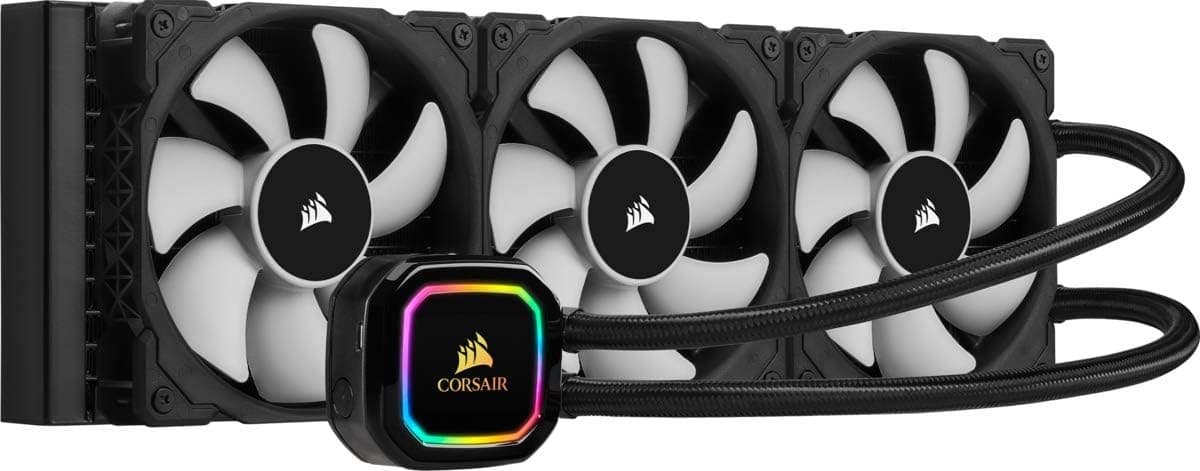
The CORSAIR iCUE H150i RGB PRO XT is a 360mm all-in-one (AIO) liquid CPU cooler. The short version: it suits people running mid-to-high-core-count CPUs under sustained load, or anyone who wants lighting and fan control unified under iCUE.
It is overkill for users who simply want something quiet, and it is a bad fit for compact cases.
The real value of this class is not peak cooling capacity but how low the fan speed can stay for a given temperature. What a 240mm radiator handles by spinning faster, a 360mm handles with surface area.
Large dual-tower air coolers can match it thermally, but a radiator avoids RAM and side-panel clearance problems and pushes CPU heat straight out of the case.
As of the May 2026 data capture, Amazon.co.jp listed 31,284 reviews averaging 4.3 out of 5 stars (86% positive).
That is an unusually large sample for a CPU cooler, which means abundant real-world install reports — genuinely useful if this is your first AIO.
How to Judge Its Cooling
Think in terms of watts dissipated at a given noise level, not degrees. A 360mm class cooler has headroom to absorb roughly 200W of sustained heat without running fans flat out.
For 8-to-16-core CPUs doing long encode, compile, or render jobs, that headroom translates directly into quieter operation and better sustained clocks.
In gaming, where CPU load is bursty and lower than an all-core stress test, the gap between 360mm and 240mm narrows considerably. If you only game, what you are buying is quiet and margin, not a dramatic temperature drop.
Set expectations accordingly.
Mounting orientation also matters. Top-exhaust lowers overall case temperature at a slight cost to CPU temps; front-intake cools the CPU best but feeds warmed air to the GPU.
Neither is wrong — choose based on which component you want to favour.
Compatibility Guide
The most common failure with this cooler is physical fit, not performance. Check these in order.
| Check | What to look for |
|---|---|
| Radiator mount | Case spec must state 360mm radiator support (top and/or front) |
| Radiator + fan thickness | Add 25mm fan thickness to the radiator; confirm total clearance |
| Top-mount clearance | VRM heatsinks, RAM height, and the EPS 12V (CPU 8-pin) connector |
| CPU socket | Confirm the bracket for your socket is included |
| Internal USB header | iCUE control needs one free internal USB 2.0 header |
A 360mm radiator runs roughly 390mm on its long edge, so "it's an ATX case, it'll fit" is a risky assumption. Top-mount collisions with VRM heatsinks and the CPU 8-pin connector are the classic failure.
Plenty of mid-towers cap the top at 240mm.
Brackets are provided for the major Intel and AMD sockets, but this model has been on the market for some years and bracket contents vary by revision. If you plan to use a recent socket such as AMD AM5 or a newer Intel LGA, verify support on the manufacturer's compatibility list and the listing's included-accessories section before buying.
This is not something to assume.
Power draw is not a concern for PSU sizing, but do count your free fan headers and internal USB headers in advance — three fans, a pump, and RGB control all need somewhere to go.
Product Info
rmation
At the May 29, 2026 capture, Amazon.co.jp listed it at ¥15,980; the eBay US marketplace listing showed $149.95 as of July 9, 2026.
Both are captured-at prices and will move with sales and stock. That places it between budget 360mm units and premium LCD-screen models.
If you do not need a display on the pump head, this is the cost-sensible tier of the lineup.
The review data — 31,284 reviews at 4.3/5 (86% positive) as of May 2026 — reads as "works fine for the large majority, with a consistent minority of complaints." For AIOs, those complaints typically concern pump failures, pump noise over time, and software behaviour, rather than cooling performance itself.
For bundled accessories, included brackets, and warranty terms, the product page carries the most current information; check there before purchase. Warranty length is a practical proxy for expected AIO service life.
Living With It: iCUE
The main reason to pick this line is iCUE. Being able to build fan curves against coolant temperature rather than CPU temperature is the practical win: coolant temperature moves slowly, so you avoid the constant fan surging that instantaneous CPU spikes cause.
A gentle coolant-based curve is the standard recipe for quiet operation.
The pump head and fans both light up and sync with other CORSAIR gear. The trade-off is that iCUE is a resident background application.
If you dislike always-on utilities, you can run the cooler on motherboard PWM control instead — but then half the reason to buy this particular model disappears.
On noise, the pump is the deciding factor, not the fans. Most units are near-silent, but unit variance and trapped air can produce a ticking or whining sound.
Air noise right after assembly usually settles within hours to days; if it persists, treat it as a defect.
Versus the Competition
Within the 360mm class, thicker radiators win on raw thermals, budget ARGB units win on price, and newer generations of the same brand win on integration. This model's position is software integration plus a very deep track record — not outright thermal leadership.
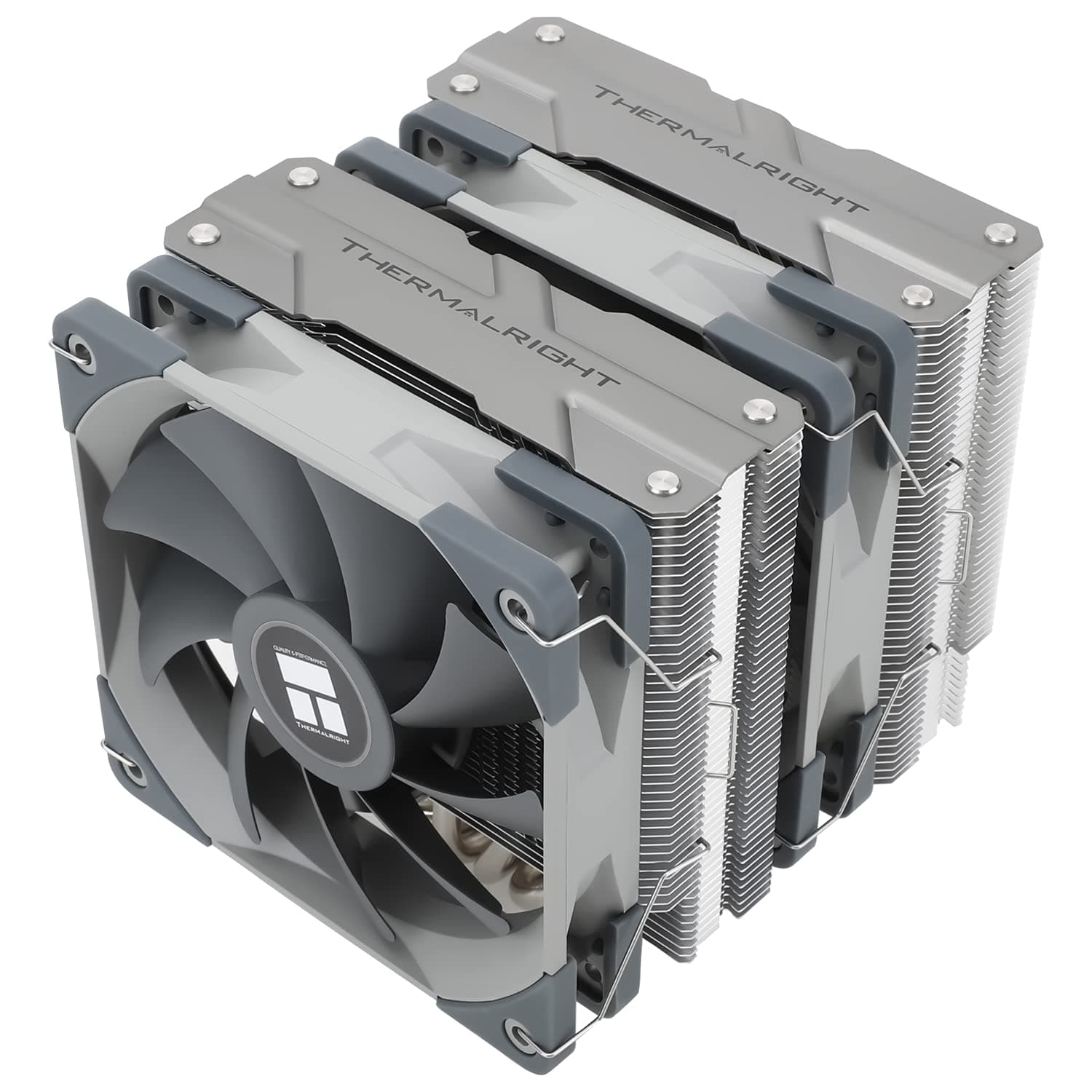
The overlooked alternative is a large dual-tower air cooler, which approaches 360mm AIO performance with no pump to fail, usually for less money. The costs are RAM and side-panel clearance, plus aesthetics.
If pump longevity worries you and RGB does not interest you, air cooling may leave you happier.
Installation Notes
Test-fit the radiator in the case before installing the motherboard, checking screw holes and clearance.
Fit the correct backplate and bracket for your socket.
Apply thermal paste and tighten the pump head gradually in a diagonal pattern for even contact.
Connect pump power, fans, and the USB cable.
Use a header that runs the pump at full speed (AIO_PUMP, not CPU_FAN). 5.
Confirm the pump RPM is being read in BIOS before booting the OS.
Where possible, orient the radiator so the tubes sit at the lower side, which reduces air collecting in the pump.
Best Use Cases
- Users running 8-to-16-core CPUs under long all-core loads such as encoding or compiling
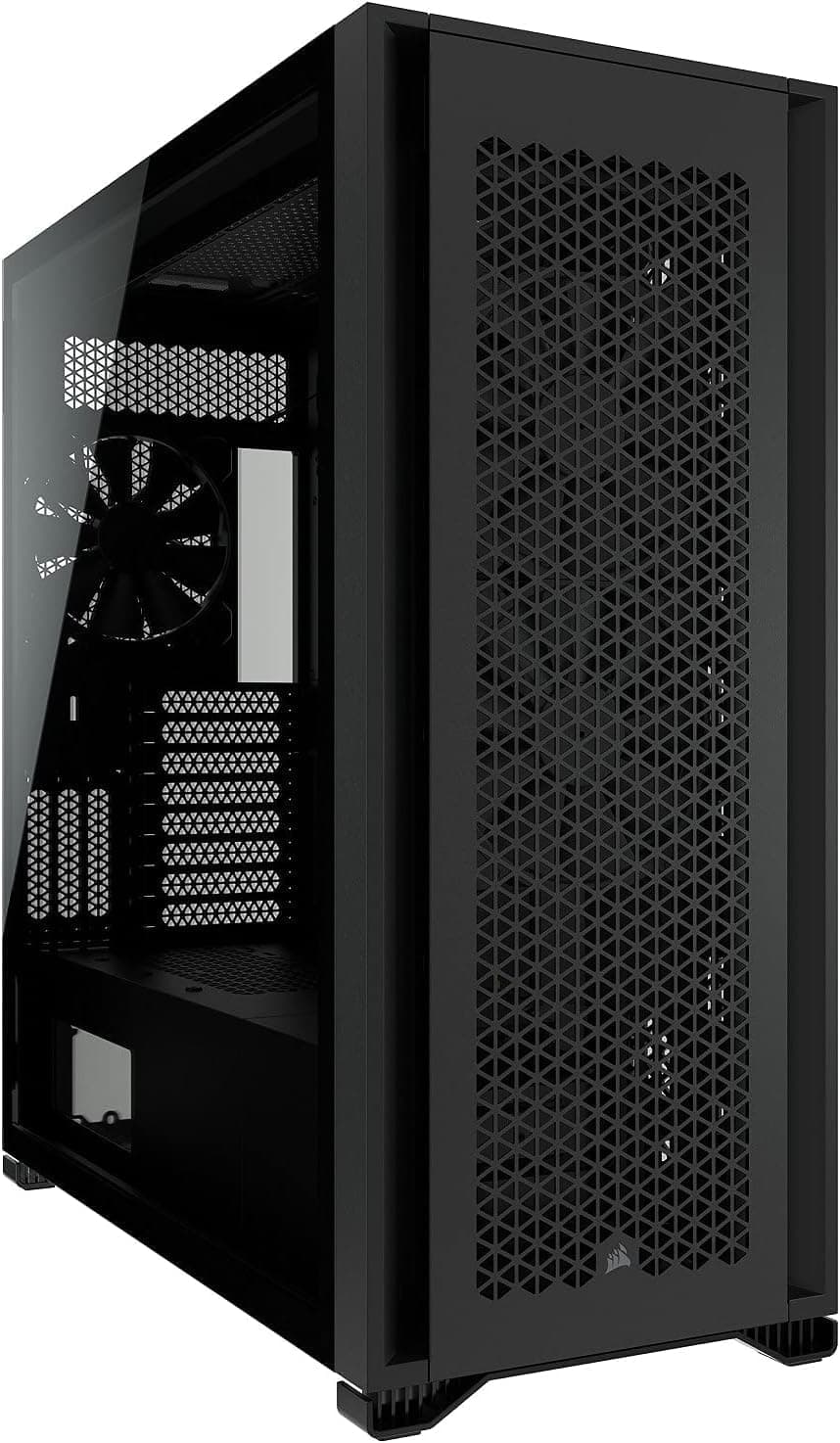
- Owners of mid-towers or larger with confirmed 360mm top or front radiator support
- Anyone already invested in CORSAIR RGB who wants unified iCUE control
- Builders whose large air cooler collides with RAM, the GPU, or the side panel
- People who value holding the same temperature more quietly, rather than raw cooling numbers
Before You Buy
First, the listing data for this product contains inconsistencies. The registered specification fields on the product page included items belonging to a portable battery — battery capacity and USB output ratings — which have nothing to do with a CPU cooler.
Those figures are listing errors and none of them were used in this article. Since you will see the same page, verify from the product images, the title, and the seller that the item is the CORSAIR 360mm AIO before ordering. Images and official model numbers are more reliable than the spec table.
Second, not fitting the case is the most common failure. With fans attached, a 360mm radiator is a large object.
Three fan mounts on the top panel is not proof of fit; measure the gap between the top of the motherboard and the case roof. Moving to a front mount sometimes solves it, but then drive cages and cable routing become the obstacle.
Third, in any AIO the pump is a consumable. An air cooler can be revived with a new fan; an AIO with a dead pump gets replaced entirely.
The loop is sealed, so coolant cannot be topped up, and gradual coolant loss over years is a known trait of the format. If you plan to keep a build for many years, accept that trade-off up front.
On software, iCUE will not suit people who avoid resident utilities or who primarily run Linux. Fine-grained RGB and fan-curve control assumes Windows.
Community tools cover parts of it on Linux, but without official support there are no guarantees.
Finally, this is a mature product. Socket support, bracket contents, and warranty terms can differ by production batch.
If you intend to use it on a recent socket, confirm compatibility on the manufacturer's list before buying.
FAQ
Q. How much cooler will 360mm run compared with 240mm? A.
Expect lower fan speed at the same temperature rather than a dramatic temperature drop. The gap is small in bursty gaming loads and meaningful under long all-core loads.
Q. Air cooler or this? A.
Thermally they are often close; the deciding factors are clearance and failure mode. Choose liquid to avoid RAM and side-panel collisions, air to avoid pump failure risk and save money.
Q. My pump ticks. Is it broken? A.
Post-assembly air noise usually clears within hours or days. Make sure the radiator sits higher than the pump.
If the noise is constant, contact the retailer or manufacturer while in warranty.
Q. Can I use it without iCUE? A.
Yes, via motherboard PWM control — but you lose coolant-based fan curves and RGB sync, which are the main reasons to choose this model over a cheaper one.
Q. How do I confirm it fits my case? A.
Check the case spec sheet for 360mm radiator support and the maximum supported radiator thickness, then physically measure the clearance above the motherboard to rule out VRM collisions.
Product Disclosure (Amazon)
- Manufacturer: CORSAIR
- ASIN: B0829S536D
- Note: This article covers a manufacturer-made product based on Amazon listing details.