Overview
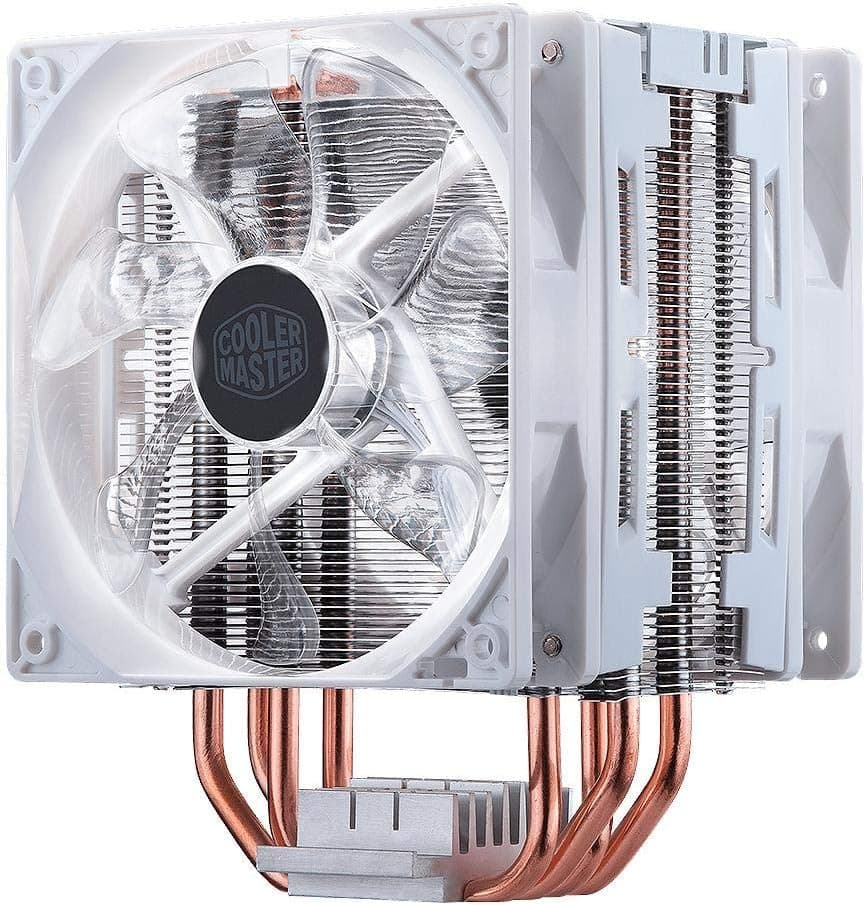
The Cooler Master Hyper 212 LED Turbo White Edition is a side-flow (tower) air CPU cooler built around a 120mm-class heatsink with two 120mm fans in a push-pull arrangement. The Hyper 212 family has been a long-running mainstream staple, and this variant adds a white plastic top cover and white LED fans so it fits white-themed builds.
The short verdict: this cooler suits people running a mainstream 6- to 8-core CPU at stock who want something quieter than the boxed cooler and cheaper than an AIO. It is not the right pick for overclocked high-end CPUs under sustained all-core load, nor for small cases or builds with tall memory.
The compatibility section explains why.
One caveat about this listing: the source record for this article contained specifications and pricing belonging to a completely different product (a portable battery). This article is written about the CPU cooler named in the title, and the notes below explain how to verify the store page yourself.
Why a dual-fan tower matters
A tower cooler stands its fins vertically, directly in the front-to-back airflow path of the case, so heat leaves the chassis rather than being dumped onto the motherboard. The trade-off is less airflow over VRMs and memory, which case fans should cover.
A push-pull pair does not dramatically raise peak cooling capacity, because the heatsink volume is unchanged. What it does buy you is the ability to hold the same temperature at a lower fan speed.
In practice that reads as quieter operation rather than a big temperature drop — provided both fans run on the same PWM curve.
Compatibility Guide
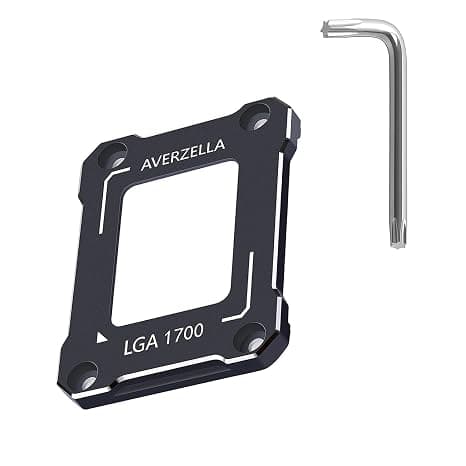
1. Socket support (most important). This cooler dates from the LGA115x and AM4 era.
Intel LGA1700 (12th gen and later) and AMD AM5 use different mounting geometry, so the bundled brackets may not fit. Check your motherboard socket against the product page's supported-socket list before ordering — this is the one mistake you cannot fix after delivery.
2. Height clearance. A 120mm tower typically stands around 155–160mm tall.
Most mid-tower ATX cases allow that, but slim, cube and Mini-ITX cases often cap CPU cooler height at 120–140mm. Compare the numbers rather than assuming it fits.
3. RAM clearance. This is the most common real-world problem with dual-fan setups.
The intake-side fan overhangs the first DIMM slot. Standard low-profile memory is fine; tall heatspreaders or RGB light bars may force you to raise the fan (which increases total height) or run a single fan.
Avoid pairing tall RAM with a height-limited case.
4. GPU and M.2. Tower coolers rarely conflict with graphics cards in the top PCIe slot, but the M.2 slot directly under the socket can become hard to reach.
Install your SSD before mounting the cooler.
5. Backplate access. The cooler mounts with a rear backplate.
If your case's motherboard cutout is small or misaligned, you will have to pull the board out. Budget that time when retrofitting an existing build.
Product Info
This is a side-flow air cooler with two 120mm fans, finished in white with white LED illumination. Hyper 212 heatsinks traditionally use direct-contact heatpipes that touch the CPU surface — standard construction for this price class.
On price: the collected record for this article contained a different product's pricing, so no figure is quoted here. Air coolers also move a lot with sales and exchange rates, so check the current price on the product page at the time of purchase.
Treat the on-page review count and rating the same way — confirm the page is actually showing this cooler before relying on it.
Accessories normally include wire fan clips, socket brackets, a backplate, screws and thermal paste, but contents vary by batch and seller. Whether paste is included decides if you can build the day it arrives, so keep a spare tube on hand if you are unsure.
Cooling Performance in Practice
A 120mm dual-fan tower is comfortable with mainstream-TDP CPUs. Against a boxed cooler you get clearly lower temperatures and less noise at stock.
Push a high-power flagship CPU through sustained all-core workloads and the fans simply sit at high RPM, erasing the acoustic advantage.
In daily use, fan control matters more than raw capability. Default BIOS curves react to brief temperature spikes, and the constant RPM swing is what people actually hear.
Flattening the curve and lengthening step-up/step-down times changes perceived noise more than any fan swap. Wire both fans to the same CPU_FAN header via a splitter so they track one curve.
On lighting: white LED fans are fixed-colour illumination, not addressable RGB. If you want software-controlled effects synced with other parts, pick an ARGB model instead.
Competitors
Within Cooler Master's own range, the Hyper 212 EVO V2 is the generation that explicitly covers LGA1700, the Hyper 212 Halo White is the newer white-and-lit option, and the Hyper 612 APEX sits above both on cooling capacity.
On value, dual-tower coolers such as the Thermalright Peerless Assassin 120 SE are the strongest competition: more heatsink volume generally means more cooling headroom at the same noise level. They are also wider and taller, so RAM and side-panel clearance become tighter than with this cooler.
Performance versus ease of fitting is the real decision here.
Versus an AIO: liquid wins if you have radiator space and want the socket area clear. Air wins on longevity — no pump, and the only wear item is a fan you can replace.
Installation Tips
Fit the bracket and backplate before installing the motherboard, or verify you can reach the rear cutout.
Install RAM and M.2 SSDs first — both get awkward once the cooler is on.
Apply a pea-sized dot of paste in the centre and let mounting pressure spread it.
Tighten screws diagonally and evenly; uneven pressure directly costs you temperature.
Mount fans last, and eyeball RAM clearance at that point.
After first boot, check temps and RPM in BIOS and flatten the fan curve so idle speeds stop oscillating.
Best Use Cases
A good fit for: owners of mainstream 6–8 core CPUs at stock who are bothered by boxed-cooler noise; builders matching a white colour scheme; anyone who wants to avoid AIO pump failure or leak risk; mid-tower ATX cases with clearance to spare.
Skip it if: you are building on LGA1700 or AM5 and don't want to chase a bracket kit; you overclock a high-end CPU under sustained all-core load; you run tall RGB memory or a Mini-ITX/slim case; or you want fully addressable RGB synced with the rest of the build.
Before You Buy
Verify the store listing yourself. The source record for this article mixed in an entirely unrelated product's specs, price and review data.
The same thing happens on retail pages. Check the product image and title — not just the model number or ASIN fields — and make sure the variation selector is on the version you actually want, since white/dual-fan variants are easy to confuse.
Socket support can only be fixed before purchase. Bracket kits for newer sockets exist but availability varies.
Match your motherboard socket to the listed support before ordering.
Dual fans do not make it an AIO. The second fan buys quiet, not headroom.
If you need substantially more cooling, move up to a larger heatsink or a liquid cooler.
This is an older-generation product. Newer Hyper 212 revisions improve socket coverage and fan quality.
If the price gap is small, there is little reason to choose the older one; if it is cheap and your socket matches, it remains good value.
Removal is a chore. Backplate mounting usually means pulling the motherboard out for a CPU or board swap.
Factor that in if you change parts often.
FAQ
Q. Does it work with LGA1700 or AM5? A.
Most likely not with the bundled brackets. A separate retention kit may work, but if you want certainty, choose a model that explicitly lists LGA1700/AM5 support.
Confirm on the product page first.
Q. Will it fit a mid-tower case? A.
A 120mm tower is generally around 155–160mm tall, which most mid-tower ATX cases accept. Compare that to your case's stated maximum CPU cooler height.
Slim, cube and Mini-ITX cases frequently cannot take it.
Q. Does it clash with tall RAM? A.
It can. The front fan sits over the first DIMM slot.
You can raise the fan or run a single fan, but raising it increases total height — recheck side-panel clearance.
Q. Is thermal paste included? A.
Usually yes at this price class, but contents vary by batch and seller. Keep a spare tube if you want to build the day it arrives.
Q. How should I wire two fans? A.
Run both from the CPU_FAN header with a splitter so they share one curve. Splitting them across headers causes RPM mismatch and audible beating.
Q. Can I change the LED colour? A.
White LED lighting is fixed; it is not addressable RGB. Choose an ARGB model if you want synced effects.
Q. What does it cost? A.
No figure is quoted here because the collected data contained another product's price. Check the product page for the current price at the time you buy.