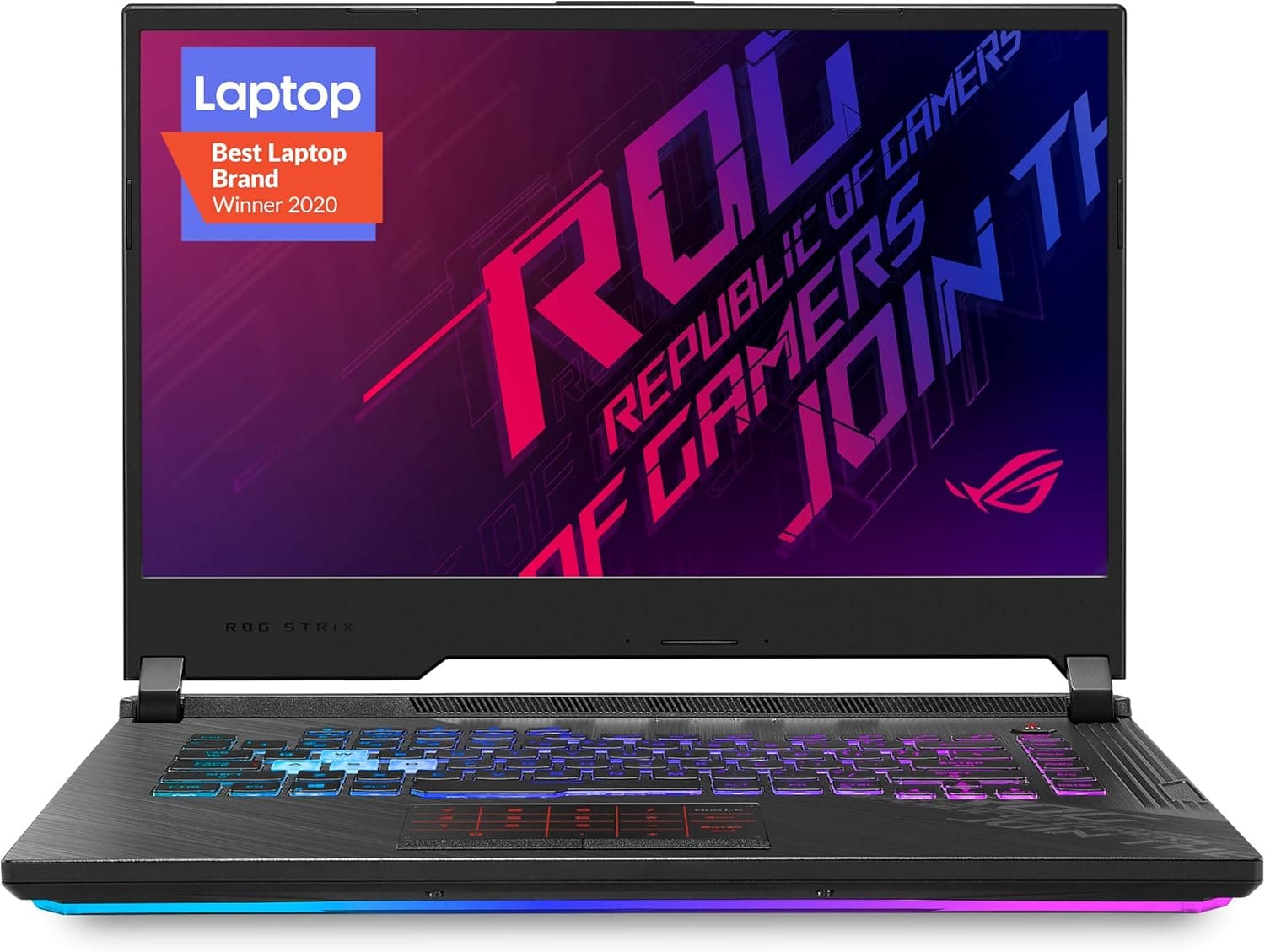
ASUS ROG Strix is the performance-first mainstream line within ASUS's ROG gaming brand. The short answer: it suits people who keep a laptop on a desk, plugged in, chasing high frame rates — and it does not suit people who want something light to carry every day.
This article covers what to verify before buying and where you will have to compromise.
Overview
ROG Strix pairs a discrete GPU with a high-refresh display and prioritizes frame rate over slimness. Compared with ROG Zephyrus (thinner, quieter) and TUF Gaming (cost-focused), Strix sits toward the performance end: it accepts extra thickness and weight in exchange for cooling headroom, and many models run the same GPU at a higher power budget as a result.
On the sales side, Amazon.co.jp shows a rating of 4.4 out of 5 across 123 reviews (captured 2026-05-31), which works out to roughly 88% positive — above average for a gaming laptop.
Note that 123 reviews belong to one specific listing, not the whole series, so check the reviews on the exact listing you plan to buy.
The recorded price is ¥171,099 on Amazon.co.jp (captured 2026-06-01).
Gaming laptop prices swing by tens of thousands of yen around sales and new GPU generations, so treat that figure as a snapshot from that date and confirm the current price on the product page.
Five Things to Check Before Buying
The most common mistake is assuming "it's a Strix, so it's fast." Configurations vary widely under the same name.
Check at least these five points.
| What to check | Why it matters |
|---|---|
| GPU model and total graphics power (TGP) | The same GPU name runs at different power budgets per chassis, changing real frame rates |
| CPU generation and model | HX-class and H-class parts differ in sustained performance and heat |
| Panel resolution and refresh rate | Higher resolution raises GPU load, so expected fps may not materialize |
| RAM capacity and slot layout | Soldered memory cannot be upgraded later |
| Storage capacity and free slots | Modern titles routinely exceed 100 GB each, so even 1 TB fills fast |
GPU power budget is the item most often overlooked. The GPU name alone does not determine real performance, so look up the figure on the manufacturer's spec sheet.
Once you know it, most price differences between similar-looking models start to make sense.
Compatibility Guide
Unlike a desktop build, you never worry about sockets here — the real pain points are elsewhere. Power comes first: gaming laptops in this class typically ship with AC adapters above 200 W, and even where USB PD charging is supported, PD alone generally cannot drive the GPU at full performance.
If you plan to carry the machine, count the adapter's size and weight too.
External display output is next. Strix-class machines commonly offer HDMI plus USB-C with DisplayPort Alt Mode, but which output runs through the integrated GPU and which is wired directly to the discrete GPU varies by model.
If you want high frame rates on an external monitor, confirm which port is the direct one before buying. One note: the listing data attached to this article includes a "VGA (HD15) port" specification, but current gaming laptops essentially never carry VGA output.
If you must connect to an older projector, plan on a USB-C or HDMI adapter.
Upgradability is part of compatibility as well. Machines with two SO-DIMM slots can usually be expanded later, but some have one channel soldered, and some require removing the entire bottom panel.
Whether opening the chassis affects warranty depends on the retailer and manufacturer, so check the terms if you are buying with upgrades in mind. For storage, confirm whether a free M.2 slot exists and which length (2280, for example) it accepts.
Finally, placement. These laptops exhaust heat from the rear and sides, so pushing the back against a wall, or using the machine on a bed or cushion, costs performance.
Plan for a deep desk or at least about 10 cm of clearance behind the machine.
Product Info
The listing is on Amazon.co.jp with a recorded price of ¥171,099 (captured 2026-06-01).
Because gaming laptops move sharply around fiscal quarter ends and new GPU launches, treat this as a point-in-time snapshot. Reviews stand at 4.4 out of 5 across 123 entries (captured 2026-05-31), roughly 88% positive.
One caveat: the specification data collected alongside this listing includes entries that clearly belong to a different product — VGA cable connector type, cable length, and shielding construction. Those cannot describe a laptop, so this article does not treat them as ROG Strix specifications.
The same mismatch may still be present on the product page itself, so verify the actual configuration against the product title, product images, and the manufacturer's official page.
Competitive Comparison
At this price point the natural rivals are ASUS's own TUF Gaming line, Acer Predator Helios, and Lenovo Legion. Within ASUS, TUF typically costs less for the same GPU and leans on durability, while giving up some ground to Strix on panel quality and keyboard feel.
Strix spends budget on the parts you touch daily — backlit keyboard, speakers, display — which is also why it tends to cost more than similarly specced rivals.
A simple way to choose: prioritize frames per yen and look at TUF or entry-level rivals; prioritize overall daily feel including display and input devices and Strix earns its premium; prioritize quiet operation and portability and you want Zephyrus-class or thin-and-light designs. And in general, at equal budget a desktop wins on performance, expandability, and noise.
If you still choose a laptop, it helps to articulate your specific reason — limited space, frequent moves, LAN events — before you buy.
Real-World Impressions
The first thing that surprises new owners is fan noise. Under load these machines are often louder than a desktop, and long sessions without headphones can be genuinely unpleasant.
Most models offer performance profiles, and a quieter mode does lower the noise — at the cost of frame rate. That noise-versus-fps tradeoff is essentially unavoidable in this category.
Keyboard deck temperature is the second. The area directly above the CPU and GPU gets noticeably warm under load, so if you plan long sessions on the built-in keyboard, an external keyboard makes things far more comfortable.
Conversely, if the machine lives on a desk with an external monitor and keyboard, neither weakness matters much. Gaming laptops rate best when used as portable desktops.
Best Use Cases
A Strix-class gaming laptop fits these people:
- Limited desk space — one machine replaces a tower plus monitor in a small room.
- Frequent moves or trips home — carry the laptop and adapter and you have the same performance anywhere.
- Gaming plus creative work on one machine — a discrete GPU also accelerates video editing and 3D rendering.
- LAN parties and offline tournaments — portable high performance is the one area where a laptop clearly beats a desktop.
- Upgrading from an integrated-graphics laptop — the jump in playable settings is dramatic.
Things to Watch Before Buying
First, this listing's registered data is inconsistent. The collected specifications include VGA cable details (HD15 connector, 1.8 m length) that cannot apply to a laptop.
The same registration error may still be live on the Amazon page, so confirm the product via title, images, and manufacturer model number before ordering. Marketplace listings in particular sometimes bundle several different configurations under one page.
Price volatility deserves attention too. The recorded ¥171,099 is a 2026-06-01 figure, and swings of tens of thousands of yen around sales or a new GPU generation are routine.
If you are not in a hurry, watching the price for a few weeks usually pays off.
Now the honest list of who should not buy. If you want something to carry daily, look elsewhere: with the large AC adapter included, effective carry weight approaches double that of a thin-and-light.
If you need to do heavy work quietly in a library or open office, this is the wrong tool. And if you expect long unplugged gaming sessions, temper that expectation — GPU power is typically limited on battery.
Common post-purchase surprises. Storage runs out fastest: single AAA titles above 100 GB are normal, and 1 TB gets tight after a few installs.
Preinstalled utilities are second — gaming models ship with several resident tools, so prune what you do not need during setup. Third, the display may not default to its maximum refresh rate; set it explicitly in Windows display settings after first boot.
Check warranty and repair terms. Unlike a desktop, you cannot usually swap a failed part yourself.
If being without the machine during a repair would be a problem, read the extended warranty and pickup-repair terms before you order.
FAQ
Q. How is it rated? A.
4.4 out of 5 across 123 reviews on Amazon.co.jp (captured 2026-05-31), roughly 88% positive — solid for a gaming laptop.
Q. What does it cost? A.
¥171,099 was recorded on Amazon.co.jp (captured 2026-06-01).
Prices move a lot, so check the listing for the current figure.
Q. Can I add RAM or an SSD later? A.
It depends on the model. Two SO-DIMM slots means yes; a soldered channel means partially or not at all.
Check the spec sheet along with free M.2 slots before buying.
Q. Is battery-only gaming practical? A.
Generally no. GPU power is usually capped on battery, so full performance assumes the AC adapter is connected.
Q. Can I drive an external monitor at high frame rates? A.
Yes, but results depend on whether the port is wired directly to the discrete GPU. That wiring varies by model, so confirm it on the manufacturer's spec sheet.
Q. Why do the listed specs mention a VGA cable? A.
The listing's registered specification data appears to have been swapped with another product. Current gaming laptops essentially never include VGA output, so disregard it and verify the real configuration on the manufacturer's page.