This article looks at the ARCTIC Liquid Freezer III Pro 240 A-RGB with a focus on what to check before you build.
Overview
The ARCTIC Liquid Freezer III Pro 240 A-RGB is an all-in-one (AIO) liquid CPU cooler pairing a 240mm radiator with two 120mm fans. The short verdict: this is not a looks-first cooler, it is a practical 240mm AIO that buys cooling capacity through radiator thickness.
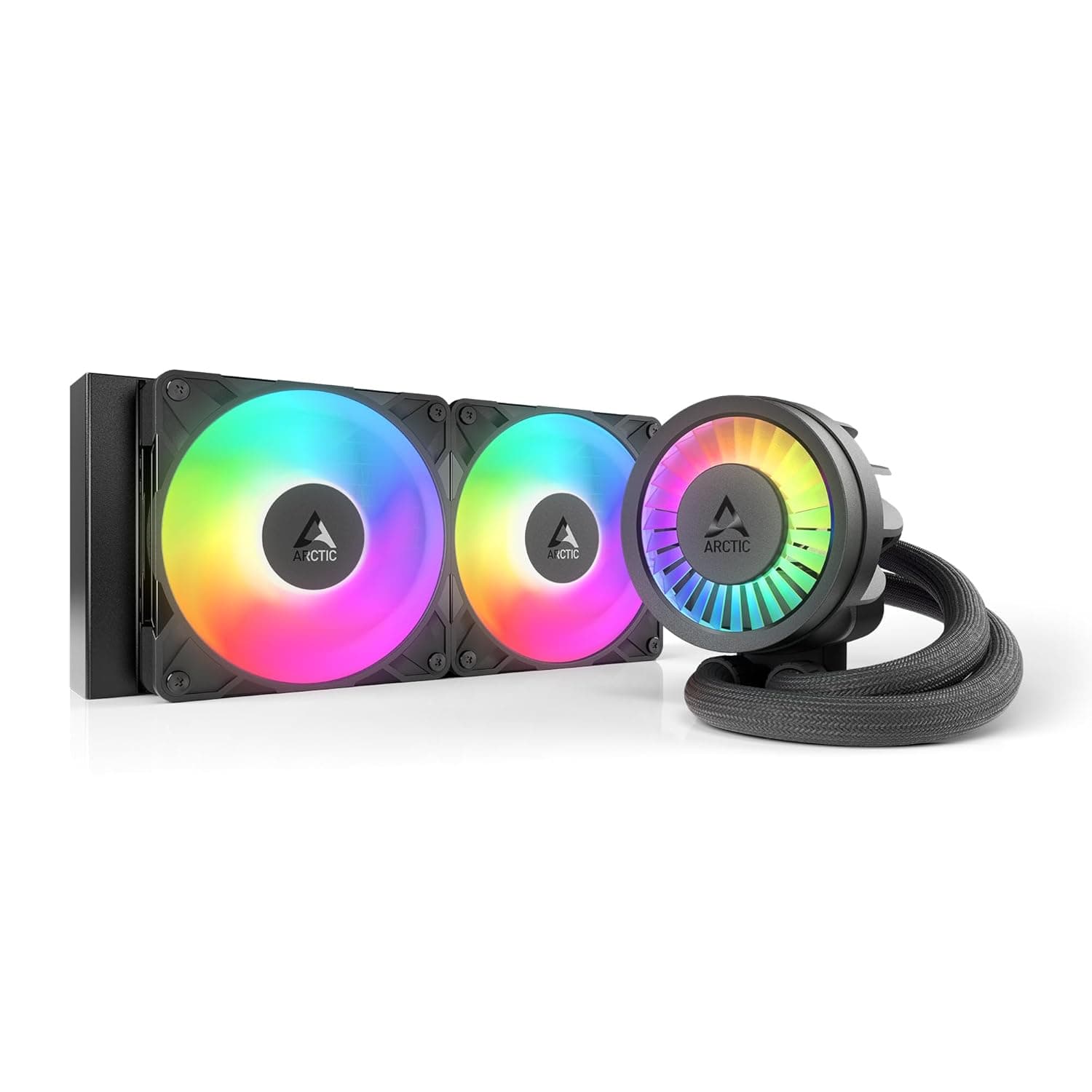
The unit is black, the fans use 5V addressable RGB (A-RGB), the pump is PWM-controlled, and the pump head carries a VRM fan that pushes air over the motherboard power stages next to the socket.
The defining spec is the 38mm radiator thickness. Most 240mm AIOs use roughly 27mm radiators, so this one sits a class above in surface area — which translates directly into how much heat can be shed at a given fan speed.
Think of it as a 240mm unit aiming at the territory of larger radiators. The flip side, covered below, is that it is picky about cases.
Amazon.co.jp showed 383 reviews at 4.4 out of 5 stars (roughly 88%) as of May 31, 2026.
A three-digit review count holding 4.4 suggests this is not a product where dead-on-arrival units or brutal installs pile up one-star reviews.
Reviews still skew toward buyers, so treat it as a signal, not a guarantee.
What a 38mm Radiator Actually Buys You
The real benefit of a thick radiator is not raw peak cooling — it is getting the same cooling at a lower fan speed. With a thin radiator, the only way to shed more heat is to spin the fans up, and that noise is what most people actually notice.
Extra thickness gives you headroom to keep RPM down. That is why quiet-build users gravitate toward thick radiators.
The trade-off is airflow resistance. A thick, dense fin stack needs static pressure, and low-pressure fans will not extract its potential.
Because this cooler ships with its fans already matched to the radiator, that pairing is handled for you. The corollary: swapping the bundled fans for better-looking ones can quietly undo the reason you bought a thick radiator in the first place.
Buying this with a fan swap in mind is rarely the rational move.
The VRM fan follows the same logic. Air coolers spill air over the socket surroundings; an AIO puts only a pump head there, leaving VRMs and memory in dead air.
A small fan on the pump head fills that gap, and it matters most on builds running power-hungry CPUs at sustained load.
Compatibility Guide
Check your case clearance as a number first. A 38mm radiator plus a typical 25mm fan is about 63mm of stack.
A case that says "supports 240mm radiators" may be assuming a standard ~27mm unit. What you need is not the supported radiator size but the clearance figure in millimetres for the top (or front) mount.
Skipping this is the single most common failure with thick AIOs.
Three places tend to collide. First, memory slots — tall heat-spreader RAM can foul a top-mounted radiator.
Second, the upper VRM heatsink and the EPS 12V CPU power connector, which become hard to reach once the radiator overhangs them. Third, drive cages or front fan mounting positions on front installs.
If you can, measure your RAM height and internal case dimensions before ordering.
Plan three cable runs. The pump is PWM, so use the AIO_PUMP header if your board has one; on CPU_FAN, an aggressive fan curve can throttle the pump itself.
The fans go to motherboard headers or the cooler's own hub. A-RGB needs a 5V 3-pin addressable header — it is not compatible with 12V 4-pin RGB.
Plugging a 12V cable into a 5V header, or the reverse, destroys LEDs. Confirm your board has a 5V addressable header before you buy.
On sockets, the Liquid Freezer III line generally targets Intel LGA1700/1851 and AMD AM4/AM5, but the exact brackets included can vary by SKU and batch, so verify the supported-socket list on the product page for your specific platform. This is not something to guess at.
Product Info
The cooler belongs to ARCTIC's Liquid Freezer III Pro line in the 240mm class. The package centres on a 38mm-thick 240mm radiator, two 120mm fans, a PWM pump, and a VRM fan.
The finish is black and the lighting is 5V addressable. The "240" in the name refers to radiator size and implies two 120mm fans side by side.
On pricing, Amazon.co.jp listed ¥17,018 as captured on May 31, 2026, and eBay US listed $49.00 as captured on July 16, 2026.
Both are captured-at-that-moment figures and move with sales, currency, and stock. Always check the live listing.
Cross-border marketplace pricing also carries different shipping, duty, and warranty handling, so a straight number comparison is misleading — an AIO has a moving part in the pump, and having a warranty contact matters a few years in.
Reviews, again, stood at 383 with 4.4 of 5 stars as of May 31, 2026.
How It Compares
The 240mm AIO segment is crowded, and the personalities differ clearly.
| Deciding factor | This cooler fits when | Look elsewhere when |
|---|---|---|
| Thermal headroom | You want more cooling per decibel | Your case assumes slim radiators |
| Aesthetics | A-RGB lighting is enough | You want an LCD or logo display |
| Software | BIOS fan curves are fine | You want one-app ecosystem control |
| Ease of fitting | You can measure beforehand | Small case, no measuring |
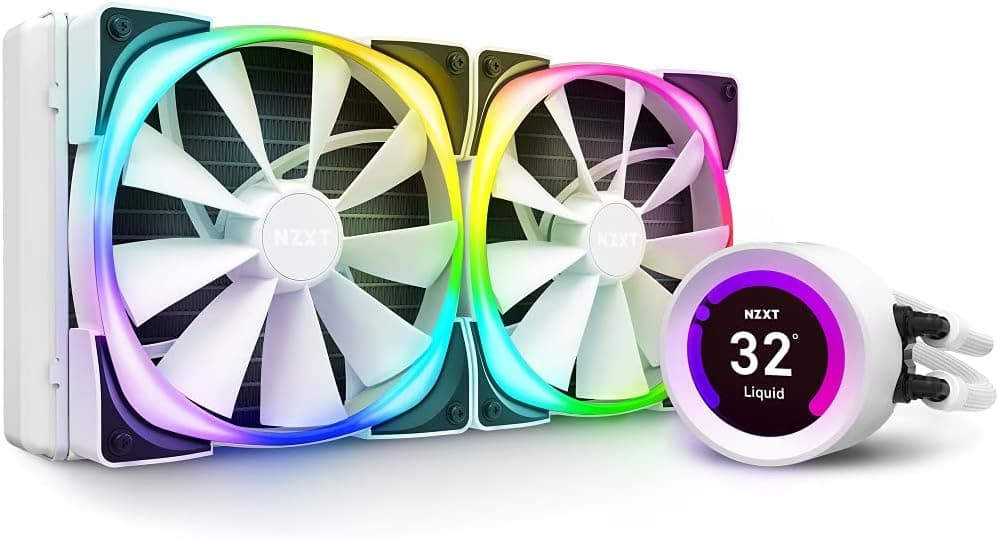
Against LCD-headed or ecosystem-managed 240mm AIOs, this one is plain in presentation and serious about cooling. Also worth saying: at this price there are excellent dual-tower air coolers.
If one fits your case, air remains a rational pick simply because there is no pump to fail. Decide up front whether you want liquid for the looks, to exhaust CPU heat straight out the top, or to free up space around the memory — the answer makes the choice easy.
Best Use Cases
This suits builders with a case that takes a 240mm radiator comfortably and who want quiet and capable cooling at once — concretely, a mid-tower with 60mm-plus top clearance running a power-hungry CPU. Sustained loads like video encoding, compiling, and long gaming sessions are where thick-radiator headroom shows up.
It also fits a black-themed build that wants restrained A-RGB accents. With a 5V addressable header, you can sync it to your case fans for a consistent look.
And the pump-head VRM fan appeals to anyone moving from air to liquid who worries about the dead air that appears around the socket after the tower cooler comes out.
Conversely, Mini-ITX builds, slim cases, or any case that never publishes a clearance figure are safer served by a standard-thickness radiator or a good air cooler.
Before You Buy
The thickness is the trap. Buying on the strength of "240mm supported" alone leads to a 38mm radiator plus 25mm fans fouling memory or the top of the motherboard.
Look up the top and front clearance numbers in the case manual before ordering. If the maker does not publish them, measure — or pick a standard-thickness unit.
Do not mix up the RGB header standards. 5V 3-pin and 12V 4-pin connectors look similar and will physically seat if you push.
A miswire kills the LEDs, and that class of failure is often outside warranty. Without a 5V header, expect no lighting control unless you add a separate controller.
An AIO contains a wear item. The pump is a moving part; over years it can get noisy or stop.
A stalled air-cooler fan degrades gracefully, but a stalled pump heads for the danger zone quickly. Use the AIO_PUMP header so BIOS can monitor pump RPM, and consider running the pump at a fixed 100% — slightly noisier, meaningfully safer.
Orientation matters too. Mounting so the pump sits above the highest point of the radiator lets air collect at the pump, causing gurgling and reduced cooling.
As a rule of thumb, route tubes out of the lower side of the radiator and keep the pump below the radiator's top edge.
Listing data can be wrong. In fact, the collected data for this product included specifications from an entirely different category — "USB 3.0" as the interface and "2.5-inch SATA" as the supported drive, which belong to an external drive enclosure.
None of that was used here. Since you will open the same product page, do not take the spec table at face value: confirm the product from the images and title, and verify against the manufacturer's official specifications — especially supported sockets and radiator dimensions.
FAQ
Q. Will it fit my case? A.
Budget about 63mm: 38mm radiator plus 25mm fans. Check the clearance figure in millimetres, not the "supports 240mm" line.
If it is not published, measure.
Q. My board has no 5V addressable header. Can I still use it? A.
Yes, cooling works normally; you just lose lighting control. Do not connect it to a 12V 4-pin RGB header — that causes damage.
Q. Which header should the pump use? A.
AIO_PUMP if available. On CPU_FAN, the fan curve can throttle pump speed and cost you cooling under load.
Q. Is the VRM fan essential? A.
Not essential, but useful, because AIOs leave the socket area in dead air. It matters most with high-power CPUs under sustained load.
Q. Can I swap the bundled fans? A.
You can, but thick radiators need static pressure. Swapping for looks may erase the advantage you paid for.
Q. 240mm or 360mm? A.
If a 360mm fits with clearance to spare, it offers more headroom. But since this design gains area through thickness, it is a strong pick when 240mm is your ceiling.