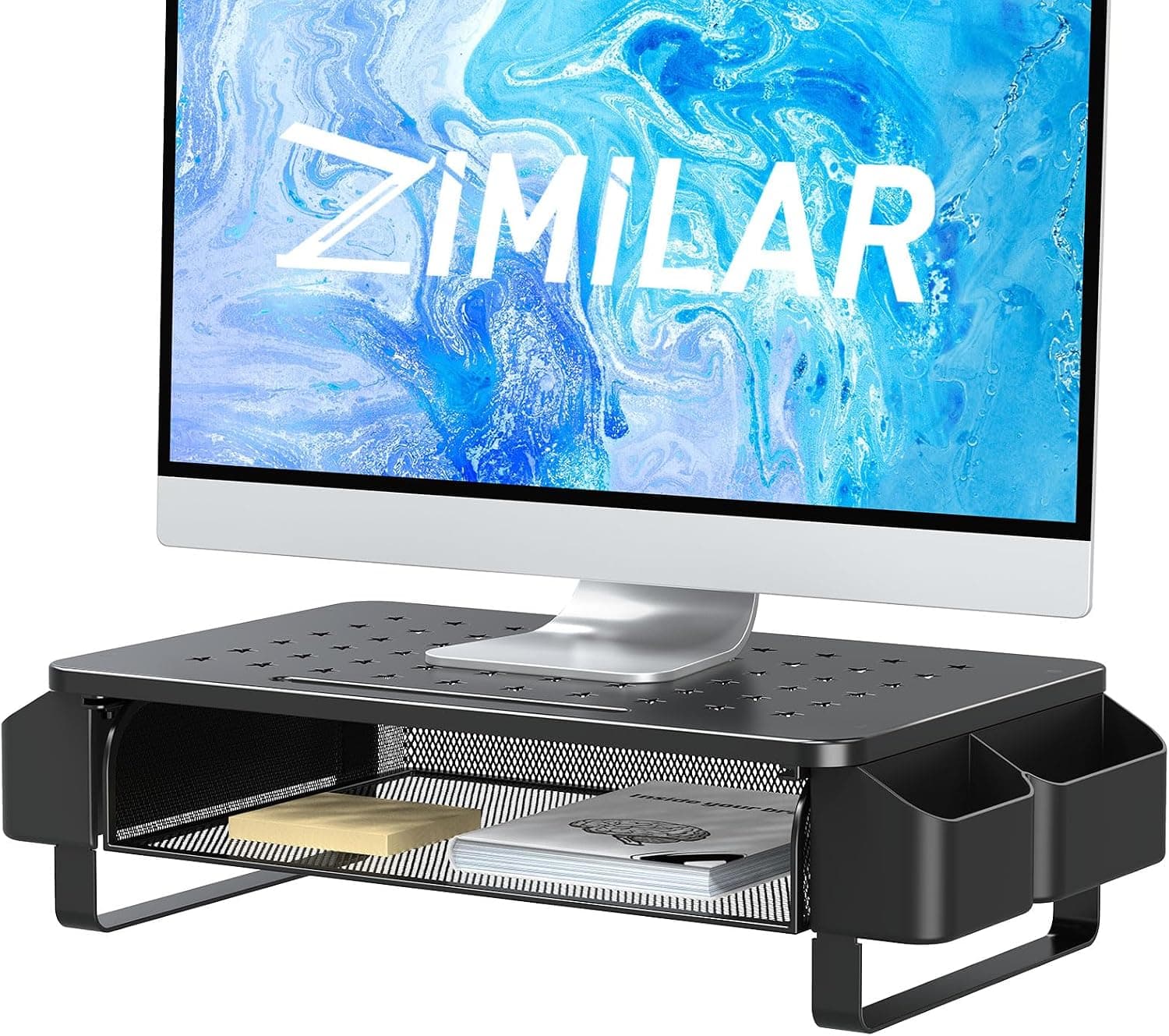
This article looks at the Zimilar metal monitor stand riser with drawer and side pocket — where it works, and where you have to compromise.
Overview
The Zimilar riser is a metal platform that lifts a monitor or laptop so your eye line sits at a more natural height, with a pull-out drawer underneath and a pocket on the side for small items. It is rated for 19.96 kg and requires no assembly — unbox it and put it down.
It targets people who do not want to commit to a monitor arm but need to fix both a low screen and a cluttered desk at once. On Amazon it holds a 4.7-star average from 439 reviews (roughly 94% positive), which is solid for an entry-to-mid-tier riser with storage.
The catch, as covered below, is the fixed height.
Compatibility Guide
A 19.96 kg limit is generous for a typical 24-27 inch monitor, which usually lands somewhere around 4-7 kg including its stand.
A 13-16 inch laptop or a compact printer is also well within range on weight alone.
The real constraint is footprint, not mass. The manufacturer notes that stability varies with the size and shape of the monitor base, and that you should confirm your desk has enough depth.
V-shaped feet that splay forward, or wide circular bases, can overhang the platform and reduce contact area. Measure your monitor base (front-to-back and side-to-side) and compare it against the platform dimensions listed on the product page before ordering.
Desk depth matters too. A riser tends to push the screen a few centimetres toward you, which can make viewing distance too short on desks shallower than about 60 cm.
Also leave room to pull the drawer out, and check that the side pocket will not collide with speakers, an external drive, or a desk lamp base. Because the screen sits higher, marginal-length power or DisplayPort cables may lose the slack they need.
Note that this is a place-on-top platform, not a VESA mount. Your monitor's VESA pattern (75x75 or 100x100 mm) is irrelevant here, and you cannot remove the factory stand and use this instead.
Product Info
The listed specs are simple: metal construction, 19.96 kg load capacity, and no assembly required.
Metal is a genuine differentiator against the MDF and particle-board risers common at this price — wood-composite tops can bow slightly under sustained weight, while a metal frame generally will not. The trade-off is that a hard metal surface can let rubber monitor feet creep; a thin non-slip pad solves that if it bothers you.
The price was ¥4,627 as captured in July 2026. That is affordable for a metal riser with storage, but stock and sales move these prices around, so check the product page for the current figure.
In the data used for this article, the domestic and international purchase links both point to the same Amazon.co.jp page, so buyers outside Japan may not be able to use it directly.
The 439-review, 4.7-star rating is a large enough sample to be meaningful.
Complaints on products like this usually come down to dimensional expectations — the height was not what someone pictured, the drawer was shallower than hoped — so measuring beforehand affects satisfaction far more than the star average does.
Only the riser itself is included, and no tools are needed. Warranty handling is up to the seller; check the product page for terms.
How to Set It Up
A common ergonomic guideline is to put the top of the screen at or just below seated eye level. A laptop sitting directly on a desk is well below that, which keeps your neck tilted forward.
A riser plus an external keyboard and mouse is the clearest, cheapest fix for that setup.
Work in this order: measure the gap between your current screen top and your eye line while seated, check whether the riser's height closes that gap, and only then buy. If you already run a height-adjustable stand or arm at the right level, a riser will overshoot.
Use the drawer and pocket for things you do not reach for constantly — sticky notes, USB sticks, cable ties, lip balm. Whether a thicker item like a power brick fits depends on internal dimensions that are not published, so do not count on it.
How It Compares
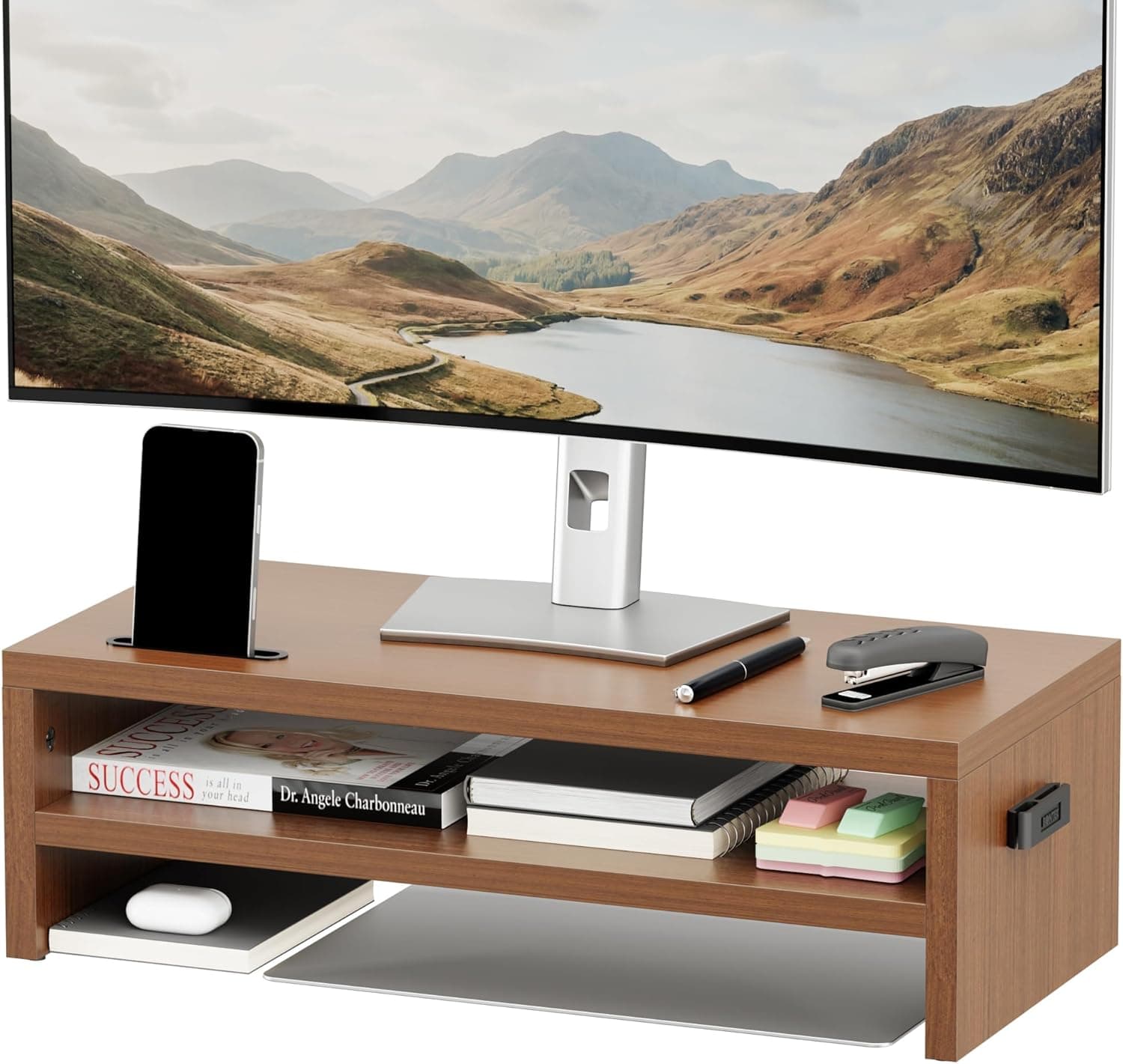
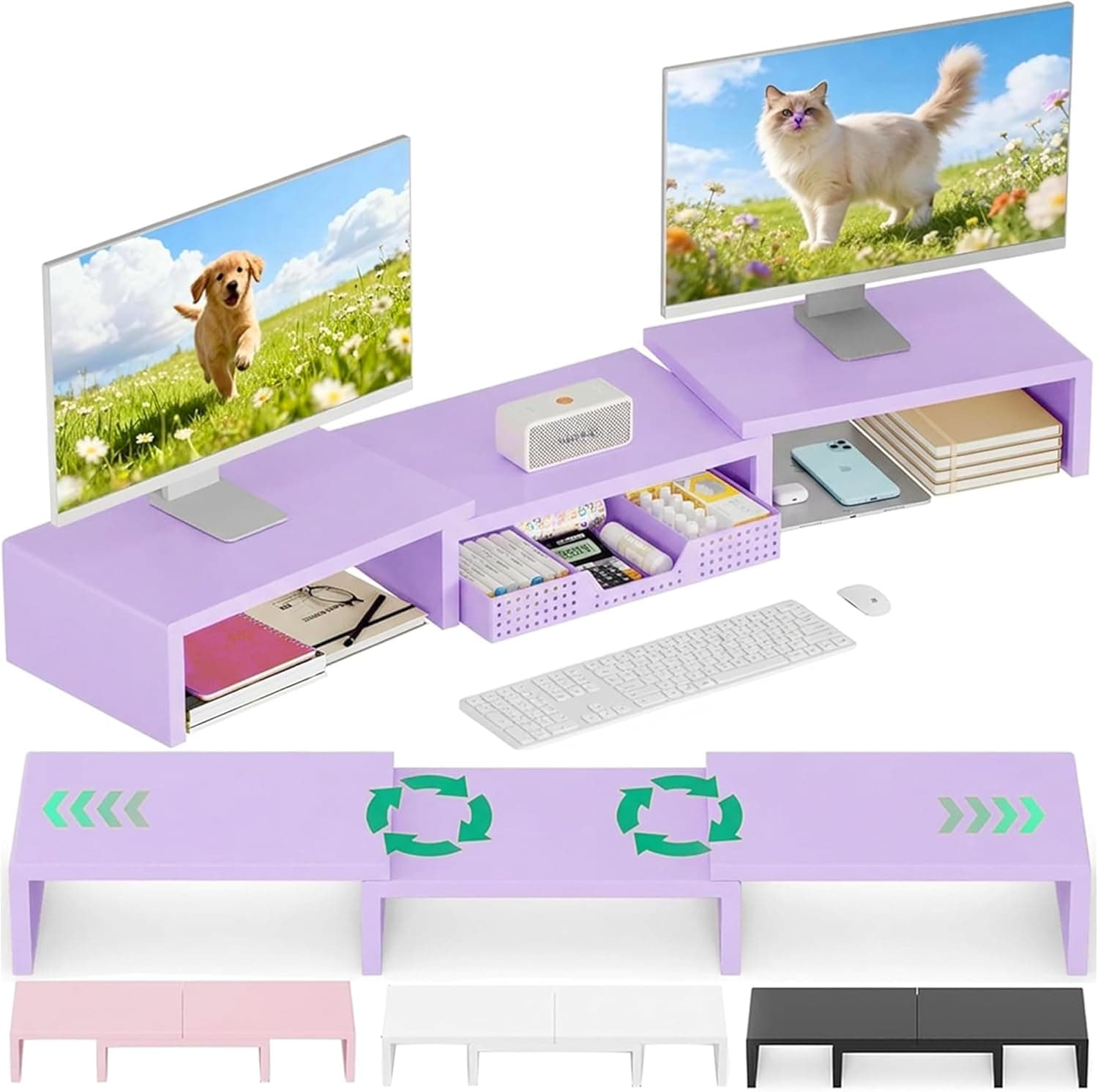
Storage risers diverge more than they look. There are wide wood-and-steel models built to carry two monitors on one 100 cm-plus platform, dual-monitor organizers offered in colors like purple, and two-tier wooden models that add a shelf.
The choice comes down to three questions: one monitor or two, how much desk width you can spare, and whether the material has to match your room.
The Zimilar is the simple option — one screen or laptop, metal for rigidity, storage added on. If you want both monitors on a single platform, buy a 100 cm-class model from the start; it works out cheaper than improvising.
If you want warm wood or vertical shelf space, a two-tier wooden riser fits better.
Best Use Cases
It suits remote workers who sit in the same spot, in the same posture, for long stretches. The clearest win is a laptop user who adds an external keyboard and lifts only the screen — the neck and shoulder relief is immediate.
It also fits anyone whose desk collects pens and phones and who wants one drawer's worth of storage.
Gamers and creators benefit if the goal is sliding a keyboard underneath to reclaim desk space. It is also a sensible allocation if you would rather spend your budget on the monitor or GPU than on the furniture around it.
Metal build with zero assembly is a quiet but real advantage if you do not want to spend a weekend with an Allen key.
Before You Buy
The fixed height is the main compromise. Unlike an arm, you cannot dial in height, depth, or tilt after the fact.
If it lands 2 cm too high, there is no adjustment — this is a classic return reason. Anyone who alternates between sitting and standing, changes screen position by mood, or shares a desk should skip it and look at a VESA arm instead.
Second, large and heavy displays. Screens of 32 inches and up, and ultrawides with broad stands, can overhang the platform even while staying under 19.96 kg, and the raised centre of gravity adds wobble.
Heavy typists may notice slight screen shake.
Third, dimensions. The available data does not state the platform's width, depth, or height, nor the drawer's internal size.
So this article cannot promise that a 27-inch base fits, or that an A5 notebook slides into the drawer. Read the dimensions on the product page and measure your own hardware; if the numbers are unclear, ask the seller before ordering.
One more thing about the listing itself. In the data referenced here, the ASIN attached to the price does not match the ASIN of the source page, and the international link points at the Japanese Amazon store.
Risers and desk accessories are sold in many variations of color and size, and listing metadata or displayed prices sometimes belong to a different variation. Before you confirm the order, check the images, the title, the selected variation, and the final price against what you actually intend to buy.
FAQ
Q. Will it hold a 27-inch monitor? A.
On weight, yes — 19.96 kg leaves plenty of margin for a typical 27-inch display.
What decides it is base footprint, not mass. Compare the platform dimensions on the product page against your measured monitor base.
Q. Riser or monitor arm? A.
Choose the riser if you set the height once and leave it, want no clamp marks on your desk, and want to spend less. Choose an arm if you reposition often, stack multiple screens, or want the desk surface completely clear.
Q. Is assembly required?
A. No. No tools, no parts — unbox and place it.
Q. How much fits in the drawer? A.
Flat items: sticky notes, pens, USB sticks, cable ties. Internal dimensions are not published, so thicker items like power adapters are not guaranteed to fit.
Check the product page.
Q. Can I put a printer on it? A.
A compact inkjet is likely within the weight limit, provided its base does not overhang. Because printers vibrate in operation, make sure all four corners sit fully supported.
Q. What does it cost? A.
¥4,627 as captured in July 2026. Prices move with sales and stock, so confirm the current figure on the product page.