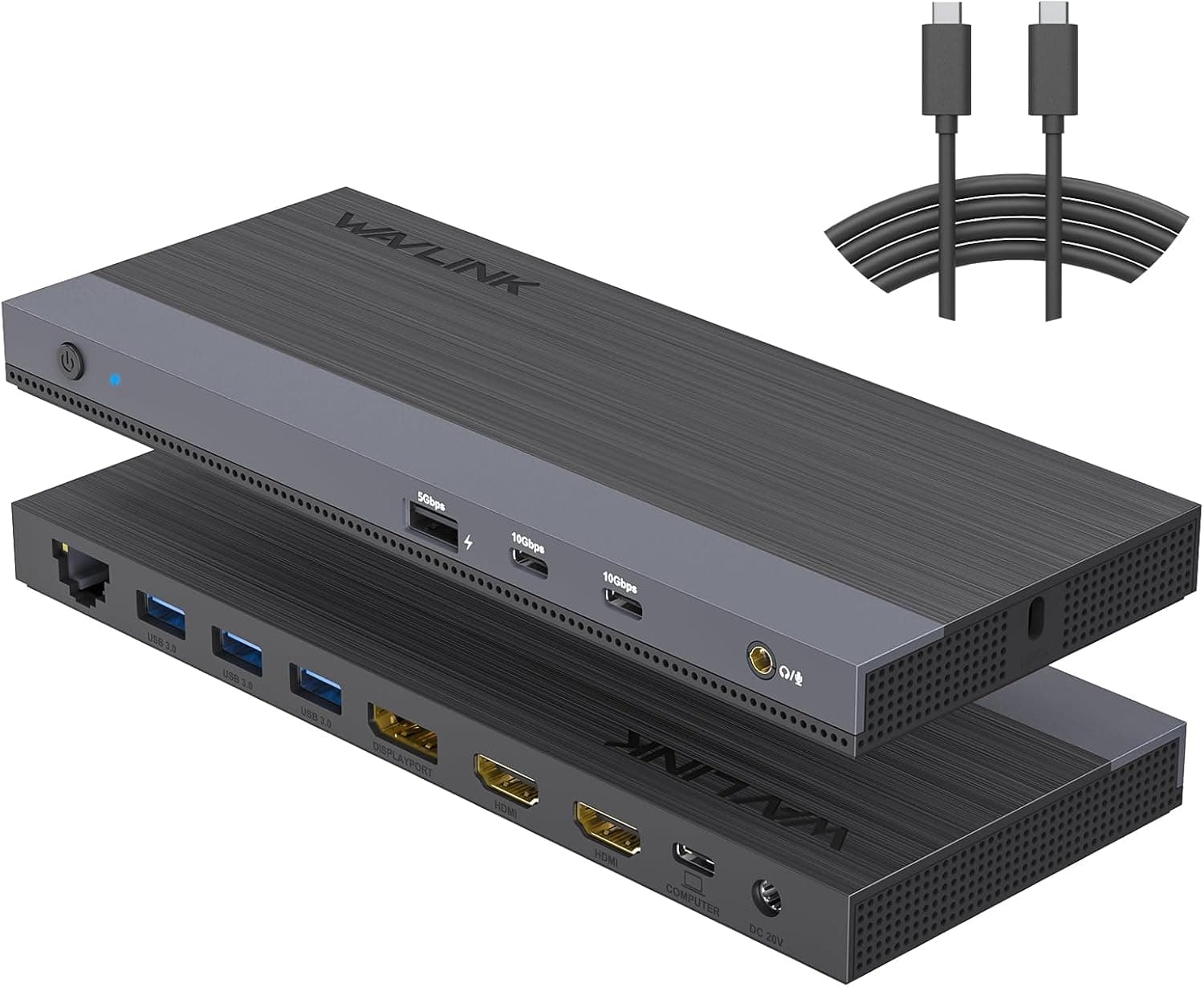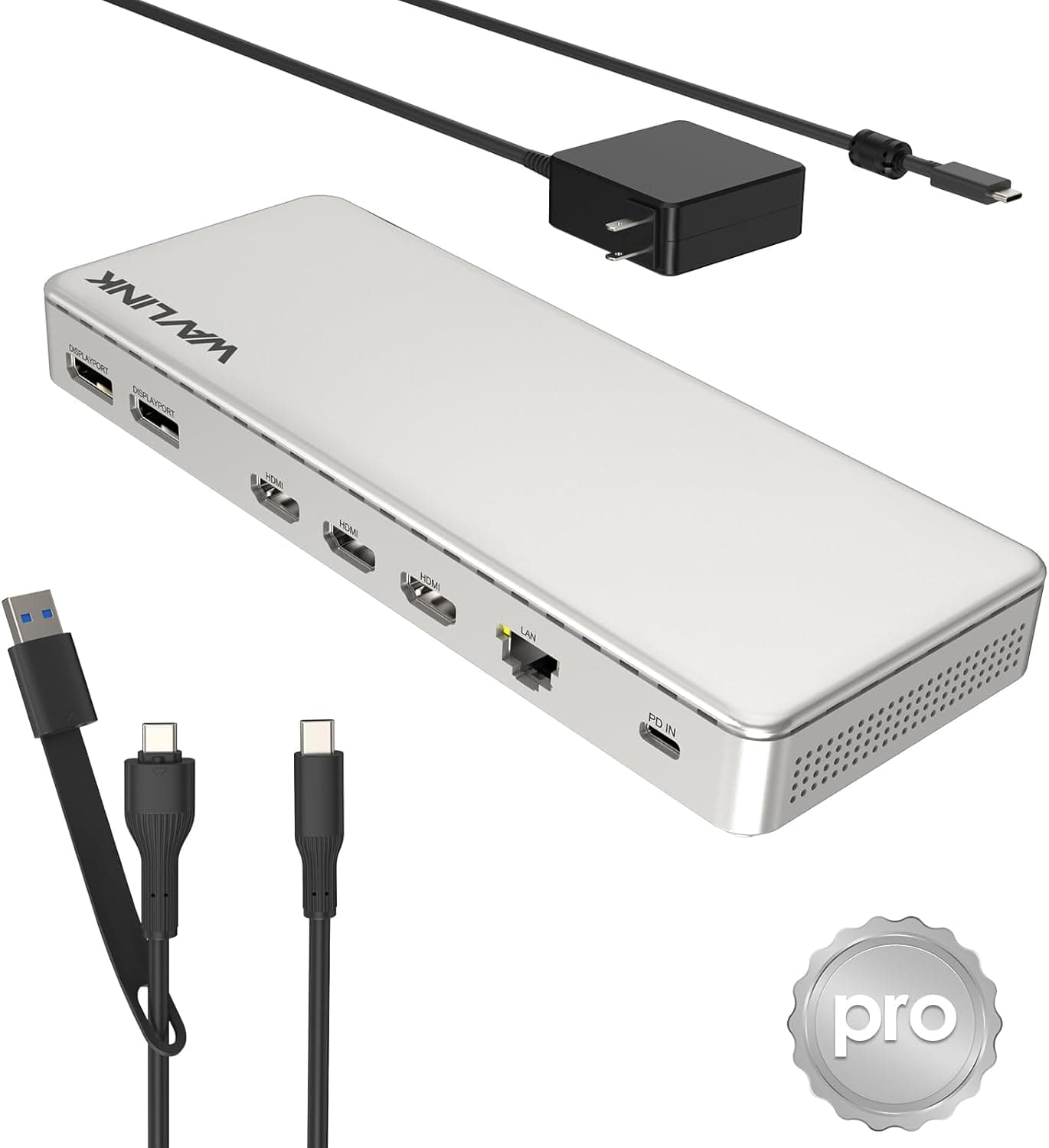
The WAVLINK triple-display docking station with the SM770 chipset is built to turn a single USB-C cable into three external screens, laptop charging, and wired networking. This article looks at what it actually takes to get three 4K@60Hz displays running, where setups tend to break down, and who should skip this dock entirely.
Overview
This dock uses Silicon Motion's SM770 controller and is rated for up to three 4K@60Hz displays via HDMI×3 or DisplayPort×2. It adds 100W pass-through charging (120W input), a 2.5Gbps Ethernet port, and up to 10Gbps USB data transfer.
In short, it targets people whose laptop simply does not have enough video outputs and who want a one-cable return-to-desk workflow.
The chassis measures 21.3 × 8.3 × 2.3 cm in white, a slim shape that sits comfortably under a monitor stand or beside a laptop riser.
On Amazon.co.jp it held a 4.4 out of 5 rating across 127 reviews as of the 2026-05-25 capture — solid for this class of dock.
Compatibility Guide
Stated OS support covers Windows 11/10, macOS 13 and later, Android 8.0+, Ubuntu, and ChromeOS.
Connection is USB-C (Thunderbolt 5/4/3, USB4/3.x), and the bundled USB-A adapter extends it to machines with only USB-A.
Listed target machines include MacBook Pro/Air (Intel and M1/M2/M3/M4), Mac mini, Surface, Dell, and HP laptops.
The key thing to understand is that the SM770 is a USB graphics controller. Rather than simply splitting the host's DisplayPort Alt Mode signal, the dock generates video on its own chip and ships it over USB — which normally means a vendor driver has to be installed.
That approach has real trade-offs.
| Aspect | Tendency | What it means in practice |
|---|---|---|
| Host coverage | Broad | Can add screens on USB-A machines and on Macs that cap external display count |
| Drivers | Usually required | Brief breakage is possible right after a major OS update |
| Latency / frame delivery | Slightly worse | Fine for office work and video; poor for competitive gaming or color-critical work |
| CPU load | Handled on-chip | Lighter than pure software transport, but not zero |
Base Apple Silicon chips (no Pro/Max suffix) are known to limit how many external displays they can drive natively, and driver-based docks are often bought specifically to work around that. Behavior varies by macOS release, though, and macOS 13 is the stated minimum — anything older is out of scope.
Check WAVLINK's product page for a driver matching your OS version before you buy.
On power: 100W out, 120W in. That covers most 13–15-inch laptops while working, but high-end 16-inch and gaming laptops that ship with 140W adapters may drain slowly under load.
Always connect the included power adapter — bus power will not sustain three displays or 2.5G Ethernet.
Physically, filling both HDMI and DisplayPort ports adds up fast. Leave roughly 10 cm of clearance behind the dock for cable bend radius on a shallow desk.
Display Output Combinations
Outputs are configured as HDMI×3 or DisplayPort×2, up to three 4K@60Hz screens. There are three HDMI and two DisplayPort connectors physically, but that is not the same as driving all of them at once — the simultaneous ceiling is three displays.
If all your monitors are DisplayPort-only, note there are just two DP outputs, so the third screen needs an HDMI input. Confusing port count with simultaneous output count is one of the most common post-purchase surprises.
Also, 4K@60Hz is a ceiling, not a guarantee. Ultrawide panels (3440×1440 and similar), higher-than-4K resolutions, or high refresh rates can exceed available bandwidth and drop the refresh rate.
HDCP 2.3 support means protected streaming content is generally not a stumbling block here.
Product Info
Key specifications:
| Item | Value |
|---|---|
| Chipset | SM770 |
| Video output | Up to 3× 4K@60Hz (HDMI×3 or DP×2) |
| HDMI / DisplayPort | 3 / 2 |
| Power | 100W output / 120W input |
| Wired LAN | 2.5Gbps |
| USB data | Up to 10Gbps (USB-C / USB-A) |
| Dimensions | 21.3 × 8.3 × 2.3 cm |
| Color | White |
Pricing varies sharply by retailer. Amazon.co.jp showed ¥19,199 as captured on 2026-05-25, while Rakuten (シュガーライトSTORE) showed ¥29,189 as captured on 2026-08-20 — roughly a ¥10,000 spread.
Both are point-in-time figures that move with sales and stock, so check current prices at your chosen retailer before ordering. That gap is wide enough to buy a second mid-range dock.
Reviews stood at 127 with a 4.4 out of 5 rating at the 2026-05-25 capture.
That is a smaller sample than the big-brand staples, but there is no cluster of severe complaints, which is a good sign for a driver-based dock. The box includes the dock, a USB-C cable, a USB-A adapter, and a power adapter.
Warranty is handled by the manufacturer — confirm the term and claim process on the official page.
Positioning is mid-range. With certified Thunderbolt docks typically landing in the ¥30,000–50,000 range, hitting triple 4K@60Hz plus 100W PD plus 2.5G LAN in one unit is good value as long as you can buy at the Amazon-side price.
How It Compares
Docks advertising "triple 4K" split into two camps: USB graphics chips like this one, and Thunderbolt docks that pass the host's own bandwidth through. Thunderbolt wins on latency and color fidelity, but it requires a Thunderbolt host and costs more.
If you have Thunderbolt and plan to game or scrub video previews on an external panel, a Thunderbolt dock will make you happier.
Conversely, if your fleet mixes USB-A-only laptops, or you use a base Apple Silicon Mac with a display-count cap, a Thunderbolt-first setup simply is not on the table — and this style of dock is the only route. That is the real decision point.
WAVLINK also sells dual 4K@60Hz and DisplayLink dual-5K variants, so if two screens are enough, a cheaper model may serve you just as well.
Best Use Cases
This suits creative and business users who genuinely need three or more work surfaces: developers splitting editor, browser, and docs; editors separating timeline, preview, and reference; analysts spreading tables and dashboards. The 2.5G LAN port pairs well with NAS-based workflows and offices that move large files.
It also fits anyone whose laptop has only one or two USB-C ports and who wants charging, video, data, and Ethernet on a single cable. The more often you dock and undock each day, the more that consolidation pays off.
The white chassis is an easy match for light-colored desks and Mac setups.
Before You Buy
Start with the price spread. Amazon showed ¥19,199 (captured May 2026) against Rakuten's ¥29,189 (captured August 2026) — about ¥10,000 apart.
The captures are from different months so it is not a clean comparison, but do not buy on a price you saw somewhere; check the live price at your retailer. Docks are a volatile category.
Then the driver question. The SM770 is a USB graphics part, so video output generally requires a vendor driver.
If your work laptop blocks software installs, you may not be able to use it at all — clear it with IT first. Related risk: right after a major OS update, drivers can lag and displays may temporarily stop working.
If you patch immediately, make sure you can afford to wait for a driver.
Fit by workload is clear-cut. Competitive FPS gaming and calibrated photo or video grading are not good matches for output through this kind of dock.
Run those on a monitor wired directly to the laptop's own video output and treat the dock as your secondary-screen hub.
Do not confuse port count with simultaneous outputs. Three HDMI and two DisplayPort connectors still means a three-display ceiling.
Count the input types on your actual monitors first. On power, high-end laptops expecting 140W may outpace the 100W supply under load.
Finally, listing data. Retail spec fields occasionally carry data belonging to a different product.
At the time of writing nothing conflicted between this listing and WAVLINK as the manufacturer/direct seller, but verify the product image, title, and model number yourself when ordering. Docking stations are especially prone to mix-ups because near-identical dual-4K, triple-4K, and DisplayLink variants sit side by side under the same brand.
FAQ
Q. Can I use it without installing a driver? A.
Products built on USB graphics chips like the SM770 typically need a vendor driver for video. USB and Ethernet may work on stock OS drivers, but if you are buying this for three displays, assume a driver install is required.
Check the manufacturer page for current support.
Q. Will it drive three displays on an M1/M2 MacBook Air? A.
Base Apple Silicon Macs cap native external display count, and driver-based docks are commonly used to work around that. Behavior changes with macOS versions, so confirm a driver exists for your release first.
Stated support starts at macOS 13.
Q. Can I game on it? A.
Light games and video playback are fine, but titles where frame rate and input lag matter are not a good fit. Keep gaming on a monitor connected directly to the laptop.
Q. Will it charge my laptop over the same cable? A.
At 100W output, most 13–15-inch laptops are covered. Machines shipping with 140W adapters may not keep up under heavy load.
Always plug in the included power adapter.
Q. Can I actually reach 2.5Gbps on Ethernet? A.
Only if your router, switch, and NAS also support 2.5Gbps or higher.
With 1Gbps network gear, you get 1Gbps.
Product Disclosure (Amazon)
- Manufacturer: WAVLINK
- Seller: 新奇デジタル-JP(メーカー直営)
- Fulfilled by: Amazon
- ASIN: B0FYNHHVXN
- Note: This article covers a manufacturer-made product based on Amazon listing details.