Overview
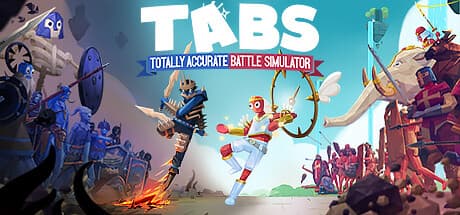
Totally Accurate Battle Simulator (TABS) is a battle sandbox in which you place armies of wobbly ragdoll soldiers, press the start button, and watch what happens. It is developed and published by Landfall and left Early Access on April 1, 2021.
The loop is simple. Each stage gives you a fixed budget, you spend it placing units on the terrain, then you start the fight and hand everything over to the physics engine.
You control the setup phase only — once the battle begins, you are a spectator.
So TABS is not a real-time strategy game. It is a placement puzzle whose answer is checked by an intentionally unreliable physics simulation.
Going in with the wrong expectation is the single biggest source of disappointment.
Features and Systems
The defining feature is deliberately unstable ragdoll physics. Soldiers wobble at the joints, stagger when they swing, fall when shoved, and are simply gone if they tumble off a ledge.
Because that instability feeds directly into the outcome, the same setup does not produce the same result twice.
Units are grouped into factions spanning ancient, medieval, fantasy, western, sci-fi and spooky themes, each with different reach, attack speed, mass and special behavior. Nearly every stage boils down to one decision: field many cheap units, or bet the budget on a single expensive giant.
The main modes are:
- Campaign — faction-by-faction stages with tight budgets, effectively played as puzzles.
- Sandbox — no budget limits; throw any army at any other army. Most long-term playtime lives here.
- Unit Creator — build custom units from existing parts and equipment.
- Steam Workshop — share and subscribe to community units and maps.
- Online multiplayer — compete on placement against other players.
The creator and Workshop are what extend this game's lifespan. Players still active long after finishing the campaign are almost always in sandbox and Workshop content.
System Requirements
The requirements listed on the Steam store page:
| Item | Minimum | Recommended |
|---|---|---|
| OS | Windows 7 | Windows 10 |
| CPU | Core i5-2400 3.1GHz / FX-6300 3.5GHz or equivalent | Core i7-4770 3.4GHz / Ryzen 5 1600 3.2GHz or equivalent |
| GPU | GeForce GTX 670 / Radeon R9 270 (2GB VRAM, Shader Model 5.0+) | GeForce GTX 970 / Radeon R9 290X (4GB VRAM, Shader Model 5.0+) |
| RAM | 8 GB | 8 GB |
| Storage | 4 GB | 6 GB |
| DirectX | 10 | 11 |
The telling detail is that RAM stays at 8 GB across both tiers while only the CPU and GPU move up. That points to a game dominated by CPU cost from simulating large numbers of ragdolls at once, not by rendering load.
In practice, TABS bogs down not at high resolution or with heavy textures, but when you drop hundreds of units into a sandbox brawl. Lowering visual settings helps far less than reducing unit count.
If your goal is smooth mass battles, strong per-core CPU performance will usually matter more than a bigger GPU.
The listing also states 64-bit systems only. The GPU tier is old enough (GTX 670 era) that many recent integrated-graphics laptops can plausibly run it, but keep unit counts modest on that class of hardware.
Storage is light at 6 GB recommended, so disk space is a non-issue.
Getting Started
A few habits that break campaign roadblocks:
Do not line up head-on. Put archers and throwers outside enemy firing lines and buy time with melee units in front.
Use elevation. In a game where shoving knocks people over, holding the high ground changes results on its own.
Mix in one expensive unit. In an even fight, a single high-mass unit crashing into the enemy formation often settles it.
Retry the same setup. Physics variance is real; a narrow loss sometimes becomes a win with no changes at all.
How you feel about point four — luck, or the whole point of TABS — largely predicts whether you will enjoy this game.
Reception Trends
TABS has held a very high standing for years, and the praise consistently centers on one thing: it is funny to watch. Depth of strategy is not what people are applauding.
Absurd unit behavior, unexpected launches, a giant flattening its own allies — the fact that failure is entertaining is what carries this game.
The common criticism is that the ceiling appears sooner than expected. Place, watch, repeat is a narrow loop, and plenty of players note that novelty fades once the campaign is done.
A subset also finds the lack of in-battle control frustrating rather than funny.
The other recurring complaint is frame rate collapse with very large armies. That slowdown is structural to the simulation, so whether you read it as a defect or as the cost of the physics shapes your impression.
Who It's For
- Players who find buggy-looking physics entertaining in itself
- Anyone who likes setting up conditions and seeing what happens
- People who want short sessions — a battle takes seconds to a few minutes
- Groups watching one screen together; TABS is genuinely fun as a spectator
- Players happy to browse Workshop creations for extra content
If you enjoyed a ragdoll sandbox like People Playground, the sensibility here is very close.
Caveats and Who Should Skip It
Skip it if you want a demanding tactical game. There is no control during combat and physics variance sits on top of every result, so anyone chasing precise unit management or build optimization will come away unsatisfied.
For war games you actually command, Hearts of Iron IV or Mount & Blade II: Bannerlord fit that appetite far better.
The joke is the core, so burnout timing varies wildly. After the campaign, what you do next is entirely up to your own imagination.
Players who cannot set their own goals may stall within hours; players who open the Unit Creator often stay for a very long time.
Budget headroom if you want huge battles. The recommended tier means "runs fine," not "runs hundreds of units smoothly." Confusing the two is exactly how people end up meeting the requirements and still finding it choppy.
Check the store page for supported languages. The data available here does not list localization, so this article cannot confirm it.
TABS is light on text and mostly language-independent to play, but verify the language list before buying if UI language matters to you.
Store page listings — languages and system requirements alike — do get revised. Confirm on the current store page that the title and your hardware line up before you buy.