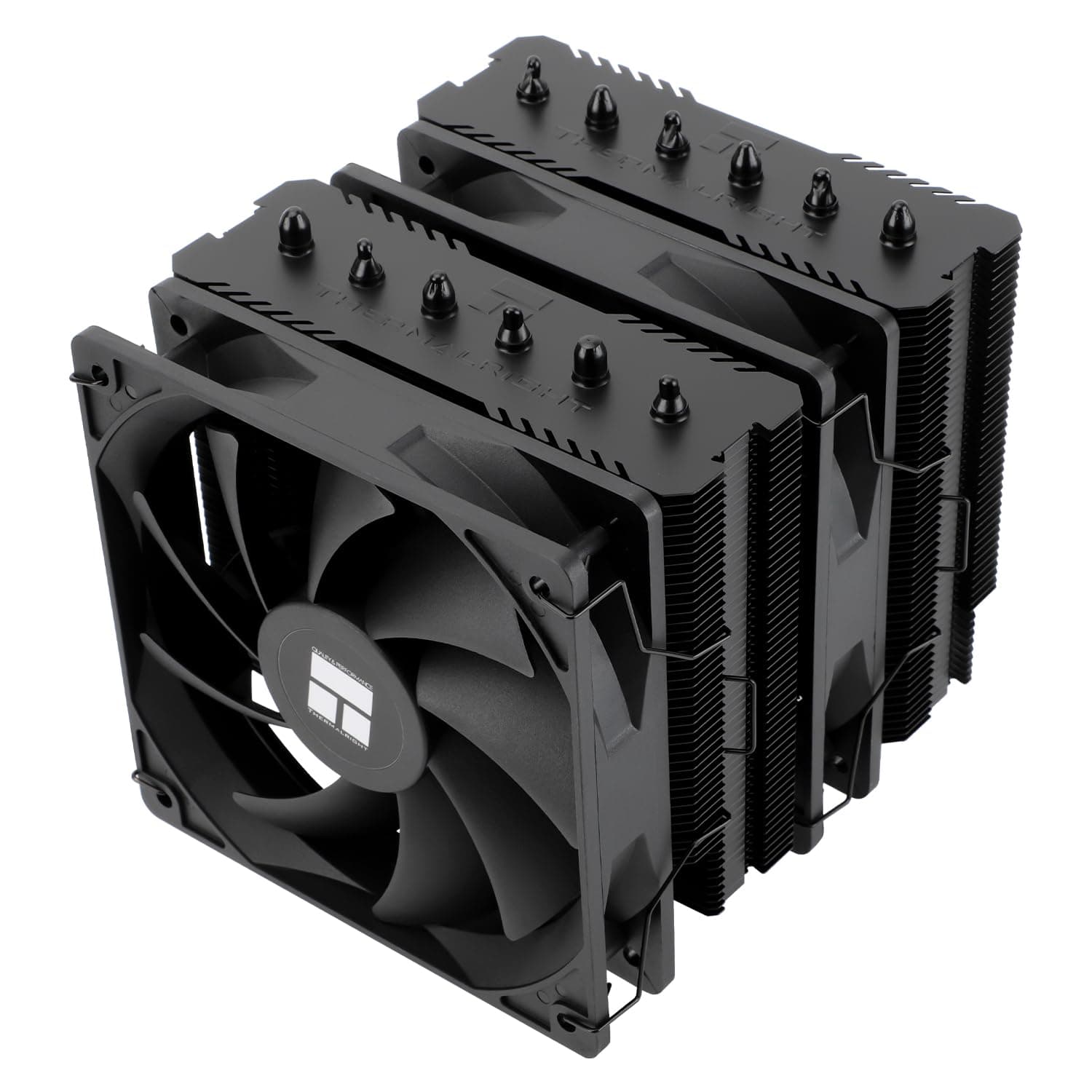
The Thermalright Peerless Assassin 120 SE (black) is a dual-tower air cooler built around six heatpipes and two 120mm TL-C12C PWM fans. This article focuses on the questions that actually decide the purchase: will it physically fit your build, and what are you giving up if it does.
Overview
This is a full-size air cooler aimed at builders who have outgrown a stock cooler or a basic single-tower unit but do not want an AIO. Six heatpipes run through two fin stacks, with fans mounted between and outside them in the usual sandwich arrangement.
The short version: if your case height clearance and RAM height allow it, this is one of the safest picks in its price bracket. If they do not, no amount of cooling performance makes it the right choice.
Get the order of decisions right. Most people who regret an air cooler purchase read thermal benchmarks carefully and then buy something that does not physically fit.
Dimensions first, performance second.
Why a dual tower
The difference versus a single tower is fin area relative to fan speed. With two fin stacks, less airflow is needed to shed the same heat, so the fans can spin slower.
The practical benefit of a dual tower is less "maximum cooling" and more "the same temperature, quieter."
You pay for that in volume and weight. Two towers mean more depth and more height than a single-tower design, and less room above the memory slots and under the side panel.
A 155mm overall height generally fits a mid-tower, but it is exactly the range where slim silent-oriented cases and microATX enclosures start to fail.
Compatibility Guide
Start with your case spec sheet and its "CPU cooler clearance" figure. Below 155mm, this cooler is out.
If the figure is right around 155mm, treat that as a warning rather than a pass: cabling and fan hubs behind the side panel often eat into the theoretical number. Aim for 160mm or more of stated clearance.
RAM height comes next. In a dual-tower layout the front fan tends to overhang the memory slots, so tall heatspreaders can interfere.
The standard fix is to slide the front fan upward by several millimetres, which works, but it raises total height and eats into your case clearance. RAM height and case clearance trade against each other.
With low-profile memory the problem largely disappears.
On sockets, the product name explicitly lists AM4. Whether brackets for AM5 or Intel LGA1700 are included can vary between packages of the same model, so check the socket list on the product page before ordering — this is not something to assume.
The mount uses a rear backplate, so a case with a CPU cutout behind the board will save you a rebuild later.
One more thing that gets missed: VRM heatsinks. Some high-end boards use tall VRM coolers to the left of the socket that can foul large tower coolers.
It is worth checking whether your motherboard's page carries a note about large air coolers.
Product Info
As captured on 12 June 2026, the Amazon Japan price was ¥7,704. Prices in this category move with sales and stock, and articles do not update themselves, so confirm the current figure on the product page before buying.
For overseas marketplaces no concrete figure was captured, and shipping-inclusive totals vary heavily per listing, so buying domestically is usually the lower-hassle route.
On reception, the listing showed 4.6 out of 5 stars from 46 reviews — about 92% positive — as captured on 2 June 2026.
Note the sample size. Forty-six reviews tell you no serious pattern of complaints has emerged, but they are not as statistically solid as a listing with thousands.
For judging defect rates or long-term durability the number is weak; you will learn more by reading review text that names a specific case or RAM kit close to your own build.
Living With It
The fans are PWM-controlled, so your motherboard's fan curve dominates the experience. To actually cash in the dual-tower advantage, keep RPM low through idle and mid load and let it ramp gently only once CPU temperature climbs.
Leaving an aggressive default curve in place is the usual reason someone concludes that "a dual tower is still loud."
You also do not have to run both fans. On a low-power CPU where silence matters most, running only the front fan is a legitimate configuration: you lose thermal headroom but remove a noise and resonance source.
Compared With The Alternatives
The natural comparisons are single-tower coolers like the Cooler Master Hyper 212 family, and 240mm/360mm AIO liquid coolers. Against a single tower, this trades bulk for acoustic headroom.
If space is tight or you want the area around the memory clear, a single tower is the happier choice.
Against an AIO, the advantages are no pump — one fewer moving part and failure point — and price. An AIO, however, can mount its radiator at the case top or front and dump CPU heat straight outside, which helps in builds with poor internal airflow or sustained heavy load.
Aesthetically, a large metal block in the middle of the case is a drawback if you want to show off RGB memory or the board itself. Choose on build compatibility, not on raw cooling capability.
Before You Buy
The most common failure, again, is dimensional. 155mm means "fits most mid-towers," not "fits any case." Check case clearance, RAM height, and VRM heatsink height.
Skip those checks and you are choosing between a return and a parts change.
Weight is next. Large air coolers are heavy, and the load on the motherboard matters if you transport the machine or lay it on its side.
For a PC you plan to carry to events, a big tower cooler is simply the wrong tool.
Installation can also feel harder than an AIO the first time. You remove a fan and reach a screwdriver down between the towers, so a long, slim Phillips driver makes an enormous difference.
Test-fitting on the bench before the board goes into the case is also worth the time.
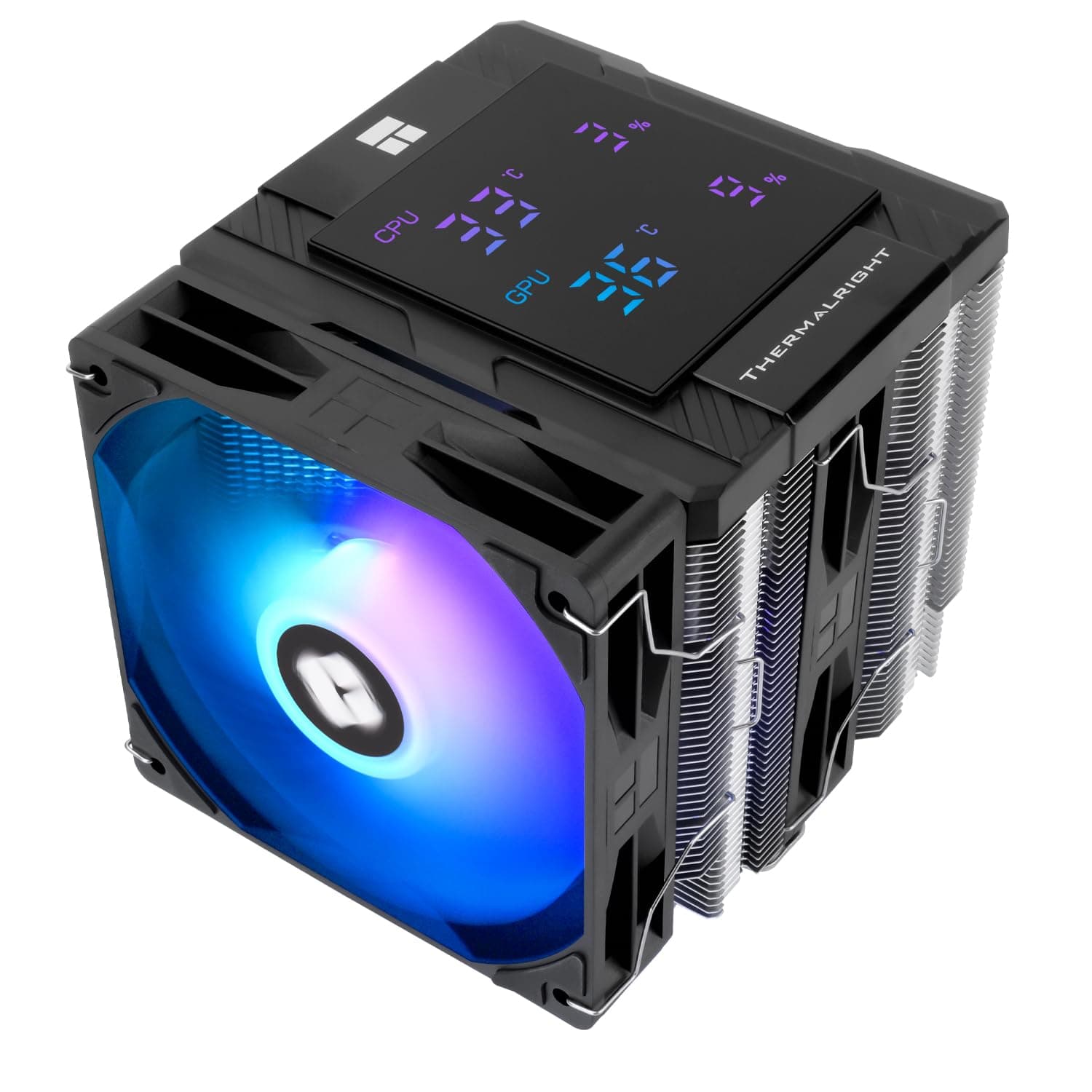
Finally, a caution about the listing data itself. The source data referenced for this article contained spec fields that do not belong to this product at all — output wattage and port counts from an entirely different category of device.
Retail listings do get cross-contaminated like this, so do not judge from the spec table alone: cross-check the product title, the photos, and the manufacturer's own page to confirm you are looking at the black Peerless Assassin 120 SE. The series also ships in white and ARGB variants, which makes grabbing the wrong version easy.
Best Use Cases
It suits mid-tower builders who want a clear step up in acoustics from a stock cooler. It pairs especially well with a long-horizon mindset: no pump to fail, no coolant to worry about, fit it once and leave it for years.
If you run low-profile or standard-height memory and your case states 160mm or more of clearance, there is very little to deliberate.
On cost, six heatpipes and two fans at this price is genuinely strong, and it works well as the "solve cooling sensibly, spend elsewhere" choice in a build that prioritises CPU and GPU budget. If you want a show build with lighting, or a quiet small-form-factor machine, look elsewhere.
FAQ
Q. It is 155mm tall — will it fit my case? A.
If your case states 160mm or more of CPU cooler clearance, you are generally fine. At exactly 155mm, panel-side protrusions and cabling can interfere, so leave margin.
Q. Can I use tall memory modules? A.
Often yes, by mounting the front fan higher, but that raises total height. If case clearance is marginal, switching to low-profile memory is the more reliable fix.
Q. Does it work on AM5 or LGA1700? A.
The product name specifies AM4. Included brackets can differ between packages, so confirm the socket list on the product page before ordering.
Q. Air cooler or AIO? A.
Air, if you want fewer moving parts and long-term stability. AIO, if internal airflow is poor, load is sustained and heavy, or aesthetics matter.
Cooling capacity alone does not settle it.
Q. Do I have to run both fans? A.
No. On a low-power CPU with silence as the priority, single-fan operation is a valid setup — lower thermal ceiling, one less noise source.