This article covers BZIZU WiFi 6E PCIe 無線LANカード.
Overview
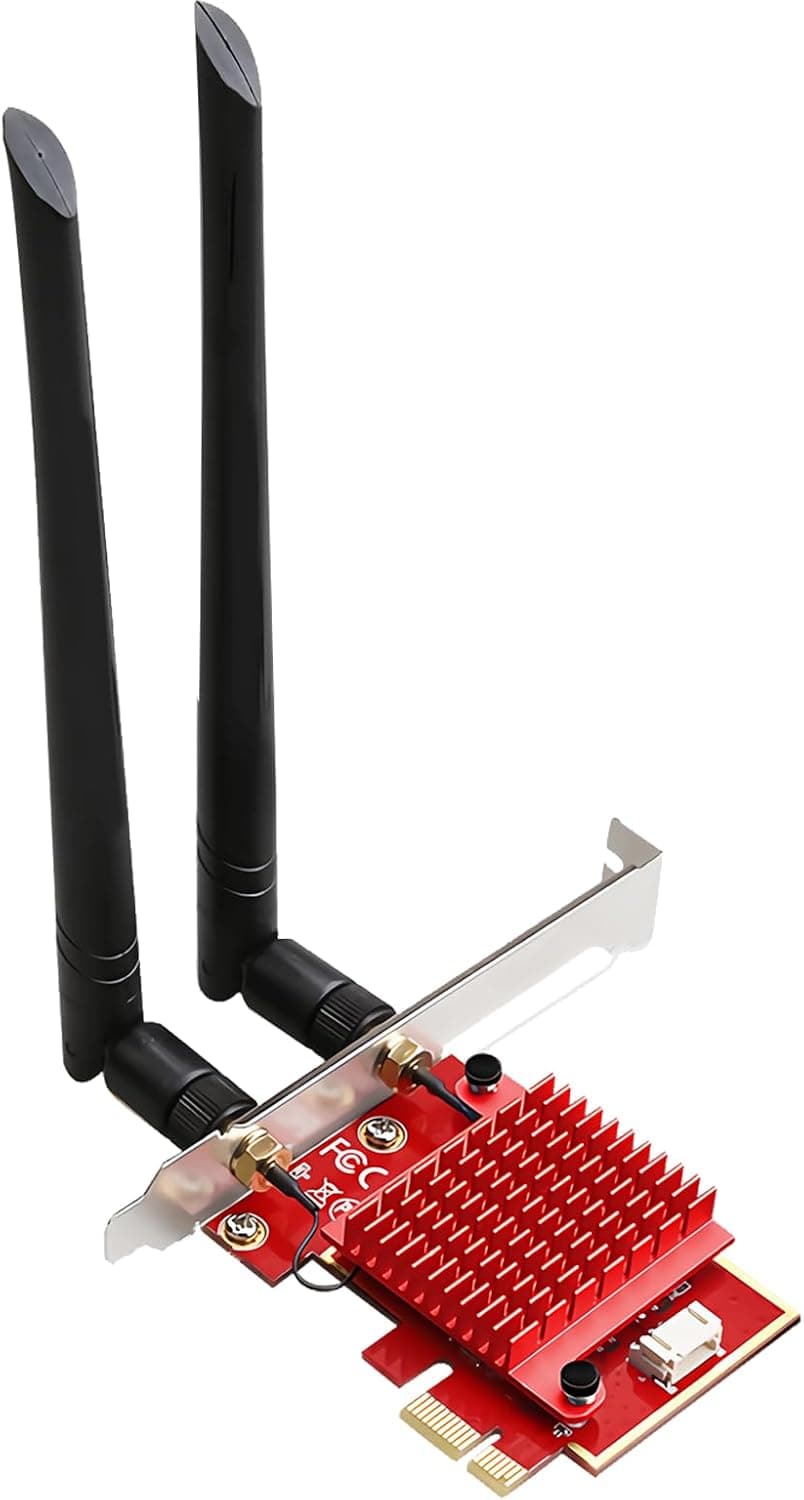
The BZIZU WiFi 6E PCIe Wireless Network Card brings Intel's AX210 chipset to your desktop, enabling tri-band Wi-Fi 6E connectivity at up to 5400Mbps. It's a straightforward upgrade for anyone looking to ditch Ethernet cables or improve an older Wi-Fi setup. Installation is simple: slot it into any standard PCIe x1 (or larger) slot, attach the two included high-gain antennas, and install the drivers. The card also integrates Bluetooth 5.3, eliminating the need for a separate USB adapter for wireless peripherals.
Connectivity & Compatibility
Interface: PCI Express x1, x4, x8, or x16 slots. Fits any standard desktop motherboard with an available slot. Wireless standards: IEEE 802.11a/b/g/n/ac/ax. Tri-band operation: 2.4GHz (574Mbps), 5GHz (2402Mbps), and 6GHz (2402Mbps). Bluetooth 5.3: Built-in, with improved range (4x over BT 4.x) and data rate (2x). Supports mice, keyboards, headsets, and more. OS support: Windows 10/11 64-bit only. Linux and macOS are not officially supported. * Antennas: Two detachable high-gain antennas with omnidirectional coverage and adjustable angles.
Product Info
Release: Available since around 2024 (based on listing history). Price: Approximately ¥3,000–¥4,000 (varies by seller and timing). Warranty: Manufacturer warranty (check official site for details). Accessories: PCIe card, two antennas, low-profile bracket, driver CD, manual. * Market position: Entry-to-mid-range. Offers excellent value by pairing Intel's reliable AX210 chip with a low price point, making Wi-Fi 6E accessible to budget-conscious desktop users.
Best Use Cases
Desktop users wanting Wi-Fi 6E without replacing the motherboard: If your board lacks built-in Wi-Fi 6E, this card adds it in minutes. Ideal for rooms where running Ethernet is impractical. Bluetooth peripheral enthusiasts: The integrated Bluetooth 5.3 handles multiple devices simultaneously, freeing up USB ports and reducing cable clutter. Online gamers on a budget: Low-latency design and OFDMA/MU-MIMO help maintain stable connections in crowded Wi-Fi environments. For competitive play, consider pairing with a wired connection for lowest ping. Cost-conscious DIY builders: At this price point, it's one of the most affordable ways to get Intel AX210 performance and Bluetooth 5.3 in a desktop.
Things to Consider
OS limitation: Only Windows 10/11 64-bit is supported. No official Linux or macOS drivers. Driver installation required: The card won't work out of the box; you must install drivers from the included CD or Intel's website. If speeds are unstable after install, update the driver. Physical space: Requires a free PCIe slot. Not suitable for small-form-factor or low-profile cases without the included bracket. Router dependency: To use the 6GHz band, you need a Wi-Fi 6E router. Without one, the card falls back to 5GHz or 2.4GHz. * Antenna placement: The antennas attach directly to the card's bracket. If your PC is under a desk, signal strength may vary; consider using an extension cable (not included) for optimal placement. ## FAQ
Q: Can I use this card in a PCIe x16 slot? A: Yes, it works in any PCIe slot (x1, x4, x8, x16). Performance is identical regardless of slot width. Q: Do I need to install separate Bluetooth drivers? A: No. Once the Wi-Fi driver package is installed, Bluetooth functionality is automatically enabled. You can then pair devices from Windows Settings. Q: What do I need to use Wi-Fi 6E (6GHz)? A: A Wi-Fi 6E router, Windows 11 (or a fully updated Windows 10), and the latest Intel drivers. Note that in Japan, 6GHz outdoor use is restricted in some areas.
Product Disclosure (Amazon)
- Manufacturer: BZIZU
- Seller: BZIZU
- Fulfilled by: Amazon
- ASIN: B0DB4NNW5J
- Note: This article covers a manufacturer-made product based on Amazon listing details.